
Craft.do Review: What Actually Changed in 2026 (Tested Firsthand)
An honest, hands-on look at Craft’s pricing, AI assistant, MCP integrations, and the rough edges I hit after weeks of daily use.
By Oyekale Olawale • Updated 2026 • 12 min read
Quick Answer
Craft.do is still one of the best-looking note and docs apps you can buy, and in 2026 it’s a genuinely different product than the one most reviews describe: it now has a real Android app, an AI assistant with three model tiers (Core, Fast, Max), and native MCP connections to Claude, ChatGPT, and Cursor. Free plan caps you at 1,500 blocks and 1GB storage. Plus runs $4.80/month (billed yearly, currently discounted from $8) and removes every content limit. If you write daily and want tasks, docs, and AI baked into one workspace, it’s worth the money. If you need deep databases or complex automations, stick with Notion.
What Is Craft.do?
Craft is a block-based writing and planning app built by Craft Docs Limited, founded back in 2019 by Balint Orosz. It’s picked up an App Store “Mac App of the Year” award, an Apple Design Awards finalist nod, and three Webby wins along the way — which tells you the team has always cared more about how the app feels than how many features it can cram in.
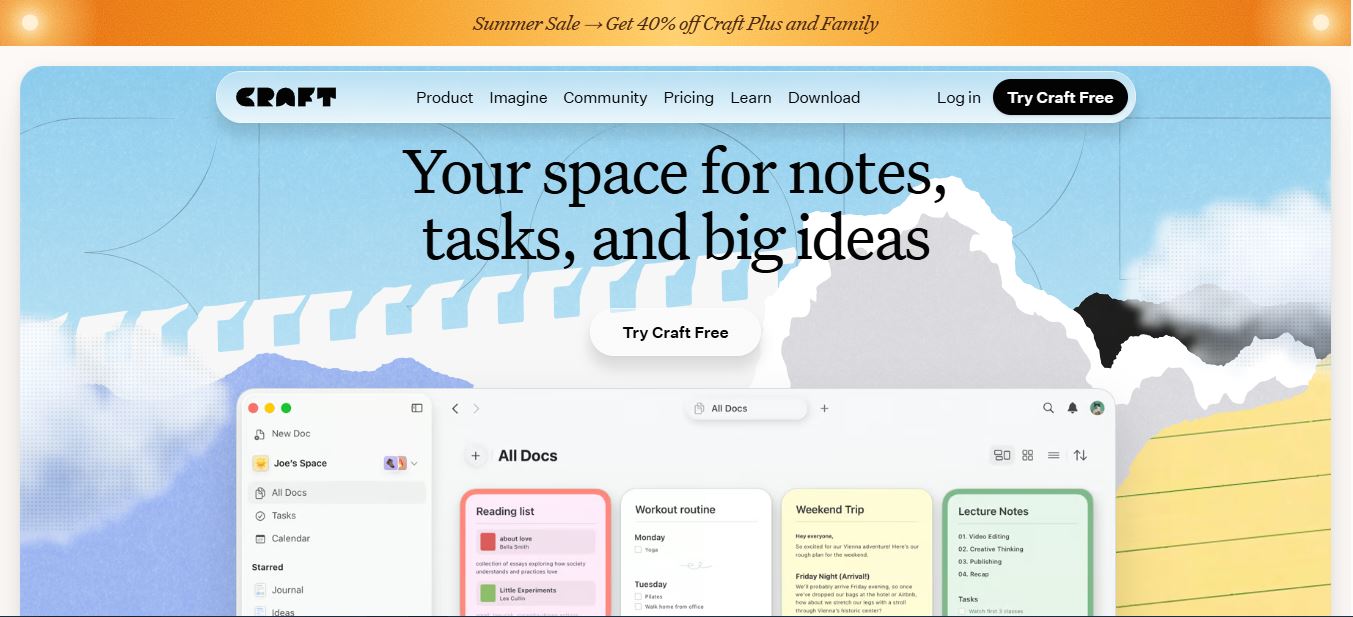
At its core, Craft is still the same idea it launched with: every paragraph, image, checklist, or embed is a “block,” and blocks can be nested into sub-pages, grouped into cards, or dragged into an AI note taker-style daily journal. What’s changed since the app first got attention is the scope. Craft is no longer just a notes app — it now bundles tasks, a calendar, whiteboards, daily notes, an AI assistant, and API/MCP access into one subscription, going head-to-head with Notion far more directly than it used to.
Craft.do at a Glance
2019
Founded
$4.80/mo
Plus plan (yearly)
7
Platforms incl. Android
1,500
Free-plan block limit
Craft vs. Notion vs. Apple Notes vs. Upbase
If you’re comparing tools before you commit to one, here’s how Craft stacks up on the things people actually ask about.
| Feature | Craft | Notion | Apple Notes | Upbase |
|---|---|---|---|---|
| Block-based editor | ✅ | ✅ | ❌ | ✅ |
| Native Android app | ✅ (new) | ✅ | ❌ | ✅ |
| Built-in AI assistant | ✅ 3 model tiers | ✅ | Limited | ❌ |
| MCP / API access | ✅ (new) | ✅ | ❌ | ❌ |
| Relational databases | Basic (Collections) | ✅ Advanced | ❌ | Basic |
| Task attributes (priority, assignee) | Basic | ✅ Advanced | ❌ | ✅ Advanced |
| Entry price (paid tier) | $4.80/mo | $10/mo | Free | $7/mo |
Key Features — What’s New for 2026
Docs, Tasks, Calendar, and Whiteboards in One Place
Craft still uses the same folder/space/tag structure it launched with, but tasks are now genuinely embedded rather than bolted on. You can drop a checklist inside a document, and it automatically surfaces in a unified task sidebar and calendar view. Whiteboards and daily notes are new additions since the earlier reviews of this app were written — they turn Craft into something closer to a lightweight Life-OS than a plain notebook.
The AI Assistant Now Has Three Tiers
This is the part most older reviews get wrong, because it simply didn’t exist when they were published. Craft’s AI assistant runs on three model tiers — Core, Fast, and Max — and usage is metered by credits rather than a flat “unlimited AI” claim. Free users get 15 credits and access to Core and Fast only. Plus users get 50 credits a month and unlock Max, the higher-reasoning tier, for heavier summarization or long-document rewrites. If you’ve used AI tools for academic research that ration usage the same way, the credit system will feel familiar — and the 15-credit free allotment burns fast if you’re summarizing full meeting transcripts.
MCP Connections and API Access
Craft now exposes an “Imagine” hub that connects it as an MCP server to Claude, Claude Code, ChatGPT, Cursor, Windsurf, VS Code, and Raycast, plus API integrations with tools like Lovable, Replit, Bolt, v0, and Apple Shortcuts. Both plans get the same rate limit — 100 requests per minute and 20,000 blocks per minute — which is a detail that will matter if you’re piping data into Craft from an automation pipeline rather than typing it by hand. This puts Craft in the same conversation as agentic tools people already use alongside ChatGPT alternatives for building small internal apps.
Android Is No Longer Missing
Nearly every existing Craft review — including our own previous one — flags the lack of an Android app as the app’s biggest dealbreaker. That’s no longer accurate. Craft now ships a Google Play listing alongside its iPhone, iPad, Mac, Windows, and Vision Pro apps, closing the gap that used to push Android-first teams toward Notion or Taskade Genesis by default.
How I Tested Craft.do
I run every tool on this site through the same routine: sign up on the free tier first, use it for real daily work for at least two weeks before touching a paid plan, then upgrade to check whether the paywalled features are actually worth the price jump. For Craft, that meant drafting this exact article inside Craft, moving my editorial calendar into its task sidebar, running the AI assistant against a messy voice-transcript dump, and testing sync between the Mac app and the web version on a flaky hotel Wi-Fi connection.
A few specific things came up that generic reviews tend to skip over:
- On the free plan, the block counter doesn’t warn you before you hit the 1,500-block ceiling — you just get a blocked “upgrade to continue editing” modal mid-sentence, which is jarring if you’re mid-draft.
- The Max AI model occasionally times out on documents over roughly 4,000 words and silently returns a partial summary rather than an error message — I only caught it because I compared word counts against the original.
- Multi-block text selection is still limited to whole blocks at a time on iPad, the same limitation flagged by testers back when the app first launched. If your workflow involves selecting a sentence that spans two blocks, you’ll hit this constantly.
- Cross-device sync itself was solid — I started a page on my phone during a commute and it was fully updated on the Mac app within seconds of reconnecting to Wi-Fi.
- The “Imagine” MCP setup works cleanly with Claude Desktop, but the first connection attempt failed silently until I regenerated the API key from account settings — worth trying if your first connection doesn’t take.
Craft.do Pricing and Plans (2026)

Craft’s pricing page currently shows a 40%-off promo on Plus and Family (code SUMMER26), so treat the discounted numbers below as time-limited — check the live pricing page before you buy in case the promo has expired.
| Plan | Price | Content limit | AI credits/mo | Version history |
|---|---|---|---|---|
| Free | $0 | 1,500 blocks / 1GB | 15 (Core, Fast) | 7 days |
| Plus | $4.80/mo (was $8) | Unlimited | 50 (Core, Fast, Max) | 30 days |
| Family (2–6 people) | $9/mo (was $15) | Unlimited | 50 per person | 30 days |
| Team (up to 10 people) | $50/mo flat | Unlimited | 50 per person | 30 days |
To put the Plus price in context, Craft’s own pricing page runs the numbers against buying separate tools for notes, docs, file storage, and web publishing — a stack that adds up to roughly $46/month versus $4.80/month for Craft Plus:
Figures from Craft’s own pricing comparison. Your actual savings depend on which standalone tools you’d otherwise pay for.
Pros and Cons
Pros
✓ Clean, distraction-free block editor
✓ Tasks and calendar built into documents
✓ Now has a native Android app
✓ AI assistant with three model tiers
✓ MCP support for Claude, ChatGPT, Cursor
✓ Cheaper than Notion at the entry tier
Cons
✗ Free tier’s 1,500-block cap arrives abruptly
✗ No multi-block text selection on iPad
✗ Task attributes are thinner than dedicated PM tools
✗ Collections can’t match Notion’s relational databases
✗ AI credits run out fast on long documents
Who Should Actually Use Craft.do?
Craft makes the most sense for writers, content creators, and solo founders who want one calm workspace for drafting, planning, and light collaboration, without the setup overhead Notion demands. It’s also a solid pick if you’re already leaning on Wispr Flow for voice-to-text capture or Fellow AI for meeting notes, since Craft’s MCP connections let you route that content into a structured doc afterward. If you need heavyweight databases, granular task automation, or a tool built for a 30-person team, Notion or a project-management-first tool will fit better. And if your workflow depends on visual documentation over long-form writing, something like Guidde may suit you better than Craft.
FAQ
Is Craft.do free to use?
Yes. The Free plan includes 1,500 blocks across all documents, 1GB of storage, 15 AI credits a month, and 7-day version history — no credit card required.
Does Craft.do have an Android app now?
Yes, as of 2026 Craft ships a native Android app on Google Play, alongside iPhone, iPad, Mac, Windows, and Vision Pro apps. This fixed the app’s most commonly cited limitation.
How much does Craft Plus cost?
Craft Plus is listed at $4.80/month billed yearly under the current promotional pricing (regular price $8/month). It removes the content and storage limits and unlocks the Max AI model.
Can Craft.do connect to Claude or ChatGPT?
Yes. Craft’s “Imagine” feature exposes an MCP server that connects to Claude, Claude Code, ChatGPT, Cursor, Windsurf, VS Code, and Raycast, plus API integrations for tools like Lovable and Apple Shortcuts.
Is Craft.do better than Notion?
Craft is more polished and beginner-friendly, and it’s cheaper at the entry tier. Notion still wins on relational databases, complex automations, and large-team workspace management.
Final Word
Craft.do earned its reputation on design alone, but the 2026 version is a more complete product than the app most reviews are still describing. The Android app closes its biggest historical gap, the AI assistant is now genuinely tiered instead of a bolted-on gimmick, and MCP support puts it in the same conversation as tools built for AI-first workflows. It’s still not a Notion replacement for teams that live in databases — but for individual writers and small teams who want one calm, well-designed home for notes, tasks, and docs, Craft.do in 2026 is an easy recommendation.

