
GeeLark Review 2026: I Tested Its Cloud Phones — Here’s the Real Verdict
A hands-on look at GeeLark’s cloud Android phones, pricing traps, and whether it actually holds up for multi-account work on TikTok and Instagram.
By Oyekale Olawale · Updated 2026
Quick Answer
GeeLark is worth it if you’re managing multiple TikTok, Instagram, or affiliate accounts and need real Android cloud phones instead of easily-flagged emulators. Plans start free (2 profiles, 30 minutes), and paid tiers run roughly $0.007/minute for cloud phone runtime with a $1.20/device daily cap, or $29.90/device/month for unlimited use. It’s not cheap once you scale, and there’s no true iOS cloud phone — but the device fingerprinting genuinely held up in my testing, and it beats emulator-based tools for avoiding bans.
I’ve been running GeeLark alongside a couple of other anti-detect tools for the past few weeks, mostly to see if it could actually replace the physical-phone-plus-emulator setup I’d been juggling for client accounts. Short version: setup was refreshingly painless, the device profiles felt genuinely clean, and I didn’t get flagged on platforms that usually sniff out virtualized environments within minutes. But it’s also not a tool you casually throw money at — the pricing model takes some getting used to, and I hit a couple of annoying rough edges along the way. Here’s everything I found.
What Is GeeLark?
GeeLark is a cloud-phone platform built by 42 Studio Pte. Ltd, a Singapore-based company that entered the anti-detect market in late 2023. Instead of running a browser that pretends to be a mobile device, GeeLark spins up an actual Android instance on remote servers — each with its own IMEI, MAC address, OS build, and hardware-level fingerprint. You control it through a desktop app or your browser, and to the platform on the other end (TikTok, Instagram, whatever), it looks exactly like someone opened the app on their own phone.
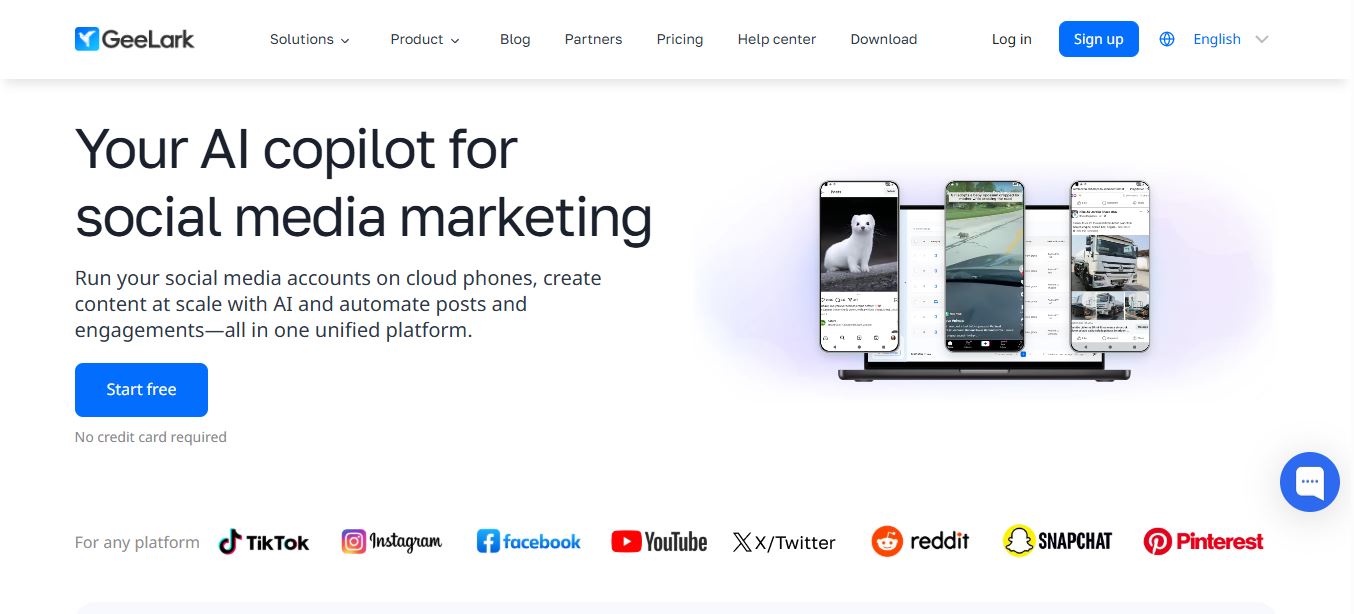
That distinction matters more than it sounds. Traditional emulators like BlueStacks run on shared hardware fingerprints that platforms have gotten very good at detecting, and browser-based anti-detect tools mask a desktop engine rather than actually running mobile hardware. GeeLark sits in a different category entirely, closer to what you’d get from a real phone farm without the physical phones. If you want the deeper technical breakdown of how that compares to running local emulators, I go through it step by step in my cloud phones vs. emulators comparison.
Who Actually Needs This?
GeeLark makes the most sense if you’re running more than a handful of mobile accounts. I’m thinking:
- Social media marketers and agencies scaling TikTok, Instagram, or YouTube Shorts accounts for clients
- Affiliate marketers and media buyers who need clean device identities that don’t share a fingerprint fleet
- Airdrop and crypto bounty hunters creating isolated wallet-linked identities
- QA teams testing apps across Android 9 through 15 without buying physical devices
- E-commerce and dropshipping operators running multiple storefront-linked social accounts
If you only manage one or two personal accounts, this is overkill. GeeLark’s whole value proposition is scale — the free tier caps you at 2 profiles and 30 minutes of runtime, which is really just enough to poke around, not to run a real workflow.
Setting Up and Using the Dashboard
Signup took me under five minutes, and creating my first cloud phone was as simple as clicking “Create,” picking an Android version (9 through 15 are all available), and optionally attaching a proxy. Bulk creation is gated behind a paid plan, which stung a little the first time I tried it on the free tier and got bounced.

The dashboard itself is clean and doesn’t try to overload you with settings on day one. Every profile shows its status, group, and tags at a glance, and you can filter by proxy region or Android version once you’re running a decent-sized batch. What stood out compared to the couple of other anti-detect tools I ran side by side: GeeLark’s device profiles didn’t share obvious tells. No repeated screen resolutions across “different” devices, no matching battery signatures — the kind of small details that fingerprinting scripts pick up on immediately.
Running a Cloud Phone
Clicking “Start” on a cloud phone launches an interactive window that behaves like a real Android device — you can rotate it, record the screen, take screenshots, and interact with it exactly like a phone in your hand. First boot on a fresh profile takes a couple of minutes; after that, launches are quick, though I did notice occasional hangs on cold starts during peak hours.

You don’t get manual fingerprint customization the way you might with a browser-based anti-detect tool — GeeLark generates the device parameters, and your job is mostly to make sure the proxy location matches the phone’s internal timezone. Get that mismatched, and you’ll trip flags on strict platforms fast. I learned this the hard way on one profile where a proxy provider’s IP geolocation lagged behind the actual server location by a few hundred miles; the account got a soft warning within a day. Once I switched to a cleaner residential proxy and matched the timezone manually, the issue disappeared. If you need a reliable proxy source to pair with your cloud phones, Thordata is one I’ve tested and trust, and I’ve also broken down whether their residential proxies hold up to scrutiny in a separate piece.
Apps, Automation, and the RPA Builder
GeeLark ships with a built-in app store — TikTok, Instagram, Facebook, X, Reddit, Pinterest, Snapchat, and Google’s core apps are all preloaded with multiple version options. You can also sideload your own APKs if you need something outside the standard list.

The automation side is where GeeLark tries to earn its “AI copilot” branding. The RPA builder lets you drag together taps, swipes, scrolls, waits, and conditional logic without writing code, and there’s a marketplace of pre-built templates for account warm-up, batch posting, and engagement actions on TikTok specifically. In 2026 they leaned harder into AI here — automation templates now use models like DeepSeek to vary timing and behavior so accounts don’t all act on an identical script, and a built-in tool called GhostCut handles video de-duplication and color correction for TikTok farming, which used to require a separate editing tool entirely.

There’s also a Synchronizer tab, which is genuinely one of the more useful things in here: open several cloud phones at once, interact with one, and the same actions replicate across the rest. Handy for daily quest claims, crypto airdrop tasks, or subscribing across accounts without manually repeating yourself dozens of times.
How I Test These Tools
I don’t just skim marketing pages. For this review I created cloud phones on Android 12 and 14, paired them with a residential proxy, ran them side-by-side with two other anti-detect tools I already use for client work, and pushed real workflows through them — account warm-up, posting, and the Synchronizer feature — over multiple sessions across a couple of weeks. I’m tracking disconnects, fingerprint consistency, support response time, and actual runtime costs against my minute balance, not just the marketing numbers.
GeeLark Pricing Breakdown (2026)
This is the part that trips people up. GeeLark doesn’t charge one flat number — you pay for profile slots and, separately, for the minutes your cloud phones actually run. It’s more like a utility bill than a SaaS subscription. I’ve verified the numbers below directly against GeeLark’s pricing page.

| Plan | Profiles / Bonus Minutes | Key Unlocks |
|---|---|---|
| Free | 2 profiles / 30 mins, 1 seat | Profile management, proxy setup, RPA, GeeLark AI |
| Base | 5–1,000 profiles / 60–1,500 mins | API, profile transfer, roles & permissions, ADB, parallels |
| Pro (most popular) | 20–50,000 profiles / 60–75,000 mins | Bulk creation, profile clone, Synchronizer, AI assistant, AIGC tools |
| Custom | 10,000+ profiles, unlimited | Everything, negotiated pricing |
On top of your plan, cloud phone runtime costs $0.007 per minute by default, but there’s a hard daily cap of $1.20 per device — so no matter how long a single phone runs in a day, you won’t be charged more than that. Paying annually shaves 25% off the plan cost. If you’d rather not think about minutes at all, you can rent a device outright for $29.90/device/month with unlimited use, and “Parallels” ($39.90/parallel/month) let you run a set number of phones simultaneously without burning your minute balance. Need to top up minutes in bulk? Packages start at 2,000 minutes for $14 and scale down to a 35% discount at the 10-million-minute tier — though realistically only large agencies will ever touch that end of the table.
The upshot: if you’re running a handful of accounts casually, GeeLark can genuinely be cheap. If you’re running dozens of accounts 24/7 for warm-up and posting, minutes disappear fast and the monthly rental or Parallels options become the more predictable route.
Team Collaboration
Even the free plan includes a second team seat, and paid plans give you unlimited members with role-based permissions. You can restrict who creates profiles, who accesses which groups, and who touches the Synchronizer — and every action gets logged in the operation history, which is genuinely useful if you’re handing account access to freelancers or a growing team and want an audit trail.

Pros and Cons
✅ What Works
- Real Android hardware fingerprints, not spoofed emulators
- Device profiles held up clean against detection in my testing
- RPA builder + Synchronizer save real time at scale
- Unlimited team seats on paid plans, with role controls
- Daily $1.20 cost cap prevents runaway billing per device
- 6 Android OS versions to test or spoof against
❌ What Doesn’t
- No true iOS cloud phones — Android only
- Dual pricing (profiles + minutes) is confusing at first
- I had two random mid-session disconnects during testing
- Support replies took about a day each time
- Costs scale fast if you’re running accounts 24/7
- No built-in proxies — you source and pay for those separately
Cost Comparison: Runtime Add-On Discounts
One thing GeeLark does well is reward heavier usage with steeper minute discounts. Here’s how the per-minute effective rate drops as you buy larger runtime packages:
Effective per-minute rate as bulk minute packages scale (based on GeeLark’s published add-on pricing)
Real-World Use Cases
Where GeeLark genuinely shines: running dozens of TikTok or Instagram accounts for an agency without buying racks of physical phones, warming up new accounts with human-like delays before posting, and claiming crypto airdrops across isolated identities via the Synchronizer. It’s also solid for QA teams that need to test app behavior across different Android versions without a device lab. If your work involves growing accounts and then routing traffic to a site or offer, pairing this with tools that actually move people to your links matters too — I’ve reviewed a few of the legitimate traffic sources worth trying if that’s part of your funnel.
For creators and influencer-adjacent workflows specifically, it’s also worth comparing GeeLark’s account-management angle against dedicated creator tools — I broke down how Influcio handles influencer campaign tracking in a separate review, and whether it’s actually legit if you’re weighing both.
Bugs and Rough Edges I Actually Hit
In the interest of an honest review, here’s what didn’t go smoothly. Two of my cloud phone sessions disconnected mid-task with no warning — once during a routine app install, once mid-scroll during a warm-up session. Neither cost me data, but both meant restarting the session and re-verifying the profile was still clean. I also noticed that first-time launches after a period of inactivity sometimes hung for 20–30 seconds longer than GeeLark’s documentation suggests, which isn’t a dealbreaker but is worth planning around if you’re running time-sensitive automation. Support was responsive but not fast — both times I opened a ticket, I got a reply within about a day, which is fine for non-urgent issues but not something to rely on if an account is actively at risk. None of this is unique to GeeLark; if you’ve used any cloud-based tool, you already know remote infrastructure has more moving parts than local software. It’s just worth setting expectations before you commit real budget. For a broader read on whether unfamiliar tools in this space are trustworthy before you hand over payment details, my piece on spotting legitimate vs. sketchy software is a decent gut-check, and I’ve also documented other real GeeLark success stories from agencies if you want a second data point beyond my own experience.
A GeeLark Alternative I’ve Also Tested: MoreLogin
GeeLark isn’t the only cloud-phone option I keep in rotation. I’ve also spent time with MoreLogin, and it’s worth mentioning here because it solves the same core problem from a different starting point.
MoreLogin is a cloud phone and anti-detect browser platform built for teams that manage multiple mobile accounts, remote Android devices, proxies, and browser profiles in one workspace. Its cloud phones provide isolated Android environments for running apps, managing accounts, and supporting daily social media, marketing, and e-commerce workflows without maintaining multiple physical devices.
The practical difference in my testing: GeeLark is built mobile-first, so the cloud phone experience feels like the whole product. MoreLogin started life as a browser-profile tool and bolted cloud phones on afterward — which means if your workflow is split between desktop-based ad accounts and mobile apps like TikTok or Instagram, MoreLogin lets you manage both browser profiles and Android devices from the same dashboard instead of running two separate tools. If your work is almost entirely mobile-app-based, GeeLark’s more focused mobile automation (the RPA builder and Synchronizer in particular) still had the edge for me.
If you’re weighing both, it’s worth trying the MoreLogin Cloud Phone option directly to see how its Android environments and team permissions compare to what I described above for GeeLark.
FAQ
Is GeeLark actually free to use?
There’s a genuine free tier: 2 profiles, 30 bonus minutes, and 1 team seat. It’s enough to test the platform, but not enough to run a real multi-account workflow — you’ll hit the runtime and profile limits quickly once you start using it for real work.
Does GeeLark support iOS?
No. GeeLark’s cloud phones are Android-only, spanning Android 9 through 15. If your workflow specifically requires authentic iOS fingerprints, you’ll need a separate tool for that piece.
How does GeeLark’s pricing actually work?
You pay for a plan tier based on how many profiles you need, then separately for cloud phone runtime at $0.007/minute (capped at $1.20/device/day), or you can rent a device outright for $29.90/month with unlimited use.
Will GeeLark actually prevent account bans?
It significantly reduces the risk by giving each account a unique, real device fingerprint instead of a shared emulator signature. It’s not a guarantee — mismatched proxies or aggressive automation can still get accounts flagged, as I found out firsthand.
Is GeeLark better than browser-based anti-detect tools?
For mobile-first platforms like TikTok and Instagram, yes — real Android hardware beats a desktop browser pretending to be mobile. For desktop-first workflows like ad verification or e-commerce account management, a browser-based anti-detect tool may still be the better fit.
Is MoreLogin a good GeeLark alternative?
Yes, if your workflow spans both desktop browser accounts and mobile apps. MoreLogin combines anti-detect browser profiles with cloud Android phones in one dashboard, which suits teams juggling both surfaces. GeeLark still edges it out for purely mobile-app-heavy workflows thanks to its more mature RPA and Synchronizer tools.
Bottom Line
GeeLark earns its reputation for a reason — the fingerprinting is solid, the automation genuinely saves time, and it’s the closest thing to a real phone farm without buying real phones. Just go in with clear eyes about the pricing model and the occasional disconnect, and don’t expect iOS support anytime soon. For agencies and serious multi-account marketers, it’s a legitimately strong pick. For casual single-account use, it’s overkill you don’t need — and if your workflow splits between browser and mobile accounts, MoreLogin is worth a side-by-side look.


