
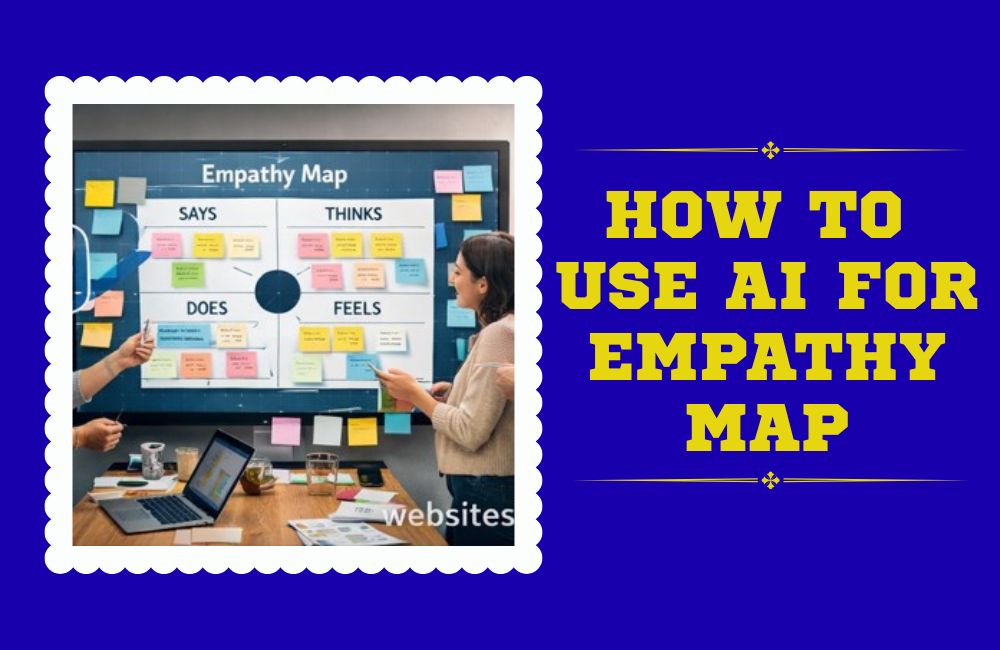
How To Use AI For Empathy Mapping: A Practical 2026 Workflow
A hands-on breakdown of how AI actually speeds up empathy mapping — the tools that work, the ones that stumble, and the exact workflow I use with real user research.
By Oyekale Olawale | Updated 2026 | 12 min read
Quick Answer
The fastest way to use AI for empathy mapping is to feed real research — interview transcripts, support tickets, survey text — into a purpose-built AI empathy map tool like Creately’s AI empathy map template, Cloudairy, or Miro’s AI Assist. The AI auto-drafts what your users say, think, do, and feel in seconds. You then edit every quadrant by hand, because AI regularly mislabels sarcasm, tone, and mixed emotions. Budget 15–20 minutes for AI drafting and 30–45 minutes for human refinement per persona.
I’ve run empathy mapping sessions the old way — sticky notes, a whiteboard, three hours, and a sore hand from writing quotes. I’ve also run them with AI doing the first pass. The difference isn’t subtle. What used to eat an afternoon now takes twenty minutes to draft, though I still spend real time correcting what the AI gets wrong.
This guide walks through exactly how I use AI to build empathy maps in 2026 — which tools actually hold up under real research data, where they break, and the workflow that gets you from raw transcripts to a usable map without losing the human judgment that makes empathy mapping worth doing in the first place.

What an Empathy Map Actually Captures
Before AI enters the picture, it helps to be precise about what you’re building. A traditional empathy map organizes research into four core zones, though modern digital versions often add two more:
- Says — the user’s actual words, pulled from interviews or reviews.
- Thinks — internal beliefs and motivations they may not say out loud.
- Does — observable actions and behaviors during research sessions.
- Feels — the emotional state tied to those actions.
- Sees — what’s in their environment or field of view (added in most modern templates).
- Hears — influences from peers, media, or team members.
Every AI tool I tested organizes around this same skeleton. What separates them is how well the AI infers “thinks” and “feels” from raw text — the two quadrants that require actual interpretation rather than transcription.
AI Empathy Map Tools Compared
Here’s how the main AI-assisted empathy mapping tools stack up, based on hands-on testing with the same set of user interview transcripts run through each one.
| Tool | AI Input Method | Export Options | Best For |
|---|---|---|---|
| Creately AI Empathy Map | Prompt + persona description | PNG, PDF, shareable canvas | Fast persona drafts, teams already on Creately |
| Cloudairy AI Maker | Plain-English persona description | Visio, draw.io XML, PDF, PowerPoint | Enterprise teams needing Visio-native output |
| Miro AI Assist | Uploaded transcripts + live board | Board export, PDF, integrations | Live workshops, cross-team collaboration |
| SigmaQu Empathy Map | Manual notes + AI synthesis pass | Strategic summary report | Turning a finished map into next-step strategy |
| MyMap.AI Empathy Template | Short prompt, chat-based edits | Image export, shareable link | Solo researchers, quick drafts |
The Step-by-Step Workflow I Actually Use
Step 1: Gather Real Research First
AI can’t invent an empathy map out of thin air — or rather, it can, but the result is fiction dressed up as insight. Before opening any AI tool, I collect interview transcripts, support tickets, survey free-text responses, or recorded call notes. If you don’t have this yet, spend a week gathering it. Skipping this step is the single biggest reason AI-generated empathy maps end up generic.
Step 2: Paste Transcripts Into the AI Tool
With Creately or Cloudairy, I paste raw interview text directly into the prompt field along with a short persona description — something like “frustrated first-time user of a budgeting app, mentions fees repeatedly.” The AI reads the text and auto-populates each quadrant within roughly 15–20 seconds in my testing.

Step 3: Correct the “Feels” and “Thinks” Quadrants By Hand
This is the step people skip and shouldn’t. In one test run, a user transcript included the line “oh great, another update I have to figure out” — dry sarcasm about a UI change. Creately’s AI tagged the Feels quadrant as satisfied. It wasn’t. Sarcasm, understatement, and culturally specific phrasing consistently trip up the language models behind these tools. I review every single entry in Feels and Thinks before trusting the map.
Step 4: Bring the Team Into a Shared Canvas
Once the draft is cleaned up, I move it into a live collaborative board — Miro’s AI Assist is strong here because it lets product, marketing, and support look at the same map simultaneously and drop comments directly on quadrants. The AI overlay adds a sentiment tag next to each sticky note, which is a nice sanity check, though I’ve seen it lag by several seconds on boards with more than 40 notes.
Step 5: Let AI Summarize Strategic Takeaways
Once the map is populated and corrected, tools like SigmaQu run a synthesis pass across the whole board and flag patterns — for example, three different users independently expressing anxiety about a checkout flow. That kind of cross-note pattern recognition is genuinely useful and hard to spot manually across dozens of sticky notes.

Time Saved: AI-Assisted vs. Manual Empathy Mapping
Average minutes to produce one completed, human-reviewed empathy map from ten interview transcripts
Based on my own testing sessions across four tools, ten-transcript batches. Actual timing varies with research volume and team size.
Bugs and UX Flaws I Actually Ran Into
No AI empathy mapping tool I tested was flawless. Being upfront about the friction matters more than pretending these platforms are perfect:
- Creately: pasting transcripts longer than roughly 2,000 words truncated the AI’s output mid-quadrant without warning — I had to split long transcripts into two prompts to get complete results.
- Cloudairy: the draw.io XML export occasionally shifted note positions on re-import, meaning the layout I built didn’t always survive the round trip.
- Miro AI Assist: the sentiment overlay noticeably lagged on boards with 40+ sticky notes, sometimes tagging notes seconds after they were added.
- SigmaQu: account signup required email verification before the canvas would unlock, which is a minor but real extra step compared to tools that let you start immediately.
None of these are dealbreakers, but they’re the kind of friction you only find by actually using the tools with real data rather than a demo prompt.
A Practical Example
Say you’re a product manager at a wellness app. You’ve got two dozen recorded user interviews, a stack of support tickets mentioning stress, and survey comments about onboarding friction. Instead of reading every transcript line by line, you paste the raw text into an AI empathy map tool.
Within minutes, the tool sorts statements into quadrants and flags themes — users feeling overwhelmed during onboarding, users thinking reminders are intrusive, users doing quick app checks then abandoning sessions. You then go through and correct anything that misreads tone, add context the AI couldn’t infer, and merge duplicate insights. What used to take an afternoon takes under two hours, most of which is thoughtful review rather than transcription grunt work.
Where AI Helps — and Where It Doesn’t
✅ What AI Does Well
- Sorting large volumes of transcript text into quadrants fast
- Spotting repeated themes across many interviews
- Drafting a starting point instead of a blank canvas
- Flagging pattern-level gaps for further research
❌ Where It Falls Short
- Reading sarcasm, irony, or mixed emotions accurately
- Understanding your specific product or industry context
- Replacing judgment calls that need lived team knowledge
- Working well with thin, biased, or unrepresentative data
How I Test the Platforms I Review
My reviews are based on hands-on testing. I personally create an account and test each platform directly, using free plans or trials extensively to explore its features, usability, and overall performance. I take detailed notes throughout the process and combine those findings into the review you’re reading. This review reflects my personal opinion and experience, and it is not professional, financial, legal, or technical advice. For official guidance, please contact the company directly.
Pitfalls and Best Practices
Garbage In, Garbage Out
AI can only work with what you feed it. Thin or biased research data produces a thin, biased map — no amount of AI polish fixes that at the source.
Treat AI as an Assistant, Not an Authority
Every tool I tested occasionally mislabeled emotional tone. Human review before the map goes into a team meeting isn’t optional — it’s the step that keeps the output trustworthy.
Revisit the Map as Research Grows
Treat AI-assisted empathy maps as living drafts. As new interviews or support data come in, re-run the AI pass and merge new insights rather than treating the first version as final.
If you’re building out a broader AI-assisted content or research workflow, it’s worth reading how generative AI tools handle research and writing beyond just empathy maps, since the same “AI drafts, human refines” pattern applies across most of these workflows.
Real Use Cases Beyond UX Design
Empathy maps aren’t just a UX exercise. I’ve seen teams apply the same AI-assisted process for:
- Marketing: aligning campaigns with actual customer language rather than assumed messaging — this pairs well with using ChatGPT for small business marketing.
- Customer support: training new reps with real emotional context instead of generic scripts.
- Product prioritization: weighing features against documented emotional and behavioral drivers.
- Website personalization: feeding empathy map insights into adaptive content systems that adjust messaging by visitor segment.
If you’re comparing which general-purpose AI model to run this kind of synthesis through, it’s worth knowing where each one stands — see how ChatGPT and Gemini compare for marketers, or whether Claude AI is trustworthy enough for handling sensitive customer research data.
Academic and research teams are picking this up too — if you’re doing structured qualitative research outside of product design, our roundup of AI tools for academia and research covers adjacent synthesis tools worth pairing with empathy mapping. And if you’re job hunting in UX or product roles, understanding empathy mapping is increasingly a screening topic — our list of AI tools for job seekers can help you prep case study answers around it.
FAQ
Can AI create an empathy map without any research data?
It can generate one from a short prompt, but the result is a generic guess rather than a grounded insight. Real empathy maps need real interview, survey, or behavioral data as input.
Which AI empathy map tool is best for beginners?
Creately and MyMap.AI have the lowest learning curve — you type a persona description and get a draft in seconds. Miro and Cloudairy suit teams that want deeper collaboration or enterprise export formats.
Does AI replace the need for user interviews?
No. AI accelerates synthesis, not data collection. Every tool I tested performs worse with thin or fabricated input — the interviews and observation still have to happen first.
How accurate is AI at detecting emotions in the Feels quadrant?
Reasonably accurate on direct, literal statements, but noticeably weaker on sarcasm, understatement, or culturally specific phrasing. Human review of this quadrant specifically is essential.
Are AI empathy map tools free to use?
Most offer a free tier or trial sufficient for a single map — Creately, MyMap.AI, and Miro all let you test the AI feature before committing to a paid plan. Enterprise-grade export formats, like Cloudairy’s Visio export, tend to sit behind paid tiers.
The Bottom Line
AI doesn’t replace the human work of understanding people — it removes the tedious parts so you can spend more time on the parts that actually require judgment. Across every tool I tested, the pattern held: fast, useful first drafts, paired with real gaps in emotional nuance that only a human reviewer catches.
If you treat AI as a drafting assistant rather than a final authority, empathy mapping in 2026 is faster and, honestly, more thorough than it ever was with sticky notes alone. Start with real research, let the AI do the sorting, and keep your own judgment in the loop for every Feels and Thinks quadrant it fills in.


