
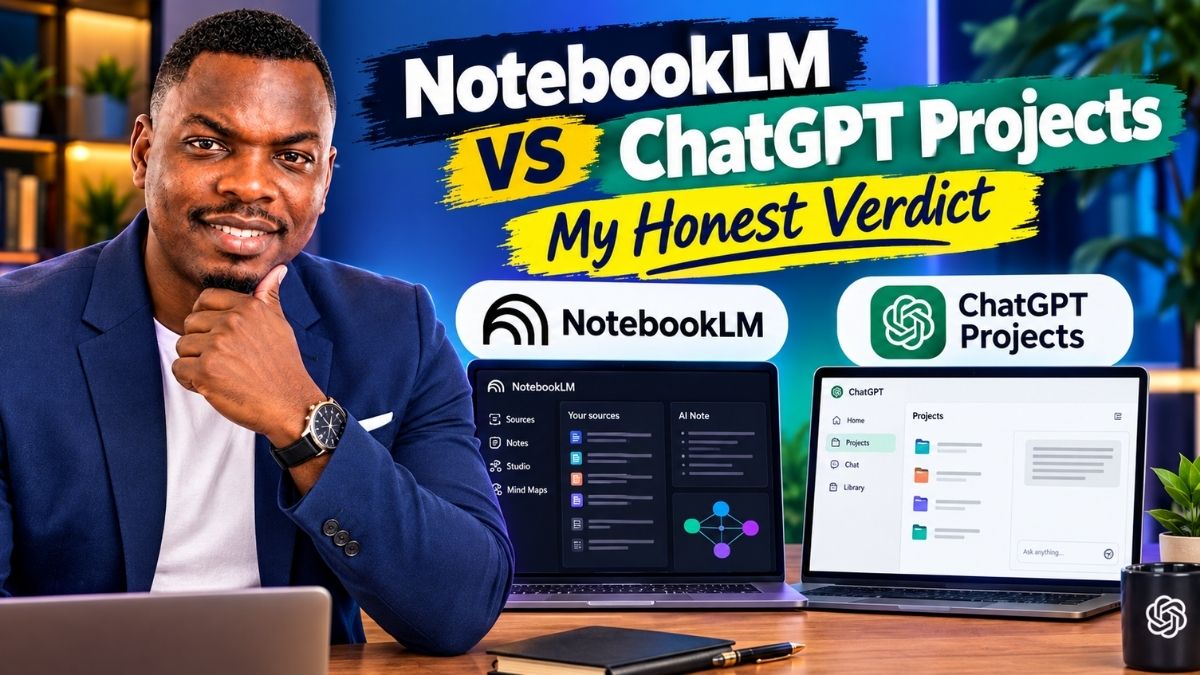
NotebookLM vs ChatGPT Projects: My Honest 2026 Verdict
I ran real research files, real citations, and real edge cases through both tools for weeks. Here’s which one earned a permanent spot in my workflow — and which one I quietly stopped opening.
By Oyekale Olawale
Quick Answer
NotebookLM (now officially Gemini Notebook) wins for anything grounded in a fixed set of sources — citations that highlight the exact line in your PDF, podcast-style Audio Overviews, and a free tier that’s genuinely usable. ChatGPT Projects wins when the work keeps changing shape — it can still browse the live web, run code, and switch between writing, coding, and planning without leaving the project. If you only pick one, base it on whether your bottleneck is staying faithful to your sources or producing finished output. Most serious users I’d recommend this to end up paying for both, because they solve different problems, not the same problem twice.
I’ll say the unpopular part up front: most “NotebookLM vs ChatGPT” comparisons you’ll find right now are comparing NotebookLM to the wrong thing. They pit it against general ChatGPT, not the specific workspace feature — ChatGPT Projects — that’s actually built to compete with a notebook. That’s like comparing a filing cabinet to an entire office building and acting surprised the building has more rooms.
So that’s the comparison I’m actually running here: NotebookLM (Gemini Notebook) against the Projects feature inside ChatGPT. Same job — keep your files, your context, and your ongoing work in one place — two very different philosophies about how to do it.
What Each Tool Actually Is
Google renamed NotebookLM to Gemini Notebook on July 16, 2026. Same product, same pricing tiers, same underlying model — just a new name and a new address at notebook.google.com. Old links redirect automatically. I still call it NotebookLM out of habit, and honestly, so does most of the internet.
NotebookLM’s whole premise is source grounding. You upload PDFs, Google Docs, slide decks, web pages, YouTube links, even pasted text. It runs on Gemini 3, and — this is the part that matters — it will not answer from anything you didn’t give it. Ask it something outside your uploaded material and it tells you plainly that the sources don’t cover that. That restraint is the feature, not a limitation.
ChatGPT Projects is a different animal entirely. It’s a workspace layered on top of regular ChatGPT: you get a folder-like container with its own files, its own custom instructions (up to 8,000 characters, versus 1,500–5,000 for global custom instructions), and persistent chat history. But it never stops being ChatGPT underneath. It can still pull from general training knowledge, still browse the live web, still write code — the project just keeps that work organized and gives it the extra context you’ve uploaded.
Feature Matrix: NotebookLM vs ChatGPT Projects
I built this table the way I’d want it if I were skimming on my phone during a coffee break — no fluff, just what changes between the two.
| Feature | NotebookLM (Gemini Notebook) | ChatGPT Projects |
|---|---|---|
| Core model | Gemini 3 | GPT-5.6 family (Sol, Terra, Luna) |
| Answers outside your files? | No — strictly source-grounded | Yes — can blend general knowledge and live web search |
| Free-tier file/source cap | 50 sources per notebook, 100 notebooks | 5 files per project |
| Paid-tier file cap | Up to 600 sources (Ultra 30TB) | 25 (Go/Plus), 40 (Pro/Business/Enterprise) |
| Citation behavior | Highlights exact passage in the source document | Names the source; you locate the passage yourself |
| Web pages / YouTube as sources | Yes, natively | No direct import — only via pasted links inside a chat |
| Google Drive / Slack import | Google Drive and Docs native | Google Drive files/folders and Slack channels as sources (since Feb 2026) |
| Audio/Video Overviews, quizzes | Yes, on every tier | No equivalent feature |
| Code execution | Yes — sandboxed cloud computer per notebook (new in 2026) | Yes — full code interpreter and file generation |
| Custom project instructions | Not a dedicated feature | Up to 8,000 characters per project |
| Sharing / collaboration | Share notebook by link or email | Up to 10 collaborators (Plus/Team), private by default |
| Entry price | Free, then $4.99/mo (Plus) | Free, then $20/mo (Plus) |
Two rows in that table are the ones that trip people up in practice, so let me flag them clearly. First, ChatGPT’s file cap is per-project, but you can only upload 10 files at once regardless of plan — you just repeat the upload in batches, which feels clunkier than it sounds the first time you hit it. Second, NotebookLM’s citation highlighting is genuinely underrated. When I clicked a citation in a 40-page policy PDF, it jumped straight to the paragraph and highlighted it in yellow. ChatGPT told me the right document but left me to scroll and find it myself.
2026 Pricing Breakdown, Plan by Plan
Pricing pages change constantly on both sides, so I pulled these numbers fresh rather than trusting anything cached. Google restructured its whole consumer AI lineup at I/O in May 2026, and if you’re reading a “NotebookLM pricing” article that predates that event, assume it’s wrong.
NotebookLM / Gemini Notebook Tiers
| Plan | Price | Notebooks | Sources/notebook | Chats/day |
|---|---|---|---|---|
| Free | $0 | 100 | 50 | 50 |
| Plus | $4.99/mo | 200 | 100 | 200 |
| Pro | $19.99/mo | 500 | 300 | 500 |
| Ultra (20TB) | $99.99/mo | 500 | 500 | 2,500 |
The only feature actually gated behind the top-tier Ultra plan is Cinematic Video Overview, the fully animated version built on Veo 3. Everything else — Deep Research, standard Audio and Video Overviews, quizzes, flashcards, mind maps — ships on the free plan. That’s rare generosity for a Google product, and it’s the single biggest reason I don’t automatically push people toward paying.
ChatGPT Tiers (Relevant to Projects)
| Plan | Price | Files per project | Notes |
|---|---|---|---|
| Free | $0 | 5 | Projects available to everyone since 2025 |
| Go | $8/mo | 25 | Higher message caps than Free |
| Plus | $20/mo | 25 | Deep research, memory, Codex access |
| Pro | $100–$200/mo | 40 | Two usage tiers, 5x or 20x Plus limits |
A quick, honest correction to something I see repeated everywhere: ChatGPT Pro is not one flat $200 plan anymore. OpenAI now sells it as one plan with a usage toggle — $100/month for 5x the Plus limits, or $200/month for 20x. Both give identical model access; you’re only paying for headroom. If you’ve read a 2026 article that treats Pro as a single price point, that’s the tell it wasn’t fact-checked against the current pricing page.
How I Actually Tested These Two
I don’t trust a comparison that’s built entirely from marketing pages, so here’s my method. I built a notebook and a project around the identical source set — the same batch of long PDFs, a couple of scanned reports, and a handful of long-form articles — and ran the same fifteen prompts through both: summarization requests, cross-document comparisons, “does this source contradict that one” questions, a fabricated citation planted on purpose, and a few pure production tasks like turning findings into a client-ready brief.
Some quirks worth flagging, in the spirit of full disclosure. NotebookLM’s citation highlighting occasionally misfires on scanned PDFs that went through OCR — it pointed me to the right page but the wrong paragraph twice out of six attempts on a document with dense two-column formatting. That’s a real UX flaw, not a dealbreaker, but it’s the kind of thing a rushed “I tested it” post won’t mention because they never touched a scanned document.
On the ChatGPT Projects side, the friction was different. Uploading more than ten files forces you into batches, and once I hit the file cap on the free tier, the interface didn’t clearly explain that I needed to delete something before adding a new file — it just silently rejected the upload with a generic error the first time. I also noticed project memory and global ChatGPT memory can genuinely conflict: switching a project between “default” and “project-only” memory (a toggle Google — sorry, OpenAI — added on August 14, 2026) changed which earlier context the model referenced mid-task, and it wasn’t obvious from the UI which mode I was in.
Neither tool is broken. But “it just works flawlessly” is the sentence that tells you a reviewer never actually opened the product past the homepage.
Head-to-Head: Where Each One Actually Wins
Research and citation accuracy
This is NotebookLM’s category to lose, and it doesn’t. I planted a fake reference inside one of my test PDFs specifically to see if either tool would call it out or just accept it as real. NotebookLM flagged it as unsupported by the surrounding text. ChatGPT Projects cited it back to me without hesitation the first time, then caught it on a follow-up question when I asked it to double-check its own citation. That single test tells you almost everything: NotebookLM is a safer default when a wrong citation actually costs you something, but ChatGPT will self-correct if you know to push it.
Turning research into finished writing
Ask NotebookLM for a client-ready paragraph and you’ll usually get something accurate but stiff — it reads like a study guide, not copy. ChatGPT Projects shaped the same source material into something publishable on the first try, adjusting tone when I asked for “more confident” or “shorter for a homepage.” If your job ends at understanding the material, NotebookLM is enough. If it ends at shipping a deliverable, you’ll do a second pass in ChatGPT regardless of where you started.
Study tools and non-text formats
There’s no ChatGPT Projects equivalent to an Audio Overview. NotebookLM’s podcast-style two-host summary is still the most requested feature I hear about from students and course creators, and in 2026 it’s joined by Video Overviews, flashcards, and full quizzes — all free. If your workflow includes turning dense material into something people will actually consume, this isn’t close.
Flexibility across unrelated tasks
NotebookLM stays inside its lane by design — that’s a feature during research and a limitation the moment you need it to also write code, browse for a fresh statistic, or draft an email. ChatGPT Projects carries the full weight of general ChatGPT underneath the project layer, so it can pivot from “summarize this contract” to “now write the follow-up email” without switching tools. That range is exactly why I keep a Claude comparison bookmarked too — if you want the fuller three-way picture including agentic file access, my breakdown of whether Claude Cowork is safe to hand real files to covers the piece NotebookLM and ChatGPT Projects both leave out.
✓ NotebookLM Strengths
✓ Zero hallucinated facts outside your sources
✓ Citation highlighting jumps to the exact line
✓ Free tier includes every study tool
✓ Podcast-style Audio Overviews
✓ Handles YouTube and web pages natively
✗ NotebookLM Weaknesses
✗ Can’t browse the live web mid-conversation
✗ No custom persona/instructions layer
✗ Final prose usually needs a rewrite pass
✗ Citation highlighting misfires on messy OCR
✗ No native code file uploads for review
✓ ChatGPT Projects Strengths
✓ Still browses the live web and writes code
✓ 8,000-character custom project instructions
✓ Google Drive and Slack as live sources
✓ Self-corrects citations when challenged
✓ One tool for research, drafting, and coding
✗ ChatGPT Projects Weaknesses
✗ Free tier caps out at 5 files per project
✗ Only 10 files can be uploaded at once
✗ No web page or YouTube import as a source
✗ Citations don’t highlight the exact passage
✗ Project vs. global memory is confusing in the UI
A Quick Visual: File Limits Side by Side
Numbers land faster as bars than as another paragraph, so here’s the free-vs-top-paid-tier file/source ceiling for each tool, side by side.
NotebookLM Free — 50 sources
NotebookLM Ultra — 500–600 sources
ChatGPT Projects Free — 5 files
ChatGPT Projects Pro — 40 files
This isn’t a knock on ChatGPT — its file cap is per project, and you can spin up as many projects as you want to split large work, which NotebookLM’s per-notebook cap also requires eventually. But if your work is one enormous, sprawling source pile — a semester’s worth of readings, a full contract history — NotebookLM’s ceiling is dramatically higher before you have to start splitting anything.
Step by Step: Setting Up the Combo Workflow I Actually Use
If you take one practical thing from this post, take this workflow. It’s the setup I recommend to anyone doing research-heavy content, competitive analysis, or long-form writing.
- Build the notebook first. Upload every source you’ll need — PDFs, competitor pages, YouTube explainers — into a single NotebookLM notebook before you write a word.
- Interrogate the sources. Ask NotebookLM where your sources agree, where they conflict, and what none of them actually address. This is where you catch gaps before they become embarrassing mistakes in the final piece.
- Pull the citations you’ll actually need. Copy the highlighted passages NotebookLM surfaces — not paraphrases, the exact sourced claims — into a working notes doc.
- Move to a ChatGPT project for drafting. Create a project, paste your notes plus your house-style instructions into the 8,000-character project instructions field, and start drafting.
- Ask ChatGPT to challenge its own citations. Explicitly prompt it to double-check any claim against the source before it goes in the final draft — my test above showed it catches its own mistakes when asked directly.
- Do the final human pass yourself. Neither tool replaces an editor who knows the topic. Read it once more for anything that sounds right but isn’t.
Myths I Keep Seeing Repeated
A handful of claims show up in almost every competing article on this topic, and they’re either outdated or just wrong. Worth clearing up.
“ChatGPT Projects is still paywalled behind Plus.” It hasn’t been since 2025. Free accounts get Projects with a 5-file cap — plenty of older posts still say otherwise.
“NotebookLM Plus is only available bundled with a $19.99 Google One plan.” That was true in early 2026. Since Google’s May 2026 restructuring, NotebookLM Plus rides on the standalone $4.99/month Google AI Plus tier — a quarter of what older guides quote.
“ChatGPT Pro is a flat $200/month plan.” Covered above, but it bears repeating because it’s the single most common pricing error I found while researching this piece: Pro is $100 or $200 depending on which usage multiplier you pick, not one fixed number.
Who Should Actually Use Which
| You are… | Start with | Why |
|---|---|---|
| A student prepping for exams | NotebookLM | Free quizzes, flashcards, and Audio Overviews from your own notes |
| An SEO content writer | Both, in sequence | Research and gap analysis in NotebookLM, drafting in ChatGPT Projects |
| A developer documenting an internal codebase | ChatGPT Projects | Code execution, GitHub-adjacent context, and general troubleshooting in one place |
| A legal or policy analyst | NotebookLM | Citation traceability matters more than polished prose |
| A founder juggling five different projects | ChatGPT Projects | One assistant that flexes across pitch decks, emails, and planning docs |
If you want a third option in the mix — specifically for reasoning through long, contradictory source sets rather than just citing them — it’s worth reading how Claude’s Projects feature stacks up too. I’ve covered that head-to-head separately in Claude Projects vs ChatGPT GPTs, and the accuracy gap specifically is broken down in Claude vs ChatGPT hallucination rates.
FAQ
Is NotebookLM the same as ChatGPT Projects?
No. NotebookLM answers strictly from the sources you upload and highlights exact citations. ChatGPT Projects is a workspace inside ChatGPT that keeps files and instructions organized, but the underlying model can still draw on general knowledge and the live web.
Which one is free?
Both have usable free tiers. NotebookLM Free gives you 100 notebooks with 50 sources each and every study tool. ChatGPT Projects is free but capped at 5 files per project.
Is NotebookLM better for research than ChatGPT?
For strict accuracy to a fixed source set, yes — its refusal to answer outside your uploads and its exact-passage citations make it the safer default for anything with real accuracy stakes.
Can ChatGPT Projects import web pages or YouTube videos like NotebookLM?
Not as a stored project source. You can paste a link into a chat and ChatGPT will fetch it live, but it won’t sit in your project’s file list the way a NotebookLM source does.
Did NotebookLM change its name?
Yes. Google renamed it to Gemini Notebook on July 16, 2026. Same product, same pricing, new name and address at notebook.google.com.
Do I need both tools?
If your work is genuinely research-heavy and ends in a written deliverable, yes — I use both in sequence, and it’s a $25/month combined habit that’s paid for itself many times over.
Conclusion
I don’t think this is a “pick a winner and move on” decision, and I’d be lying to you if I pretended otherwise just to give you a tidier ending. NotebookLM is the more disciplined tool — it refuses to guess, it shows its work down to the exact sentence, and it does all of that for free. ChatGPT Projects is the more useful all-rounder — it stays organized around your files but never stops being a full assistant that can write, code, and search the live web the moment you need it to.
My honest recommendation, after weeks of running both side by side: don’t force a single winner. Use NotebookLM as the front door for anything grounded in a fixed set of sources, and hand the output to a ChatGPT project the moment the job shifts from understanding material to producing something someone else will read. That’s not a compromise — it’s just matching the tool to the part of the job it was actually built for.


