
Updated 2026 · Retested Against My Original 2025 List
10 Vibe Coding AI Tools — Here’s What I’d Pay For in 2026
I rebuilt the same three test projects in Cursor, Lovable, v0.app, Windsurf, Replit, Softr, Bolt.new, Base44, Reflex.dev, and Solid — then checked what actually changed since I last wrote about them.
10
Tools retested
4
Repriced since 2025
$0–$200
Monthly range tested
3
Acquisitions since last review
Quick Answer
If you already write code daily, Cursor Pro ($20/mo) is still the one I’d pay for first. If you’re a non-developer who needs a working app fast, Base44’s Builder plan (~$40–50/mo) gives you the most complete stack for the least fuss. For pure UI generation, v0.app’s Team plan ($30/user/mo) beats everything else I tried. Everything below explains why, with the pricing, bugs, and login friction I actually hit while rebuilding the same three test apps across all ten platforms this year.
I wrote my first version of this list in December 2025. Since then, three of these companies got acquired, one rebranded its flagship product, two ripped out their entire billing system and started over, and at least one price I quoted back then no longer exists anywhere on the internet. So instead of quietly editing a few numbers, I rebuilt my whole testing process from scratch: same three projects (a client dashboard, a quick MVP waitlist page, and a data-heavy internal tool), same ten tools, fresh signups, fresh credit cards, fresh eyes.
This isn’t a “top 3” list dressed up as ten. Every tool below got a real build, a real login flow, and — where it mattered — a real invoice. I’m telling you exactly where I hit friction, which pricing pages are lying to you by omission, and which tools I’d genuinely keep paying for once the novelty wears off.
How I Test the Platforms I Review
Every review on this site is based on hands-on testing, not marketing copy. For this piece, I personally created an account on each of the ten platforms, using the free plan or a trial wherever one was available, and pushed each tool past the “impressive demo” stage into a real build. That meant sitting through onboarding, hitting rate limits, reading error messages instead of skimming past them, and checking what happened when a free plan actually ran out mid-project. I took notes while testing rather than reconstructing my impressions afterward, then combined those notes into the verdicts below.
This review reflects my own experience and opinion. It isn’t professional, financial, or technical advice, and pricing on AI tools changes fast — sometimes twice in one quarter, as you’ll see below. Always confirm current terms directly with the company before you subscribe.
The 2026 Vibe Coding Comparison Matrix
Before the deep dives, here’s the fast version — what each tool costs today, what it’s actually good for, and the one thing that would make me cancel.
| Tool | Entry Paid Plan (2026) | Best For | Would I Pay? |
|---|---|---|---|
| Cursor | $20/mo (Pro) | Daily coding, existing codebases | Yes, if you code daily |
| Lovable | $25/mo (Pro, 100 credits) | Fast MVPs, non-technical founders | Short bursts only |
| v0.app | $30/user/mo (Team) | React/Next.js UI generation | Yes, for frontend work |
| Windsurf | $20/mo (Pro) | Teams sharing agent context | Only if collaborating |
| Replit | ~$25/mo (Core) | Fast prototypes, learning, sharing | For casual builds, yes |
| Softr | $49/mo (Basic, annual) | Client-facing business apps | Yes, for business use |
| Bolt.new | $25/mo (Pro, 10M tokens) | Exploratory full-stack scaffolds | If you’ll rebuild anyway |
| Base44 | ~$40–50/mo (Builder) | All-in-one apps, non-developers | Yes, for internal tools |
| Reflex.dev | Free (framework) / Pro (hosting) | Python developers, data apps | Yes, if you know Python |
| Solid | $20/mo | Production-grade code you’ll extend | Reasonable, not urgent |
1. Cursor — Still the Editor I Reach for First
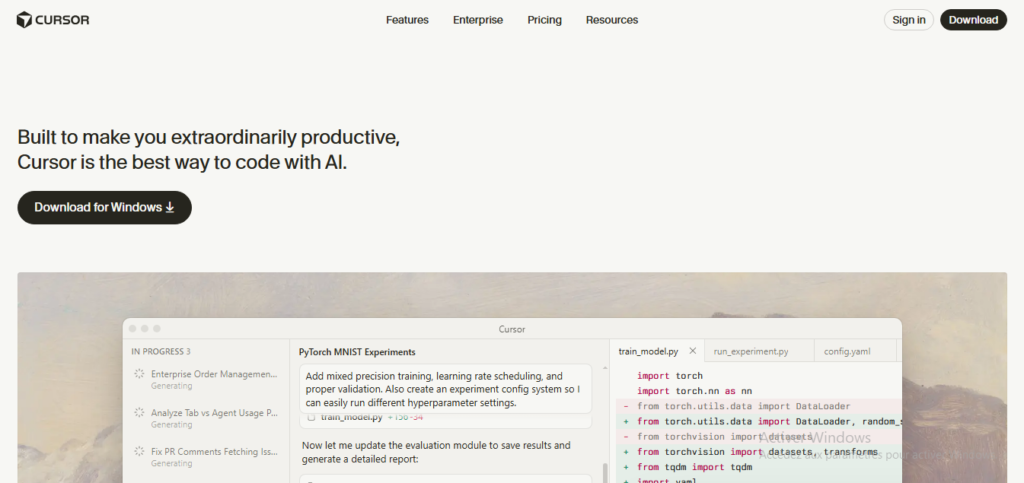
Cursor changed its billing model in June 2025, and it’s still the thing people argue about most in every Cursor thread I read while researching this update. Instead of a flat request count, paid plans now come with a dollar-denominated credit pool that only drains when you manually pick a frontier model like Claude Sonnet or GPT-4o. Auto mode, which routes your prompt to whatever model Cursor decides fits best, stays effectively unlimited on every paid tier. That distinction matters more than the sticker price: I burned through my entire monthly Pro allowance in four days the first time I forced every request onto a premium model out of habit, then went two full weeks on Auto mode without hitting a wall.
The current lineup runs Hobby (free), Pro at $20/month, Pro+ at $60/month, Ultra at $200/month, and Teams at $40 per seat. Signup itself is frictionless — GitHub OAuth, no email verification step, editor open in under a minute. Where I still lose time is when Cursor is confidently wrong about a refactor across files it hasn’t fully indexed; it will rewrite a function signature and quietly break three call sites elsewhere in the repo if you don’t review the diff carefully.
Verdict: worth paying for if you already write code and want less friction, not a replacement for understanding your own codebase.
2. Lovable — Fast, Opinionated, and Now Watching Two Meters at Once

Lovable has grown fast enough since my last review that it’s now reportedly valued in the billions, and the product shows it — the app generation is noticeably more reliable than it was a year ago. The pricing structure, though, is genuinely two-layered in a way that isn’t obvious from the homepage. You pay a subscription (Free at $0, Pro at $25/month for 100 credits, Business at $50/month) for chat credits that build and edit your app, and separately your published app burns through Cloud hosting and AI usage allowances once it’s live. Small styling tweaks cost roughly half a credit; wiring up authentication cost me closer to 1.2 credits in my test build, and I watched my 100-credit Pro allowance disappear in about eleven days of active iteration.
Signing up took seconds — Google auth, straight into the builder, no credit card required for the free tier. The friction shows up later, when you want to step outside Lovable’s opinionated defaults. I tried to wire a custom multi-step form validation flow and ended up hand-editing the generated React more than I expected to for a “no-code” pitch.
Verdict: excellent for validating an idea in a weekend, not something I’d keep subscribed to year-round.
3. v0.app — Vercel’s UI Generator Grew Up and Got a New Name

This is the one entry on my list that changed identity entirely since 2025. v0.dev rebranded to v0.app in January 2026 and picked up a sandboxed full-stack runtime, a Git panel for creating branches and PRs straight from chat, and database integrations for Snowflake and AWS. It’s no longer just a component generator — though component generation is still where it wins. The legacy $20/month Premium individual plan was quietly sunset for new signups earlier this year, so the entry point for a solo builder is now the Free tier ($5 in monthly credits) or jumping straight to Team at $30 per user per month; Business runs $100 per user per month with SOC 2 and SSO for compliance-heavy teams.
Login is Vercel-native, so if you already deploy there, you’re testing components in under two minutes. What impressed me most was how close the generated components came to something a designer would actually approve — spacing, hierarchy, and hover states were usable straight out of the box in a way I rarely see from AI-generated UI.
Verdict: worth paying for if UI work is your bottleneck; pure backend developers won’t get proportional value.
4. Windsurf — New Owner, New Pricing Model, Same Collaborative Pitch

Windsurf is the biggest structural surprise on this list. Cognition AI, the company behind the autonomous coding agent Devin, acquired Windsurf in 2025, and on March 19, 2026 the whole pricing model was overhauled — the old monthly credit pool that developers used to burn through by week two is gone, replaced by daily and weekly quotas that refresh automatically instead of running out for good. Pro also went from $15 to $20 a month in the same update, quietly erasing the price gap that used to be Windsurf’s clearest selling point against Cursor. A new Max tier landed at $200/month, and Teams runs $40 per seat.
Signup was straightforward, and Tab autocomplete stays unlimited on every plan including Free, which I appreciated during a week where I mostly needed inline suggestions rather than full Cascade sessions. The shared-context feature genuinely helps when two people are editing the same file — I paired with a second account and watched Cascade avoid suggesting a change one of us had just reverted, which Cursor’s Composer didn’t handle as gracefully in the same test.
Verdict: only makes financial sense if you’re actually collaborating; solo builders should compare it directly against Cursor at the same $20 price point.
5. Replit — Still the Easiest On-Ramp, With a New Team Tier

Replit’s free Starter tier still lets you publish one app, but the listing auto-expires after 30 days and there’s no autonomous Agent mode — you’re driving manually. Core, the plan most solo builders actually land on, runs about $25/month month-to-month (roughly $20/month if you commit annually) and bundles in a monthly usage-credit allowance for Agent actions, compute, and deployments. Those credits don’t roll over, and I watched mine disappear faster during a debugging loop than during actual feature-building — every failed fix attempt still consumes credits, successful or not, which is an easy way to burn your allowance without much to show for it.
In February 2026, Replit replaced its old per-seat Teams plan with a flat-fee Pro tier at $100/month for up to 15 builders, which is a genuinely better deal for small agencies than paying per seat elsewhere on this list. Getting started took me under ninety seconds — email or GitHub, straight into a live browser IDE with zero local setup, which is still the single biggest advantage Replit has over editor-based tools like Cursor and Windsurf.
Verdict: great for prototypes, teaching, and quick shares; I wouldn’t run a production system here without watching the credit meter closely.
6. Softr — Now Pitching Itself as “AI-Native,” Still Best for Client Work

Softr rewrote its own positioning in an April 2026 pricing update, calling itself “the first AI-native platform for building business software without code,” with an AI Co-Builder layered on top of the same Airtable-and-database-driven core it’s always had. Pricing runs Free (10 app users, one published app), Basic at $49/month annual ($59 monthly), Professional at $139/month annual ($167 monthly), and Business at roughly $269–$323/month depending on billing cycle. The number that actually determines your tier isn’t apps — those are unlimited even on Free — it’s app users, which Basic caps at 20 and Professional at 100.
Onboarding pushed me to connect a data source immediately, and choosing Airtable had my first client portal skeleton live in about fifteen minutes. The polish on the output is genuinely strong for something built from list-and-detail blocks rather than custom code — I’ve handed Softr builds to non-technical clients and had zero complaints about how they looked. Where it breaks down is the moment you need logic Softr didn’t anticipate; custom code blocks exist, but you’re clearly working against the grain of the tool at that point.
Verdict: worth the Basic or Professional plan if you’re shipping client-facing internal tools; overkill for a solo hobby project.
7. Bolt.new — Faster Since the Microsoft Partnership, Still Inconsistent

Bolt.new runs on StackBlitz’s WebContainer technology, which means generation happens live in your browser instead of round-tripping to a cloud sandbox — it’s noticeably the fastest tool on this list to go from prompt to preview. A May 2026 partnership with Microsoft Azure added enterprise procurement paths and M365 integration, and Bolt Cloud (added in the V2 update) now bundles a database, auth, file storage, and hosting so you’re not stitching in Supabase separately the way you often are with Lovable or v0.
Pricing is token-based: Free gives you 1M tokens a month with a 300K daily cap, Pro is $25/month for 10M tokens with rollover, and Teams runs $30 per member. The daily cap on Free is the thing that will trip you up fastest — I hit it twice in one afternoon just iterating on a form layout. Output quality genuinely varies session to session in a way the other tools on this list don’t; I’d get a clean full-stack scaffold on one prompt and a half-broken auth flow on a nearly identical prompt twenty minutes later.
Verdict: great for exploring structure fast; budget for redoing work rather than refining it.
8. Base44 — Wix Owns It Now, and the Product Shows Both Sides of That

Base44 was the fastest-moving story on this whole list. Wix acquired the six-month-old startup for roughly $80 million in June 2025, with the deal closing that July, and folded it into Wix’s “Vibe Coding” product line. The upside is real: Wix’s infrastructure gives Base44 more legitimacy than most year-old AI startups get, and the all-in-one stack — UI, database, auth, and hosting in one place, auto-picking between Claude and Gemini models depending on the task — is still the most complete out-of-the-box experience of any tool on this list. The downside is also real. A multi-hour platform-wide outage on February 3, 2026 hit paying users during business hours with no contractual SLA at the non-enterprise tier, and support response times have measurably slowed since the acquisition closed.
Current pricing runs Free Forever (25 credits, unlimited apps but credits disappear fast), Starter around $16–20/month, Builder around $40–50/month — the tier that unlocks model selection between Claude Opus, Sonnet, Gemini, and GPT — and Pro around $80–100/month. Signup was frictionless through Google, and I had a functioning internal tool with a working login screen inside twenty minutes, which is still faster than any competitor on this list managed for a comparable build.
Verdict: worth paying for internal tools and MVPs where speed matters more than five-nines reliability; budget for the Builder tier if you want model choice.
9. Reflex.dev — Python-First, Open Source, and Genuinely Different

Reflex — formerly called Pynecone — is the one tool on this list that isn’t primarily a chat-to-app generator. It’s an open-source (Apache 2.0) Python framework that compiles your state and UI logic straight to React, so if you already know Python you can build a full-stack, WebSocket-powered app without writing JavaScript at all. Reflex Build adds an AI layer on top that generates full-stack Python apps from a plain-English description, but the underlying framework is free and self-hostable regardless of whether you ever touch the AI builder.
The hosted side runs on credits: the free tier includes 50 monthly credits for AI and hosting combined with one hosted app, while Pro jumps to 2,000 monthly credits and ten hosted apps, with Enterprise adding SSO, audit logs, and on-premise deployment for regulated environments. I converted a messy Jupyter notebook into a shareable internal dashboard in about half an hour, which is the exact use case Reflex is built for — it’s noticeably weaker once you push it toward a general-purpose consumer app outside that data-and-internal-tools lane.
Verdict: worth adopting if your team already lives in Python; not the right pick if nobody on your team writes backend code.
10. Solid — The Quiet One That Actually Produces Code You Can Extend

Solid (trysolid.com) is easy to overlook next to louder names on this list, but it’s aimed at a specific gap: it generates full-stack apps on Node.js, React, TypeScript, and Docker — a stack a professional engineering team would actually recognize and want to inherit, rather than a proprietary format you’re stuck migrating out of later. Pricing starts around $20/month, with a genuine free-forever tier for testing before you commit a card.
What I appreciated most in testing was transparency — Solid shows you the underlying file structure as it builds rather than hiding everything behind a black-box chat window, which made it much easier to trust the output before shipping it anywhere. It doesn’t have Lovable’s polish or Base44’s speed, and it won’t win a “wow” contest against Bolt’s live browser generation. What it has instead is dependability: nothing I built broke unexpectedly between sessions, and the exported code didn’t need the cleanup pass I ended up doing on nearly every Bolt and Lovable export.
Verdict: worth paying for if you want something steady that won’t fight you six months in; not compelling enough to switch away from a tool you’re already happy with.
Not Sure Which One Fits Your Project?
Start with the free tier that matches your build type — editor-based coding, UI generation, or full-stack app builder — before you commit a card to any of them.
See Cursor’s Free Plan →What Changed Across the Category in 2026
Retesting the same category a year later surfaced a pattern I didn’t expect: pricing models are converging on the same shape even as the underlying billing philosophy stays completely different tool to tool. Cursor and v0 both moved to dollar-denominated credit pools. Windsurf moved away from credits entirely, toward daily and weekly quotas that reset instead of running out. Bolt kept its token model but added rollover. Nobody has settled on a single honest way to price agentic AI usage yet, and until they do, the sticker price on every pricing page is a starting point, not the number you’ll actually pay.
The acquisitions matter too. Wix buying Base44 and Cognition buying Windsurf both happened within months of my original review, and both deals changed the products in ways you’d only notice by using them again — not by reading the press release. Base44 got more capable and slightly less reliable. Windsurf got a genuinely useful proprietary model (SWE-1.5) and lost its price advantage in the same update. If a tool you depend on gets acquired, budget time to retest it rather than assuming it’s the same product with a new logo.
How I Decide Whether a Tool Is Worth Paying For
My framework hasn’t changed since my first review, and retesting ten tools a year later only reinforced it. I ask whether a tool saves me time consistently, not just in a flashy first session. I check whether it introduces new dependencies or lock-in risk — Base44’s all-in-one stack is powerful precisely because it’s also the reason migrating away later would hurt. And I think hard about subscription fatigue, because five “small” $20–25 monthly fees is $1,200 a year before you’ve shipped anything durable with any of them.
If a tool requires constant babysitting of a credit meter just to avoid surprise charges, that’s a real cost even when the sticker price looks cheap. If it quietly makes my work better without me thinking about the bill, it’s earned its place in my monthly stack.
Frequently Asked Questions
Which vibe coding tool is cheapest for a solo founder in 2026?
Reflex.dev’s core framework is free and open source if you’re comfortable in Python. Among the AI-generation tools, Base44’s Free Forever plan and Bolt.new’s 1M-token free tier give you the most room to test before paying anything.
Can these tools replace a developer?
No. Every tool on this list still needs a human who understands what “correct” looks like, whether that’s catching a broken auth flow in Bolt or reviewing a multi-file refactor in Cursor. They change how developers work far more than they replace the need for one.
Why did Windsurf’s price go up in 2026?
Cognition AI’s acquisition and the March 19, 2026 pricing overhaul brought Windsurf’s Pro plan from $15 to $20 a month, aligning it with Cursor, while replacing the old monthly credit pool with quotas that refresh daily and weekly instead of running dry for good.
Is Base44 still reliable after the Wix acquisition?
Mostly, though a February 3, 2026 multi-hour outage exposed the lack of a contractual SLA at non-enterprise tiers. I’d still use it for internal tools and MVPs, but I wouldn’t put a revenue-critical app on it without an enterprise contract.
Final Thoughts: What I’d Actually Subscribe To Right Now
If I had to run one paid stack starting tomorrow, it would be Cursor for daily coding, v0.app when I need frontend components fast, and Base44 for the one-off internal tool a client asks for on short notice. That’s roughly $95–120 a month across three tools that don’t overlap much, which is a lot more honest than the “just $20/month!” pitch any single one of them makes on its own homepage.
The bigger lesson from retesting this whole category a year later: don’t subscribe to a tool because a “best of 2026” list told you to — including this one. Pick the one or two that match what you actually build, watch the credit meter for the first month before committing to annual billing, and re-evaluate every time a tool changes hands or rewrites its pricing page. This category moves fast enough that “still good” is a question worth asking every few months, not a fact you can assume.
Related Reading From Websites2Know
- GitHub Copilot’s June 2026 switch from Premium Request Units to AI Credits, explained
- Is Claude AI good for coding? My full developer review
- Is ChatGPT good for coding? A hands-on comparison
- Verdent AI review: a fast new coding assistant I tested
- 10 Verdent alternatives, including Cursor and Windsurf
- 10 ChatGPT alternatives that do some things better
- 60 Claude Code use cases, even without programming experience
- Is Claude AI safe and trustworthy? What I found
- The 6 best AI website builders for fast web design


