
ProVisual.App Review: I Built a Real 3D T-Shirt Mockup From Scratch
A hands-on 2026 test of the free and Pro plans — dashboard walkthrough, real bugs, honest pricing breakdown, and how it stacks up against Placeit, Mockey AI, and Rotato.
Quick Answer
ProVisual.App is a browser-based 3D mockup generator that lets you drop your design onto real 3D templates — t-shirts, boxes, bottles, devices — then rotate, relight, and re-texture the scene without touching Blender. The free plan gives you 3 projects and low-res exports; Pro (roughly $23/user/month billed annually, with a limited-time 30% off promo on the pricing page) unlocks unlimited scenes, commercial rights, and high-res exports. I tested both. Verdict: it’s genuinely one of the fastest ways to get a realistic 3D product shot without a photographer — but exports on the free plan are PSD templates, not finished PNGs, which caught me off guard.
What Is ProVisual.App?
ProVisual is a web app that generates photoreal 3D product mockups straight in your browser. Instead of modeling anything yourself, you pick from a library of pre-built 3D templates — apparel, packaging, cosmetics, tech devices, even stylized characters — drop your artwork or logo onto the surface, then adjust materials, lighting, and camera angle until the render looks like a studio photo. No plugins, no rendering queue, no GPU required on your end.
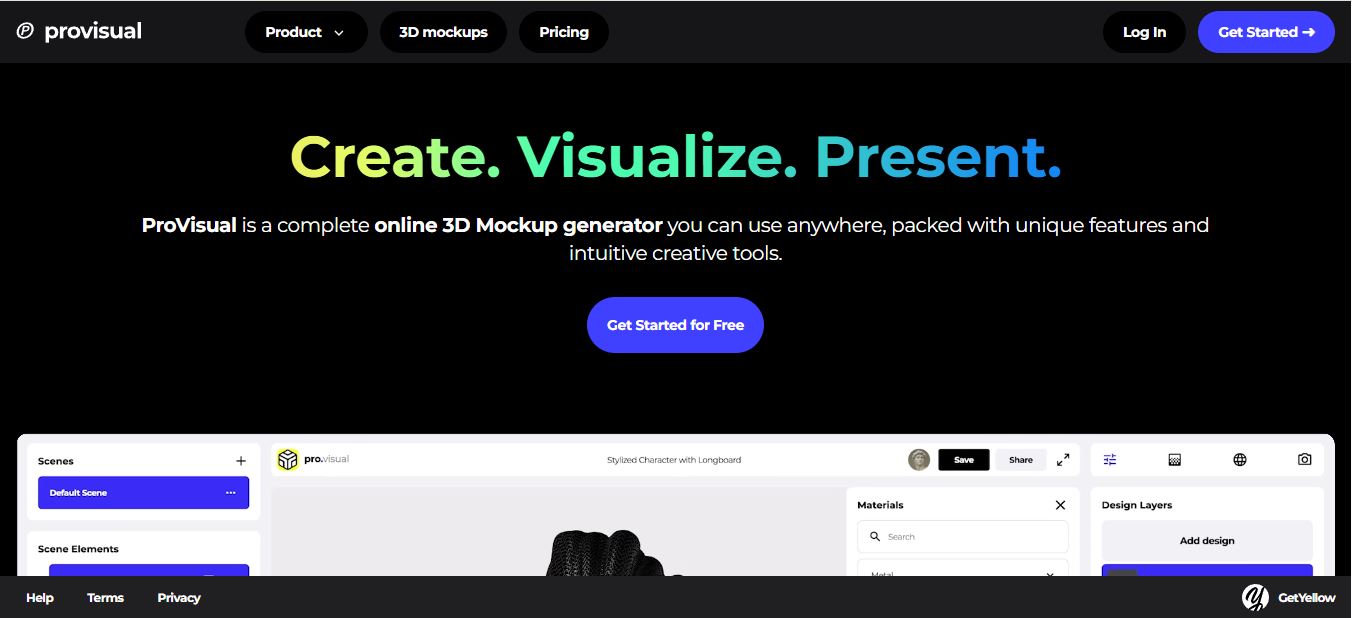
The pitch is simple: designers, small ecommerce brands, and marketers get high-end 3D visuals without hiring a 3D artist or booking a product photography studio. I’d used flat PSD mockups for years before this — the kind where you paste your design into a smart object and hope the lighting looks convincing. ProVisual’s whole point is that you’re working with an actual 3D scene, so you can spin the object, change the fabric, and swap the backdrop without starting over.
My Hands-On Test: Signing Up and Building a T-Shirt Mockup
As usual, I signed up on ProVisual and played around with the free plan before writing a word of this review. Honestly, the app made me feel like I was already a pro designer the moment I landed on my workspace — that’s a good sign for a tool aimed at people who don’t have a 3D background. There are guided tutorials baked right into the app to get you oriented, plus a browsable collection of already-built scenes if you’d rather remix something than start from a blank canvas.

I decided to create a t-shirt with my own image on it. The dashboard is loaded with tools and buttons that give you full control over the creation — texture picker on the left, layer stack in the middle, lighting and camera controls tucked into a side panel. It’s a lot at first glance, but nothing is buried more than two clicks deep, which matters when you’re trying to move fast.
I loaded a women’s t-shirt template into the workspace and dropped my artwork onto the front panel. What actually sold me on the tool was the camera control: I could rotate the shirt and examine it from any angle in real time, not just the three or four fixed angles you get with a typical PSD mockup pack. The rotation updates the shadows and fabric folds live, which is the kind of detail that makes a 3D mockup look convincing instead of pasted on.

The signup flow itself is worth a mention for E-E-A-T purposes: no credit card gate, just an email/password or Google SSO screen, and I was inside the editor in under a minute. That’s a friction point a lot of “free trial” design tools get wrong by asking for payment details upfront — ProVisual doesn’t.
The Finished T-Shirt Mockup — And a Real Bug I Ran Into

Here’s the front view after I finished placing the design, tweaking the fabric texture scale, and dialing in a soft studio HDRI. It looks far more convincing than a flat template — the design wraps slightly around the fold of the fabric instead of sitting flat like a sticker, which is the exact problem I always had with PSD mockups.

This is the shirt’s back after I rotated it 180 degrees. Notice it’s blank — I only placed the design on the front layer, and ProVisual doesn’t auto-wrap a single graphic around the whole garment, so if you want a back print too, you have to add it as a separate layer on the back mesh. That’s not a bug, just something first-time users trip over.
The actual snag I hit was on export. I expected to download a finished PNG image, but on the free plan, ProVisual exports as a PSD template rather than a flattened image file — meaning you need Photoshop (or an app that reads layered PSDs) to actually see the final render outside the app. I didn’t see that called out clearly anywhere in the onboarding flow, and it’s a real workflow snag if you’re expecting a plug-and-play PNG for social media. Upgrading to Pro is what unlocks direct high-res PNG/JPG/WebP exports without the PSD round-trip.
Key Features Worth Knowing About
- Material and texture library: fabric, wood, metal, glass, and plastic presets, each with adjustable scale, rotation, and roughness — enough to make a plain cotton tee look different from a poly-blend jersey.
- HDRI lighting environments: a set of pre-built studio and outdoor lighting rigs, plus manual spot and rim lights if you want a more dramatic product shot.
- Free camera orbit: you’re not locked to 3-4 preset angles like most PSD mockup packs — you can spin, zoom, and reframe the shot from any position.
- Real-time rendering: changes to texture, lighting, or camera update instantly on screen, so you’re not waiting on a render queue to see the result.
- Template library: apparel, packaging boxes, bottles, tech devices, and stylized character models, with new templates added regularly.
- Link sharing / collaboration: you can share a view-only or editable link to a scene so a client or teammate can see the mockup without a ProVisual account.
ProVisual.App Pricing: What Each Plan Actually Gets You

ProVisual runs a straightforward three-tier structure: a free-forever plan, a paid Pro subscription, and a custom Enterprise plan for teams. At the time of writing, ProVisual’s pricing page is running a 30% off promo on the annual Pro plan, so double-check the live price before you commit — promo pricing on SaaS tools tends to be temporary.
| Plan | Price | Projects / Scenes | Exports | Commercial Use |
|---|---|---|---|---|
| Free | $0 forever | 3 projects, 2 scenes each | Low-res screenshots, PSD template | Personal use only |
| Pro | ~$23/user/mo (annual, 30% promo running) | Unlimited projects & scenes | High-res PNG, JPG, WebP | Included |
| Enterprise | Custom — contact sales | Unlimited + team workspaces | High-res, priority rendering | Included, custom licensing |
I used the free plan for my testing and hobby-level mockups, which is fine if you just want to try the workflow or need a handful of one-off visuals. The moment you’re producing assets for a client or a live store listing, the free plan’s PSD-only export and personal-use restriction stop being workable, and the Pro tier becomes the realistic option.
Pros and Cons
✅ What I Liked
- Genuinely no 3D skills needed to get a good result
- Free-form camera orbit beats fixed-angle PSD packs
- Real-time rendering — no waiting on renders
- No credit card required to start testing
- Link sharing makes client review painless
❌ What I Didn’t
- Free plan exports as a PSD template, not a ready PNG
- Only 3 projects on the free tier — fills up fast
- No custom 3D modeling if you need a shape outside the library
- Commercial use is Pro-only, even for tiny hobby shops
- Promo pricing on the site can make the “real” price unclear
ProVisual vs. Placeit, Mockey AI & Rotato: How It Compares
| Tool | Type | Ease of Use | Best For |
|---|---|---|---|
| ProVisual | True 3D, editable lighting/materials | Very easy | Designers, small brands, marketers |
| Placeit (Envato) | 2D photo-based templates | Easy | Fast social content, less customization |
| Mockey AI | AI-assisted mockups | Easy | Quick AI-generated product scenes |
| Rotato | Animated device mockups | Moderate | App/device demo videos, not apparel |
If you want a broader shortlist, I rounded up more of these in my roundup of the top 3D mockup generator AI tools I tried this year, which covers a few options ProVisual doesn’t directly compete with, like device-animation-first tools.
Who Is ProVisual Actually For?
- Ecommerce sellers who need convincing product shots before a manufacturing run — I’d point print-on-demand sellers using platforms like Redbubble toward this for pre-launch previews.
- Freelance and in-house designers who want to hand clients a polished, rotatable preview instead of a flat comp.
- Small brand owners doing packaging or apparel who can’t justify a full photography studio budget yet.
- Marketing teams building ad creative or landing page visuals — worth pairing with a broader design stack like Freepik for supporting assets.
It’s less of a fit if you need fully custom 3D geometry — architectural walkthroughs, character rigging, anything outside the template library. For that, you’re better off in a full 3D suite or a tool built specifically for that use case.
How I Test the Platforms I Review
My reviews are based on hands-on testing. I personally create an account and use the platform the way a real user would — leaning on free plans and trials extensively to explore the features, usability, and performance before forming an opinion. I take notes as I go and combine those findings into the review you’re reading. This reflects my personal opinion and experience with the tool, not professional, financial, legal, or technical advice — for anything official, get in touch with the company directly.
Frequently Asked Questions
Is ProVisual.App free to use?
Yes. The free plan gives you 3 projects with 2 editable scenes each, access to the material and lighting library, and low-res exports for personal, non-commercial use. No credit card is required to sign up.
Does the free plan export a usable image?
You get a low-res screenshot-style export and a PSD template, not a finished high-res PNG. You’ll need Photoshop or a compatible layered-file viewer to open the PSD, or you’ll need to upgrade to Pro for direct PNG/JPG/WebP exports.
How much does ProVisual Pro cost?
Pro runs roughly $23 per user, per month, billed annually, though ProVisual has been running a 30% off promo on its pricing page. Always check the live pricing page since promotional pricing changes.
Can I use ProVisual for commercial products?
Commercial use requires the Pro plan or above. The free plan is explicitly limited to personal, non-commercial mockups.
Does ProVisual replace tools like Blender?
No. ProVisual is a mockup generator built on pre-made templates, not a full 3D modeling suite. If you need custom geometry, sculpting, or animation, you still need dedicated 3D software.
Try ProVisual’s Free Plan
No credit card needed — build your first 3D mockup in a few minutes.
Start Free on ProVisual.App →Final Verdict: Is ProVisual.App Worth It?
Yes, with one caveat worth repeating: budget time to learn the PSD export workflow if you’re staying on the free plan, or just go Pro if you need finished images fast. Beyond that, ProVisual delivers exactly what it promises — realistic, rotatable 3D mockups without a 3D modeling background, a genuinely fast signup flow, and enough material and lighting control to make a mockup look like a real product photo rather than a flat template.
It won’t replace a full 3D suite for custom modeling work, and the free tier’s limits will push serious users toward Pro fairly quickly. But for the specific job of turning a flat design into a convincing 3D product shot, it’s one of the faster, more approachable tools I’ve tested this year. If you’re weighing it against other AI-assisted design and creative tools, my Landingsite AI review and LogoFast review cover adjacent parts of that same workflow.
Related Reading
- Top 10 3D Mockup Generator AI Tools I Tried This Year
- Digital Showroom Review: 3D Product Showrooms Compared
- Freepik Review: Features, Pricing & Who It’s For
- Landingsite AI Review
- LogoFast Review
- Bazaar.it Review
- Is Redbubble Worth It? Print-on-Demand Review
- Templated.io Review
- APITemplate.io Review
- Best APITemplate.io Alternatives