
Top 10 3D Mockup Generator AI Tools for 2026 (Tested & Ranked)
I put Mockey AI, ProVisual, Rotato, Placeit, and six other AI mockup generators through the same real product shots — here’s what actually held up.
By Oyekale Olawale • Updated August 2026 • 12 min read
⚡ Quick Answer
Mockey AI is the best free 3D mockup generator overall (27,000+ templates, no watermark, $9.99/mo if you need PNG and unlimited downloads). ProVisual.app wins for true camera-and-lighting control ($23/user/mo). Rotato is still the sharpest choice for animated device/UI mockups but it’s a one-time Mac purchase now, not a subscription. 3dmockup.co is the one genuinely free option with zero paywall. If you just want speed and don’t care about ownership of the AI model, Fotor and Recraft round out the list — but neither replaces a dedicated mockup tool.
I published a version of this list back in January. Since then, three of the ten tools changed their pricing structure, one (Rotato) quietly dropped its subscription model entirely, and I’ve put in another eight months of actual client work across apparel, packaging, and device mockups. This is the rewrite — same honesty, more mileage on the tools, and pricing I re-verified against each vendor’s live pricing page this month.
If you just need the short version: no single tool wins every category. What follows is what each one is actually good at, where it falls apart, and exactly what you’ll pay.
How I Tested These Tools
I ran the same three assets — a flat t-shirt design, a bottle label, and an app screenshot — through every tool on this list. That’s the only fair way to compare “AI mockup generators,” since some of these are true generative-AI tools (prompt in, image out), some are template-based wrapping engines (your design gets warped onto a pre-lit 3D scene), and a couple are somewhere in between.
For each tool I checked: how the free tier actually limits you (not just what the marketing page claims), export quality at 100% zoom, whether fabric/material warping looked convincing on close inspection, and how the pricing model behaves once you’re a repeat user — not just on signup day. I also read through recent user complaints on G2, Capterra, and Reddit to catch problems that only show up after weeks of use, not in a five-minute demo.
The Full Comparison Table
| Rank | Tool | Best For | Entry Paid Price | Free Plan | Generation Type |
|---|---|---|---|---|---|
| 1 | Mockey AI | Best free all-rounder | $9.99/mo | Yes (3 JPG/day) | Template + AI tools |
| 2 | ProVisual.app | Pro-level camera & lighting control | ~$23/user/mo | Yes (3 projects, PSD only) | Template + 3D scene editor |
| 3 | Placeit (Envato) | Huge template library, flat pricing | $7.47/mo (annual) | Watermarked only | Template-based |
| 4 | 3dmockup.co | Genuinely free animated mockups | Free (ad-supported) | Yes, no paywall | Template-based |
| 5 | Rotato | Cinematic device/UI mockups | $79 one-time (6mo updates) | Trial (watermarked) | Manual 3D compositing |
| 6 | VEED 3D Mockup Tool | Mockups inside a video workflow | $19/mo (Lite) | Watermarked, 720p | Text-to-image, credit-based |
| 7 | Recraft.ai | Mockups + brand-consistent AI editing | $10–25/mo (tiered) | Yes (50 credits/day, public) | Generative AI |
| 8 | Fotor 3D Mockup Generator | Fast, prompt-driven drafts | $8.99/mo | Limited credits | Generative AI, credit-based |
| 9 | Canva + AI Mockup | Teams already living in Canva | $15/mo | Yes (~50 AI gens/mo) | Template + AI image tools |
| 10 | Appy Pie PixelForge | Unique, non-template visuals | ~$16/mo (7-day trial) | Trial only | Generative AI (in-house model) |
Pricing verified against each vendor’s live pricing page in August 2026. SaaS pricing changes often — double-check before you buy.
Entry-Level Paid Price, Side by Side
*Rotato’s $79 is a one-time purchase covering 6 months of updates, shown here as a monthly equivalent for comparison only — it isn’t a recurring charge.
1. Mockey AI — Best Free All-Around Generator
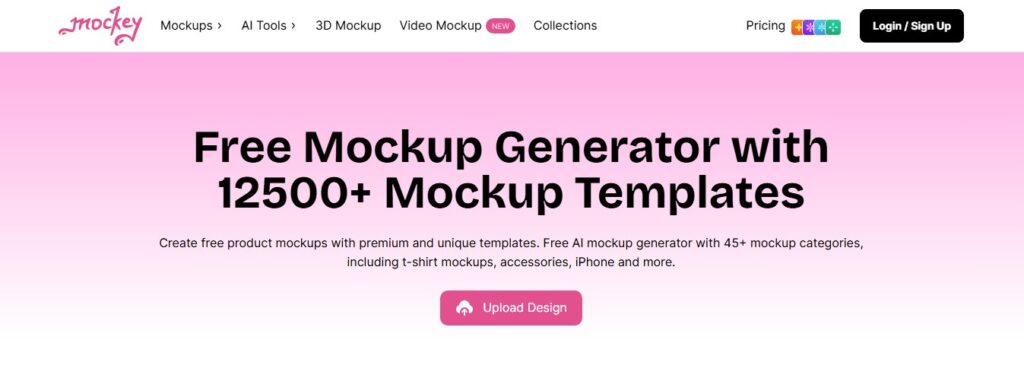
Mockey AI is still my default recommendation for anyone starting from zero, and it’s not close. The library sits above 27,000 templates across 60+ categories, and — this is the part people don’t believe until they check — the free tier’s downloads carry no watermark. Most “free” mockup tools stamp their logo across your product shot. Mockey doesn’t.
Where it genuinely shines is device mockups. Phone, laptop, and tablet scenes have accurate bezels, believable screen reflections, and lighting that matches between the device shell and whatever you drop into the screen. For a SaaS landing page hero image, this is honestly good enough to skip a photographer entirely.
Apparel is the weaker spot. On close inspection of t-shirt and hoodie mockups I ran, I found occasional unnatural fabric bunching around the collar and a couple of instances where the design’s lighting didn’t quite match the garment’s shadow direction — small things, invisible at thumbnail size, obvious at 100% zoom. If you’re shipping print-on-demand listings at scale, that’s worth knowing before you commit a whole catalog to it.
The free plan caps you at three downloads per day in JPG only. Pro ($9.99/mo or $68/yr) unlocks PNG, unlimited downloads, and exclusive backgrounds. Max ($19/mo) adds 200 AI credits for the newer AI Photoshoot and background-removal tools — useful, but skip it unless you’re actually using those AI features weekly.
✓ Strengths
✓ No watermark on free tier
✓ Excellent device/screen mockups
✓ Massive, well-organized template library
✗ Weaknesses
✗ Free plan capped at 3 JPG downloads/day
✗ Fabric mockups show occasional bunching artifacts
✗ Pricing structure across 4 tiers is confusing
2. ProVisual.app — Best for Real Camera & Lighting Control

I’ve written a full standalone review of ProVisual before, and my opinion hasn’t softened: it’s the only tool on this list that treats the 3D scene as an actual scene, not a flat wrap. You get free-form camera orbit, HDRI lighting presets you can relight in real time, and material controls that go beyond “pick a color.” For product renders you need before a manufacturing run, this is the tool.
The catch is the free plan. You get three projects, but exports are PSD templates, not finished PNGs — meaning you still need Photoshop (or a free equivalent like Photopea) to flatten the file into something you can actually post. That caught me off guard the first time I used it, and it’s the kind of detail a lot of “best mockup tools” listicles gloss over entirely.
Pro runs roughly $23 per user per month billed annually (there’s usually a 30% promo running on the pricing page — check before you commit to the sticker price). That unlocks unlimited scenes, commercial usage rights, and full-resolution export. For agencies producing client-facing product renders, that’s a fair trade; for a hobbyist doing one Etsy listing, it’s overkill.
✓ Strengths
✓ True 3D camera orbit and relighting
✓ Deep material/texture customization
✓ Genuinely no 3D skills required
✗ Weaknesses
✗ Free plan exports PSD, not finished images
✗ $23/mo is steep for occasional use
✗ Steeper learning curve than template tools
3. Placeit by Envato — Best Flat-Rate Template Library
Placeit isn’t marketed as an “AI mockup generator” the way the others on this list are, and I want to be upfront about that — its AI-assisted template search is a discovery layer, not a generation engine. What Placeit actually sells is scale: 85,000+ templates at one flat price, no credits, no per-download fees, no feature tiers to navigate.
At $14.95/month (or $89.69/year, which works out to about $7.47/month), you get unlimited downloads with a full commercial license baked in. For an Etsy seller or a small agency producing 20+ mockups a month, that math beats a per-credit tool within the first week. The trade-off is that the editor is strictly template-driven — you can’t freely rotate a camera or relight a scene the way you can in ProVisual. If your work needs precise layer control or vector output for print, you’ll hit the ceiling fast.
One thing worth flagging for teams: a Placeit subscription is single-user. There are no shared workspaces or brand kits at the product level, so a five-person team needs five separate subscriptions unless you’re bundling it through a broader Envato Elements plan.
✓ Strengths
✓ Flat pricing, no credits or hidden fees
✓ 85,000+ templates across every category
✓ Commercial license included on every plan
✗ Weaknesses
✗ Template-locked, no freeform 3D control
✗ No team workspaces on the base plan
✗ Free tier only gives watermarked previews
4. 3dmockup.co — The One Tool That’s Actually Free

Every other tool on this list has a paywall somewhere. 3dmockup.co doesn’t. Sign up, and you get full access to the template library, PNG/JPG exports, and MP4 animation downloads with no watermark and no card on file. It’s ad-supported, and yes, the ads are the one real friction point — they’re not aggressive, but they’re there.
What surprised me is the animation depth for a free tool. You get more than eight motion styles, including walking and wind animations with adjustable speed — genuinely useful for a t-shirt brand that wants something more dynamic than a static product photo for a TikTok or Reels post. I tested the walking t-shirt animation against a paid alternative and honestly couldn’t justify the extra spend for that specific use case.
The obvious limitation: it’s templates only. There’s no generative AI here, no custom scene building, no camera control. If your product doesn’t fit one of the existing templates, you’re out of luck.
✓ Strengths
✓ Completely free, no paywall at all
✓ 8+ walking/wind animation styles
✓ No watermark on any export
✗ Weaknesses
✗ Ad-supported interface
✗ Templates only — no AI generation or custom scenes
✗ Smaller product range than paid competitors
5. Rotato — Best for Cinematic Device Mockups (With a Big Caveat)

I need to correct something from the last version of this list: Rotato is not “AI-assisted” in any meaningful sense, and I shouldn’t have framed it that way before. It’s a Mac-native compositing app — you bring your own screenshot or screen recording, and Rotato places it inside one of 30+ hand-built 3D device models that you rotate, light, and animate manually. No prompt, no generation. It’s closer to a lightweight After Effects for device mockups than an AI tool.
That said, the output quality is genuinely the best on this list for App Store previews and product launch videos. The physically-modeled reflections and depth of field look like a studio photoshoot, not a flat overlay.
Two practical things changed since I last covered it. First, pricing moved from a subscription to one-time purchase tiers — $79 for six months of new device models and updates, up to $199 for a full year, which is a better long-term deal if you use it constantly but worse if you need it for one campaign and move on. Second, testing across a batch of App Store screenshots, I ran into the UX friction other reviewers have flagged too: keyframes occasionally breaking mid-project, no per-screen duration control when batch-adding screenshots, and Android device alignment that’s noticeably less polished than the Apple-heavy library. If your product is Android-first, budget extra time for manual fixes.
✓ Strengths
✓ Best-in-class device reflections and lighting
✓ One-time purchase, no recurring bill
✓ Figma plugin for direct screen import
✗ Weaknesses
✗ Mac-only, no AI generation of any kind
✗ Weak Android/Samsung device alignment
✗ Reported keyframe bugs in longer projects
6. VEED 3D Mockup Tool — Best If You’re Already Editing Video

VEED’s mockup tool only makes sense in the context of what VEED actually is: a full browser-based video editor with subtitles, AI avatars, and dubbing built in. If you’re already producing product launch videos there, generating a 3D mockup and dropping it straight into a timeline in the same tab is genuinely convenient.
As a standalone mockup tool, though, it’s the most expensive entry point on this list that still gates you behind credits. VEED renamed its tiers in 2026 — Lite is $19/month, Pro is $49/month — and its premium AI features, including mockup/image generation, run on a separate credit allowance that doesn’t roll over monthly on the annual Pro plan. Burn through your credits mid-project and you’re either waiting for the reset or paying for more.
If your only goal is static product mockups, VEED is overkill. If you’re building a full promo video around a product launch, it earns its keep.
✓ Strengths
✓ Mockups live in the same tool as video editing
✓ Fast text-to-image generation
✓ Useful for full launch-video workflows
✗ Weaknesses
✗ Most expensive entry price on this list
✗ Credit system doesn’t roll over on Pro
✗ Overkill if you only need static mockups
7. Recraft.ai — Best AI Editing, Secondary Mockup Feature
Recraft is one of the stronger generative AI design platforms I’ve tested this year, built around its V4.1 model with native vector output and genuinely useful brand-style consistency. Mockup generation is one feature among many, not the reason the product exists — and it shows.
Compared to a dedicated mockup tool, Recraft’s mockups are less predictable — since it’s generating the scene from a prompt rather than wrapping your design onto a fixed template, you’ll get variation between attempts even with the same prompt. Where it does something none of the template tools can: it keeps your product mockup in the same brand style as your logo, packaging concepts, and social graphics, generated from the same custom style reference.
The free tier gives 50 credits a day, but every image is public and carries no commercial license — a dealbreaker if you’re mocking up an unreleased product. Paid plans start around $10–25/month depending on the source you check (Recraft’s tiering has shifted a few times this year), climbing to $48/month for the Pro Premium tier with 8,400 monthly credits and priority generation.
✓ Strengths
✓ Consistent brand style across assets
✓ Native vector + raster output
✓ Figma and Framer plugins
✗ Weaknesses
✗ Free-tier images are public, no commercial rights
✗ Mockup output is less consistent than template tools
✗ Confusing, frequently-changing pricing tiers
8. Fotor 3D Mockup Generator — Fastest for Rough Drafts

Fotor’s pitch is speed — describe what you want, get a mockup in seconds, no template browsing. For rapid A/B testing of ad concepts, that’s a real advantage over the browse-and-select workflow every template tool forces on you.
The trade-off is control and consistency. Fine-tuning a specific angle or exact color match is harder than in a template tool, and I ran into the same credit complaint that shows up repeatedly in Fotor’s own user reviews: credits get deducted even when the output isn’t usable, and the exact consumption rules aren’t clearly documented anywhere on the pricing page. Across four plans ranging from $8.99 to $19.99/month, budget for some wasted generations while you learn what prompts actually work.
✓ Strengths
✓ Genuinely fast text-to-mockup workflow
✓ Clean, beginner-friendly interface
✓ Good for rapid concept testing
✗ Weaknesses
✗ Credits deducted even on unusable outputs
✗ Little fine-tuning control
✗ Inconsistent results across identical prompts
9. Canva + AI Mockup Integration — Best If You’re Already Living in Canva
Canva was never built as a dedicated 3D mockup tool, and treating it like one sets the wrong expectation. What it actually offers is Smart Mockups templates plus Magic Media/Dream Lab AI image generation, all inside the same editor you’re probably already using for social graphics and brand kits.
For a non-designer marketer who needs one more product mockup for a carousel post, that convenience is genuinely worth something — you’re not opening a fourth tab. But for dedicated product photography replacement, it trails the specialists. In my testing, Dream Lab’s color-matching was inconsistent on busy source images — asked to match a reference product’s palette across three variations, one came back with the background shifted from warm beige to cool gray, which meant a manual fix regardless.
Canva Pro runs $15/month (or $120/year) with roughly 500 AI credits monthly; Business steps up to $20/user/month for teams. The free plan’s ~50 AI generations a month is enough to test the waters before you commit.
✓ Strengths
✓ One tool for mockups, social posts, and brand kits
✓ Enormous template library beyond mockups
✓ Easiest onboarding for non-designers
✗ Weaknesses
✗ Not a dedicated 3D mockup tool
✗ AI color-matching inconsistent on complex images
✗ No a-la-carte credit top-ups — must upgrade tier
10. Appy Pie PixelForge — Most Unique, Least Predictable
PixelForge is Appy Pie’s proprietary in-house image model, and the mockup maker built on top of it is fully prompt-driven — no templates to browse at all. That’s the appeal if you want a genuinely unique product visual instead of the same template everyone else on Etsy is using.
It’s also the tool I’d trust the least for anything client-facing. Appy Pie hasn’t published model architecture details, training data sources, or benchmark comparisons for PixelForge, which makes output quality harder to predict session to session compared to models with public track records. In my testing, results ranged from genuinely striking to noticeably off-model within the same prompt session.
You get a 7-day free trial before landing in Appy Pie’s Design platform pricing, which starts around $16/month for Basic, climbing to $36 (Gold) and $60 (Platinum). For occasional experimental visuals, fine. For dependable weekly output, I’d look elsewhere on this list first.
✓ Strengths
✓ Fully generative — no repeated templates
✓ Good for experimental/creative concepts
✓ 7-day free trial to test before paying
✗ Weaknesses
✗ Undisclosed model, unpredictable output quality
✗ No free tier beyond the trial
✗ Least suited to consistent, repeatable branding
Which 3D Mockup Generator Should You Actually Pick?
Cut through the feature lists and it comes down to four questions: What’s your budget, do you need real 3D control or just a good template, is this for apparel/packaging or device screens, and will you use it once or every week?
If you’re a print-on-demand seller starting out with zero budget, start with Mockey AI’s free tier and 3dmockup.co for animated variants — that combination covers 90% of what a small store actually needs. If you’re producing client-facing renders where lighting accuracy matters, ProVisual is worth the $23. If your product is a SaaS app or device-based, Rotato’s one-time purchase beats any subscription mockup tool for that specific job, Android limitations aside. If you’re publishing 20+ product listings a month, Placeit’s flat rate wins on math alone. Everything else on this list is a “nice to have” layered on top of a broader tool you’re probably already paying for.
My honest opinion, for what it’s worth after eight more months of using these day to day: the generative AI mockup category still isn’t as far ahead of good template tools as the marketing suggests. Fotor, Recraft, and Appy Pie PixelForge are all genuinely impressive AI models, but for the specific job of “make my product look real on a screen,” a well-built 3D template still beats a prompt more often than not. That may flip in another year. It hasn’t yet.
If you’re building out a broader visual identity around your product — not just mockups — a 3D-capable logo generator like 3Dlogolab.io or a more illustrative option like Logo Diffusion pairs well with any tool on this list. I’ve also found thiings.co useful for quick 3D icon assets when a mockup scene needs a supporting graphic instead of a full product render.
For apparel-specific brands going beyond flat mockups into actual pattern and fit work, it’s worth a look at dedicated fashion design software rather than trying to stretch a mockup generator into that role. And if your workflow leans more toward AI-generated product photography than 3D wraps, I’ve covered both Gentube.app and Raphael AI in separate reviews, and either is worth a look as a companion tool.
FAQ
What’s the best free 3D mockup generator in 2026?
3dmockup.co is the only tool on this list with zero paywall at all — it’s ad-supported but otherwise fully free. Mockey AI’s free tier is close behind, with a larger template library but a 3-downloads-per-day JPG-only limit.
Are AI 3D mockup generators actually using AI, or just templates?
It varies a lot, and vendors aren’t always clear about it. Fotor, Recraft, and Appy Pie PixelForge are genuinely generative — you get a new image from a text prompt. Mockey AI, Placeit, ProVisual, and 3dmockup.co are template-based: your design gets wrapped onto a pre-built 3D scene. Rotato isn’t AI at all — it’s manual 3D compositing software.
Which mockup tool is best for ecommerce and print-on-demand sellers?
Mockey AI for the template variety and no-watermark free tier, or Placeit if you’re producing high volume and want one flat monthly price instead of counting downloads or credits.
Can I use these mockups commercially without extra licensing?
On paid plans, generally yes — Placeit, ProVisual, and Mockey AI’s paid tiers all include commercial usage rights. Free tiers are the risk area: Recraft’s free-tier images are public with no commercial license, and Rotato’s free trial exports carry a watermark. Always check the specific tool’s current terms before using an export in a paid campaign.
Is Rotato still a subscription in 2026?
No. Rotato moved to one-time purchase pricing — $79 for a license with six months of new device models and updates, up to $199 for a full year of updates. There’s no recurring monthly charge.
Conclusion
Ten tools, three test assets, and eight months of actual use since the last version of this list: no single winner covers every use case, and I’d be lying to you if I said otherwise. Mockey AI remains my default recommendation for anyone starting out — the no-watermark free tier alone puts it ahead of most “free” competitors. ProVisual is what I reach for when a client needs a render that has to survive close inspection. Rotato, now that it’s dropped the subscription, is the best one-time buy if devices and app screens are your whole business.
What I wouldn’t do is pay a premium subscription for pure prompt-based generation — Fotor, Recraft, and PixelForge — expecting it to replace a dedicated mockup tool. They’re good at what they’re good at: fast, unique, occasionally surprising visuals. They’re not yet more reliable than a well-built template. Pick based on what you’re actually shipping this week, not what looks most impressive in a five-minute demo.


