
Updated August 2026 · QuickBooks Just Raised Prices Again
10 Best QuickBooks Alternatives for Small Businesses in 2026 (I Tested Every One)
Real 2026 pricing, real sign-up flows, and the honest catch on every platform — from Gusto’s payroll magic to Agiled’s completely rebuilt pricing page.
70%
Max QBO Advanced hike, Aug 1
10
Platforms tested hands-on
$0
Cheapest starting price (Wave)
11 min
Est. reading time
⚡ Quick Answer
If you hate payroll headaches, get Gusto ($49/mo + $6/employee). If you hate per-user fees, get Xero ($25–$90/mo, unlimited users). If you have zero budget, get Wave (free to start, $19/mo Pro). Every one of these ten tools is cheaper and less locked-down than QuickBooks Online, which now runs $35–$340/month after Intuit’s second price hike of 2026.
I want to start with the number that made me update this whole guide. On August 1, 2026, Intuit raised QuickBooks Online prices for the second time this year. Plus jumped from $99 to $140 a month. Advanced went from $200 to $340 — a 70% increase. That’s on top of the May 1 hike that already pushed Simple Start from $30 to $35 and Essentials from $60 to $70.
So if you priced QuickBooks out earlier this year and it seemed tolerable, check your invoice again. It probably isn’t the same number anymore.
I spent the last few weeks re-testing sign-up flows, re-checking pricing pages, and re-reading the fine print on ten QuickBooks alternatives. A few of them changed their entire pricing model since I last looked (Agiled, I’m looking at you). Here’s what I found, plan by plan, catch by catch.
The 10 Best QuickBooks Alternatives (At a Glance)
| Software | Best For | Starting Price (Aug 2026) | User Limit |
|---|---|---|---|
| Gusto | Integrated payroll & HR | $49/mo + $6/person | Unlimited |
| Xero | Unlimited users | $25/mo | Unlimited |
| FreshBooks | Freelancers & invoicing | $23/mo | 1 (add-on seats) |
| Wave | Genuinely free tier | $0 (Pro $19/mo) | Unlimited |
| Zoho Books | Zoho ecosystem users | Free – $20/mo | 1–3+ |
| Rippling | Tech-forward automation | $8/employee + $35 base | Custom |
| OnPay | Flat-rate payroll | $49/mo + $6/employee | Unlimited |
| Square Payroll | Retail & POS teams | $35/mo + $6/person | Unlimited |
| Remote | Global/international hires | $29/contractor | Unlimited |
| Agiled | All-in-one (CRM + books) | $24/mo (billed annually) | 1–15+ |
How I Test the Platforms I Review
I don’t rank software off a spec sheet. For this guide I created a real account on every platform I could self-serve into, ran through onboarding as if I were setting up payroll or books for a small team, and noted exactly where the flow got confusing, where a “free” plan tried to upsell me, and what the fine print said about caps, seats, and add-ons. Where a platform requires a sales call to get real pricing (Rippling, Remote’s EOR tier), I cross-referenced multiple 2026 vendor quotes and procurement benchmarks so the numbers here reflect what businesses are actually being billed, not just the marketing page.
One honest note: this review reflects my own hands-on impressions and is not professional, financial, legal, or tax advice. Pricing on all ten platforms changes often — I’ve flagged the effective date wherever I found one, and I’d recommend confirming the current rate on the vendor’s own pricing page before you commit a card.
1. Gusto — The Payroll Powerhouse
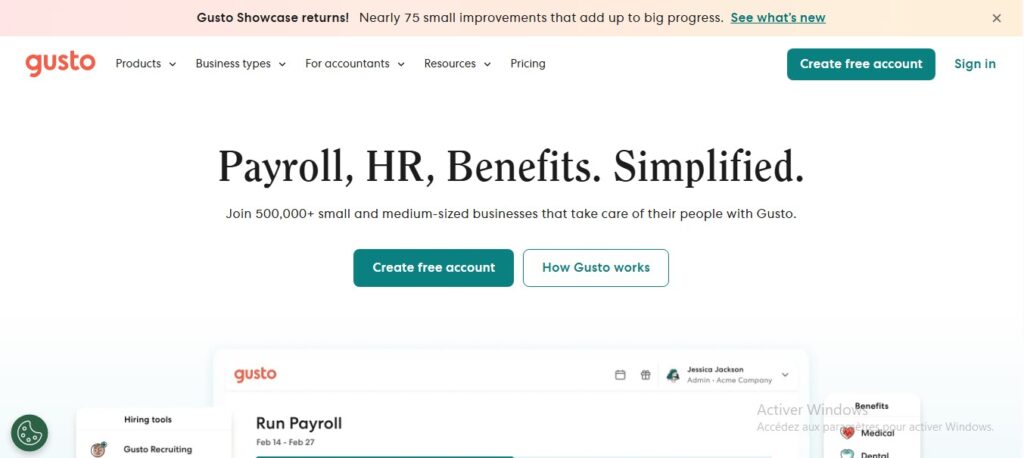
If payroll taxes are the reason you’re shopping for a QuickBooks alternative, start here. The first time Gusto files your federal payroll taxes automatically without a single extra click, it genuinely feels like a different category of software than the accounting-first tools on this list.
Gusto raised its Simple plan base price from $40 to $49 a month in March 2026, so if you’re working from an older screenshot, that number is stale. Full-service tax filing across federal, state, and local jurisdictions is included on every tier — QuickBooks tends to push multi-state payroll into a higher bracket, where Gusto just handles it.
The real price: $49/month + $6/person (Simple). Plus jumps to $80 + $12/person; Premium to $180 + $22/person.
The catch: Simple doesn’t include next-day direct deposit — that’s reserved for Plus and up, and the admin mobile app still lags behind the desktop dashboard.
✓ Pros
Full-service tax filing on every tier. Unlimited payroll runs. Clean, non-intimidating UI for non-accountants.
✗ Cons
Per-employee fees compound fast on Plus. Direct deposit speed is gated behind pricier tiers.
2. Xero — The Accountant’s Favorite

Xero is the closest thing to a direct QuickBooks clone on this list — same core double-entry accounting, similar bank reconciliation workflow — but with one feature that changes the math entirely: unlimited users on every plan. A 10-person team and a solo freelancer pay the exact same subscription.
I’ll flag something most competitor round-ups miss: Xero has its own price increase scheduled for October 1, 2026, moving Early to $27, Growing to $59, and Established to $97. It’s a far gentler bump than what Intuit just did, but it’s coming, so budget for it now rather than getting surprised in the fall.
The real price: Early $25/mo, Growing $55/mo, Established $90/mo (rising to $27/$59/$97 on October 1).
The catch: Early caps you at 20 invoices and 5 bills a month. Most real small businesses land on Growing at $55, not the advertised $25 headline.
✓ Pros
Unlimited users at every tier. Free Hubdoc receipt capture on Growing+. Strong accountant/bookkeeper collaboration tools.
✗ Cons
Entry plan is more of a teaser than a real tier. Payroll runs through a separate Gusto integration, not natively.
3. FreshBooks — The Freelancer’s Sanctuary

QuickBooks was built by accountants, for accountants. FreshBooks feels like it was built by a freelance designer who was sick of chasing invoices. If your business is mostly “send pretty invoice, track billable hours, get paid,” this is the calmer option.
During sign-up, I noticed the account creation flow nudges you toward annual billing pretty hard — the monthly price is shown small under the annual one. Not a dealbreaker, just something to watch for if you want month-to-month flexibility. If you’re weighing FreshBooks against dedicated freelance-ops tools, our Bonsai review covers a close alternative built specifically around contracts and proposals rather than double-entry books.
The real price: Lite $23/mo (5 clients), Plus $43/mo (50 clients), Premium $70/mo (unlimited clients). 30-day free trial, no card required.
The catch: Every plan is single-user by default — extra team members cost $11/month each, and payroll is a $40/mo + $6/employee add-on, not a native feature.
✓ Pros
Best-in-class invoicing UX. Time tracking ties directly into billing. 30-day trial with full feature access.
✗ Cons
Lite’s 5-client cap forces an early upgrade. Card processing runs 2.9% + $0.30, which adds up on high transaction volume.
4. Wave — The Honest Free Option

Here’s an update worth flagging: Wave isn’t the “everything is free forever” tool it was in 2022. It now runs a Starter/Pro split. Starter is still genuinely free — unlimited invoicing, manual bank imports, basic reporting — but automatic bank feeds, receipt scanning, and multi-collaborator access now sit behind Pro at $19/month.
That said, $19/month for automated bookkeeping is still dramatically cheaper than anything else on this list, and the free tier alone genuinely replaces 80% of what a solo operator uses QuickBooks for.
The real price: Starter $0. Pro $19/mo (or $190/yr). Payroll add-on: $40/mo + $6/active person.
The catch: On Starter, bank imports are manual CSV uploads — automatic bank feeds via Plaid only kick in on Pro, and support response times are slower without a paid plan.
✓ Pros
Genuine free tier with double-entry accounting. Unlimited invoices even on Starter. Handles US and Canadian tax codes natively.
✗ Cons
No budgeting or forecasting tools at any price. Free tier now genuinely limited compared to its old reputation.
5. Zoho Books — The Ecosystem Play

Zoho Books rarely gets the hype that Xero or FreshBooks do, but it quietly has the most generous free tier of any real accounting platform on this list — genuinely free (not a trial) if your business earns under $50,000 a year. Once you outgrow that, Standard at $20/month is still cheaper than most of the competition.
Where it earns its “ecosystem” reputation is if you already run Zoho CRM or Zoho Inventory — the automation between those apps and Books is deeper than any third-party integration QuickBooks offers.
The real price: Free (under $50K revenue). Standard $20/mo, Professional $50/mo, Premium $70/mo, up to Ultimate $275/mo. 14-day trial on paid tiers.
The catch: The interface is dense — six tiers and a menu-heavy UI can overwhelm someone who isn’t already comfortable navigating Zoho’s broader suite.
✓ Pros
Real free tier for sub-$50K businesses. Deep native automation with other Zoho apps. Multi-currency on Professional and up.
✗ Cons
Steeper learning curve than FreshBooks or Wave. Extra users beyond the plan cap cost $2.50–$3/user/month.
6. Rippling — For Control Freaks (In a Good Way)

Rippling isn’t really competing with QuickBooks on bookkeeping — it’s competing on the idea that payroll, IT, and HR shouldn’t live in three different tools. Hire someone in Rippling and it can automatically order their laptop and provision their software access on day one, then revoke all of it the moment they leave.
It’s genuinely impressive automation, and genuinely overkill if you’re a two-person shop just trying to escape QuickBooks Essentials. Pricing is also frustratingly opaque — the advertised $8/employee is only the base HRIS layer; payroll, benefits, and IT are separate modules stacked on top, and you’ll need a sales call to get a final number. For teams weighing this against similar global-hiring platforms, our Remote vs Deel vs Rippling comparison breaks down where each one actually wins.
The real price: $35/mo base fee + $8/employee/mo for the core Unity platform. Payroll, benefits, and IT modules each add their own per-employee fee.
The catch: No self-serve checkout — every real quote requires talking to sales, and most businesses running HR + payroll together report $25–$50 per employee per month once modules stack up.
✓ Pros
Deep HR + IT + payroll automation in one dashboard. Pay-for-what-you-use modular pricing. Strong for fast-scaling remote teams.
✗ Cons
Pricing opacity makes budgeting hard upfront. Overkill for solo founders or micro-teams.
7. OnPay — Best Value Flat-Rate Payroll

OnPay’s whole pitch is “no gotchas,” and mostly it holds up. One plan, one price, multi-state payroll included at no extra charge — a real advantage over Gusto, which pushes multi-state support into its Plus tier.
Worth noting: OnPay quietly raised its base price from $40 to $49 a month this year, mirroring Gusto’s move, and it now sells HR add-ons (Compliance Resources, Live HR Support) separately rather than bundling everything into the flat rate the way it used to market itself.
The real price: $49/month + $6 per employee or contractor. HR Compliance add-on $10/mo, Live HR Support $75/mo.
The catch: Accounting features are minimal — this is strictly payroll and HR, so you’ll still need Xero, Zoho Books, or Wave for actual bookkeeping.
✓ Pros
Multi-state payroll included, no upcharge. Handles worker’s comp admin natively. One straightforward price.
✗ Cons
Weak general-ledger and P&L reporting compared to a real accounting platform. Base price rose 22.5% this year.
8. Square Payroll — Best for Retail & Restaurants

If your team already clocks in on a Square POS, this is the obvious pick. Hours flow straight from the register into payroll, tip pooling is calculated automatically, and it’s the one platform on this list that didn’t touch its pricing this year — still $35/month plus $6 per person, exactly where it’s been since 2023.
Outside the Square ecosystem, though, there’s very little reason to choose it over Gusto or OnPay — the value here is entirely the integration, not the payroll engine itself.
The real price: $35/month base + $6 per person, or $6/contractor/month flat on the contractor-only plan (no base fee).
The catch: No real value if you don’t already process payments through Square — it doesn’t support global or multi-country payroll at all.
✓ Pros
Timecards flow straight from Square POS. Automatic tip pooling. Pricing hasn’t moved in years.
✗ Cons
Useless without a Square account. No international payroll support.
9. Remote — The Global Hiring Specialist

QuickBooks has no answer for hiring overseas, full stop. Remote steps in as an Employer of Record — it legally employs your international hire in its own country through Remote’s owned local entities, so you never have to set up a foreign subsidiary.
Contractor management is the affordable entry point at $29/contractor/month. Full EOR employment is where it gets serious — $599/employee/month on an annual commitment, or $699 billed monthly. That’s steep next to a Wave subscription, but it’s roughly in line with Deel and Oyster, and cheaper than the legal fees of setting up a foreign entity yourself. Our best AI HR software roundup covers a few adjacent tools if you’re building out a full people-ops stack.
The real price: Contractor Management $29/contractor/mo. EOR $599/employee/mo (annual) or $699/mo (monthly).
The catch: EOR usually requires roughly one month of gross salary as a deposit per employee — budget for that cash-flow hit before you commit to a hire.
✓ Pros
Owned legal entities in 90+ countries, no third-party middleman. Transparent flat-rate pricing, no hidden markups. Lower deposit than some competitors.
✗ Cons
EOR is expensive relative to everything else here. Contractor management alone has no built-in misclassification indemnity at the base $29 tier.
10. Agiled — The “Do It All” Platform

Agiled targets the consultant or agency owner who’s sick of paying for QuickBooks, HubSpot, Asana, and DocuSign separately. It bundles CRM, project management, proposals, e-signatures, and invoicing into one login.
Here’s the update that mattered most while fact-checking this piece: Agiled has completely rebuilt its pricing since its AppSumo lifetime-deal days. It’s no longer “free for 1 user, Pro at $99.99/year.” The current structure is a proper four-tier SaaS ladder — Starter, Pro, Premium, Business — running $24 to $199/month on annual billing, with AI credits, automation caps, and seat limits baked into each tier. A Free plan still exists after your 14-day trial ends, but it’s a landing spot, not the headline offer anymore.
The real price: Starter $24/mo (1 seat), Pro $59/mo (3 seats), Premium $99/mo (7 seats), Business $199/mo (15 seats) — all billed annually. Free plan available post-trial.
The catch: It’s still not a “heavy” accounting tool. If you need complex inventory tracking or audit-trail reporting for a CFO, you’ll outgrow it and need Xero or Zoho Books alongside it.
✓ Pros
Genuinely replaces 4-5 separate subscriptions. 14-day trial, no card required. 14-day no-questions refund window.
✗ Cons
Pricing has shifted significantly from its old lifetime-deal reputation. Extra seats cost $20/month each beyond the plan’s included count.
What QuickBooks Costs vs. Every Alternative Here
Lining up entry-level monthly prices side by side makes the QuickBooks Plus jump to $140/month look even starker.
Entry-tier monthly price comparison (USD, Aug 2026)
Bars scaled to QuickBooks Online Plus ($140/mo) as of August 2026. Payroll platforms (Gusto, OnPay, Square, Rippling, Remote) excluded as they aren’t priced as flat accounting-software tiers.
So, Which One Should You Actually Pick?
Don’t look for the objectively “best” one. Look for the tool that fixes your specific headache right now.
- If you hate payroll: Gusto.
- If you hate per-user fees: Xero.
- If you have zero budget: Wave.
- If you run a retail store on Square: Square Payroll.
- If you’re hiring overseas: Remote.
- If you want CRM, invoicing, and books in one login: Agiled.
If you’re weighing this decision against your broader software stack, our best AI tools for small businesses guide and AI tools for freelancers roundup are good next reads — accounting software rarely lives in isolation from the rest of your toolkit. If you’re specifically hunting for deals before you commit, our Dealify review covers where lifetime SaaS discounts still show up in 2026.
FAQ
Why did QuickBooks raise prices twice in one year?
Intuit raised QuickBooks Online prices on May 1, 2026, then again on August 1, 2026. The August increase was tied to new AI features (Intuit Intelligence, Invoicing on Autopilot) rolled into Plus and Advanced. Simple Start, Free, Lite, and Ledger were left unchanged in the August round.
Which QuickBooks alternative is cheapest overall?
Wave, by a wide margin. Its Starter plan is genuinely free with no revenue cap, and even Wave Pro at $19/month undercuts every other paid accounting tool on this list.
Which alternative is closest to QuickBooks’ actual feature set?
Xero and Zoho Books both offer full double-entry accounting, bank reconciliation, and multi-currency support comparable to QuickBooks Online, without QuickBooks’ per-user pricing structure.
Can I switch from QuickBooks without losing my historical data?
Most alternatives here, including Xero, FreshBooks, and Zoho Books, offer guided QuickBooks migration tools or CSV import for your chart of accounts, invoices, and contacts. Always export a full backup from QuickBooks before you start the switch.
Do any of these tools handle both payroll and bookkeeping?
Not natively in one product. Gusto, OnPay, and Square Payroll are payroll-first and integrate with accounting tools like Xero or QuickBooks Time. If you want books and light payroll under one roof, FreshBooks and Wave both offer payroll as a paid add-on.
The Bottom Line
QuickBooks isn’t a bad product. It’s just gotten expensive twice in one year without matching upgrades for most small businesses that don’t need the new AI layer. Every tool on this list is cheaper, and several — Xero on users, Wave on price, Gusto on payroll — are genuinely better at the one thing you’re most likely frustrated about.
Pick the one that fixes your actual headache, run the free trial, and see how it feels before you commit a card. You might wonder why you didn’t switch sooner.
About the Author
Oyekale Olawale runs Websites2Know, an independent platform reviewing AI tools and SaaS software. He tests each tool across real workflows — not demos — and publishes reviews based on hands-on evaluation. Reviews are written independently; no vendors pay for favorable coverage.