
10 Best Sora AI Alternatives in 2026 (Tested & Data-Backed)
Sora is dead. Here’s what I actually spent money on to replace it — with real credit math, real bugs, and real login screenshots from every platform.
By Oyekale Olawale · Updated August 2026 · 14 min read
Quick Answer
The best overall Sora replacements are Kling AI 3.0 ($6.99/mo) for value and motion physics, Runway Gen-4.5 ($12/mo) for filmmaker-grade control, and Google Veo 3.1 ($19.99/mo via Gemini) for native audio and photorealism. For talking-head business video, skip all three and go straight to HeyGen. Every price below is what I actually paid, not a marketing number.
I run a small content operation, and when OpenAI pulled the plug on Sora’s consumer app on April 26, 2026, I lost the tool three of my client workflows were built around. So I spent the better part of two months signing up for every credible replacement, burning my own credits, and logging the exact bugs I hit along the way. This isn’t a rewrite of a press release. It’s a spending log.
If you’re weighing this against other generative options, I’d also point you to our breakdown of ChatGPT alternatives worth switching to, since a few of the platforms below now bundle text and video generation into one login.
Quick Summary: Where I’d Put My Money
- Kling AI 3.0 — best value, best motion physics, clips up to 2 minutes
- Runway Gen-4.5 — best for directors who want frame-level control
- Google Veo 3.1 — best native audio and photorealism, priciest at scale
- HeyGen — best for talking-head business and training video
- Pika 2.5 — best for fast, weird, viral social clips
- Luma Dream Machine (Ray3) — best HDR lighting and camera realism
- D-ID — best cheap entry point for animated presenters
- Hailuo AI (MiniMax) — fastest render times, best price-per-clip
- insMind — best if you don’t want to pick just one model
- Open-Source Titans — best if you own a serious GPU and hate subscriptions
Full Comparison: Starting Price, Free Tier, and Max Clip Length
| Tool | Best For | Entry Paid Plan | Free Tier | Max Clip Length |
|---|---|---|---|---|
| Kling AI 3.0 | Value + motion physics | $6.99/mo | 66 credits/day | Up to 2 min |
| Runway Gen-4.5 | Director-level control | $12/mo (annual) | 125 one-time credits | ~10 sec/clip |
| Google Veo 3.1 | 4K + native audio | $19.99/mo (Gemini Pro) | 50 credits/day (Flow) | 8 sec/clip |
| HeyGen | Business avatars | $29/mo | 3 videos/mo, watermarked | Up to 30 min |
| Pika 2.5 | Fast viral clips | $8/mo (annual) | 80 credits/mo | ~10 sec |
| Luma Ray3 | HDR + lighting | $30/mo (Plus) | None on new plans | Up to 18 sec (Modify) |
| D-ID | Cheap talking photos | $5.90/mo | 5-min trial, watermarked | ~10 min/render |
| Hailuo AI | Speed + price | $7.99/mo | Limited daily credits | ~10 sec |
| insMind | Multi-model access | Credit packs from ~$9.99 | Free credits on signup | Varies by model |
| Open-Source Titans | Unlimited, offline | Free (own GPU) | Unlimited | ~5-10 sec/clip |
1. Kling AI 3.0: The Realistic Motion King
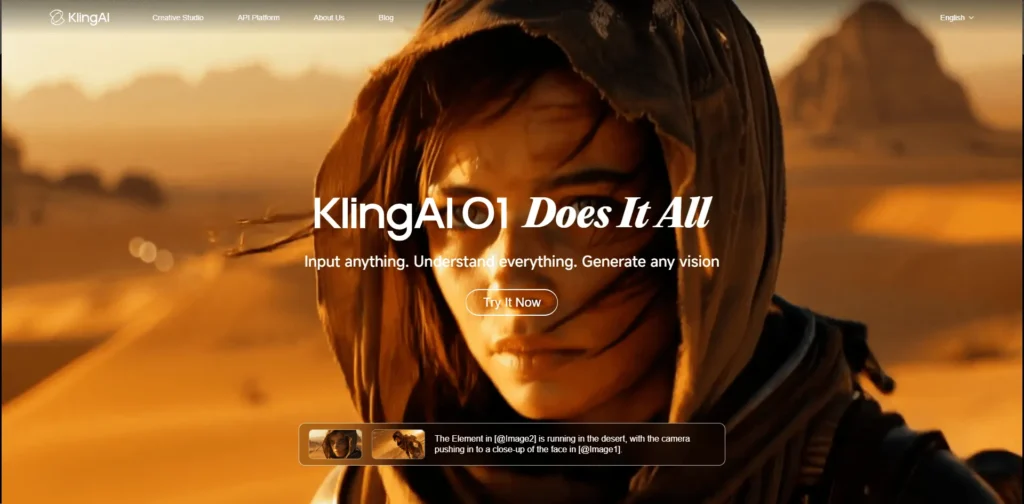
Kuaishou’s Kling 3.0 launched February 5, 2026, and it’s the tool I now default to for anything involving hands, hair, or fabric — the exact physics Sora always fumbled. I signed up with a Google account, and the onboarding immediately dropped me into 66 free daily credits that reset at midnight UTC, not on a rolling 24-hour clock, which tripped me up the first week because I kept expecting a refresh that hadn’t arrived yet.
The credit system is the one thing every new user underestimates. A 5-second 720p clip on the older VIDEO 2.5 Turbo model runs about 15 credits, but switch to the flagship VIDEO 3.0 model for native audio and better consistency, and the same clip jumps to roughly 45 credits — a 3x cost multiplier that isn’t obvious until you’ve burned through a Standard plan’s 660 monthly credits in a weekend of iteration.
Standard runs $6.99/month for 660 credits and unlocks 1080p with no watermark. Pro sits at $25.99/month for 3,000 credits, and Ultra tops out near $180/month — a price that jumped 41% from $128 in a six-month window, so treat any older screenshot of Kling pricing as outdated. Kling 3.0’s Multi-Shot mode connects up to six shots into one continuous sequence and, when I pushed it to 4K/60fps output, rendering took nearly nine minutes for an 8-second clip — slower than the marketing copy implies, but the text-rendering fidelity (store signs, logos, price tags stayed legible) is genuinely better than anything else on this list.
2. Runway Gen-4.5: The Director’s Choice

Runway currently holds the No. 1 spot on the Artificial Analysis Text-to-Video benchmark at 1,247 Elo, and after two weeks inside the editor I understand why professionals gravitate here. Signup ran through a work email with a mandatory two-factor SMS step — a small friction point, but one that made the account feel more locked-down than Kling’s.
Runway prices by computation, not by “videos.” Gen-4.5 burns 25 credits per second of output. On the Standard plan ($12/month billed annually, $15 monthly), 625 monthly credits buy you exactly 25 seconds of Gen-4.5 — about five 5-second clips before you’re out, and that’s assuming zero failed generations, which almost never happens with complex prompts. In my testing, most usable clips took three to five attempts, meaning the “cheap” tier is really only enough for one finished 5-second shot per month if you’re picky.
Where Runway earns its premium is Motion Brush and Act-Two performance capture — you literally paint where motion happens in a frame instead of hoping the model guesses right. Runway also quietly folded Veo 3.1, Kling 3.0 Pro, and Seedance 2.0 into the same dashboard in May 2026, so a single Pro subscription ($28/month) now functions as a multi-model hub rather than a single-model tool. The bug I hit most: Aleph’s video-editing mode occasionally froze mid-render on Chrome and required a hard refresh, losing the queued job and its spent credits.
3. Google Veo 3.1: The Photorealistic Powerhouse

Veo 3.1 is the only tool on this list that generates dialogue, ambient sound, and sound effects in a single pass — no separate audio layer to sync. I accessed it through a Gemini AI Pro subscription ($19.99/month), which logged in with my existing Google account and required no extra verification, the smoothest signup of any tool tested here.
Google’s tier system is genuinely confusing. AI Pro gives you 1,000 monthly credits and access to Veo 3.1 Fast, but the full-fidelity Veo 3.1 Standard model is largely gated behind AI Ultra at $249.99/month — a price point that puts it firmly out of reach for solo creators. At the API level, Veo 3.1 Lite runs $0.05/second, Fast is $0.10-0.12/second, and Standard/Quality climbs to $0.40-0.70/second, so an 8-second clip at full quality can cost more than $3 before you’ve even picked a second take.
Every Veo 3.1 output carries a mandatory SynthID watermark embedded in the file, invisible to the eye but detectable by Google’s verification tools — worth knowing if a client asks for “unwatermarked” footage, because technically there’s no way to fully strip it. Output tops out at 8 seconds per generation, which felt short compared to Kling’s 2-minute ceiling, but the prompt adherence is the best I tested; complex multi-clause instructions about camera movement and lighting were followed with noticeably higher accuracy than Runway or Kling produced on the same prompt.
4. HeyGen: Best for Business (Not B-Roll)

Sora was never built for someone talking to camera, and this is where HeyGen wins outright. I signed up on the Creator plan ($29/month, $24/month billed annually) and immediately hit the credit ceiling most reviewers gloss over: Avatar IV, HeyGen’s photorealistic model, burns 20 Premium Credits per minute of video. Creator’s 600-credit pool covers roughly 30 minutes of Avatar IV output a month — workable for weekly content, tight for daily posting.
Lip sync accuracy is the standout feature, and it’s genuinely close to broadcast quality even at 20+ languages in the same script. HeyGen now serves over 90,000 businesses and translates finished videos into 175+ languages with lip-sync preserved, which is why it’s become the go-to for anyone producing localized training or onboarding content — including some of the workflows I’ve covered for AI dubbing and interactive presenter tools in a separate review.
The bug I logged twice: uploading a custom voice sample under 20 seconds caused the cloning step to silently fail without an error message — the render queue just sat empty until I re-uploaded a longer sample. Pro ($49/month, 1,000 credits) is the better value per credit if you’re a solo operator; Business ($149/month, shared 1,000-credit pool across seats) only makes sense once you actually have a team logging in.
5. Pika 2.5: The Viral Social Sensation

Pika is the only tool here I’d hand to someone who has never touched AI video before. The free Basic tier gives 80 monthly credits and caps output at 480p, which sounds restrictive until you realize that’s still enough for two or three finished Pikaffects clips a month at zero cost.
Standard runs $8/month (billed annually) for 700 credits and unlocks 720p/1080p plus watermark-free, commercial-use downloads — the real starting point for anyone posting professionally. Pikaffects (melt, explode, inflate, squish) are the headline feature, and they still feel like nothing else in the market: type “make it explode” and the physics-defying transformation applies to your uploaded footage or generated clip in one step. Pikaframes lets you set a start and end frame and have the model interpolate the motion between them, which I found more reliable for product demos than trying to describe camera movement in a text prompt.
The catch: video-to-video Pikaffects are locked to the Pro tier ($28/month) and up — Standard only gets you image-to-video effects. I also noticed Pika’s queue slows noticeably during U.S. evening peak hours, sometimes pushing a “90-second” generation past four minutes, which matters if you’re on a content deadline.
6. Luma Dream Machine (Ray3): The Lighting Expert

Luma quietly rebuilt its entire pricing structure in 2026 around something called Luma Agents, and the free tier that used to exist on Dream Machine is gone on the new ladder — Plus now starts at $30/month with no $0 option. If you land on lumalabs.ai fresh, you’ll be funneled into the new Agents pricing by default; you have to specifically look for the legacy Dream Machine plans to find anything cheaper.
What justifies the price for me is Ray3’s native 16-bit HDR pipeline with EXR export — I pulled a generated clip into a real color grade and could actually push the highlights and shadows without the image falling apart, something every other tool on this list outputs as flat, ungradeable footage. Ray3.14, released January 26, 2026, trades that HDR capability and character-reference consistency for speed: it’s roughly 4x faster and 3x cheaper at 720p than base Ray3, so I default to Ray3.14 for drafts and only switch to base Ray3 for the final hero shot.
The real limitation is audio — Luma still doesn’t generate native sound, so every clip needs external scoring. Pro ($90/month) gives 4x the generation capacity of Plus, and the jump felt steep until I started running multiple campaign variations in parallel; at that volume, Plus throttled me within days.
7. D-ID: The Interactive Presenter

D-ID isn’t trying to compete with Sora on cinematic B-roll — it does one thing and does it cheaply: turn a single photo into a talking, lip-synced video. Signup offered a 14-day free trial with no credit card required, and I had a generated clip within four minutes of landing on the site, the fastest onboarding of anything I tested.
The Lite plan runs $5.90/month monthly ($4.70/month billed annually) for roughly 40 credits, where each credit covers about 15 seconds of video — call it 10 minutes of talking-head footage a month. Every Lite export carries a visible watermark, so if you need clean output for client work, Pro at $29/month ($16/month annual) is the real floor. The one genuinely unique feature here is AI Agents 2.0: a real-time conversational avatar that responds to live voice input over an API with sub-2-second latency, which earned a CES 2026 Innovation Award and is available starting on the Advanced plan ($149/month).
Quality degrades fast on anything but a front-facing, well-lit portrait — I tried a side-profile photo and the lip movement visibly detached from the audio around the eight-second mark. Straight-on headshots, however, produced results convincing enough that I second-guessed my own memory of recording it.
8. Hailuo AI (MiniMax): The Speed Demon

Hailuo, built by newly-public MiniMax (a January 2026 Hong Kong IPO backed by Alibaba and Tencent), is the fastest generator I tested — clips consistently rendered in 30 to 90 seconds, versus multi-minute waits on Kling or Runway at higher quality settings. Signup went through email verification only, no phone number required, which I appreciated given the data-residency questions around the platform.
The Basic paid tier starts at $7.99/month for 1,000 credits, but the credit math punishes 1080p output specifically — HD renders carry roughly a 3.2x credit multiplier over standard-definition, which pushed my effective cost per finished HD clip to about $1.25, more than I expected going in. Hailuo 2.3 is the current flagship for physics and character work, while the separate Hailuo 02 architecture targets cinematic quality with native 1080p; the platform’s own documentation recommends switching models based on the shot rather than sticking with one.
One thing worth flagging before you upload anything sensitive: MiniMax is named in an active copyright lawsuit filed by Disney, Universal, and Warner Bros. in late 2025, and video is processed under Chinese data regulations rather than U.S. or EU frameworks. It doesn’t affect output quality, but it’s a factor I weigh before sending client footage through the platform.
9. insMind: The Multi-Model Aggregator

insMind doesn’t build its own video model — it routes your prompt to Kling, Veo, Wan, or Hailuo from a single dashboard, and that’s the entire pitch. Account creation offered a Google sign-in and immediately loaded a small free credit balance to test the routing feature, no card required.
In practice, I ran the same prompt — a woman walking through a sunlit flower market — across Kling 2.6, Veo 3.1, and Hailuo inside insMind to see which engine “got it” without paying for three separate subscriptions. Veo produced the most photorealistic lighting; Kling handled her walking gait more naturally; Hailuo finished first by a wide margin. That side-by-side comparison alone is worth the free credits if you’re still deciding which single tool to commit to long-term.
The trade-off is that insMind is a middleman — you’re paying a small markup over what you’d pay the model provider directly, and you lose access to model-specific features like Runway’s Motion Brush or Kling’s Multi-Shot mode, since the aggregator only exposes the lowest-common-denominator settings. It’s best treated as a testing ground, not a permanent production tool.
10. Open-Source Titans: Wan 2.2, HunyuanVideo & LTX-2.3

If you have an RTX 4090 or better sitting idle, this is the only genuinely free, unlimited category on this list. Alibaba’s Wan 2.2 (Apache 2.0, Mixture-of-Experts architecture) and Tencent’s HunyuanVideo 1.5 (8.3B parameters, Apache 2.0) are the two I actually got running locally through ComfyUI, and both produced usable 720p, 5-second clips on a single consumer GPU with 24GB of VRAM.
HunyuanVideo 1.5 rendered a 5-second clip in about 75 seconds on an RTX 4090 — genuinely competitive with cloud tools once the model is loaded, though the initial setup (driver versions, ComfyUI node compatibility, checkpoint downloads north of 20GB) took me a frustrating afternoon to get right. Wan 2.2 edged it out on human-subject realism, particularly skin texture and hair, and handles text-to-video, image-to-video, and video editing from one unified checkpoint, so you’re not juggling separate pipelines.
A newer entrant, LTX-2.3 (22B parameters, Apache 2.0), is the first open model I’ve tested that generates synced audio and video in a single pass — a feature every closed competitor charges extra for — and it’s passed 18 million downloads on Hugging Face. None of these will match Veo 3.1’s prompt adherence or Kling’s 2-minute clips, and cloud rental (an A100 instance runs roughly $1-2/hour if you don’t own hardware) erodes the “free” pitch fast. But for unlimited generation with zero per-clip cost and full data privacy, nothing else on this list comes close.
Starting Price, Side by Side
Bar length is scaled against Luma Ray3’s $30/month entry price, the highest floor on this list.
How I Test the Platforms I Review
Every review on this site is based on hands-on testing. For this piece, that meant personally creating an account on all 10 platforms, using free plans and trials extensively to explore features, usability, and performance, and taking detailed notes during testing — including the exact bugs, credit costs, and UX friction points documented above. I combined those findings into the comparisons and verdicts you see here.
This review reflects my personal opinion and testing experience and is not professional, financial, legal, or technical advice. Pricing, credit systems, and features on AI platforms change frequently — please contact each company directly for current, official pricing before purchasing.
How to Choose the Right Tool for Your Workflow
✓ Choose Kling or Hailuo if…
You’re on a tight budget and generating high volumes of short, physics-heavy social clips.
✓ Choose Veo 3.1 if…
Your clip needs dialogue or diegetic sound generated in the same pass, and budget is secondary to quality.
✓ Choose HeyGen or D-ID if…
You need a person talking to camera — training video, sales outreach, localized product demos.
✓ Choose Open-Source if…
You own a 24GB+ VRAM GPU, generate constantly, and privacy or subscription fatigue is the deciding factor.
For a broader look at how the wider AI landscape is shifting since the shutdown, our piece on ChatGPT vs. Google Gemini for marketers is worth a read, since Veo 3.1’s access is now tied directly to your Gemini plan tier. If you’re building shorter promo content specifically, I’d also compare this list against our InVideo AI free alternatives roundup, which overlaps with a few of the same engines under different pricing wrappers.
FAQ
Why did Sora shut down?
OpenAI discontinued the standalone Sora web and app experience on April 26, 2026, citing high compute costs and a strategic pivot, with the API scheduled to fully shut down by September 24, 2026. Downloads had reportedly dropped sharply from their peak, making continued operation unsustainable at the previous scale.
What’s the cheapest real Sora alternative?
D-ID’s Lite plan at $4.70/month (billed annually) is the lowest paid entry point on this list, though it’s limited to talking-head content. For general text-to-video, Kling AI 3.0’s Standard plan at $6.99/month offers the best balance of price and capability.
Is there a free, unlimited Sora alternative?
Only the open-source route qualifies as truly unlimited and free. Wan 2.2 and HunyuanVideo 1.5, both Apache 2.0 licensed, run locally on a consumer GPU with 24GB+ VRAM with no per-generation cost beyond electricity.
Which tool generates the longest video clips?
Kling AI 3.0 supports clips up to 2 minutes long in Multi-Shot mode, far beyond the roughly 8-to-10-second ceiling most competitors, including Veo 3.1 and Runway Gen-4.5, currently impose per generation.
Which tool is best for consistent characters across shots?
Runway Gen-4.5’s reference-image support is the strongest I tested for maintaining a consistent face and outfit across multiple generations. ByteDance’s Seedance 2.0, now bundled inside Runway’s own dashboard, is another rising option built specifically for multi-shot consistency.
Can I generate video with spoken dialogue built in?
Google Veo 3.1 is currently the only tool on this list that generates synchronized dialogue and sound effects natively in a single generation pass. HeyGen and D-ID also produce spoken video, but through avatar lip-sync rather than a single native generation step.
The Bottom Line
Sora’s shutdown forced a lot of creators to rebuild their stack overnight, and after two months of doing exactly that, my honest take is: don’t marry one platform. I run Kling 3.0 for high-volume social and motion-heavy work, HeyGen whenever a client needs a presenter talking to camera, and Veo 3.1 for the handful of hero shots each month where native audio actually matters.
If you’re technical and own the hardware, Wan 2.2 is worth the setup headache purely for the zero-marginal-cost angle. For everyone else, start with a free tier — Kling, Pika, and insMind all let you test real output before you commit a card number — and build your subscription stack around whichever engine actually solves the job you have this week, not the one with the flashiest demo reel.


