

What Is Agenta AI? Inside the Open-Source Agent Workspace Behind Agenta 2.0
Agenta quietly turned into a different product this week. Here’s what it actually is now, how the new agent workspace works, and what it costs — broken down from the docs, the pricing page, and a full walkthrough of the signup flow.
By Oyekale Olawale · Updated July 2026
⚡ Quick Answer
Agenta.ai is an open-source workspace for building and running AI agents. As of the Agenta 2.0 relaunch on July 22, 2026, it’s no longer just a prompt-management tool — you now build agents through chat, give them tools and persistent context, and either run them yourself or hand them off on a schedule. Self-hosting is free forever (MIT license). Agenta Cloud starts at $0 for the Hobby tier and scales to $299/month for Business, billed by agent runs, not seats.
I’ve covered a handful of LLMOps tools for this site, and Agenta has always been one of the more technically credible ones — a Berlin-based, MIT-licensed platform that started in 2023 as a prompt playground and evaluation layer for teams shipping LLM apps. If you searched “what is Agenta AI” a few months ago, that’s the answer you’d have gotten, and it’s the answer most of the current search results still give you.
That answer is now outdated. On July 22, 2026, Agenta shipped a version 2.0 that repositions the entire product around building and running agents rather than just testing prompts. I went through the new homepage, the docs, the pricing calculator, and the announcement post from co-founder Mahmoud Mabrouk to figure out exactly what changed and whether it’s worth your time.
What Is Agenta AI?
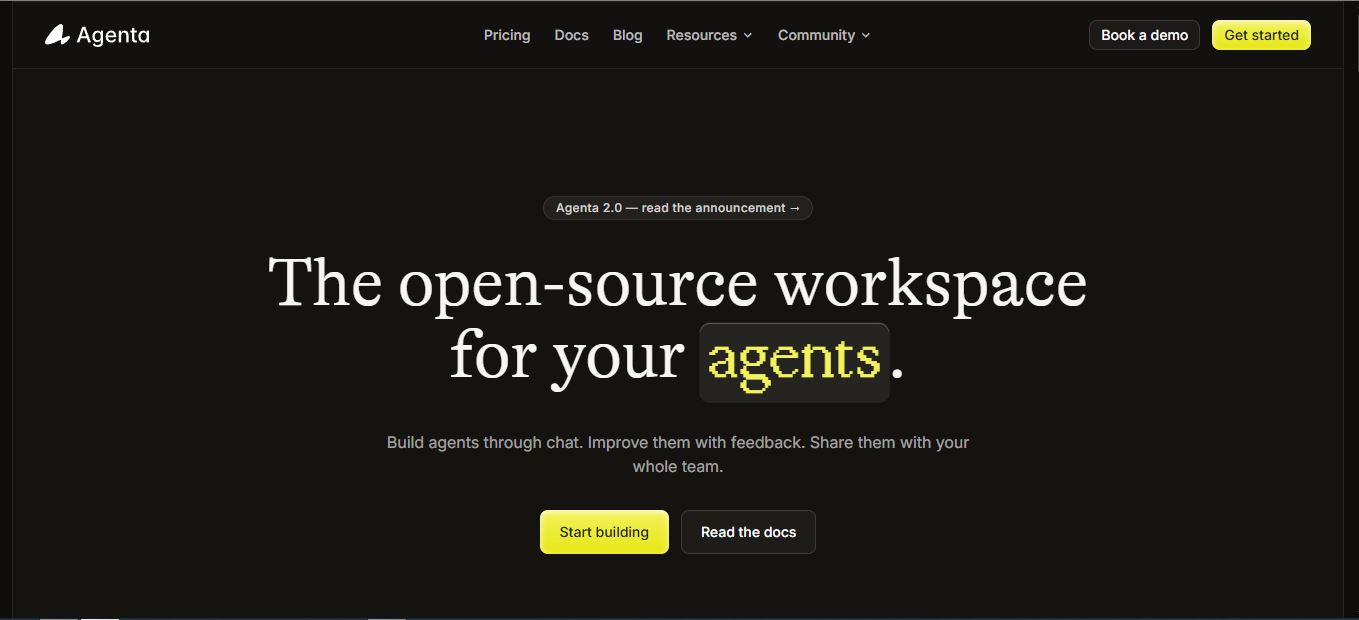
Agenta describes itself, in its own homepage copy, as “the open-source workspace for your agents.” In practice, that means three things: you build an agent by describing a job in chat, the agent gets a persistent workspace where it keeps files, research, and context between sessions, and you can either keep working with it directly or put it on a schedule so it runs the same job automatically — like a code-review agent that fires on every pull request, or a research agent that checks a metrics dashboard every Monday morning.
Under the hood, an Agenta agent is built from open, portable components: an AGENTS.md instruction file, reusable skills, MCP servers for tools and integrations, and a choice of harness (Claude Code, pi.dev, with Codex and OpenCode listed as “soon” at launch) and model provider — the homepage highlights Anthropic, OpenAI, Ollama, xAI, and OpenRouter as defaults, though the full connectable list on the pricing page is longer (more on that below). That’s a meaningfully different architecture from most closed agent builders — nothing is locked to one vendor, and you can self-host the whole stack with Docker Compose or Helm.
It’s worth being clear about what didn’t disappear, too. The original Agenta — prompt playground, versioning, evaluation, and observability — is still there. It’s now the reliability layer underneath the agent workspace rather than the whole product. Every agent run gets traced, every configuration gets versioned, and you can still run LLM-as-judge or human evaluations against test sets. If you came here specifically for the old prompt-management use case, that functionality is intact; it’s just one layer of a bigger tool now.
Start Building on Agenta Free →Agenta 1.0 vs. Agenta 2.0: What Actually Changed
Because so much existing content (mine included, until now) describes the old version, here’s a direct side-by-side of what shifted with the relaunch.
| Aspect | Agenta 1.0 (pre–July 2026) | Agenta 2.0 (July 22, 2026 onward) |
|---|---|---|
| Core positioning | LLMOps platform: prompt engineering + evaluation + observability | Open-source workspace for building and running agents |
| How you interact | Prompt playground, side-by-side model comparison | Chat with the agent directly; it builds its own setup |
| Automation | Not a core feature | Schedules and event triggers turn any agent into a recurring job |
| Building blocks | Prompt versions, test sets, evaluators | AGENTS.md, skills, tools, MCP servers |
| Harness/runtime choice | Not applicable | Claude Code, pi.dev, local Docker, Daytona sandboxes |
| Pricing unit | Traces / month | Agent runs / month |
| Evaluation & tracing | Core feature | Still present, now framed as the “reliability layer” |
How Agenta AI Works, Step by Step

The workflow Agenta pushes you toward is simpler than most “agent builder” products I’ve looked at, mostly because it front-loads templates instead of a blank canvas.
- Start from a template. The homepage ships templates across five categories — engineering, customer support, sales, company knowledge, and operations. A “Code review agent,” for example, comes pre-wired with GitHub and Linear tool access, a trigger set to fire on every pull request, and skills like
review-diffandrisk-scanalready attached. - Customize it in chat. Rather than filling out config forms, you describe adjustments conversationally and the agent edits its own
AGENTS.mdand tool permissions. - Give it a persistent workspace. Files, prior research, and decisions carry over between sessions — the docs frame this as the difference between an agent that “starts every conversation without context” and one that behaves like a coworker with memory.
- Automate the parts that repeat. One more message — “do this every Monday at 9:00, flag anything that drops more than 10%” — turns a chat session into a scheduled job. The same agent handles both modes.
- Review with human-in-the-loop controls. Consequential actions can be set to wait for your approval before they execute, and you can define per-agent permission levels for what it’s allowed to do unsupervised.
Reliability: The Part Agenta Actually Has a Head Start On
A lot of agent-builder products launched in the last year skip straight to “describe your agent in chat” without a real answer for what happens when the agent gets something wrong in production. Agenta’s advantage here is that its evaluation and observability tooling predates the agent pivot by roughly three years, and it’s now positioned as the layer that makes the agents trustworthy rather than a bolted-on afterthought.
Concretely: every agent run generates a trace with model calls, tool calls, timing, outputs, and errors. Every agent configuration is versioned, so you can roll back a change that made things worse. You can give an agent direct feedback on a run, and it can inspect what happened and propose a fix to its own configuration. That closed feedback loop — run, trace, feedback, version — is the same mechanism the old prompt-evaluation tooling used, just applied to full agents instead of individual prompts.
Who Agenta AI Is Actually For
✓ Good fit
Teams who already build with Claude Code, pi.dev, or LangChain-style workflows · engineering teams wanting a self-hostable PR-review or ops agent · founders and PMs who want AI coworkers without writing orchestration code · anyone who previously used Agenta for prompt versioning and wants to keep that data
✗ Not ideal for
Non-technical solo users wanting a no-setup chatbot · teams needing a fully deterministic, step-by-step workflow builder for high-governance processes · anyone unwilling to bring their own model-provider API key, since Agenta doesn’t include model costs
Agenta AI Pricing (2026)

Pricing changed along with everything else. It’s no longer per-trace — it’s per agent run, defined in the docs as any tracked execution that creates a trace: one chat message, one annotation, or one scheduled/event-triggered invocation. Team size, project count, and number of agents are unlimited on every paid tier; you’re only billed for how much your agents actually run.
| Plan | Price | Included Agent Runs | Best For |
|---|---|---|---|
| Hobby (Cloud) | $0 forever | 5,000/mo · 2 team members | Solo exploration |
| Pro (Cloud) | $29/mo | 10,000/mo + $5 per 10k extra | Small teams in production |
| Business (Cloud) | $299/mo | 10,000/mo + $5 per 10k extra | SSO, RBAC, SOC 2 Type II, priority support |
| Enterprise (Cloud) | Custom | Custom retention & usage | Audit logs, custom SLAs |
| Open Source (self-hosted) | Free forever | Unlimited (self-managed) | Full control, own infrastructure |
A few pricing details worth knowing before you sign up. Model costs are never included — you connect your own key for OpenAI, Anthropic, Gemini, Mistral, Groq, MiniMax, Together AI, OpenRouter, Azure OpenAI, AWS Bedrock, or Google Vertex AI, and pay that provider directly. Unused agent runs don’t roll over month to month. And the self-hosted Open Source tier is genuinely full-featured — it includes RBAC, SSO, tracing, evaluations, and versioning at no cost, with Enterprise self-hosting only adding audit logs, custom domains, and dedicated support on top.
What I Found Walking Through the Product
My process for a review like this is to go through the live product, the docs, and the pricing/signup flow directly rather than paraphrasing marketing copy — and to flag it clearly when I haven’t run the tool end-to-end for an extended period, which is the case here given how fresh this relaunch is.
A few things stood out. The pricing page’s “what counts as an agent run” FAQ is doing a lot of work — it has to, because the metric is genuinely non-obvious until you see the worked examples: a daily scheduled agent runs about 30 times a month, an hourly-triggered one around 720 to 744 times, and a 20-message chat session is 20 runs. If Agenta hadn’t spelled that out explicitly, I’d have had no intuition for whether the Hobby tier’s 5,000 runs is generous or tight — and for a chatty daily-use agent, it’s tighter than it first looks.
The self-hosting path is unusually developer-friendly for an “install this yourself” flow: their documented approach is literally to run npx skills add Agenta-AI/agenta-skills inside Claude Code and let the coding agent walk you through deployment, rather than handing you a wall of YAML to interpret alone. That’s a smart use of the exact agentic pattern the product is selling.
On the friction side: because this is a same-week relaunch, the “harness” options listed for building agents include Codex and OpenCode marked “Soon” — so if you’re expecting to run this on top of your existing OpenAI Codex setup today, you can’t yet. And because trace retention is tied to plan tier (one week on Hobby, one month on Pro, three months on Business), teams debugging an issue that surfaced after the free tier’s retention window will simply have lost that trace data — worth knowing before you commit to the free plan for anything production-adjacent.
Pros and Cons
✓ Pros
- Open standards (AGENTS.md, MCP, skills) mean no vendor lock-in
- Free, full-featured self-hosting under MIT license
- Unlimited users, agents, and projects on every paid tier
- Mature evaluation/tracing layer carried over from Agenta 1.0
- Human-in-the-loop approval controls for risky actions
- Model- and harness-agnostic; bring your own provider
✗ Cons
- “Agent run” pricing takes a minute to actually understand
- Model costs are separate — budget for provider bills too
- Codex and OpenCode harness support isn’t live yet
- Free-tier trace retention is just one week
- Documentation for the 2.0 agent workflows is still catching up post-launch
Agenta vs. Building an Agent Workflow In-House
The most honest comparison here isn’t against a single named competitor — it’s against the alternative of stitching your own agent stack together from a coding harness, a scheduler, a tracing tool, and an evaluation script. Agenta’s pitch is that it collapses those four separate systems into one workspace with a shared permission model and version history. That’s a real time save if you’re starting from zero. If you’ve already got a bespoke pipeline built around a specific harness Agenta doesn’t yet support, the open-standards approach at least means migrating in is less painful than with a fully closed platform — you’re not rewriting agents from scratch, just pointing existing AGENTS.md files and MCP servers at a new workspace.
FAQ
Is Agenta AI free?
Yes, in two ways. The Agenta Cloud Hobby plan is free forever with 5,000 agent runs a month and two team members. Separately, the self-hosted Open Source edition is free forever under the MIT license with no run limits, since you manage the infrastructure yourself.
Is Agenta AI still a prompt-management tool?
The prompt playground, versioning, and evaluation tooling from the original product are still available — they now sit underneath the broader agent workspace as the “reliability layer” rather than being the entire product.
What counts as an “agent run” for billing?
Any tracked execution that creates a trace: sending a message to an agent, creating an annotation, or an agent starting from a schedule or event. Each new message or trigger is a separate run.
Does Agenta include AI model costs?
No. You connect your own model-provider credentials — OpenAI, Anthropic, Gemini, and others are supported — and pay that provider directly for usage.
Can I self-host Agenta?
Yes. Agenta is MIT-licensed and can be deployed with Docker Compose or Helm charts on Kubernetes. The self-hosted Open Source edition is free and includes the full core workspace, including RBAC and SSO.
Bottom Line: Is Agenta AI Worth It?
If you’re evaluating Agenta today, evaluate it as what it now is — an open-source agent workspace with a genuinely mature reliability layer underneath — not as the prompt-management tool that most search results (including my own previous review of it) still describe. For teams that already lean on Claude Code or similar harnesses and want a shared, self-hostable place to build, run, and automate agents without vendor lock-in, it’s one of the more credible options I’ve looked at this year, precisely because the evaluation and tracing tooling isn’t new or untested — it’s three years of LLMOps experience redirected at a new problem. For solo non-technical users wanting a zero-setup assistant, it’s more infrastructure than you need. Given the launch is only days old, I’d treat this as a strong platform to pilot now and watch closely as the newer harness integrations (Codex, OpenCode) go live.
If you’re building agent-based workflows, it’s also worth comparing how Agenta’s harness choices stack up against dedicated coding agents — see our breakdown of whether Claude AI is good for coding and our roundup of Claude Code use cases, since Claude Code is one of Agenta’s default harnesses. If you’re deciding between chat models to pair with your agent, our ChatGPT alternatives guide and ChatGPT-for-coding review cover the model side of that decision. For teams weighing observability tools specifically, our Arize AI review looks at a dedicated LLM-observability alternative, and our ZenMux review covers multi-model routing if you’re connecting several providers the way Agenta supports. If workspace-style AI agents interest you beyond Agenta, our Taskade Genesis review and AI Agent Store review cover two other takes on the same category, and our OpenClaw use cases roundup and Make.com review are useful if you’re comparing agent automation against traditional no-code workflow tools.


