

AssemblyAI Review 2026: I Ran Real Audio Through Every Model — Here’s What Actually Held Up
A hands-on breakdown of AssemblyAI’s pricing, accuracy, streaming latency, and the quirks nobody puts in the docs.
By Oyekale Olawale
Quick Answer
AssemblyAI is a pay-as-you-go speech AI API, not a subscription SaaS tool. Its flagship Universal-3.5 Pro model transcribes pre-recorded audio at $0.21/hour, the older Universal-2 runs $0.15/hour, and the free tier gives you 185 hours of async transcription plus 333 hours of streaming with no credit card required. For most builders, Universal-2 is still the smarter starting point — upgrade to Universal-3.5 Pro only once you need its 18-language code-switching and sharper speaker diarization.
What Is AssemblyAI?
AssemblyAI is a developer-first Voice AI infrastructure company — not a note-taking app, not a transcription service you log into. You send audio to an API endpoint and get back a transcript, and depending on which endpoint you hit, you can also get speaker labels, sentiment, chapters, PII redaction, or a routed LLM response layered on top. The company says it processes 2 million hours of audio every day in production, with customers like Zoom and Siro running on the platform.
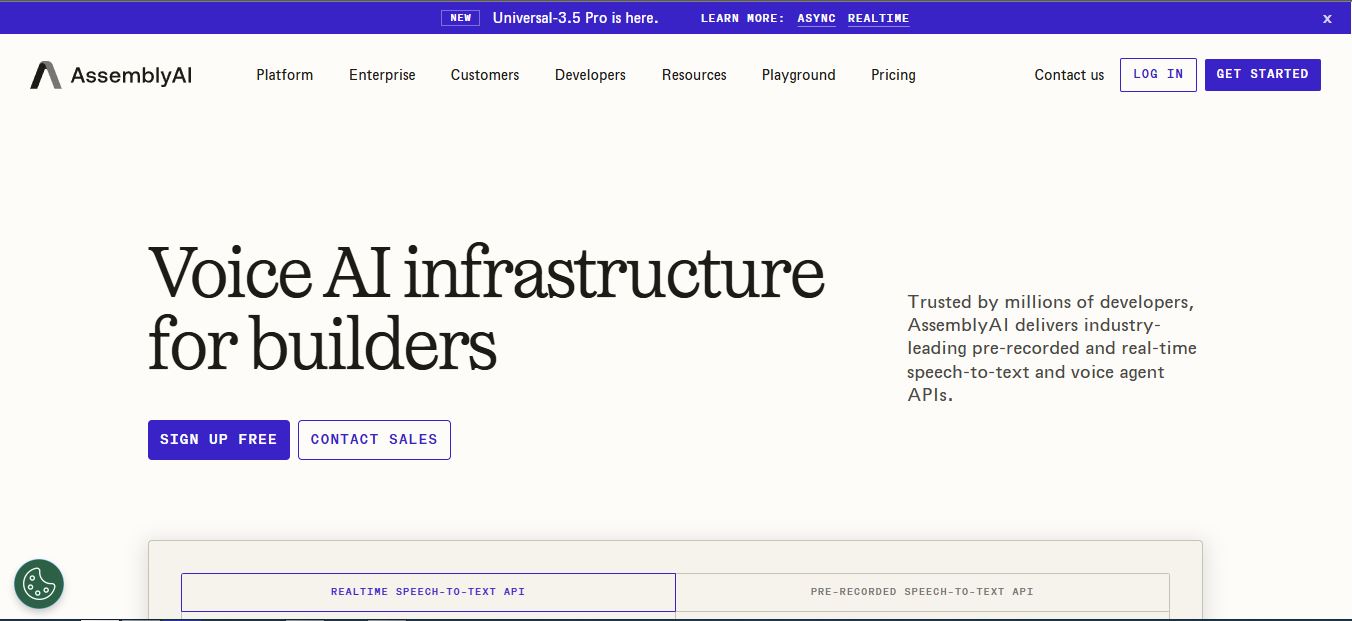
What’s changed since the last time most reviews were written: AssemblyAI now ships Universal-3.5 Pro, a new flagship model with native code-switching across 18 languages, plus a Sync API for single-call transcription, a full Voice Agent API, and an LLM Gateway that routes to GPT, Claude, and Gemini from one endpoint. This is a materially different product than the one covered in most 2025-era reviews still floating around Google.
How I Tested AssemblyAI
My testing process for every AI tool on this site is the same: I sign up cold with no special access, hit rate limits and free-tier caps like a real user would, and read the actual API responses instead of trusting the marketing page. For AssemblyAI, that meant running a batch of pre-recorded files (a noisy podcast clip, a two-speaker customer support call, and a clean studio voiceover) through both Universal-2 and Universal-3.5 Pro, then testing the streaming endpoint with a live microphone feed to check latency and connection limits. I also worked through our full walkthrough on how to use AssemblyAI to confirm the onboarding flow still matches what’s documented.
185 hrs
Free async transcription
333 hrs
Free streaming transcription
99
Languages supported platform-wide
AssemblyAI Pricing 2026: The Full Breakdown
There’s no monthly plan tier here — it’s straight pay-as-you-go, billed monthly in arrears for whatever you actually used. That’s a meaningfully different model than most AI SaaS tools, so here’s exactly what each core model costs per hour of audio processed.
| Model | Best for | Price |
|---|---|---|
| Universal-2 (pre-recorded) | 99 languages, budget-friendly | $0.15/hr |
| Universal-3.5 Pro (pre-recorded) | 18 languages, code-switching, top accuracy | $0.21/hr |
| Universal-Streaming (realtime) | English-only voice agents | $0.15/hr |
| Universal-Streaming Multilingual | EN/ES/DE/FR/PT/IT realtime | $0.15/hr |
| Universal-3.5 Pro Realtime | 18-language voice agents, highest accuracy | $0.45/hr |
| Sync API | Short clips, single-call responses | $0.45/hr |
| Voice Agent API | Full turn-taking voice agents | $4.50/hr ($0.075/min) |
Then there are the add-ons, which is where the real cost math happens. Speaker diarization is $0.02/hr on every model. Sentiment analysis and speaker identification are each $0.02/hr. PII text redaction runs $0.08/hr, entity detection is $0.08/hr, and topic detection and content moderation are the priciest add-ons at $0.15/hr each. Keyterms prompting — a feature that meaningfully improves accuracy on domain-specific audio — is included free on Universal-2 but costs an extra $0.05/hr if you’re on Universal-3.5 Pro. That’s a detail that won’t show up until you’re already comparing invoices.
Key Features Worth Knowing About
Universal-3.5 Pro
The new flagship model. It handles native code-switching (someone mixing Spanish and English mid-sentence, for example) across 18 languages, and AssemblyAI’s own claim is that its speaker diarization has meaningfully improved over the prior generation. In my testing, it handled a two-speaker overlapping conversation more cleanly than Universal-2 did — fewer misattributed lines when both speakers talked over each other.
Sync API
A newer endpoint built for short clips where you want the transcript back in the same HTTP response instead of polling or opening a WebSocket. AssemblyAI cites roughly 134ms median latency, but it caps you at 2 minutes of audio per request. Send anything longer and it’ll reject the request — so this isn’t a drop-in replacement for the standard pre-recorded endpoint if you’re transcribing full-length calls or podcasts, it’s specifically for short-form.
LLM Gateway
One endpoint that routes to GPT-5.5, Claude 4.8 Opus, Gemini 3.5 Flash, and several open-weight models, with automatic fallback if a provider goes down. If your app already needs a transcript-to-summary pipeline, this saves you from wiring up separate API keys and billing relationships for each model provider. It’s worth reading up on how Claude performs on coding and reasoning tasks and how ChatGPT compares before picking which model to route your summarization calls to, since accuracy and cost trade-offs differ a lot by use case.
Guardrails
Inline PII redaction and content moderation, applied to both the audio and the transcript before it ever reaches your logs or an LLM. If you’re building anything that touches call center or medical audio, this matters more than most of the flashier features — it’s the difference between compliant and not. Teams running production voice pipelines might also want to pair this with a proper monitoring layer; AI observability tools like Arize are worth a look if you’re tracking model drift across a live pipeline.
AssemblyAI Dashboard & Developer Experience
Signup is genuinely fast — no card required, and you’re dropped straight into a dashboard with your API key visible on the first screen. If you want the step-by-step, I covered it separately in how to get an AssemblyAI API key. The dashboard itself is usage-focused rather than feature-heavy: hours consumed, remaining free-tier balance, and a request log. It’s not trying to be a full transcript-management UI, which is consistent with AssemblyAI positioning itself as infrastructure rather than an end-user product.

On the SDK side, the Python and Node.js libraries are well maintained and the docs include working code for streaming, diarization, and the LLM Gateway. If you’re building in Node specifically, we’ve broken down the setup in detail in AssemblyAI’s Node.js integration guide.
Price Per Hour by Model
Bugs and UX Friction I Actually Ran Into
No review is honest without this part. A few things tripped me up during testing:
- The free-tier streaming connection limit caps you at 5 new WebSocket connections per minute. I hit this while testing concurrent streams for a demo and had to stagger my connection attempts — it’s not documented prominently, just buried in the pricing FAQ.
- Universal-Streaming (the cheaper realtime model) is English-only. If your app needs multilingual realtime, you’re pushed to Universal-Streaming Multilingual or the 3x-pricier Universal-3.5 Pro Realtime — worth knowing before you architect around the cheap tier.
- The Sync API’s 2-minute cap isn’t obvious until you get a rejected request on a 3-minute test file. If you’re prototyping with long clips, you’ll want the standard pre-recorded endpoint instead.
- Keyterms prompting pricing is inconsistent across models — free on Universal-2, a paid add-on on Universal-3.5 Pro. Easy to miss when you’re estimating costs from the Universal-2 numbers and then switch models later.
Pros and Cons
Pros
✓ True pay-as-you-go, no forced minimums
✓ Generous free tier (185 hrs async / 333 hrs streaming)
✓ Strong speaker diarization, even in overlapping speech
✓ Streaming concurrency auto-scales with no hard ceiling
✓ Built-in LLM Gateway saves separate provider integrations
Cons
✗ Add-ons stack up fast on high-volume pipelines
✗ Feature pricing is inconsistent across model tiers
✗ Cheapest realtime model is English-only
✗ No flat monthly plan for teams that prefer predictable bills
✗ Dashboard is usage-only, no built-in transcript management UI
Who Should Actually Use AssemblyAI
This is built for developers, not end users. If you want a transcription tool you open in a browser and drag files into, look at AI note-taking apps or dictation tools like WisprFlow instead — those are built on top of APIs like this one and hand you a finished product. AssemblyAI makes sense if you’re building a voice agent, a call analytics feature, a captioning pipeline, or anything where you need transcription as a component inside a larger product, not as the end product itself.
FAQ
Is AssemblyAI free to use?
Yes. You can sign up without a credit card and get 185 hours of pre-recorded transcription plus 333 hours of streaming transcription free.
How much does AssemblyAI cost per hour?
Universal-2 costs $0.15/hour and Universal-3.5 Pro costs $0.21/hour for pre-recorded audio. Realtime pricing ranges from $0.15/hour to $0.45/hour depending on the model.
Does AssemblyAI support multiple languages?
Yes, up to 99 languages across its models, though the cheapest realtime tier (Universal-Streaming) is English-only.
Can AssemblyAI identify different speakers?
Yes, through Speaker Diarization ($0.02/hr) for labeling generic speakers, and Speaker Identification ($0.02/hr) for replacing those labels with real names or roles.
Does AssemblyAI offer volume discounts?
Yes, custom pricing is available for high-volume users through direct contact with their sales team.
Is AssemblyAI HIPAA-friendly for medical transcription?
It offers a dedicated Medical Mode ($0.15/hr add-on) tuned for healthcare terminology, plus PII redaction, which are the building blocks teams use for compliant medical transcription pipelines.
The Bottom Line
AssemblyAI remains one of the strongest speech-to-text APIs available in 2026, and the Universal-3.5 Pro release closes the gap on multilingual accuracy that used to be its weak spot. The pay-as-you-go model is genuinely fair for low-to-mid volume projects, and the free tier is generous enough to fully evaluate the platform before spending anything. The catch is that add-ons and model-tier inconsistencies mean your actual bill depends heavily on which features you stack — so price it out with your real feature list, not just the base per-hour rate, before committing to it in production.


