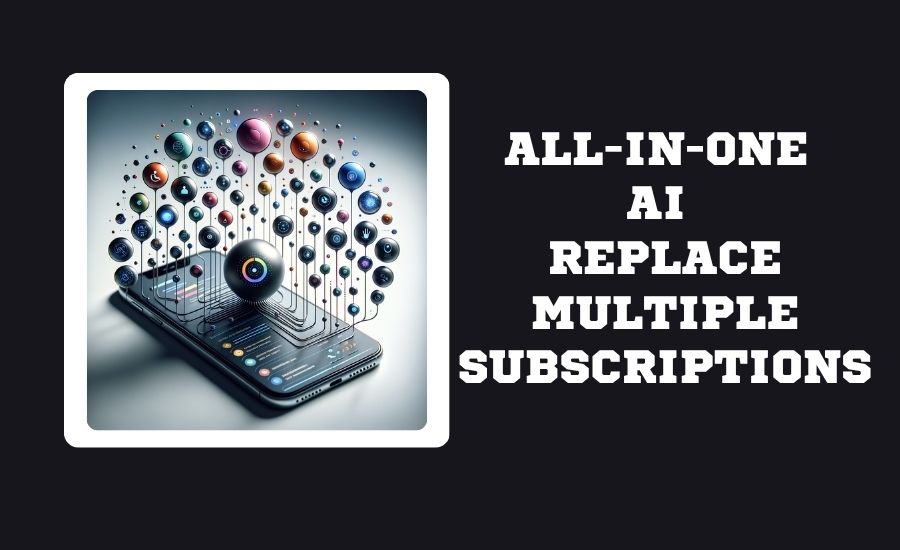
Can an All-in-One AI Platform Replace Multiple Individual Software Subscriptions?
Yes, all-in-one AI platforms can replace multiple individual subscriptions for most users, consolidating tools for writing, image generation, and research into one interface. These platforms reduce monthly costs from over 100 down to roughly 20-$30 by providing access to top models (like GPT-4, Claude, and Gemini) in one place.
But here’s the catch: for power users, researchers, and creative professionals, a single platform can become a trap. The real answer depends entirely on how you work with AI. Let me show you what the data actually says.
Complete Guide to Multi-Model AI and the Rise of the All-in-One AI Platform
I remember the exact moment I realized I had a problem. It was 3 AM, and I was staring at eleven open browser tabs. ChatGPT Pro for writing. Midjourney for images. Perplexity for research. Claude for long documents. And a spreadsheet tracking which subscription renewed when.
My monthly AI bill? $247. And I wasn’t even using all of them well.
I’m not alone in this chaos. But in 2026, something has changed. A new generation of all-in-one AI platforms has emerged, promising to replace this fragmented mess with a single login, a single bill, and access to every major model.
Should you make the switch? Let’s dig into the numbers.
Why One AI Subscription Feels So Appealing
The psychology here is simple. We humans hate context switching. Every time you jump from ChatGPT to Midjourney to Claude, you lose momentum. You re-explain your project. You reformat your prompts. You pay mental transaction costs that add up fast.
An all-in-one AI platform eliminates that friction. Platforms like ClickUp’s Small Business Suite now offer access to “multiple premium LLMs” including “the latest Claude, Gemini, and ChatGPT models in your workspace” . One interface. One workflow. No tab-hopping.
AMIS OneAI takes a similar approach, integrating ChatGPT, Gemini, Grok, and Claude into “a unified platform” where businesses need just “one OneAI account per employee to flexibly use multiple AI models” . The promise is seductive: simplicity without sacrificing choice.
And then there’s RHTV from RunningHub, which goes further. It’s built a “native AI intelligent agent” that sits inside an infinite canvas, automatically dispatching “global models, workflows, and professional tools” based on what you’re trying to create . You don’t even need to know which model does what. The agent figures it out.
For someone drowning in subscriptions and browser tabs, this feels like salvation.
The Cost of Multiple AI Subscriptions and the Hidden Cost
Let me show you what your AI spending actually looks like in 2026. I pulled the latest pricing data, and the numbers might shock you.
Individual Subscription Costs (2026)
A Spanish-language analysis from LaRepublica confirms these numbers: subscribing to premium plans for ChatGPT, Gemini, and Claude alone would cost approximately 2.25 million Colombian pesos monthly (roughly $550 USD).
The Hidden Costs Nobody Talks About
But the subscription price isn’t the whole story. Here’s what gets left out:
The Integration Tax. Tom Popomaronis, CEO at Phantom IQ, describes this perfectly in InfoWorld. When he tried running an “agentic” workload through a single platform, “context accuracy had collapsed. The AI mis-threaded conversations; summaries lost nuance; and follow-ups failed to capture essential subtleties” . The cost wasn’t dollars. It was hours of debugging.
The Training Data Trade-off. On ChatGPT’s Business plan starting at $20/seat/month (annual billing), your data isn’t used for training by default. But on Plus? “Your conversations may train OpenAI models unless you manually opt out” . That’s a hidden cost that doesn’t show up on any invoice.
The Compute Reality. One platform’s analysis reveals the underlying economics: “single inference hardware depreciation accounts for 58% of costs, and electricity accounts for 29%”. When you′re paying 200/month, you’re covering your actual compute. That’s why some experts predict ChatGPT Plus could hit “$44 per month by 2029”
Where an All-in-One AI Subscription Wins
Let me be clear: for most people, an all-in-one AI platform is the right choice.
Cost Savings That Actually Matter
The math is straightforward. A single all-in-one platform typically costs around $20–$30 per month. Running separate subscriptions for OpenAI’s ChatGPT Plus ($20), Anthropic’s Claude ($20–$100), and Midjourney ($10–$50) can quickly push you past $50 per month. Add Perplexity AI or Google’s Gemini, and your monthly AI costs can easily exceed $100.
Here’s a real comparison from the market:
| Approach | Monthly Cost | Models Accessible | Management Overhead |
|---|---|---|---|
| Individual subscriptions | 50−200+ | 1 per subscription | High (multiple logins, bills) |
| All-in-One platform | 20−30 | 4+ major models | Low (single account) |
AMIS OneAI claims businesses can “buy once, deploy to the entire team” with “no extra fees for new employees” . That’s a compelling value proposition for growing teams.
The Productivity Angle
ClickUp reports their suite can help “save time and cut costs by at least $15,000” for small businesses by replacing “20+ apps with one workspace” . That number might sound inflated, but think about what you’re actually paying for:
- Project management tool: $10-30/seat
- Document collaboration: $12-25/seat
- CRM: $15-50/seat
- AI tools: $20-100/seat
- Communication tools: $5-15/seat
It adds up fast. A converged workspace eliminates redundant spending.
Perfect for Generalists
If your AI use looks like this, an all-in-one platform will serve you well:
- Writing emails and reports
- Basic research and summarization
- Occasional image generation
- Analyzing uploaded documents
For these tasks, having access to multiple models in one place is a genuine productivity boost. You’re not doing anything deep enough to hit the “specialization ceiling” that plagues power users.
Where Individual Subscriptions Still Beat One Platform
I need to be honest with you about where all-in-one platforms fall short. Because they do.
The Specialization Problem
Here’s what Popomaronis discovered when he tried forcing a single platform to do everything: “Research became shallow, writing homogenized, and operational workflows became brittle” .
The reason is simple. Models have genuine specializations. Midjourney isn’t just “a bit better” at images than ChatGPT. It’s dramatically better. Perplexity isn’t “slightly better” at research. Its entire architecture is optimized for retrieval and citation.
A multi-model AI platform from Baidu’s developer documentation explains the technical reality: different models require “dynamic model routing algorithms” to achieve “98.7% request routing accuracy” . That’s impressive, but it’s still not 100%. Sometimes the platform picks the wrong model for your task.
Research Depth
Popomaronis describes this vividly: “The moment I added a dedicated research engine into the mix, it exposed gaps I never saw coming. Suddenly I uncovered contradictions between what an executive said last year versus last month” .
An all-in-one platform gives you breadth. A specialized research tool gives you depth. For serious investigative work, breadth isn’t enough.
Creative Professional Needs
The RHTV platform from RunningHub is fascinating because it attempts to solve the creative specialization problem. It integrates “170+ standard model APIs” and “13,681 available nodes” covering “image, video, audio, 3D, and text” .
But here’s the catch: that depth comes from community contributions. It’s not a simple “one model does everything” solution. It’s an orchestration layer on top of a massive ecosystem. For casual users, that complexity is overwhelming. For professionals, it’s exactly what they need.
The API Advantage
Here’s something most articles won’t tell you. Individual subscriptions often include API access. ChatGPT’s API costs “$5.00 per million input tokens and $30.00 per million output tokens” for GPT-5.5. All-in-one platforms typically don’t include API credits. If you’re building automation or integrating AI into custom workflows, individual subscriptions might still make more sense.
How to Compare AI Model Features Before You Switch
Before you cancel all your subscriptions, use this framework.
Step 1: Audit Your Actual Usage
Track your AI usage for two weeks. Answer these questions:
- Which models do you actually use?
- What tasks do you perform most often?
- Do you hit rate limits on your current plans?
- Do you need API access, or just chat interfaces?
Step 2: Map Tasks to Required Capabilities
| Task Type | Key Requirements | Best Suited For |
|---|---|---|
| Creative writing | Long context, nuanced tone | Claude, GPT-5.5 |
| Code generation | Accuracy, reasoning | GPT-5.5 Pro, Claude |
| Image creation | Quality, resolution | Midjourney, specialized tools |
| Research | Citations, depth | Perplexity, Deep Research |
| Document analysis | Long context, extraction | Gemini (30TB storage) |
| Video generation | Quality, control | Sora, RHTV |
Step 3: Test Before Committing
Most platforms offer free trials. AMIS OneAI provides “30 days with 500 Credits” and notes that “after the 30-day trial, customers can continue to use the MISA AI model for free” . That’s a risk-free way to see if an all-in-one platform works for your workflow.
Access to AI, Convenience, and Daily Use
Let me share how this actually plays out in daily work.
The Research Workflow
When I need to understand a complex topic, I used to open Perplexity first. Now I open my all-in-one platform and ask the same question to three models simultaneously. The cross-verification is powerful. Industry observers note that “cross-verification — combining outputs from several models” is a key advantage of multi-AI orchestration platforms .
The Creative Workflow
For content creation, having model variety matters. GPT-5.5 might give you structured outlines. Claude might give you more natural prose. Gemini might integrate better with your Google Docs. Being able to switch instantly changes how you work.
The Business Workflow
For teams, centralized management is a game-changer. AMIS OneAI allows leaders to “easily grant, revoke, and adjust AI usage limits for employees with just a few clicks, preventing data loss when employees leave” . That’s not just convenience—it’s security.
The Pros and Cons of Using All-in-One AI Models
Let me lay this out clearly.
Pros
- Cost Efficiency. Reduce monthly spend from 100+to20-30.
- Model Variety. Access GPT-5.5, Claude, Gemini, and others in one interface.
- Centralized Management. One login, one bill, one set of controls.
- Cross-Verification. Compare outputs from multiple models instantly.
- Simplified Workflows. No context switching between different interfaces.
Cons
- Specialization Limits. You won’t get Midjourney-level images or Perplexity-level research depth.
- API Access. Most platforms don’t include API credits.
- Routing Imperfections. The platform might not always choose the optimal model for your task .
- Feature Lag. New features often launch on native platforms before appearing in aggregators.
- The Orchestration Tax. Complex workflows can become brittle when forced through a single interface .
The Future of AI and Comprehensive AI Workspaces
Here’s what I’m watching closely.
The Agentification of Everything
Microsoft is launching Agent365 to all users, supporting “not only Microsoft services but also third-party SaaS applications and local environments” . Google has introduced an “AI control center within Google Workspace.” The trend is clear: AI is moving from chatbots to embedded agents that work across your entire software stack.
Multi-Agent Orchestration
The Korean market is particularly interesting. Kakao’s PlayMCP platform integrates with “OpenAI’s ChatGPT and Anthropic’s Claude” plus roughly “200 external MCP servers” . Users can issue natural language commands and receive results through KakaoTalk. This is the direction we’re heading: AI that works across platforms, not trapped inside any single one.
The 2028 Prediction
A research forecast cited in Baidu’s developer documentation predicts that by 2028, 70% of enterprise AI applications will adopt multi-model collaborative architectures . That means the all-in-one approach isn’t a fad. It’s the infrastructure layer for how we’ll all work with AI in the future.
The Cost Trajectory
The same analysis warns that “professional AI assistant paid penetration will reach 43%” by 2027, creating a “market size exceeding 20 billion yuan” (roughly $2.8 billion USD) . Prices are likely to rise as free tiers become more restricted. The era of cheap, unlimited AI is ending. Paying for value, not just access, is coming.
Final Verdict: Can One AI Replace Many Tools?
Here’s my honest answer after digging through all this data.
For most individuals and general business users: Yes, absolutely.
An all-in-one AI platform will save you money, reduce cognitive load, and provide access to multiple models that cover 90% of what you need. The $20-30 monthly price point is a fraction of what individual subscriptions cost.
For power users, researchers, and creative professionals: No, probably not.
If your work depends on the absolute best image generation, the deepest research capabilities, or specialized workflows, you still need individual subscriptions. The “jack of all trades, master of none” problem is real .
For teams: It depends on your security needs.
Centralized management and default training-data exclusion are compelling. But if you need API access for custom integrations or the absolute latest features immediately, individual business accounts might still be better.
My Personal Recommendation
Start with an all-in-one platform. Use it for a month. Identify the gaps. Then subscribe individually only to the specialized tools that fill those gaps.
The optimal stack for most people in 2026 looks like this:
- One all-in-one platform ($20-30/month) for daily use
- One specialized subscription ($10-50/month) for your primary power-use case
The age of the single AI subscription is ending. The age of the curated AI stack is beginning. The question isn’t whether one platform can do everything. It’s whether you’re smart enough to build a stack that does exactly what you need.


