

Updated July 2026 — Now Covers Full Pricing
Ripplica Review 2026: I Recorded One Video and Let Its AI Agent Run My Browser Workflows
A hands-on look at Ripplica’s record-once, replay-forever automation agent — what it gets right, where it breaks, and whether the new tiered pricing makes it worth paying for.
Quick Answer
Ripplica lets you record a browser task once and have an AI agent replay it on a schedule — no code, no API keys. It’s free for light use (500 credits/month), $29/month for Basic (2,000 credits, 3 concurrent tasks), and $49/month for Pro (6,000 credits, unlimited schedules, forever retention). It’s genuinely good for stable, repetitive workflows and weak on anything with pop-ups or fast-changing UIs. Worth trying on the free plan before you commit to Basic or Pro.
I spent close to two weeks with Ripplica across three separate automations — a price-check on an Amazon listing, a lead export from a mock CRM, and a weekly report pull — before writing a single word of this review. Somewhere between the second and third test, Ripplica quietly rebranded itself. It’s no longer just “the browser automation tool.” It’s now positioned as an AI company building tools across healthcare, content, marketing, browser automation, and QA. Browser automation — the thing most people still know it for — is now one of five product lines, not the whole company.
That matters for this review, because it changes what you’re actually signing up for. If you came here for the record-a-video-and-automate-it feature, it’s still there, still free to start, and now has real, published pricing instead of the vague “TBA” you’ll find on most other Ripplica write-ups floating around right now. I’ll walk through exactly what it does, what broke during testing, what the new plans actually cost per credit, and who should (and shouldn’t) bother.
What Is Ripplica?
Ripplica is an AI automation platform built by a team of IIT and BITS gold medalists, backed by VC funding, and currently serving over 1,000 customers ranging from hospitals to e-commerce shops. The feature most people search for — and the one this review focuses on — is browser automation: you record yourself performing a task once inside your browser, and Ripplica’s AI agent learns the sequence well enough to repeat it on its own, in a sandboxed virtual browser, without needing an API connection to the tool you’re automating.
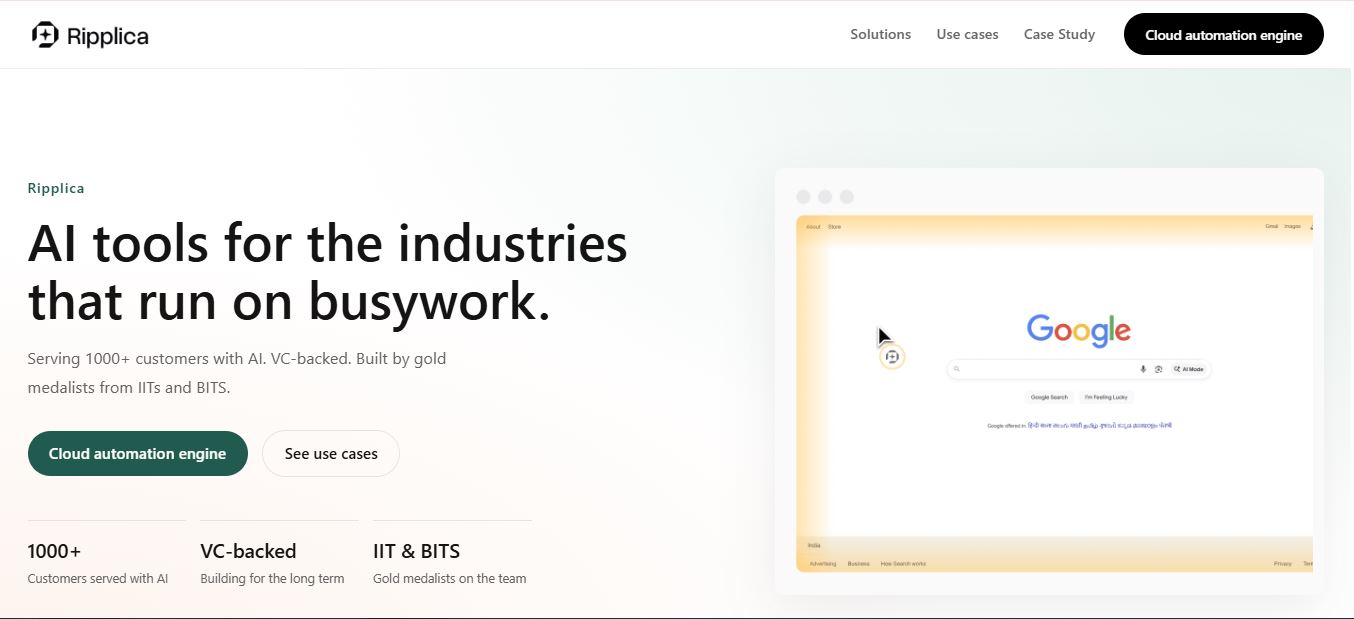
What surprised me on this pass through the site is how much broader the pitch has gotten. Alongside browser automation, Ripplica now lists healthcare (AI doctor avatars, WhatsApp patient replies, ad optimization), content creation (AI avatar clones for personal branding), marketing (campaign ops and lead workflows), and QA (repeatable web and mobile testing) as core product lines. Customer logos on the homepage include hospital groups, a supply chain company, and a few finance and wellness brands — which tracks with a company trying to prove it’s more than a single-feature tool.
For this review, I’m sticking to the browser automation product, since that’s what most people mean when they search “Ripplica review.” The core mechanic hasn’t changed since earlier in the year: record, learn, replay, monitor. What has changed is that Ripplica finally shipped transparent, tiered pricing instead of leaving it as “free now, paid tiers coming.”
How Ripplica Works: Record → Agent → Automate
The workflow is genuinely as simple as the marketing claims, and this is the part Ripplica gets right almost every time:
- Record a task. You perform the workflow once inside your browser — logging in, clicking through menus, filling forms, copying data — while Ripplica records the session.
- The AI parses context, not coordinates. Instead of blindly replaying X/Y click positions like an old-school macro recorder, Ripplica reads field labels, button text, and page structure, so small layout shifts don’t always break the agent.
- An agent gets created. You name it, and it becomes a reusable automation you can trigger manually, on a schedule, or remotely.
- It runs in a sandboxed virtual browser. Your local machine and tabs are never touched — the agent executes in an isolated cloud environment, which also means it keeps running after you close your laptop.
- You review and edit. Small text swaps (changing a form value, for example) don’t require a full re-recording, which saves a fair amount of time if you’re iterating on a workflow.
The part that’s easy to miss: because the agent operates at the UI level rather than through an API, it works on tools that have no API at all — legacy internal dashboards, ancient CRMs, internal admin panels. That’s still Ripplica’s clearest differentiator against API-first automation platforms.
Inside the Ripplica Dashboard
Signing up runs through app.ripplica.com, separate from the marketing site. I went in through Google OAuth, which was fast — under 15 seconds from click to dashboard — but it did drop me on an account-type screen asking whether I was signing up as an individual or a team, which felt like a slightly premature question for someone who just wants to try the free tier. Pick wrong here and switching later means creating a separate workspace, not a simple toggle.

Once inside, the dashboard itself is refreshingly uncluttered: a “New Agent” button front and center, a list of existing agents with their last-run status, and a credits meter in the top corner that updates after every run. There’s no drag-and-drop flow builder, no node canvas, nothing that resembles Zapier or Make’s visual editors — which is exactly the point. If you’ve ever opened Make.com and felt overwhelmed by the module map, Ripplica’s minimalism is a relief. If you actually want granular conditional logic, it’ll frustrate you fast, because there isn’t really anywhere to add it.
My Hands-On Test: Tracking an Amazon Product Price
For the main test, I built an agent to open a specific Amazon product page, read the current price, and log it — the kind of task a lot of small sellers and deal-hunters try to automate manually with browser extensions. I recorded myself navigating to the listing, letting the page fully load, and noting the price in the “Buy Box.” Total recording time: under two minutes.

On the first scheduled run, it worked cleanly — the agent opened the listing, waited for the page to settle, and pulled the correct price. On the third run, two days later, Amazon had inserted a “Compare with similar items” module above the Buy Box that hadn’t been there during recording. The agent’s read location was off by roughly one scroll position, and it briefly grabbed a price from a sponsored listing instead of the actual product. That’s the fragility everyone who’s used Ripplica mentions, and it’s real — this is the exact class of failure the platform is most vulnerable to, since a single injected module can shift everything below it.
To Ripplica’s credit, the run history flagged the anomaly rather than silently reporting bad data — the confidence score on that run dropped noticeably, which is a small but meaningful detail if you’re relying on this for anything price-sensitive. I re-recorded the workflow in under a minute and it’s been stable since. The lesson: budget for occasional re-recording, especially on pages you don’t control.
Workflow Templates
Ripplica ships a small library of pre-built workflow templates aimed at common patterns — lead capture from a form into a spreadsheet, weekly report pulls from a dashboard, and basic CRM data entry among them. They’re a decent starting point if you’re not sure what to record first, and cloning one to customize is faster than building from a blank agent, since the base sequence and expected fields are already mapped out.

Don’t expect a huge catalog like you’d find in Make or Zapier’s template galleries — this is closer to a handful of starting scaffolds than a marketplace. Most of the value still comes from recording your own specific workflow rather than adapting a generic one.
Ripplica Pricing & Plans (2026)
This is the section that’s changed the most since earlier reviews of Ripplica were written — both the previous version of this article and most competitor write-ups describe pricing as “TBA” or “not yet public.” That’s no longer accurate. Ripplica now has four clearly defined tiers, viewable directly from your account settings once you’re logged in.

| Plan | Price | Credits | Concurrent Tasks | Schedules | Retention | Video-to-Task |
|---|---|---|---|---|---|---|
| Free | $0 | 500/mo | 1 | 2 | 1 day | 2 |
| Basic | $29/mo | 2,000/mo | 3 | 5 | 1 week | 10 |
| Pro | $49/mo | 6,000/mo | 5 | Unlimited | Forever | Unlimited |
| Enterprise | Custom | Custom | Custom | Custom | Custom | Custom |
Do the cost-per-credit math and Pro is the better deal on paper: Basic works out to roughly $0.0145 per credit, while Pro drops to about $0.0082 per credit — nearly 44% cheaper per unit of automation. If you’re running enough agents to actually need more than 2,000 credits a month, jumping straight to Pro instead of over-buying add-ons on Basic makes more financial sense.
The retention column is worth reading carefully too. Free plan runs disappear after a single day, which is fine for testing but useless if you want a historical log. Basic stretches that to a week. Only Pro gives you permanent retention — a meaningful difference if you’re using Ripplica for anything you’d want to audit later, like the price-tracking test I ran above.
Try Ripplica’s Free Plan Before You Commit
500 credits, 2 schedules, no credit card required — enough to test whether your workflow holds up.
Start Free on Ripplica →Pros and Cons
✅ What Works
- Genuinely no-code — record once, done in minutes
- Works on tools with zero API support, including legacy dashboards
- Sandboxed cloud execution keeps runs off your local machine
- Now has real, transparent, published pricing
- Flags low-confidence runs instead of silently failing
❌ Where It Struggles
- Breaks when a site injects new modules or layout shifts
- Free and Basic plans have short data retention (1 day / 1 week)
- No conditional logic or branching — linear tasks only
- Thin documentation for troubleshooting failed runs
- Team/individual account split isn’t easy to change post-signup
Who Is Ripplica Best For?
Ripplica fits best if you spend part of your week doing the same repetitive browser task and don’t have engineering time to build a proper integration:
- Solo operators and freelancers automating recurring admin work — data entry, form submissions, report pulls.
- Small marketing and ops teams pulling numbers from dashboards that don’t talk to each other.
- Anyone stuck with legacy internal tools that have no API and never will.
- Non-technical founders who want automation without learning Zapier’s module logic or writing a script.
It’s a weaker fit if you need branching logic, error-handling across dozens of edge cases, or enterprise-grade reliability at scale — that’s still API-based tooling or RPA platforms like UiPath territory.
Ripplica vs. Alternatives
| Tool | Approach | Best For |
|---|---|---|
| Ripplica | Video-record, AI learns and replays | No-API tools, fast setup, non-technical users |
| Axiom.ai | Visual point-and-click builder | More control, clearer pricing, steeper setup |
| Make | API-based node/module workflows | Complex, branching automations across connected apps |
| Bardeen | Browser extension + pre-built playbooks | Teams wanting a larger pre-built library |
| UiPath | Enterprise RPA | Large-scale, mission-critical automation with budget to match |
If your workflows already live in apps with solid APIs, a tool like Make will almost always be more reliable long-term. Ripplica earns its place specifically where APIs don’t exist — that’s the gap none of these alternatives fill as cleanly.
How I Test the Platforms I Review
My reviews are based on hands-on testing. I personally create an account and test the platform, using free plans or trials extensively to explore features, usability, and performance before writing anything. I take notes throughout the process and combine those findings into the final review.
This review reflects my personal opinion and experience with Ripplica and is not professional, financial, legal, or technical advice. For official guidance on features, pricing, or data handling, contact Ripplica directly.
FAQ
Is Ripplica free to use?
Yes. The Free plan gives you 500 credits a month, 1 concurrent task, 2 schedules, and 1-day retention — enough to test whether your specific workflow holds up before paying.
What happens when a website’s UI changes?
You’ll typically need to re-record the workflow. Ripplica reads page context rather than fixed coordinates, so minor shifts sometimes survive, but structural changes — like a new module appearing above your target element — usually break the agent.
Can Ripplica handle conditional logic?
Not really. It’s built for linear, repeatable tasks. If-this-then-that branching or multi-path decision trees aren’t part of the current feature set.
Is Ripplica safe for sensitive data?
Automations run in isolated, sandboxed virtual browsers separate from your local machine. That’s a real security advantage over local macro tools, but you should still avoid automating anything involving highly sensitive credentials without reviewing Ripplica’s data handling policy directly.
Does Ripplica only do browser automation now?
No. As of mid-2026, Ripplica has expanded into healthcare AI, content creation avatars, marketing automation, and QA testing, alongside its original browser automation product. Browser automation remains free to start and the most relevant product for most individual users.
Final Verdict: Is Ripplica Worth It in 2026?
Yes, if your use case matches what it’s actually good at: short, stable, repeatable browser tasks on sites you don’t need to touch with complex logic. The record-and-replay mechanic still feels close to magic when it works, and now that pricing is fully public, budgeting for it is finally straightforward — Pro’s per-credit cost makes it the better long-term buy over Basic if you’re running more than a handful of agents.
Where I’d hold back: anything mission-critical, anything on a site that changes often, or anything needing branching logic. For those, look at Make, Axiom.ai, or UiPath instead. For everything else — the boring, repetitive browser busywork most of us actually deal with — Ripplica’s free plan is worth the ten minutes it takes to test.
Ready to Record Your First Agent?
No credit card needed to start on the Free plan.
Try Ripplica Free →📚 Related Reading From Websites2Know
- Make.com Review: Is It Still the Best Automation Platform?
- GitHub Copilot Token Credits Policy Changes Explained
- Guidde Review: AI Step-by-Step Documentation Tool
- AI Agent Store Review: Features, Pricing, and Honest Take
- Is AI Agent Store Legit? What I Found After Testing It
- Best Vibe Coding Tools I Tested and Reviewed
- Honter App Review: Features, Use Cases, and Alternatives
- Status Ninja Review: What It Does and Who It’s For
- Osserva Review: Features, Pricing, and How It Works
- Is Claude AI Good for Coding? Full Developer Review


