
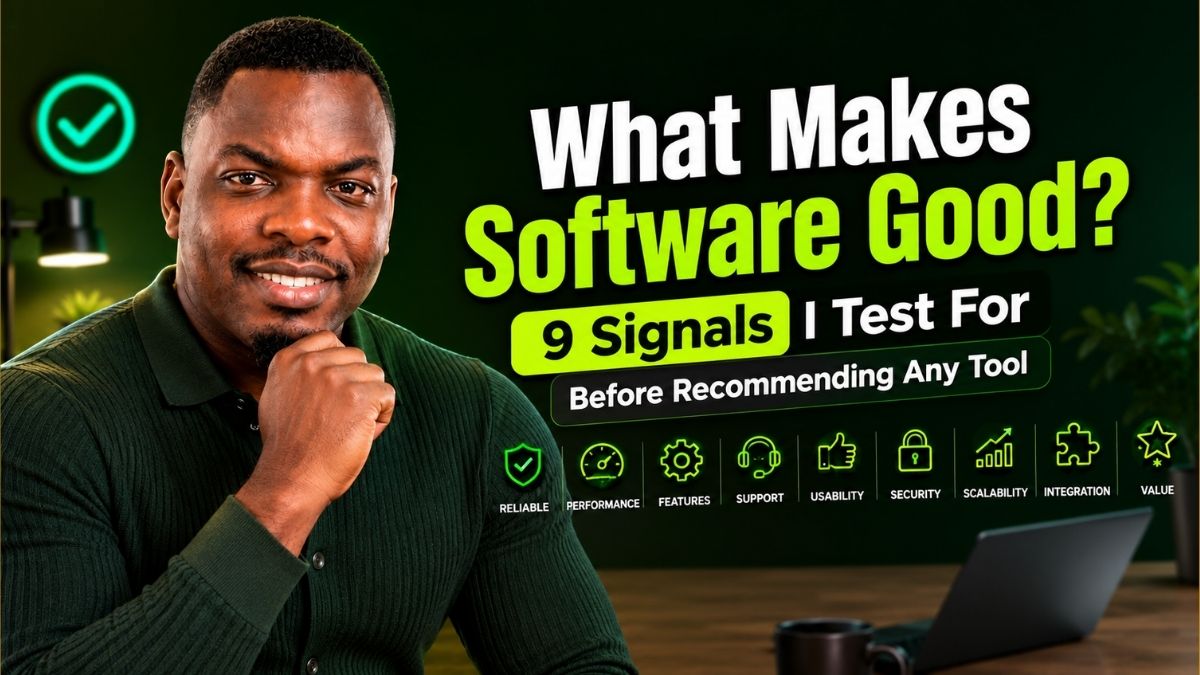
What Makes Software Good? The 9 Signals I Test For Before Recommending Any Tool
After testing well over a hundred SaaS products, AI tools, and dev utilities for this site, these are the nine things that actually separate software worth paying for from software that just has a good landing page.
By Oyekale Olawale · Updated August 2026 · 13 min read
⚡ Quick Answer
Good software is reliable, secure, easy to learn in under five minutes, and cheap to keep using — not just impressive in a demo. Score any tool against nine signals: functional fit, reliability, usability, security, performance, interoperability (including AI-agent readiness), pricing transparency, maintainability, and longevity. If a product is weak on three or more, it usually gets abandoned within two billing cycles, no matter how good its onboarding felt on day one.
I’ve lost count of how many tools I’ve signed up for, poked at for twenty minutes, and quietly cancelled. Some had beautiful onboarding. Some had a founder with 40,000 LinkedIn followers hyping the launch. Almost none of that predicted whether the tool actually stayed useful past week two.
So instead of trusting first impressions, I started scoring every product I review against the same nine signals — a mix drawn from formal software quality standards, decades-old usability research, and the messy real-world stuff those standards leave out, like whether a tool’s pricing page tells the truth. Here’s the full breakdown, including the exact test I run on each tool before I write a word about it.
1. It Actually Fits the Job You Need Done
This is what ISO/IEC 25010, the international standard for software product quality, calls “functional suitability” — whether a tool’s features genuinely cover the tasks you need, without gaps and without you fighting the interface to bend it to your workflow. It sounds obvious. It’s the signal most people skip anyway.
A tool can be objectively brilliant and still be the wrong pick, because the problem it solves only shows up in your workflow twice a quarter. The software worth paying for is the software that sits inside your weekly routine, not your someday-maybe list. When I review a new AI writing or SEO tool for this site — like when I broke down the best AI SEO tools — the first question isn’t “what can it do,” it’s “how many times this week would I actually open it.”
Functional fit also means functional correctness — does the output match what was promised, every time, not just in the demo video. I’ve tested AI tools where the marketing page shows a flawless generation and the actual free-tier output is noticeably rougher. That gap between promise and delivery is the single fastest way to lose my trust in a product.
2. It Stays Up and Behaves the Same Way Twice
Reliability is its own official quality characteristic in ISO/IEC 25010, separate from usability, and for good reason: a tool that’s a joy to use but randomly logs you out, drops your work, or throws cryptic 500 errors is not good software, no matter how nice the UI looks. I run every tool through a basic reliability stress test — repeat the same action ten times, refresh mid-task, switch tabs and come back — before I trust it enough to write a review.
Authentication failures are one of the most common reliability breaks I run into with SaaS tools, and they’re almost always avoidable on the vendor’s side. I documented a recurring pattern of this in how to fix SaaS authentication failed errors — session tokens that expire mid-workflow, SSO handshakes that silently fail, and login loops that never should have shipped.
Reliability red flags I look for
✗ No public status page · ✗ Silent autosave failures · ✗ No error messages, just blank screens · ✗ Support that only replies after 48+ hours
3. It Passes the Five-Minute Test
Usability isn’t a vibe, even though it gets treated like one. Jakob Nielsen’s 10 usability heuristics, first drafted with Rolf Molich in 1990 and refined in 1994 from a factor analysis of 249 real usability problems, are still the industry’s working checklist for this — things like visibility of system status, user control and freedom, and recognition over recall. They’ve barely changed in three decades because they describe how brains work, not how interfaces trend.
My practical version of this is the five-minute test: sign up, set a timer, and try to complete the one core action the product exists for. If I need a help doc to find the button, that’s a design failure, not a me failure. Good software also fails gracefully — per Nielsen’s ninth heuristic, error messages should speak plain language (“your password needs at least 8 characters”) instead of system-speak (“invalid input, code 4021”).
Usability and “ease of use” get treated as synonyms, but they’re not. Usability is the first impression. Ease of use is what the product still feels like the fiftieth time you open it, once the novelty has worn off and you’re just trying to get the boring, repetitive part of the job done.
4. It Doesn’t Make You Gamble With Your Data
Security is one of the eight characteristics in the current ISO/IEC 25010 product quality model, and it’s the one I see reviewers skip most often because it’s harder to demo than a UI. Before I recommend anything, I check who owns the data you feed it, whether it’s used for model training by default, what the encryption story is, and whether the vendor has a public track record of handling breaches honestly.
This matters even more with AI tools, where “we process your data” can quietly mean “we train on your data.” I laid out the exact checklist I use for this in how to know if a new software or AI tool is safe, and I lean on the same framework whenever I’m reviewing a newly launched agent, like when I looked at whether Claude Cowork is safe to hand real work to. Security software itself isn’t exempt from this scrutiny either — see how differently the products stack up in the best all-in-one antivirus software comparison.
5. It Doesn’t Waste Your Time or Your Hardware
Performance efficiency — how much resource and time a task actually consumes — is measurable, not a matter of taste. A dashboard that takes eleven seconds to load a chart, or a desktop app that pegs your CPU at idle, is bad software even if every feature technically works. I time page loads and exports on a mid-range connection, not a fiber line at a co-working space, because that’s closer to how most readers will actually experience the product.
For AI tools specifically, performance also means output latency and consistency under load — does response quality degrade when the model is busy, and does the tool tell you when that’s happening instead of failing silently.
6. It Works With Your Stack — Including the AI Running It
Compatibility used to mean “does it have a decent API and a few native integrations.” In 2026 that definition is incomplete. The real question is whether an AI agent can operate the tool on your behalf — through an MCP server, a documented API, or a CLI — or whether every single task still requires a human clicking through screens one at a time.
This gap is bigger than most buying guides admit. I’ve watched agentic coding tools split hard into two camps this year — tools built to hand real autonomy to an agent, and tools that just bolted a chat window onto the old UI. That difference showed up clearly when I compared what Claude Code can do that Cursor can’t, and it’s the same lens I use whenever I check a new entry against the best AI agent frameworks for simple workflows.
There’s a second, less obvious part of AI-readiness: does the tool’s output stay accurate when an agent is driving it unsupervised? A tool wrapped around a model with a high hallucination rate is riskier to automate than one that isn’t, which is part of why I keep close tabs on benchmarks like the Claude vs. ChatGPT hallucination rate comparison — accuracy under autonomy is a compatibility question now, not just a model-quality one.
7. Its Pricing Page Tells the Truth
Good software doesn’t need a discovery call to find out what it actually costs. I want to see the real number, the real limits, and what happens the moment I hit a cap — not a “contact sales” wall hiding behind a “starting at” price. Pricing transparency isn’t a formal ISO characteristic, but after testing enough tools, it’s one of the clearest predictors of whether a vendor treats users fairly elsewhere too.
GitHub’s shift away from flat-rate Premium Request Units toward usage-based AI Credits in June 2026 is a good real-world case study here — not because the change was unfair, but because of how clearly GitHub explained the mechanics before it hit. Plan prices didn’t move, but what that money bought changed completely, and the company published the exact token math behind it. I broke down the full GitHub Copilot token credits policy change in detail, and it’s a model for how a pricing shift should be communicated: openly, with numbers, before it lands on your card.
| Pricing Signal | Looks Like Good Software | Looks Like a Trap |
|---|---|---|
| Visible pricing page | Exact tiers and limits, no login needed | “Contact us” for anything above entry tier |
| Usage limits | Clear dashboard showing real-time consumption | You find out you hit the cap when the tool stops working |
| Cancellation | Self-serve, two clicks, no retention call | Cancel button hidden behind a support ticket |
| Free trial data | Data export available even if you don’t upgrade | Your work is locked unless you pay first |
8. It’s Built So Bugs Don’t Compound
Maintainability is invisible to most users until the day it isn’t — when a “small” update breaks three unrelated features, or a bug you reported six months ago is still open with no comment from the team. You can’t fully audit a vendor’s codebase from the outside, but you can read the signals: how fast do they ship fixes for reported bugs, how detailed are their changelogs, and do release notes read like an engineering team that understands its own product, or like a marketing summary bolted on afterward.
A public, dated changelog is one of the strongest maintainability signals a small vendor can offer. It tells you someone is actually watching the product after launch, not just after the next funding round.
9. It Has a Reason to Exist Next Year
This is the newest signal on the list, and the one most evaluation frameworks haven’t caught up to yet. Some software is good today and irrelevant in eighteen months, because the thing it does is exactly the thing a frontier model now does by default. A tool whose entire pitch is “rewrite this in five tones” is selling a feature, not a moat — that feature now ships free inside the AI you already pay for.
The software that survives owns something a model can’t conjure on its own: proprietary data, a network effect, a system of record, or a workflow that touches something physical. My rough filter — if a capable model with web access could replace this tool in an afternoon, it’s a feature waiting to be absorbed. If replacing it means rebuilding a dataset or years of history, it earns its subscription.
How Much Each Signal Should Weigh
No tool wins on all nine, and pretending otherwise is how buyer’s remorse happens. Here’s roughly how I weight each signal when I’m scoring a general productivity or AI tool — your own weighting should shift based on whether the tool touches sensitive data, runs unsupervised, or gets handed to a non-technical team.
My own default weighting when reviewing general productivity and AI software. Reliability and security carry the most weight because a failure there isn’t an inconvenience — it’s a reason to stop using the product entirely.
How I Actually Test a Tool: Step by Step
Here’s the actual workflow, in order, that I run before publishing a review on this site. It takes about a week per tool if I’m being thorough, but the first three steps alone catch most of the dealbreakers.
- Run the five-minute test. Sign up cold, no docs open, and try to complete the tool’s core action. Time it. If it takes longer than five minutes without outside help, that’s already a strike.
- Break it on purpose. Refresh mid-action, switch tabs, submit an empty form, upload the wrong file type. Good software degrades gracefully; bad software throws you a blank screen.
- Read the privacy policy, not the summary. Specifically the section on data retention and model training. If it’s vague or buried, that’s a signal on its own.
- Check the real pricing page while logged out. If key limits only appear after you enter a card, note that as a transparency mark-down.
- Try to cancel. Before I ever recommend a paid tool, I confirm cancellation is self-serve. A retention call requirement is an automatic red flag.
- Come back in week two. Demos are designed to impress on day one. I re-test the same core action seven to ten days later, once the novelty has worn off, to see if it’s still smooth.
- Check for an API, MCP server, or CLI. Even if I don’t need automation today, its presence tells me whether the product is being built for how software actually gets used in 2026.
Good Software vs. Bad Software: A Fast Comparison
✓ Signs of Genuinely Good Software
✓ Core action findable in under 5 minutes
✓ Public, dated changelog
✓ Self-serve cancellation
✓ Real pricing visible while logged out
✓ Documented API or MCP support
✓ Same speed and stability in week two
✗ Signs You’re About to Waste Money
✗ “Contact sales” for basic limits
✗ No changelog or last update over a year old
✗ Cancellation buried behind a support ticket
✗ Vague data-retention language
✗ Demo feels great, week two feels sluggish
✗ Main feature is one a general AI model already does free
Why Google Cares About the Same Signals
It’s not a coincidence that the framework Google uses to judge content quality mirrors the framework good software gets judged on. Google’s Search Quality Rater Guidelines score pages on E-E-A-T — Experience, Expertise, Authoritativeness, and Trustworthiness — and Google has said Trust is the most important of the four. Since March 2024, the Helpful Content system that enforces this has been folded directly into the core ranking algorithm rather than running as a separate periodic update, which means it’s evaluating sites continuously, not once a quarter.
The parallel is simple: a review built on genuine, first-hand testing earns trust the same way reliable software does — through consistency over time, not a strong first impression. That’s the standard I try to hold every review on this site to, and it’s why every “signal” in this article ties back to something I can actually verify by using the product, not just reading its marketing copy.
FAQ
What is the single biggest sign of good software?
Reliability. A tool can be beautiful, cheap, and feature-rich, but if it randomly loses your work or logs you out mid-task, none of that matters. Reliability is also the fastest way to lose trust permanently — most people give a tool one bad crash before they start looking for an alternative.
Is a free tool automatically lower quality than a paid one?
No. Price and quality are only loosely related. Some free tools are extremely well-built because they’re funded by a larger product or an open-source community; some expensive tools are propped up entirely by sales and marketing spend. Judge the nine signals directly instead of assuming price is a proxy for quality.
What is ISO/IEC 25010 and do I need to know it to evaluate software?
ISO/IEC 25010 is the international standard software engineers use to define and measure product quality, built around eight characteristics: functional suitability, performance efficiency, compatibility, usability, reliability, security, maintainability, and portability. You don’t need to memorize it, but its structure is a useful mental model — most “gut feelings” about bad software actually map to a specific, nameable characteristic on that list.
How important is AI-agent readiness compared to the other signals?
It depends entirely on your workflow. If you run a lean, automation-heavy setup, a documented API or MCP server can outweigh almost every other signal, because it determines whether the tool fits where software is headed. If you’re buying for a non-technical team that will only ever click through a dashboard, usability and reliability matter far more than whether an agent can drive it.
How long should I trial a tool before deciding it’s good?
At least two weeks. The first session tells you about onboarding and first impressions. The second week — once the novelty has worn off and you’re doing routine, repetitive tasks — tells you whether the software is actually good, or just good at demos.
Can a tool be “good” for one person and “bad” for another?
Yes, and that’s the biggest limitation of any generic “best tools” list, including this one. Functional fit is inherently personal — a tool that’s perfect for a solo freelancer’s weekly invoicing can be completely wrong for an agency running the same task at ten times the volume. Use the nine signals as your scoring rubric, but weight them against your own actual routine, not someone else’s.
Bottom Line
Good software isn’t the tool with the longest feature list, the slickest landing page, or the loudest launch on social media. It’s the one that’s still reliable, secure, and easy to use in week two — the one whose pricing page doesn’t need a decoder ring, and whose team is still shipping fixes six months after launch, not just chasing the next headline feature.
Run the nine signals against anything you’re about to pay for. Weight the ones that matter for your specific workflow. And give it the week-two test before you trust the demo. That single habit will save you more money than any discount code ever will.


