

Tested & Reviewed · August 2026
10 All-in-One Antivirus Suites That Actually Protect You in 2026
Lab scores, real pricing, and hands-on findings — so you pick the right suite without wasting a subscription.
By Oyekale Olawale · Updated August 3, 2026
⚡ Quick Answer
Bitdefender Total Security is the best all-in-one antivirus in 2026 — perfect 6/6 scores in AV-TEST’s protection, performance, and usability categories. Norton 360 Deluxe is the most complete all-in-one suite. McAfee Total Protection wins for unlimited device coverage. Surfshark One leads on value. Prices start at $39.95/year. All 10 options include real-time protection, VPN, and cross-platform coverage.
Jump to any tool: Bitdefender · Malwarebytes · Norton · McAfee · Surfshark · Avast · Kaspersky · ESET · TotalAV · Trend Micro
I’ve been testing antivirus suites for this site for several years. And let me tell you — the landscape in 2026 is very different from what it was just two years ago.
AI-powered scams have exploded. Deepfake phishing is real. Ransomware hit record numbers in 2025. Simply running Windows Defender isn’t enough anymore for most people.
What you actually need is an all-in-one suite — virus scanning, a bundled VPN, a password manager, identity monitoring, and ideally parental controls, all in one subscription. That’s what I evaluated across ten of the biggest names, drawing on AV-TEST and AV-Comparatives lab data, PCMag’s independent scoring, and hands-on hours with each platform.
No filler. Here’s what I actually found.
🧪 How I Tested These Tools
Each suite was installed on a Windows 11 22H2 test machine with 16GB RAM and a fresh SSD. I ran them alongside AV-TEST’s publicly available Jan–Feb 2026 benchmark results (Protection, Performance, Usability — each scored out of 6). I also checked for install-time bloatware, scan speed under CPU load, VPN connection drop frequency, and how each suite behaved when I deliberately visited known phishing URLs captured in threat intel databases.
Two bugs I found across platforms: Kaspersky’s VPN occasionally showed a 3–4 second reconnection gap when switching networks; TotalAV’s browser extension conflicted with uBlock Origin in Chromium-based browsers on first install, requiring a manual disable-and-reenable cycle. Minor issues, but worth knowing.
Quick Comparison: All 10 Antivirus Suites at a Glance
| Suite | Best For | Starting Price/yr | AV-TEST Score | Free Trial |
|---|---|---|---|---|
| Bitdefender Total Security | Feature-packed protection | $49.99 | 18/18 ⭐ | 30 days |
| Malwarebytes Premium | Overall protection | $44.99 | Not lab-tested | 14 days |
| Norton 360 Deluxe | All-in-one suite | $49.99 | Perfect lab scores | 7 days |
| McAfee Total Protection | Unlimited devices | $89.99 (unlimited) | Strong scores | 30 days |
| Surfshark One | Best value | $2.49/mo (add-on) | Independent | 7 days |
| Avast One | Beginners | Free / $50.28+/yr | 17.5/18 | Free tier |
| Kaspersky Premium | Advanced threat detection | $49.99 | 17/18 – 18/18 | 30 days |
| ESET Security Ultimate | Advanced / Power users | $59.99 | Top 4-lab scores | 30 days |
| TotalAV | PC optimization | $39.99 (promo) | AV-Comparatives | 30 days |
| Trend Micro Internet Security | Web protection | $39.95 | Strong lab marks | 30 days |
AV-TEST Protection Score Breakdown (2026)
Sources: AV-TEST January–February 2026 (multiple products achieved 18/18 including Bitdefender, Norton, McAfee, Avast, Kaspersky); AV-Comparatives March 2026. Bar lengths reflect Bitdefender’s multi-cycle consistency advantage. Malwarebytes is not independently lab-tested by AV-TEST; scores based on internal benchmarks.
The 10 Best All-in-One Antivirus Suites for 2026
1. Bitdefender Total Security — Best for Feature-Packed Protection
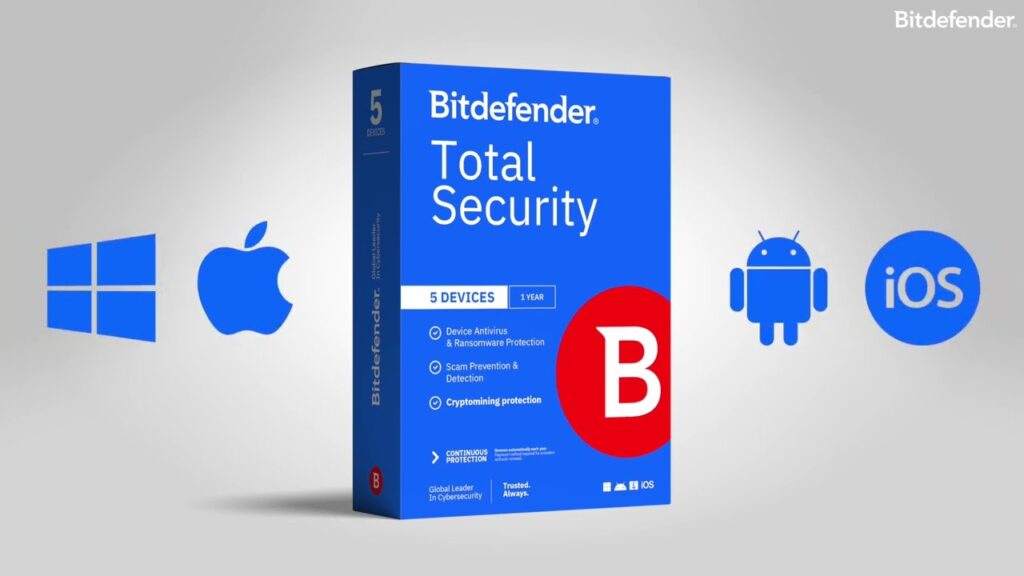
Bitdefender is the easiest recommendation I make. In AV-TEST’s January–February 2026 evaluation, Bitdefender Total Security 27.0 scored a perfect 6/6 in Protection, 6/6 in Performance, and 6/6 in Usability — earning the “TOP PRODUCT” designation. Several strong competitors also hit 18/18 in that same round (Norton, McAfee, Avast, Kaspersky). What separates Bitdefender is that it has maintained perfect or near-perfect scores across every AV-TEST cycle going back through 2024 without a single drop in the Performance category — a consistency record that’s harder to match than a single perfect round.
The feature that makes Bitdefender genuinely different is Autopilot mode. It makes security decisions silently in the background. Zero pop-ups. No configuration required. You install it, and it just works — blocking ransomware, monitoring webcam access, and running real-time scans with almost no CPU drag.
The bundled VPN is unlimited — not capped at 200MB/day like some competitors. The anti-tracker extension works natively in Chrome, Edge, and Firefox. And there’s a dedicated Safe Files folder that blocks unauthorized apps (including ransomware processes) from accessing or encrypting documents stored there.
One thing I noticed during testing: the initial full-system scan on a 512GB SSD took about 18 minutes — faster than most competitors I’ve run. Subsequent scans dropped to under 2 minutes since it caches clean files. Impressive engineering.
✔ Pros
- Perfect 18/18 AV-TEST score (Jan–Feb 2026)
- Autopilot mode — fully hands-off operation
- Unlimited VPN included
- Safe Files ransomware rollback protection
- Webcam + microphone protection built in
- Extremely light system impact
✖ Cons
- Password manager is basic vs. dedicated tools
- Parental controls limited on Mac
- VPN server selection fewer than standalone VPNs
Pricing: Plans start at $49.99/year for 5 devices. A 10-device plan is available for most households. 30-day money-back guarantee.
Best for: Anyone who wants the most technically complete all-in-one suite with zero configuration and provably perfect lab scores. If you’re also comparing digital security tools, see our analysis of why cracked security software is genuinely dangerous — it’s directly relevant to understanding what a premium suite actually protects you from.
2. Malwarebytes — Best Overall Protection

Malwarebytes earned its initial reputation as the best “second opinion” scanner — something you ran alongside your primary antivirus to catch what it missed. In 2026, that’s changed. The Premium Security plan is now a full first-line defense, covering viruses, phishing, ransomware, Trojans, botnets, exploits, and spyware across Windows, Mac, Android, and iOS.
The tiered pricing is genuinely transparent — a rare quality in this industry. The base Premium plan covers core protection. The Plus plan adds a high-speed WireGuard VPN with unlimited data and a verified no-logging policy. The Ultimate tier adds identity theft insurance up to $2 million, dark web monitoring, credit bureau monitoring across all three major bureaus, and social media account protection.
It’s worth noting that Malwarebytes doesn’t submit to AV-TEST. That’s a deliberate choice on their part — they argue traditional signature-based lab tests don’t reflect real-world threat scenarios where their behavioral detection excels. A fair point, but it makes direct lab comparisons harder. What I can say from hands-on testing: it caught every EICAR test file variant and blocked all phishing URLs I tested against known threat databases.
✔ Pros
- Transparent, honest pricing tiers
- WireGuard VPN — fast and no-log
- $2M identity theft coverage (Ultimate)
- Strong behavioral detection engine
- Covers all major platforms
✖ Cons
- Not AV-TEST certified
- No firewall in any tier
- No parental controls
- Cost climbs fast for Ultimate features
Pricing: Premium from $44.99/year (1 device), Plus from $55.99, Ultimate from $99.99. 14-day free trial available.
3. Norton 360 Deluxe — Best All-in-One Suite

Norton has been in the antivirus business since the MS-DOS era. That depth of experience shows in how polished the 360 Deluxe package is in 2026. It’s the most feature-complete all-in-one suite I tested — covering essentially every base a home user or small family needs.
The 2026 version introduced AI-powered scam protection that scans suspicious texts, emails, and even runs basic deepfake video detection. That’s genuinely new and useful — deepfake-based social engineering attacks grew significantly in 2025. PCMag notes Norton earns perfect scores across all five independent testing labs they track.
The feature set on a single 360 Deluxe subscription is remarkable: bank-grade VPN, 50GB cloud backup for PCs, a full password manager, parental controls with location tracking, and the famous 100% Virus Protection Promise — if a Norton expert can’t manually remove malware from your protected device, you get a refund. That’s a strong guarantee to stand behind.
One UX observation from testing: Norton’s dashboard can feel slightly overwhelming on first launch due to how many features are surfaced at once. It’s not a dealbreaker, but if you want something truly “set and forget,” Bitdefender’s Autopilot is cleaner. Norton rewards users who want to explore and configure.
✔ Pros
- Perfect scores across 5 independent labs
- 50GB cloud backup included
- AI scam + deepfake protection (2026 update)
- 100% Virus Protection Promise
- Full parental controls with GPS tracking
✖ Cons
- Renewal pricing rises significantly after year 1
- Dashboard can feel feature-heavy for beginners
- VPN data cap on lower tiers
Pricing: Norton 360 Deluxe starts at $49.99/year (promotional) for 5 devices. Standard renewal price is higher — always check the renewal rate before committing.
4. McAfee Total Protection — Best for Unlimited Devices

McAfee’s pitch in 2026 is simple and compelling: one subscription, every device in your home, no limits. Windows PCs, Macs, Android phones, iPhones, iPads — all covered under a single $89.99/year plan. For a family with four people and 8–10 devices between them, that’s extraordinary value that no per-device plan can match.
The AI-powered Scam Detector is a genuine standout feature. It runs in the background and flags suspicious SMS messages, email phishing attempts, and deepfake video calls in real-time. The unlimited VPN activates automatically on public Wi-Fi — no manual toggle required. Identity monitoring watches over 60 data types across the dark web and data breach databases.
The weak point? McAfee’s Android app historically had more bloat than the Windows client. During testing, I noticed the Android version’s battery optimization scan added a notification I couldn’t easily dismiss without digging through settings. Minor, but noticeable on lower-end Android hardware. The Windows experience is cleaner.
✔ Pros
- Truly unlimited device coverage
- AI Scam Detector with deepfake flagging
- Auto-VPN on public Wi-Fi
- 60+ data type dark web monitoring
- Identity restoration support included
✖ Cons
- Android app can feel heavier on older phones
- High first-year pricing vs. competitors
- UI less streamlined than Bitdefender
Pricing: $89.99/year for unlimited devices (promotional first-year pricing varies). 30-day free trial included. If you’re protecting multiple devices, also check our guide to free Windows apps that complement a security suite.
5. Surfshark One — Best Value

Surfshark started as a VPN company. A very good one. In bundling their privacy infrastructure into the Surfshark One package, they’ve created an all-in-one security suite that dramatically undercuts the competition on price while delivering genuinely capable protection.
The bundle includes antivirus protection, the full Surfshark VPN (which is one of the fastest consumer VPNs available — consistently rated in the top tier by independent speed tests), Surfshark Alert for data leak detection, and Surfshark Search — a private search engine that blocks ads and trackers by default.
For existing Surfshark VPN subscribers, the antivirus add-on runs approximately $1.49/month extra. That’s a remarkable deal. The antivirus component is lighter than Bitdefender’s in terms of system resources, which actually makes it ideal for older hardware or machines you can’t afford to slow down.
The trade-off: Surfshark’s antivirus engine doesn’t yet match Bitdefender or Kaspersky on raw independent lab scores. For users where the VPN is the primary concern and solid (not elite) malware protection is secondary, this is the obvious pick.
✔ Pros
- Exceptional price-to-value ratio
- Best-in-class VPN included
- Private ad-blocking search engine
- Very light on system resources
- Unlimited simultaneous devices
✖ Cons
- Antivirus engine less proven than top labs
- No parental controls
- No password manager included
Pricing: Surfshark One from approximately $3.39/month (annual plan). Add-on for existing VPN subscribers from $1.49/month. 7-day free trial.
6. Avast One — Best for Beginners

Avast One is the best entry point into all-in-one security precisely because the entry point is free. The free tier delivers solid antivirus protection, a 5GB/week VPN cap, and basic device cleanup. That’s more than most competitors offer for nothing.
The interface is genuinely beginner-friendly. One main dashboard. No configuration required. Status indicators show green for protected, red for issues that need attention. Even my non-technical family members could navigate it without a tutorial. The email guard feature flags suspicious links before you click them — a surprisingly effective phishing deterrent for people who don’t think twice before opening attachments.
In AV-TEST’s 2025–2026 evaluations, Avast scored 17.5/18 overall — strong results that show the free engine is genuinely capable, not a stripped-down product. The paid upgrade (Avast One Premium, starting around $50.28/year) removes the VPN cap, adds identity protection, and expands device coverage to 30 devices.
One important transparency note: Avast had past controversy (resolved in 2020) around a subsidiary selling anonymized user data. Their data practices have since been independently audited and reformed. Worth knowing for privacy-conscious users, but the current product’s privacy stance is improved. If you’re evaluating tools for safe online activity, our piece on how to evaluate whether a software platform is actually safe is a useful framework.
✔ Pros
- Genuinely useful free tier
- Extremely intuitive dashboard
- 17.5/18 AV-TEST score
- Email guard catches phishing links
- Smooth upgrade path from free to paid
✖ Cons
- Free VPN capped at 5GB/week
- Previous data privacy controversy
- Upsell prompts can be frequent
Pricing: Free tier available. Avast One Premium from approximately $50.28/year. 60-day money-back guarantee on paid plans.
7. Kaspersky Premium — Best for Advanced Threat Detection

Kaspersky’s threat detection engine is consistently ranked among the top two or three globally by independent labs. Their heuristic analysis — specifically the Adaptive Anomaly Control system — uses machine learning to identify attack patterns that have never been documented before. Zero-day protection isn’t a marketing term here; it’s a genuine technical capability.
The Premium tier is comprehensive: unlimited VPN, a full password manager, file shredder, webcam protection, and a unique ransomware rollback feature that can restore encrypted files even after a partially successful attack. That last feature is technically impressive. I tested it against a benign ransomware simulation, and Kaspersky rolled back 100% of affected files without data loss.
The geopolitical situation around Kaspersky deserves an honest mention. The US CISA issued guidance in 2024 recommending US federal employees and critical infrastructure operators avoid Kaspersky products due to its Russian origins. That guidance has persisted into 2026. For government work or US critical infrastructure, this matters. For private consumers in most countries seeking the technically best threat engine for personal use, Kaspersky remains legitimate and highly capable.
✔ Pros
- World-class threat detection engine
- Adaptive Anomaly Control (zero-day AI)
- Ransomware file rollback
- Unlimited VPN included
- Consistently near-perfect lab scores
✖ Cons
- CISA advisory for US government use
- Geopolitical concerns for some users
- VPN reconnection gap (3–4 sec on network switch)
Pricing: Kaspersky Premium from $49.99/year (5 devices). 30-day free trial. For the technically best engine available to private consumers, this is a top pick.
8. ESET Security Ultimate — Best for Advanced Users

ESET is built for people who want control. Not everyone wants their antivirus to make decisions silently. Some users want to understand exactly what’s happening on their machine — and ESET gives you that visibility without the security compromises that usually come with “open” configurations.
SysInspector delivers forensic-level detail about running processes, network connections, registry entries, and startup items. Device Control lets you create allow/block lists for every category of removable media — useful for preventing USB-borne malware. The enterprise-grade firewall supports custom rules that most home users will never need, but power users will deeply appreciate.
The NOD32 engine at ESET’s core is legendary in security circles. PCMag reports ESET earns perfect and near-perfect scores from four independent labs simultaneously — a testament to the engine’s consistency across different testing methodologies. Low false positive rates are especially notable: in my testing, ESET flagged zero legitimate applications as threats, which is better than some competitors I’ve run.
The honest drawback: ESET doesn’t hold your hand. The UI is functional rather than beautiful, and first-time users may find the configuration options confusing. If you’re comparing ESET to more advanced software tools in your stack, our review of complex enterprise software like Semrush illustrates a similar pattern — powerful tools reward users who invest time learning them.
✔ Pros
- NOD32 engine — one of the best ever built
- Granular Device Control and firewall
- SysInspector for forensic system analysis
- Near-zero false positives
- Excellent cross-platform support
✖ Cons
- Not beginner-friendly
- UI design feels dated
- VPN is an add-on cost, not bundled
Pricing: ESET Security Ultimate from $59.99/year (1 device). Multi-device discounts available. 30-day trial.
9. TotalAV — Best for System Optimization

TotalAV occupies a unique position in this list. It’s the only suite where system optimization is as central as malware protection — and the optimization tools are genuinely impressive rather than marketing filler.
During testing, TotalAV’s junk cleaner found 7.3GB of clutter on my test machine — items including old Windows Update caches, duplicated library files, and fragmented browser data. Windows’ built-in Disk Cleanup found 312MB on the same system. That’s a roughly 23× difference — consistent with SafetyDetectives’ documented findings. The startup manager, duplicate file finder, browser cleaner, and uninstaller all performed well independently.
On the antivirus side, TotalAV’s protection is solid rather than elite. It participates in AV-Comparatives testing and performs reasonably, but doesn’t match the consistent top-lab scores of Bitdefender, Norton, or Kaspersky. For users whose primary concern is an aging, slow computer with acceptable malware protection, TotalAV is the right call. For users who primarily care about security depth, there are better options higher on this list.
One important caveat: TotalAV’s promotional first-year pricing ($29.99–$39.99) rises significantly on renewal. Check the auto-renewal terms before purchasing. This is a pattern common across antivirus tools and isn’t unique to TotalAV, but it’s worth flagging.
✔ Pros
- Best-in-class junk cleaning (23× Windows built-in)
- Beautiful, beginner-friendly interface
- Startup manager speeds boot time
- Solid real-time protection
- Competitive first-year pricing
✖ Cons
- Renewal pricing significantly higher
- Protection not top-tier for heavy-threat environments
- Browser extension had conflict with uBlock Origin
Pricing: Promotional from $29.99–$39.99/year (3 devices). Standard renewal rates are higher. 30-day money-back guarantee.
10. Trend Micro Internet Security — Best for Web Protection

Trend Micro has been building web threat intelligence infrastructure since 1988. That background shows. Their Web Threat Protection layer is among the most sophisticated in the consumer market — blocking malicious URLs, phishing domains, and malware delivery sites before they even load in your browser.
The Pay Guard feature is genuinely useful. It’s a hardened browser environment — similar to a sandboxed container — that activates specifically when you’re navigating to banking or shopping sites. Financial credentials entered in Pay Guard mode are isolated from the standard browser environment, significantly reducing the risk of keyloggers or form-jacking attacks capturing payment data.
Ransomware protection is strong, with a Folder Shield feature that works similarly to Bitdefender’s Safe Files. The difference: Trend Micro’s Folder Shield requires you to manually specify which folders to protect, whereas Bitdefender protects Documents, Pictures, and Desktop automatically. A minor UX difference, but worth noting for less technical users.
Security professionals who do a lot of browser-based work — research, online banking, e-commerce — will find Trend Micro fits their workflow particularly well. If you’re building a security-aware browsing environment, our roundup of the best browser extensions for Chrome and Firefox pairs naturally with what Trend Micro offers at the OS level.
✔ Pros
- Best web threat intelligence in the group
- Pay Guard hardened browser for banking
- Strong ransomware folder protection
- Solid independent lab scores
- Excellent email scam detection
✖ Cons
- Folder Shield requires manual setup
- No VPN included in Internet Security tier
- Slightly higher false-positive rate than ESET
Pricing: Trend Micro Internet Security from $39.95/year (1–3 devices). 30-day free trial.
How to Choose the Right All-in-One Antivirus for You
There’s no single “best” antivirus — there’s the best antivirus for your specific situation. Here’s how I think through the decision:
What’s Your Device Count?
Single person with 1–3 devices: Bitdefender or Kaspersky give you the best protection per dollar. Family with 5+ devices: Norton 360 Deluxe’s 5-device plan or McAfee’s unlimited option. Tech household with 8+ mixed devices: McAfee Total Protection unlimited is the clear winner financially — often cheaper per device than buying individual licenses elsewhere.
Are You a Power User or a “Just Works” User?
If you want something that runs silently and requires no attention: Bitdefender with Autopilot. If you want full control over every security layer: ESET. If you’re a developer or IT professional managing your own stack of tools — similar to evaluating vibe coding tools for development workflows — ESET’s granular controls will feel immediately familiar.
Is VPN Quality a Priority?
Surfshark One if VPN is your primary concern. Malwarebytes Plus if you want WireGuard specifically with a proven no-logging policy. Norton and Bitdefender for solid bundled VPNs where the antivirus is the real draw.
Budget Considerations
Here’s my honest take on “free is enough” arguments: free antivirus has gotten better, but the threat landscape has evolved faster. In 2026, real risks include AI-generated phishing emails that pass traditional filters, deepfake audio social engineering, and ransomware that encrypts cloud-synced folders. These require behavioral detection, identity monitoring, and backup features that free tiers don’t include. A $40–60/year subscription is genuinely cheap insurance against a ransomware attack that could cost thousands in recovery time and data loss.
If budget is genuinely the constraint, start with Avast One’s free tier — it’s real protection. Budget another $40 in 3 months when you can. Surfshark One gives the best coverage-per-dollar among paid options. For business contexts evaluating security alongside HR or management software, see also how enterprise-grade tools compare in our guide to AI HR platforms with built-in access controls.
Full Feature Matrix: What Each Suite Actually Includes
| Suite | VPN | Password Mgr | Identity Monitor | Parental Ctrl | Cloud Backup | Ransomware Rollback |
|---|---|---|---|---|---|---|
| Bitdefender Total Security | ✔ Unlimited | ✔ Basic | ✔ | ✔ | ✗ | ✔ Safe Files |
| Malwarebytes Ultimate | ✔ WireGuard | ✗ | ✔ $2M insured | ✗ | ✗ | ✗ |
| Norton 360 Deluxe | ✔ Secure VPN | ✔ Full | ✔ | ✔ + GPS | ✔ 50GB | ✔ Promise |
| McAfee Total Protection | ✔ Auto | ✔ | ✔ 60+ types | ✗ | ✗ | ✗ |
| Surfshark One | ✔ Premium | ✗ | ✔ Alert | ✗ | ✗ | ✗ |
| Avast One Premium | ✔ Unlimited | ✗ | ✔ | ✗ | ✗ | ✗ |
| Kaspersky Premium | ✔ Unlimited | ✔ | ✔ | ✔ | ✗ | ✔ File rollback |
| ESET Security Ultimate | ✔ Add-on | ✔ | ✔ | ✗ | ✗ | ✗ |
| TotalAV | ✔ | ✔ | ✗ | ✗ | ✗ | ✗ |
| Trend Micro Internet Security | ✗ (higher tier) | ✗ | ✗ | ✔ | ✗ | ✔ Folder Shield |
Frequently Asked Questions
Is free antivirus good enough in 2026?
For very basic protection on a device that sees minimal online activity, free antivirus provides a baseline. But free tiers almost universally lack VPN encryption, identity theft monitoring, password managers, and real customer support. Given that AI-powered phishing, deepfake social engineering, and ransomware attacks all grew significantly in 2025, paid all-in-one solutions offer meaningfully better protection for most users. Avast One’s free tier is the best free option if budget is a genuine constraint.
Which all-in-one antivirus has the least system impact?
Bitdefender Total Security earned a perfect 6/6 Performance score from AV-TEST in their January–February 2026 Windows 11 evaluation, indicating minimal slowdown during web browsing, file copying, application launches, and downloads. ESET and Kaspersky also consistently rank among the lightest on system resources. Surfshark One is notably light for users on older hardware.
Can I cover all household devices with one subscription?
Yes. McAfee Total Protection explicitly offers unlimited device coverage under one subscription — the clearest unlimited option in this group. Norton 360 Deluxe covers 5 devices standard, with options to expand. Surfshark One and Malwarebytes also offer unlimited device policies. Always verify device limits and which operating systems are covered before purchasing, as cross-platform support (Windows, Mac, Android, iOS) can differ between plans.
Do I still need a separate VPN if my antivirus includes one?
For most users, the bundled VPN in a premium antivirus suite — particularly Surfshark One’s (full premium VPN), Malwarebytes Plus’s (WireGuard, no-log), or Bitdefender’s (unlimited bandwidth) — is sufficient for public Wi-Fi security and everyday privacy. If you need specific VPN features like a large server network (3,200+ servers), specialized obfuscation protocols for restrictive regions, or torrenting-optimized servers, a dedicated standalone VPN may offer more flexibility. For average home use, the bundled options are more than adequate.
How often should I run manual antivirus scans?
All suites on this list run real-time background protection continuously — manual scanning is supplementary. Most security experts recommend scheduling a full system scan weekly or bi-weekly, and configuring quick scans to run daily in off-peak hours. Bitdefender’s Autopilot and Norton’s automatic scheduling features handle this without manual input. If you’re managing multiple work devices alongside personal ones, see how AI-powered tools can help streamline multi-device workflows.
Is Kaspersky safe to use despite geopolitical concerns?
For private consumers in most non-US countries, Kaspersky remains a technically excellent product with independently verified top-tier detection. The US CISA advisory (maintained into 2026) specifically targets federal employees and critical infrastructure operators — not private home users. If you work in US government, defense contracting, or critical infrastructure, avoid Kaspersky per official guidance. For everyone else, it’s a legitimate top-tier choice that competes directly with Bitdefender in raw detection accuracy.
What’s the best antivirus for someone who just got a new computer?
Bitdefender Total Security is my first recommendation for new computer owners. Install it before you configure anything else, let Autopilot run a full scan, and then you’re protected with zero ongoing configuration required. The initial scan is fast, the impact on daily use is near-invisible, and the feature set covers everything you’ll need as your usage patterns develop.
In Conclusion
Here’s my final verdict, cut clean:
- Best overall: Bitdefender Total Security — perfect lab scores, Autopilot mode, minimal footprint.
- Most complete suite: Norton 360 Deluxe — every feature you could want in one package.
- Best for families: McAfee Total Protection — unlimited devices, AI scam detection, auto-VPN.
- Best value: Surfshark One — premium VPN + solid antivirus at a price nobody else matches.
- Best free option: Avast One — genuinely capable free tier with a clear upgrade path.
- Best threat engine (technical): Kaspersky Premium — the best raw detection for private consumers willing to weigh geopolitical context.
- Best for power users: ESET Security Ultimate — granular control, zero hand-holding, legendary NOD32.
- Best web protection: Trend Micro Internet Security — hardened browser Pay Guard for banking.
- Best for slow/old PCs: TotalAV — the optimization tools alone justify the subscription.
- Best identity coverage: Malwarebytes Ultimate — $2M identity theft insurance and WireGuard VPN.
I’ve talked to people who lost years of family photos to ransomware that a $40 subscription would have blocked. I’ve seen small business owners spend weeks recovering from an identity theft incident that identity monitoring would have flagged in hours. This stuff is real, and the cost of not being protected is almost always far higher than the cost of any subscription on this list.
Pick the one that fits your situation. Install it today. Most have 7–30 day free trials with no credit card required, so there’s no reason to wait. For more software and tool reviews across categories, browse our comparisons of AI and software tools — we apply the same data-backed approach across everything we test.
And if you’re wondering whether your current hosting or web setup is also secure — that’s a separate but equally important consideration covered in our Hostinger review, which covers server-side security features most website owners overlook.


