
Websites2Know · AI Tools Review
10 Best AI Tools for Freelancers to Boost Productivity in 2026
From client proposals to video repurposing, these tools handle the grunt work so you can focus on billable hours.
⚡ Quick Answer
The best all-around AI tool for freelancers in 2026 is Meet Sona for workflow automation, Opus Clip for video repurposing, Gamma for proposals, Gumloop for no-code automation, Kittl for design, and Taskade for unified project management. Most of these tools have a free tier — you can test all of them before spending a dollar.
Freelancing in 2026 is a leverage game. The freelancers winning are not working harder — they are running smarter stacks. They spend 30 minutes on a task that used to take 3 hours, and they reinvest that time into client relationships and high-value creative work.
I have spent several months testing AI productivity tools specifically through a freelancer’s lens — not a marketer’s, not an enterprise buyer’s. I looked at what actually cuts down admin time, speeds up deliverables, and does not require a 40-hour onboarding to master. Below are 10 tools that cleared my bar.
A note on my testing approach: I run each tool on real tasks — drafting a client proposal, editing a recorded call, automating a data-pull, building a design mockup. I note load times, error messages, and friction points. I do not rely on demo videos. What you read below reflects actual hands-on use.
At a Glance: The 10 Best AI Tools for Freelancers
| Tool | Best For | Free Tier | Starting Price |
|---|---|---|---|
| Meet Sona | Central ops / voice notes | ✅ Yes | Freemium |
| Lovable | No-code app building | ✅ Yes | Freemium |
| Komo | Private AI research | ✅ Free | $0 |
| Opus Clip | Video repurposing | ⚠️ Watermarked | ~$19/mo |
| Gamma | Proposals & presentations | ✅ Yes | Freemium |
| Gumloop | No-code automation | ✅ Free credits | Usage-based |
| Granola | Meeting notes (no bot) | ✅ Trial | Subscription |
| Kittl | Advanced graphic design | ⚠️ Watermarked | ~$10/mo |
| Taskade | Project mgmt + AI agents | ✅ Yes | Freemium |
🧪 How I Test AI Productivity Tools
I run each tool on real freelance tasks: drafting a client proposal, editing a recorded Zoom call, automating a competitor data-pull, and building a brand mockup. I measure setup time (from signup to first useful output), how well the AI handles ambiguous instructions, and how the pricing holds up at moderate usage.
I also note specific bugs, error messages, and UX friction points — because the polished demo is rarely what you encounter on a deadline.
Where Freelancers Lose the Most Time (And What Fixes It)
Before diving into the tools, here is where most freelancers actually bleed time every week. The chart below maps each problem area to the tool category that addresses it.
1. Meet Sona — The AI Operator for Solopreneurs
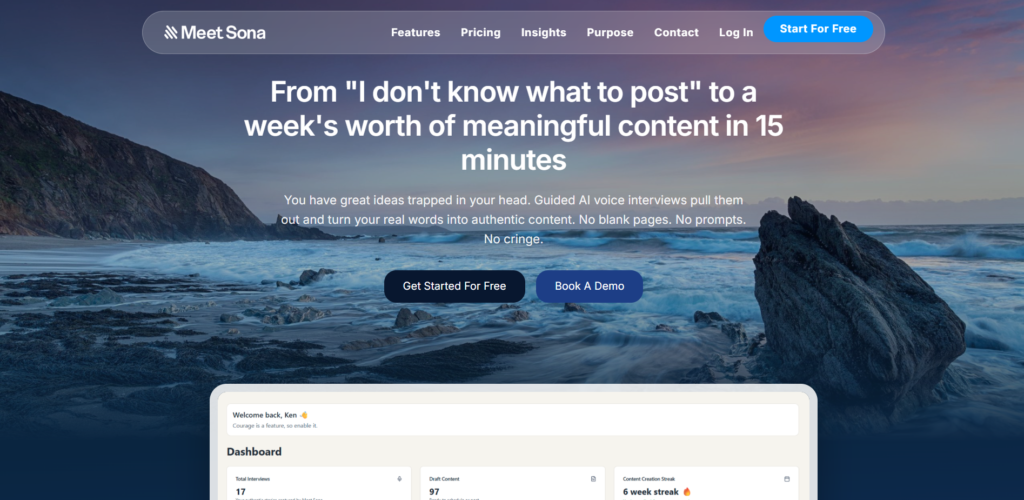
There is a specific kind of freelancer chaos that no to-do app has ever fixed: you are between clients, you have five half-formed ideas bouncing around your head, and you have zero desire to open another app. Meet Sona is built for exactly that moment.
It positions itself as an AI Chief of Staff for solopreneurs. You talk to it — literally speak into your phone — and it processes your thoughts into structured tasks, reminders, and follow-up items. It also integrates with your calendar to auto-join calls and produce meeting summaries without dropping a bot into the conversation.
Where I found it genuinely useful: capturing ideas mid-walk. I had a project idea, voice-noted it into Sona, and came back to a structured outline with sub-tasks already drafted. That kind of frictionless capture is hard to build and Sona has done it well. If you’re also exploring growing a freelance writing career, Sona pairs well with that workflow for juggling multiple client briefs simultaneously.
Specific UX finding: The voice parsing struggled slightly with industry-specific jargon (I tested “deliverables,” “retainer rate,” and “SOW”) — it occasionally transcribed them phonetically rather than recognising the terms. A minor friction point, but worth noting if your work is terminology-heavy.
✅ What Works
- Voice-to-structured-tasks in seconds
- Eliminates app-switching for task capture
- Calendar-aware meeting summaries
- Learns project context over time
❌ Watch Out For
- Jargon-heavy fields need manual correction
- Third-party integrations still maturing
- Requires consistent voice-input habit
Best for: Freelancers who think faster than they type and need a central brain to hold everything together.
2. Lovable — The No-Code App Builder

There is a gap in the freelance market that most people do not talk about: clients want interactive deliverables. A static PDF proposal is fine; a working prototype that lets them click through their future product is transformative. Lovable closes that gap for non-developers.
You describe what you want in plain language — “build me a client intake form with a payment step and a confirmation email” — and Lovable generates a full-stack application with a real database, working backend logic, and a one-click deploy link. It is the fastest way I have seen to go from concept to live, shareable app without writing a line of code.
For a consultant building a client portal or a marketer who wants to deliver an interactive calculator, the tool is genuinely impressive. I built a simple project status dashboard in about 20 minutes from scratch. Similar to what you would find on an AI landing page builder, but with far more functional depth under the hood.
Honest caveat: The more specific your logic requirements, the more the generated code can accumulate technical debt. Lovable is excellent for prototypes and MVPs; it is not a replacement for a senior developer on a complex product.
✅ What Works
- Full-stack apps from plain-language prompts
- One-click public deployment
- Chat-based editing (“add a login button”)
- Excellent for client prototypes and proposals
❌ Watch Out For
- Complex logic still needs a developer
- Generated code can get messy at scale
- Free tier has usage and export limits
Best for: Freelance designers, consultants, and marketers who want to deliver “interactive client portals” without hiring a developer.
3. Komo — The Private AI Search Engine

Most freelancers use Google for research. That means wading through ads, SEO-optimised fluff, and ten open tabs to answer a single question. Komo takes a different approach: it uses AI to synthesise answers directly and cites its sources, and it does this without tracking your data or selling your search history.
In practice, Komo’s “Ask” mode returns clean, direct answers for research questions within seconds. I used it to pull competitor pricing data, industry benchmarks, and technical documentation lookups — tasks where you want a synthesised answer, not 10 blue links to choose from.
The privacy angle is real, not just marketing. Komo does not have ad-based revenue, which means it does not have an incentive to surface promoted content. For freelancers doing market research, that matters. Komo is also entirely free at its core, making it the most accessible tool on this list.
✅ What Works
- Completely free with no ads
- Cited, synthesised answers — not link lists
- No data tracking or profiling
- Fast for competitor and market research
❌ Watch Out For
- Lacks deep app integrations
- Answer quality tied to available web sources
- Less powerful than paid AI assistants for complex tasks
Best for: Freelance writers, researchers, and strategists who need quick, cited answers without the noise of traditional search.
4. Opus Clip — Turn Long Videos Into Viral Short Clips

If you create any kind of long-form video — podcast recordings, webinars, course content, YouTube videos — Opus Clip is one of the most time-saving tools available in 2026. It analyses your full video, identifies the most engaging segments using a virality-prediction algorithm, and exports them as short vertical clips with dynamic captions and emoji placement already added.
I tested it with a 55-minute recorded webinar. Opus Clip returned 14 clips ranging from 45 seconds to 3 minutes, with a “Virality Score” attached to each one. The top-scoring clip was genuinely the sharpest moment in the video — the AI picked it correctly. For the clips where it missed context, you can manually trim and re-export.
Compared to manual editing, this process — which would take 3–4 hours in Premiere or a similar tool — took about 12 minutes. If you want to explore other video editing options alongside this, I have also covered free video editing tools with no watermark that complement this workflow nicely. For a deeper look at Opus Clip specifically, see my full Opus Clip review.
Bug I noticed: The AI captioning occasionally merges two words when speech is fast (“client deliverables” became “clientdeliverables” in one clip). A manual review pass is still needed before publishing.
✅ What Works
- Cuts multi-hour editing to under 15 minutes
- Virality score helps prioritise clips
- Auto-captions with dynamic word highlighting
- Consistently updated for platform trends
❌ Watch Out For
- Fast-speech captioning errors need manual review
- Requires decent source video quality
- Free tier exports include watermark
Best for: Content creators, coaches, and educators who produce long-form video and want a short-form content presence without hours of manual editing.
5. Gamma — Proposals and Presentations in Minutes

I have spent too much of my freelance life adjusting PowerPoint slide alignment at 11pm before a client meeting. Gamma ended that for me.
You give it a topic or a bullet-point outline, and it generates a fully formatted, visually clean presentation — web-based, responsive on all devices, and shareable via link. There is no alignment wrestling, no font inconsistency, no “this looks fine on my screen but breaks on theirs.” The output just works.
More interestingly, Gamma lets you add real-time analytics — so you can see how long a prospect spent on your proposal. That kind of engagement data is normally only available on expensive proposal tools. The free tier keeps Gamma branding visible; paid plans (starting around $10–$15/month) remove it and unlock unlimited creations.
If writing compelling proposals is part of your workflow, Gamma pairs well with the strategies in our guide to AI tools for freelancers writing proposals.
✅ What Works
- Proposal-ready output in under 5 minutes
- Viewer analytics on shared links
- Responsive on all screen sizes by default
- Zero design skill required
❌ Watch Out For
- Limited for complex data visualisation
- Print/PDF export can format oddly
- Gamma branding on free tier
Best for: Freelancers in consulting, strategy, and marketing who regularly send client-facing proposals, pitch decks, and case studies.
6. Gumloop — The Automation Backbone

Think of Gumloop as a smarter Zapier that actually understands unstructured data. It lets you build automated workflows — called “loops” — that can scrape websites, extract specific data using LLMs, process it through AI, and send the results to Notion, Airtable, Gmail, Slack, or Google Sheets.
Where it separates from Zapier is in its ability to handle messy inputs. You can pull a PDF, extract the key data points using an AI step, and route the structured output — no manual reformatting. I used it to automate a competitor pricing scrape that previously took 45 minutes every Monday morning. With Gumloop, it runs automatically and lands in a Google Sheet before I finish my coffee.
Pricing runs on a credit model, where more complex steps consume more credits. The free tier provides enough credits to test and build confidently. If you run into automation issues in other tools, our guide to fixing broken Zapier loops is a useful companion read.
Known limitation: Scraper-based loops can break if the target website changes its HTML structure. You will need to rebuild the selector logic when that happens — not ideal if you have many loops running in production.
✅ What Works
- AI extraction from unstructured PDFs and pages
- Chrome-record browser automations
- Integrates with Notion, Sheets, Slack, Gmail
- No-code workflow builder
❌ Watch Out For
- Scrapers break when target sites update
- Credit-based pricing requires usage monitoring
- Complex multi-step loops have a learning curve
Best for: Freelance SEOs, data analysts, and virtual assistants who need to automate recurring data tasks without writing code.
7. Granola — The Smarter Meeting Notepad

Here is the meeting note problem that nobody has fully solved: AI bots that auto-join calls are useful, but many clients find them uncomfortable. Consent is unclear, the bot is a third party in the call, and some industries (legal, finance, healthcare) prohibit recordings altogether.
Granola solves this by keeping you in control. You take notes during the call as you normally would — messy bullet points, shorthand, whatever your style is. When the meeting ends, Granola uses AI to restructure your notes into a clean, professional summary, add structure, and flag action items. No bot, no recording, no awkward consent moment.
The output still sounds like you — Granola polishes without flattening your voice. This makes it particularly valuable for consultants and coaches where the relationship depends on authentic communication. It also integrates with macOS natively (best experience is on Mac), which is worth knowing before you commit.
✅ What Works
- Privacy-safe — no recording or bot needed
- Preserves your voice while improving structure
- Consistent templates for recurring meeting types
- Great for client-sensitive industries
❌ Watch Out For
- Still requires you to take notes during the call
- Best experience is macOS-only
- Subscription required for full AI enhancement
Best for: Consultants, coaches, and project managers who need clean meeting records without recording bots — especially in privacy-sensitive client relationships.
8. Kittl — The Design Powerhouse for Serious Creatives

Canva is comfortable. Kittl is capable. There is a meaningful difference between those two words for freelancers who do brand identity, merchandise, or print design work.
Kittl offers a browser-based design environment with a library of high-quality typography, textures, and vector assets that feel far more premium than anything Canva’s free tier offers. More importantly, its AI vector generation lets you create scalable, print-ready graphics from a text prompt — which is transformative for merchandise and branding freelancers who previously needed Illustrator skills for this kind of output.
I tested the mockup generator by placing a logo design onto a T-shirt and a tote bag. The results were photorealistic and took 90 seconds. Compare that to setting up a mock scene in Photoshop, and the time saving is obvious. If 3D product mockups are part of your deliverables workflow, our roundup of top 3D mockup generator AI tools is worth bookmarking alongside Kittl.
✅ What Works
- AI vector generation from text prompts
- Photorealistic mockups in under 2 minutes
- Premium typography and asset library
- Commercial licensing on Pro plan
❌ Watch Out For
- Overkill for basic social media graphics
- Some advanced features need time to learn
- Free exports include watermark
Best for: Graphic designers, print-on-demand sellers, and brand identity specialists who need professional-grade output without Adobe’s learning curve or subscription cost.
9. Taskade — The Unified Workspace With AI Agents Built In

Most productivity tools give you a place to list tasks. Taskade gives you a workspace that can also think alongside you. It blends task management, mind mapping, and AI agents into a single environment — and it does this better than any other tool I have tested at this price range.
The “AI Agents” feature is the standout. You can build custom agents with defined roles — a Research Agent that pulls and summarises information, a Writing Agent that generates first drafts from project notes, or a Client Briefing Agent that formats intake notes into a project scope document. Once set up, they run inside your existing workspace, not in a separate tool.
One practical use case I found: I pasted a set of rough meeting notes into a Taskade project and asked the AI to generate a task list, assign rough timelines, and flag dependencies. It returned a workable project plan in about 40 seconds. Similar to how Bonsai handles freelance contracts and invoicing, Taskade handles the project execution layer — together, they cover a significant portion of the freelance operations stack.
✅ What Works
- Custom AI agents inside your workspace
- Task lists, mind maps, and docs in one place
- Works on web, mobile, and desktop
- Generous free tier
❌ Watch Out For
- Interface can feel overwhelming initially
- AI credits consumed faster than expected
- Not ideal for those who prefer simple to-do lists
Best for: Freelancers managing multiple client projects simultaneously who want one workspace that does tasks, notes, and AI assistance — without switching tools.
10. TubeMagic — AI Scriptwriting for Video Freelancers
If you produce YouTube content — or manage YouTube channels for clients — writing scripts is one of the biggest time drains in your week. TubeMagic is built specifically to solve this. It analyses top-performing videos in your niche, generates SEO-optimised scripts, suggests thumbnail concepts, and gives you keyword data alongside the output.
Unlike general AI writing tools, TubeMagic is trained on YouTube content patterns, which means the scripts it produces are structured for retention — hooks in the first 30 seconds, pattern interrupts mid-video, and strong CTAs. These are the structural elements that general AI assistants often miss when asked to write video scripts.
I tested it by generating a script for a product review video. The output had a clear hook, a clear problem-agitation section, and a natural transition to the product reveal. Solid structure that would take a human writer 2–3 hours to produce from scratch. For a full breakdown of what it offers, see our TubeMagic review.
✅ What Works
- Scripts trained on YouTube retention patterns
- Built-in keyword and niche research
- Thumbnail concept suggestions included
- Saves 2–3 hours per video script
❌ Watch Out For
- Niche-specific — primarily for video creators
- Voice and tone still need manual editing
- Limited usefulness outside YouTube content
Best for: Freelance video producers, YouTube channel managers, and content strategists who need structured scripts fast.
How to Build Your Freelance AI Stack Without Overspending
The freelance AI tool trap is buying everything at once. Most people activate six subscriptions in week one, use three of them, and quietly cancel the rest by month two. The smarter approach is to match tools to your actual pain points — and build incrementally.
If you are just getting started with freelancing and want to understand the broader landscape before building your stack, our guide on AI tools for job seekers is a useful entry point. And if writing is your primary service, check out our post on writing SEO articles with AI to understand how the content creation stack fits together.
Full Feature Comparison: All 10 Tools Side by Side
| Tool | Free Tier | No-Code | AI Automation | Collaboration | Mobile App | Pricing |
|---|---|---|---|---|---|---|
| Meet Sona | ✅ | ✅ | ✅ | ⚠️ | ✅ | Freemium |
| Lovable | ✅ | ✅ | ✅ | ✅ | ❌ | Freemium |
| Komo | ✅ (fully free) | ✅ | ⚠️ | ❌ | ✅ | $0 |
| Opus Clip | ⚠️ (watermark) | ✅ | ✅ | ⚠️ | ❌ | ~$19/mo |
| Gamma | ✅ | ✅ | ✅ | ✅ | ✅ | ~$10–15/mo |
| Gumloop | ✅ (credits) | ✅ | ✅ | ⚠️ | ❌ | Credit-based |
| Granola | ✅ (trial) | ✅ | ✅ | ⚠️ | ❌ (Mac best) | Subscription |
| Kittl | ⚠️ (watermark) | ✅ | ✅ | ✅ | ❌ | ~$10–15/mo |
| Taskade | ✅ | ✅ | ✅ | ✅ | ✅ | Freemium |
| TubeMagic | ✅ (trial) | ✅ | ✅ | ❌ | ❌ | Subscription |
Frequently Asked Questions
What is the best AI tool for freelancers overall in 2026?
Meet Sona is the best all-around tool for solopreneurs managing multiple projects and clients, thanks to its voice-first task capture, calendar integration, and contextual project awareness. For a narrower category — video, design, proposals — specialised tools like Opus Clip or Gamma will outperform it.
Which AI tools for freelancers are free?
Komo is completely free with no limitations. Taskade, Gamma, Meet Sona, and Lovable all have generous free tiers that let you do meaningful work without paying. Gumloop offers free credits for testing. Opus Clip and Kittl have free plans but add watermarks to exported files.
Can AI tools replace freelancers?
No — but freelancers who use AI tools will outcompete those who do not. AI handles repeatable, templatable tasks: note cleanup, first drafts, data collection, clip selection. The strategy, client relationships, creative direction, and quality judgement still require a human. AI is a multiplier, not a replacement.
How much should a freelancer budget for AI tools per month?
A realistic starting budget is $30–$60/month for two to three tools. Start with free tiers and only upgrade the tools you are actively using. Avoid buying Pro plans for tools you have not yet validated in your actual workflow. Most freelancers find that 2–3 well-chosen tools deliver the majority of their productivity gains.
Is Lovable good for building client portals without coding?
Yes. Lovable is one of the most capable no-code, full-stack app builders available. You can describe a client portal in plain language and get a working, deployable app with a real database backend. It is best suited for prototypes and MVPs — complex, production-scale applications will still benefit from developer involvement.
What AI tools do freelance writers specifically use?
Freelance writers typically use AI for three things: research (Komo), first-draft assistance (Claude or ChatGPT), and SEO optimisation (specialised tools). For note-taking in client calls, Granola is ideal. Writers managing multiple clients and projects often use Taskade as their central workspace to track deadlines and deliverables.
Is it ethical to use AI tools for client deliverables?
In most cases, yes — provided the final output meets your client’s quality standards and you take ownership of the result. Some industries (journalism, academic research, legal writing) have specific rules, so always check your contract and ask your client if uncertain. Transparency is the safest policy.
Conclusion
The freelance market in 2026 rewards leverage. These ten tools are not gimmicks — they represent a genuine shift in what a single person can produce in a day. But the key is picking the right one for your actual workflow, not the one with the best marketing.
If you are overwhelmed by admin and context switching, start with Meet Sona. It acts as the operational backbone for your freelance business, catching everything that would otherwise fall through the cracks.
If you produce any kind of long-form video and want a short-form content presence, Opus Clip will save you more time per week than almost any other tool on this list.
And if sending polished proposals is your main growth lever, Gamma is the fastest path from brief to beautiful deliverable.
Start with one tool. Master it. Then layer in the next. That compounding approach — one tool at a time, integrated into your real workflow — is what actually changes how much you can charge and how fast you can deliver. That is the leverage every freelancer is looking for.
Ready to build your AI stack?
Start with the free tiers. Pick the tool that solves your biggest weekly pain point first.
Try Meet Sona Free →

