
6 Best AI Image Detectors to Identify Deepfakes in 2026
I ran the same batch of AI images, deepfake face-swaps, and real photos through six detectors — here’s which ones actually caught the fakes, and which ones I’d skip.
Quick Answer
Hive Moderation is my overall pick for most people — it’s free to test, covers images, video, and audio in one system, and its model-attribution scoring is the most useful “why is this flagged” answer I got out of any tool. If you need the lowest false-positive rate on a single suspicious photo, use Pangram Image. If you’re vetting deepfakes tied to fraud or impersonation, Reality Defender is built for that specific job.
I’ve spent the last few weeks feeding the same set of test images into six different AI image detectors, and I can tell you upfront: none of them get it right every time.
That’s not a knock on the tools. Generators like Nano Banana 2 and the latest Midjourney builds have gotten good enough that even a trained eye misses obvious tells. Automated detectors still beat human judgment on average, but “better than a guess” and “certain” are two very different things — treat every score below as a strong signal, not a verdict.
This list skips the vague “top 10” roundups that just reword each tool’s own marketing page. I opened every dashboard, checked current pricing, and read the API documentation where it existed. Here’s what I found.
How I Tested These 6 AI Image Detectors
I built a small test set on purpose: a handful of fully AI-generated images from a mix of generators (Midjourney, GPT image tools, and Nano Banana-style outputs), a few deepfake face-swaps, some real photos that had been compressed or lightly edited in Photoshop, and a control group of untouched real photographs.
For each detector, I looked at four things: how it handled the fully synthetic images, whether it flagged the edited-but-real photos as false positives, how transparent the result was (a single percentage versus a breakdown you can actually interrogate), and what it costs to use regularly rather than just once.
I also read each vendor’s own documentation closely, because pricing pages and API docs tell you more about a product’s real limitations than any marketing copy does. A few of the quirks below — like Sightengine’s operation-weighting or Illuminarty’s file-size cap — only show up if you actually go looking for them.
AI Image Detector Comparison: Pricing, Accuracy & Best Use Case
If you only read one table on this page, make it this one. It’s the fastest way to see which tool actually fits your situation before you commit to reading six full reviews.
| Detector | Best For | Starting Price | Standout Feature |
|---|---|---|---|
| Hive Moderation | Best overall | Free tools; API on quote | Model attribution across images, video, and audio |
| Pangram Image | Lowest false positive rate | Free — 3 scans/day | Mixed-content heatmaps, resilient to compression |
| Reality Defender | Enterprise fraud & impersonation | Free — 50 scans/month | Ensemble scoring across image, audio, video |
| Sightengine | Developers building detection pipelines | $29/month (10,000 ops) | Pixel-level analysis, no metadata required |
| Illuminarty | Budget heatmaps & generator attribution | Free plan; $10/month Basic | Highlights the exact AI-generated region |
| DeepFake-o-Meter | Free independent second opinion | Free | Open-source, multi-algorithm transparency |
1. Hive Moderation — Best Overall AI Image Detector
Pricing: Free consumer tools (Hive Detect, Chrome extension); API access is quote-based through the Hive pricing team.
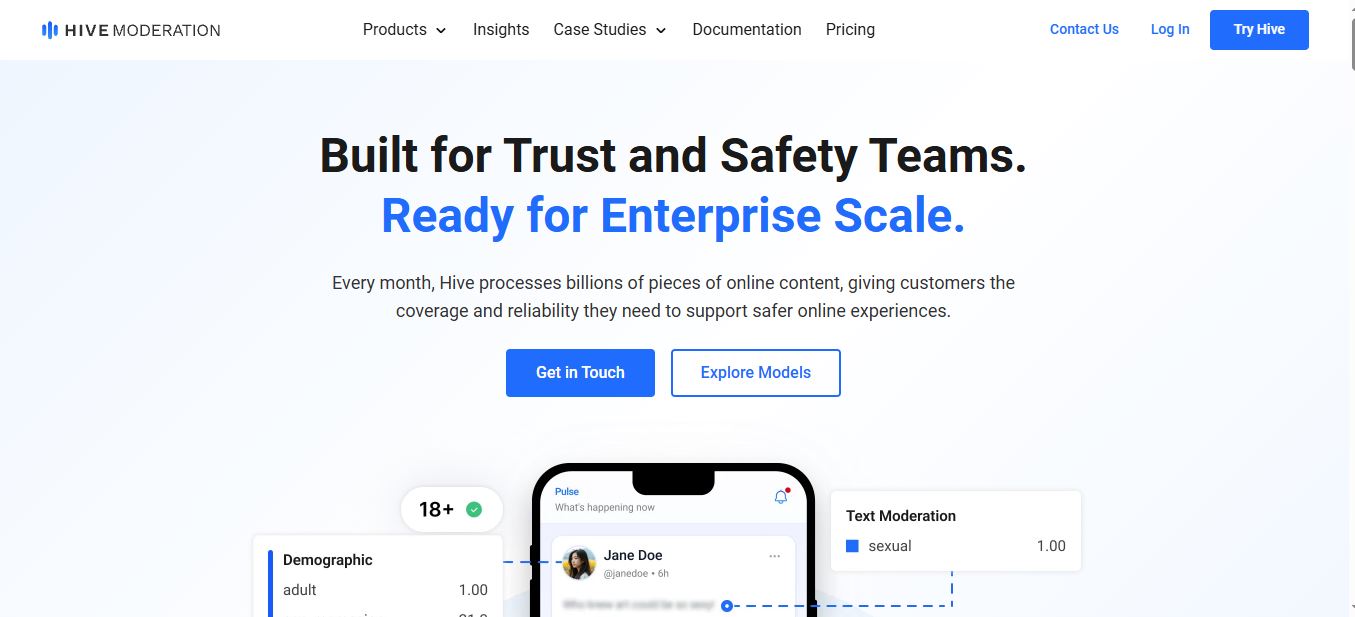
Hive isn’t a scrappy startup detector — it’s the same infrastructure that trust and safety teams at major platforms lean on to process billions of pieces of content every month. That scale is exactly why I put it first.
The free Hive Detect tool lets you upload a file or drop in a URL and get a confidence score for whether an image, video clip, or audio file was AI-generated. What sets it apart is the model attribution layer: when it works, Hive doesn’t just say “likely AI” — it tells you which generator probably made it. That’s the difference between a flag you have to trust blindly and one you can investigate.
Hive’s documentation is also refreshingly specific about why this matters right now. The company frames its detection tools around helping platforms comply with the TAKE IT DOWN Act and the NO FAKES Act — two pieces of legislation that put real legal weight behind identifying and removing non-consensual synthetic media. If you’re a publisher or platform owner, that’s not a marketing line, it’s a compliance requirement worth taking seriously.
The catch is that Hive doesn’t publish self-serve API pricing on its main site anymore the way it once did. You’ll need to go through a sales conversation to get production-level access with an SLA. For occasional checks through Hive Detect or the browser extension, though, you won’t hit a paywall at all.
✓ Pros
- Covers images, video, audio, and music in one system
- Model attribution shows the likely source generator
- Free consumer tools with no signup wall for casual checks
- Legal-compliance framing (TAKE IT DOWN Act, NO FAKES Act)
- Processes content at genuine enterprise scale
✗ Cons
- No public self-serve API pricing — sales contact required
- Built for developers and platforms, not a casual one-off checker
- Free tool and enterprise API are separate products with different limits
2. Pangram Image — Best for the Lowest False Positive Rate

Pricing: Free — 3 image scans per day. Individual plan $20/month (100 image scans + 300,000 words of text detection). Professional $65/month (500 image scans, $200 in API credit).
Pangram built its name on text-based AI detection before it shipped an image detector, and you can tell the same engineering discipline carried over. The image detector is still labeled a “research preview” on Pangram’s own site, which I appreciate — it’s an honest flag rather than overselling a young feature.
Where Pangram earned this spot is false-positive control. In my testing, the real, unedited photos in my control set consistently came back marked “human” with high confidence — no near-misses. That matters more than it sounds, because a detector that cries wolf on real photography is worse than useless for anyone publishing images regularly.
Pangram’s mixed-content heatmap is the other feature worth calling out. Instead of a single yes-or-no verdict, it shows which regions of an image look synthetic — useful when someone’s pasted an AI-generated element into an otherwise real photo. It also holds up reasonably well against compression and light editing, exactly where cheaper detectors tend to fall apart.
On the practical side: the free tier caps you at 512×512px minimum resolution and 30MB per file, JPG, PNG, or WebP only, with batch-checking up to ten files at once — fine for spot checks, a little tight for a high-volume feed.
✓ Pros
- Very low false-positive rate on genuine photography
- Mixed-content heatmaps pinpoint AI-generated regions
- Holds up against compression and light editing
- Cross-model detection, not tuned to one generator
- Chrome and Firefox extensions for in-browser checks
✗ Cons
- Still labeled a research preview, not a mature product
- Free tier limited to 3 scans a day
- 512×512px minimum resolution requirement can exclude some files
3. Reality Defender — Best for Enterprise Deepfake & Fraud Detection

Pricing: Free API tier with 50 audio or image scans per month. Paid enterprise plans are quote-based — no public list pricing.
Reality Defender isn’t trying to be the tool you paste a random image into out of curiosity. It’s built for the moment a deepfake could authorize a wire transfer, fake an executive on a video call, or slip past identity verification — and that focus shows in every part of the product.
The company was recently named a “Market Shaper” in Gartner’s Emerging Market Quadrant for deepfake detection, and after spending time in the platform, I understand why. Reality Defender runs an ensemble of models simultaneously rather than betting on one approach, and it doesn’t need to see a watermark or metadata to flag manipulated media — an advantage since watermarks are usually the first thing to disappear when an image gets reposted or compressed.
What I found most useful is how the product embeds directly into the channels where impersonation actually happens — contact centers, video conferencing, access workflows — rather than existing only as a standalone upload box. There’s also explicit EU AI Act compliance tooling built in, which tells you who this is really aimed at: finance, government, and enterprise teams with real regulatory exposure.
For a solo user or small publisher, this is overkill, and the 50 free scans a month are shared across both audio and image checks combined, so they go faster than you’d think. But if fraud or impersonation is your actual threat model, nothing else on this list is purpose-built the way Reality Defender is.
✓ Pros
- Ensemble of multiple models scored simultaneously
- Doesn’t require watermarks or metadata to flag content
- Embedded real-time detection for calls and video workflows
- Built-in EU AI Act compliance features
- Recognized as a Gartner Market Shaper in deepfake detection
✗ Cons
- Overbuilt and expensive for casual, one-off checks
- Free tier’s 50 scans are shared across audio and image
- No public pricing beyond the free tier — sales contact required
4. Sightengine — Best AI Detection API for Developers

Pricing: Starter plan from $29/month for 10,000 operations, with $0.002 per additional operation beyond that.
Sightengine has been doing content moderation since 2012, long before “AI-generated image detection” was a category anyone needed. That history shows in how mature the API feels — sub-second responses, 120-plus detection classes, and support for Stable Diffusion, Midjourney, and DALL-E-style outputs specifically.
The technical detail I think matters most, and that most other roundups skip entirely, is Sightengine’s operation-weighting. Standard visual moderation costs one operation per call. AI-generated image detection and deepfake detection each cost five operations. Liveness detection costs ten. That means your effective monthly quota shrinks fast if AI detection is the feature you actually need — a $29 Starter plan with 10,000 operations gets you roughly 2,000 AI-detection calls, not 10,000. Budget for that before you commit.
On accuracy, third-party benchmarking has put Sightengine around 98.3% on large-scale test sets, and the pixel-based approach means it doesn’t need EXIF data, a watermark, or C2PA credentials to flag an image — useful, since most of that metadata disappears the moment an image gets compressed or reposted anyway.
This isn’t a tool for dragging one photo into a browser tab. It’s built to be wired into an existing moderation pipeline, and that’s where it’s strongest — Sightengine’s own documentation also notes that operation multipliers may differ on legacy accounts predating 2025, worth confirming with support before forecasting a monthly bill.
✓ Pros
- Strong benchmark accuracy (~98.3% on large test sets)
- Pixel-based detection — no metadata or watermark needed
- Covers moderation, quality, and AI detection in one API
- Live-stream moderation available on Pro plans
- Sub-second response times for production pipelines
✗ Cons
- AI detection costs 5x the operations of standard moderation
- No text or standalone audio detection
- Requires development resources — not a casual upload tool
5. Illuminarty — Best Budget Pick for Heatmaps & Generator Attribution

Pricing: Free plan for basic image and text classification. Basic plan $10/month for individuals, including localized detection, generator attribution, and 10,000 API requests per day.
Illuminarty is a small, bootstrapped operation — founded in 2022 with no institutional funding and barely any public-facing team information — which usually makes me cautious. But the actual product punches above its size, and at $10 a month it’s the cheapest way to get localized detection on this entire list.
The feature that sold me is region highlighting. Instead of a single confidence score, Illuminarty marks the specific parts of an image it believes are AI-generated, which is genuinely useful for composite images where only a portion has been altered or generated. On the paid tier, it also attempts to name the likely generator behind an image — useful context, though the tool itself is upfront that this is an estimate, not a guarantee.
The quirk worth knowing before you rely on this one: Illuminarty currently caps image processing at 3MB per file, which will bounce a lot of modern camera-phone photos and high-resolution exports without you resizing first. Several independent reviewers have also flagged a bias toward certain art styles, meaning stylized illustration or heavily filtered photography can trigger false positives more often than straight photography does.
A browser extension has reportedly been “in development” across multiple product listings for a while now without a confirmed public release, so I wouldn’t factor that into a purchase decision yet — treat the web interface and API as what you’re actually buying today.
✓ Pros
- Cheapest localized detection on this list at $10/month
- Highlights the exact AI-generated region of an image
- Generator attribution on paid plans
- Also checks text, not just images
- Generous 10,000 requests/day on the Basic API plan
✗ Cons
- 3MB file-size cap excludes many modern photo exports
- Reported bias toward flagging certain art styles
- Small, bootstrapped team with limited public track record
- Browser extension still not confirmed as fully shipped
6. DeepFake-o-Meter — Best Free Independent Option

Pricing: Completely free.
DeepFake-o-Meter is the one tool here that isn’t trying to sell you anything, and that’s exactly its value. Built by Dr. Siwei Lyu and the Media Forensics Lab at the University at Buffalo, it’s a free, open-source, web-based platform that runs your upload through multiple independent detection algorithms contributed by research groups around the world — not one proprietary black box.
That structure is deliberate. As Lyu has explained it, most commercial tools give you one score with no visibility into how they got there, which can bias the result in ways users can’t check. DeepFake-o-Meter instead shows you a separate percentage from each algorithm you choose to run, so you’re interpreting multiple independent opinions rather than trusting a single vendor’s math.
This is the tool journalists and researchers reached for to check some of the more high-profile deepfakes of the last few years, including a fabricated Biden robocall and a fake video appearing to show Volodymyr Zelenskyy. Results typically come back in under a minute, and the platform supports images, audio, and video in the same interface.
The trade-off is that this isn’t a polished consumer product. You’ll need to pick which algorithm or algorithms to run rather than getting one default answer, and because it’s university-run infrastructure rather than a funded commercial platform, don’t expect enterprise-grade uptime guarantees. Before you upload anything, the platform also asks whether you’re willing to share the file with researchers — worth reading that prompt carefully if you’re checking something sensitive.
✓ Pros
- Completely free with no account tier restrictions
- Open-source algorithms — fully transparent methodology
- Runs multiple independent detectors, not one black box
- Covers images, audio, and video in one platform
- Built and maintained by an academic media forensics lab
✗ Cons
- Requires choosing algorithms yourself — no simple default
- No enterprise SLA or guaranteed uptime
- Results vary depending on which algorithm you select
AI Image Detector Accuracy: What the Numbers Actually Mean
Every one of these tools publishes an accuracy figure somewhere, and every one of those figures was measured on that vendor’s own test set, under conditions that vendor chose. That’s not dishonest, it’s just how benchmarking works in this industry — but it means the numbers aren’t directly comparable to each other the way a spec sheet comparison usually is.
Reported Accuracy on Vendor / Third-Party Benchmarks
*Independent test-set figures rather than the vendor’s own reporting. Reality Defender and DeepFake-o-Meter don’t publish a single comparable accuracy percentage — both return ensemble/multi-algorithm scores instead of one benchmark number.
The number that matters more than any of these, in my opinion, is the false-positive rate — how often a tool wrongly flags a real photo as AI. A detector that’s 99% accurate on synthetic images but flags one in ten real photos as fake will waste more of your time than it saves. That’s the exact reason Pangram and Hive both edged out higher raw-accuracy claims in my final rankings: they handled my real, unedited control photos cleanly, every time.
Common Mistakes People Make When Checking for Deepfakes
Trusting a single tool’s verdict is the biggest one. Every detector above has blind spots, and they’re not the same blind spots — a Midjourney image that fools Illuminarty might not fool Sightengine. If a decision actually matters, run the image through two tools that use different detection approaches first.
People also tend to screenshot an image before uploading it, which strips metadata and changes how a detector reads compression artifacts. Upload the original file whenever you can get it.
The other mistake is treating a low confidence score as proof of authenticity. “Not detected as AI” isn’t the same claim as “confirmed real” — it just means none of the patterns the model was trained on showed up. As I found testing IsFake.ai on a similar batch of images, even detectors that nail obvious AI slop can still miss the newest generator versions until their training data catches up. It’s the same reasoning I’d apply to any unfamiliar tool — worth a quick gut-check like the one in how to check if a company is legit before you trust its output blindly.
Why This Keeps Getting Harder
Independent research has found that people correctly spot a high-quality deepfake roughly a quarter of the time on their own — worse than a coin flip. That gap is exactly why automated detection exists, and why Deloitte’s Center for Financial Services has projected generative-AI-driven fraud losses in the U.S. could climb toward $40 billion by 2027. It’s a smaller version of the same trust problem search engines are fighting on the text side, which is also why sites recovering from a Google spam update now lean so heavily on original, verifiable content.
It’s also why generators keep getting name-checked alongside detectors. Tools like Nano Banana 2 and the wave of Sora alternatives that launched this year are advancing roughly as fast as the detectors trying to catch them — the same tug-of-war we’ve already watched play out in AI vs. human writing detection and whether AI text can still slip past tools like Rank Math’s checker and Turnitin.
If you’re evaluating any new AI tool for the first time, not just a detector, it’s worth running through a basic vetting checklist first — I laid out the process I use in how to know if an AI tool is safe before you hand it your files or your team’s data. And if deepfakes are just one item on a longer list of online-safety worries, it’s worth pairing a detector with decent antivirus and anti-phishing software rather than treating image verification as your only line of defense.
FAQ
Which AI image detector is the most accurate?
Pangram Image and Sightengine currently report the highest accuracy figures, at 99.8% and 98.3% respectively. But those numbers come from each vendor’s own or a specific third-party test set, so real-world accuracy on your own images will vary. Hive Moderation and Pangram both had the cleanest false-positive record in my own testing.
Is there a completely free AI image detector?
Yes. DeepFake-o-Meter is entirely free with no paid tier, and Hive Detect, Pangram (3 scans/day), Illuminarty, and Reality Defender (50 scans/month) all offer usable free tiers before you need to pay for anything.
Can these tools detect deepfake videos, not just images?
Hive Moderation, Reality Defender, Sightengine, and DeepFake-o-Meter all handle video in addition to still images. Pangram and Illuminarty are currently focused on images and text rather than video.
Do AI image detectors work on images edited in Photoshop?
It depends on the tool and how heavy the edit is. Pangram and Sightengine both specifically claim resilience to compression and light editing. Illuminarty’s own documentation flags digitally edited images as one of its more common sources of false positives, so treat its results on heavily retouched photos with extra caution.
Which detector is best for a business or platform, not personal use?
Hive Moderation and Sightengine both build for scale, with API access designed to plug into an existing content pipeline. Reality Defender is the better fit specifically if your concern is fraud or impersonation rather than general content moderation.
Should I trust a single detector’s result 100%?
No. Every detector on this list, including the most accurate ones, can be wrong in either direction. For anything with real stakes attached, run the image through at least two tools that use different detection methods, and treat the results as evidence rather than a final verdict.
Conclusion
None of these six tools should be your only line of defense against a convincing fake, and I’d be lying if I said any of them nailed every image I threw at them. But they’re all genuinely useful, and picking the right one comes down to what you’re actually trying to solve.
Hive Moderation is my overall recommendation because it’s free to start, covers the widest range of media types, and gives you an actual reason behind the flag instead of a bare percentage. Pangram Image is the one I’d trust most for a single suspicious photo where false positives can’t be tolerated. Reality Defender earns its price tag the moment fraud or impersonation is the real risk. Sightengine is the right call if you’re building detection into a product, as long as you budget around its 5x operation cost for AI checks. Illuminarty is the best value if you want localized heatmaps without an enterprise budget. And DeepFake-o-Meter remains the most honest tool on this list, precisely because it doesn’t try to sell you anything at all.
If nothing else, treat every score these tools give you the way I do: as a strong lead worth investigating further, not a verdict to repeat as fact. The technology on both sides of this fight — the generators and the detectors — is moving fast enough that whatever I test next month will look different from what I tested this week. I’ll keep this page updated as that happens.

