
Website Visitor Identification Tools Compared
RB2B vs Lead Forensics: Pricing and Full Comparison (2026)
I put RB2B’s published pricing and Lead Forensics’ enterprise-quote model side by side, along with how each one actually identifies your visitors, so you can pick the right tool without booking five demo calls.
By Oyekale Olawale · Updated September 2026 · 15 min read
⚡ Quick Answer
RB2B starts free (150 resolutions/month) with paid plans from $79/month, and gets you person-level identification — names, LinkedIn profiles, business emails — but only for US website traffic. Lead Forensics has no published pricing; it’s a custom quote based on your traffic volume, third parties report costs from roughly $400 to over $17,000/year depending on scale, but it identifies the company behind a visit globally, including the EU and UK, and is GDPR-compliant by design.
If your traffic is mostly US-based and you want cheap, person-level leads fast: RB2B. If you sell internationally, need decision-maker contact data, or your legal team requires GDPR-native tooling: Lead Forensics.
I’ve spent a chunk of the last few weeks pulling apart both tools’ pricing pages, FAQ sections, and G2 review data for this site’s ongoing coverage of B2B sales and marketing software.
The short version: these are not really the same product wearing different logos. RB2B is a lightweight, self-serve pixel that matches anonymous US visitors to LinkedIn profiles and pushes them to Slack. Lead Forensics is an older, IP-database-driven platform that resolves the company behind a visit — anywhere in the world — and hands you a lead management workflow on top.
Confusing the two, or picking one because a competitor’s comparison page told you to, is how teams end up paying for global company-level coverage they never use, or discover three months in that their EU traffic simply isn’t identifiable. Let’s get into the actual mechanics.
What RB2B and Lead Forensics Actually Do
Both tools install a small JavaScript snippet on your site — similar to a Google Analytics tag — and try to figure out who’s browsing anonymously. That’s where the similarity ends.
I’ve covered RB2B in a dedicated full review already, so I’ll keep the mechanics brief here. RB2B is built around person-level identification. It cross-references cookies, device IDs, and its publisher network against a US consumer/business identity graph, then matches a visitor to a name, job title, company, and LinkedIn URL. Because this relies on US-linked identity data, RB2B’s own FAQ is upfront that person-level ID only resolves US traffic — for GDPR and CCPA reasons, not as a limitation they’re trying to hide.
Lead Forensics works at the company level. It matches the visiting IP address against its own manually maintained B2B IP database — think of it as a very detailed, proprietary version of a reverse-DNS lookup — and tells you which business hit which page, for how long, and how often. It doesn’t (on its own) tell you which specific human was sitting at that browser. For that, you’re using its “Contact Decision Makers” feature to pull named contacts from the identified company afterward.
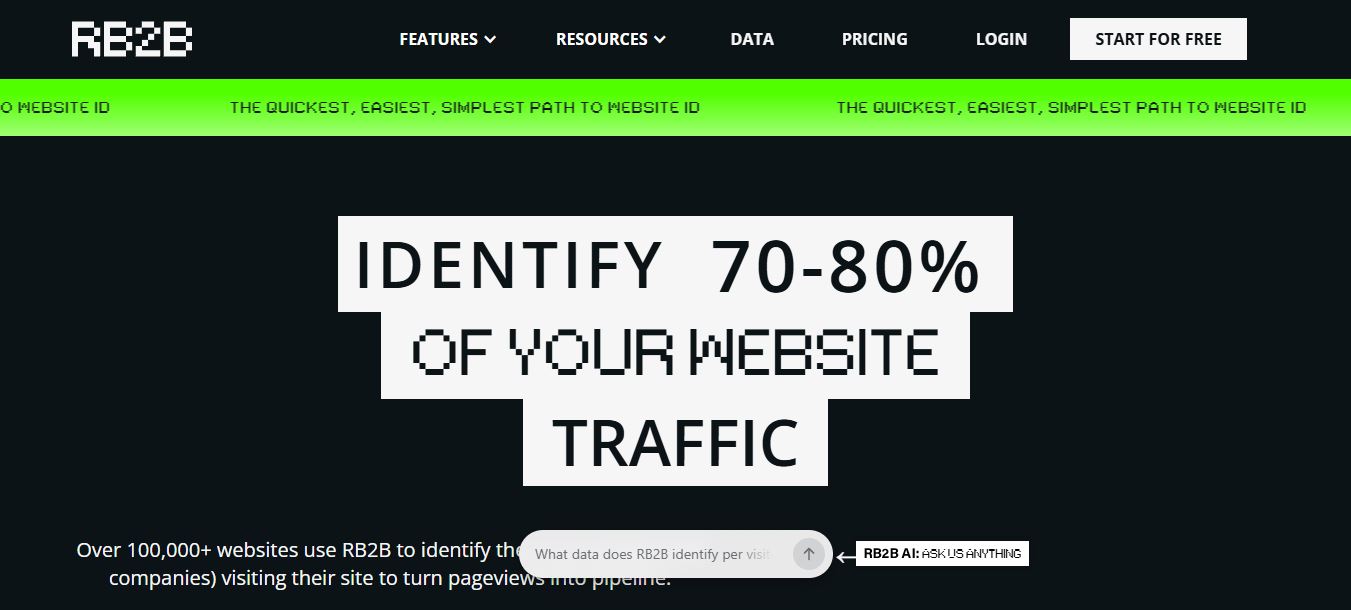
RB2B’s homepage — the pitch is speed: install the pixel, get named leads in Slack within minutes.
RB2B vs Lead Forensics: Full Feature Matrix
Here’s the side-by-side I wish someone had handed me before I read through both vendors’ FAQ pages.
| Feature | RB2B | Lead Forensics |
|---|---|---|
| Identification level | Individual person (US) | Company (global) |
| Free plan | Yes — 150 resolutions/mo | No — 7-day trial only |
| Published pricing | Yes, public tiers | No — custom quote only |
| Geographic coverage | US-only for person-level | US, UK, EU, APAC |
| GDPR posture | Excludes EU from person-level ID | Built for GDPR from the start |
| Decision-maker contacts | Business email on Pro+ tiers | Verified emails + direct phone |
| Lead scoring / management | Hot Leads / Hot Pages filters | Built-in lead & pipeline manager |
| CRM integrations | HubSpot, Salesforce, Zapier, Clay | Salesforce, HubSpot, MS Dynamics, Pipedrive, Zoho |
| Trial length | 7-day full-featured trial | 7-day trial (demo-led) |
| User seats | Not tier-limited | Unlimited on every plan |
| Security certification | SOC2 Type II | ISO 27001 |
RB2B Pricing: Every Tier, Broken Down
RB2B is one of the few tools in this category that publishes real numbers instead of hiding behind a “book a demo” button, and I’ll give them credit for that — it makes comparison shopping possible. I broke down every tier in more depth in my dedicated RB2B pricing review, including a rough ROI calculation — here’s the short version for this comparison.
| Plan | Price | Resolutions/mo | Key limit |
|---|---|---|---|
| Free | $0/mo | 150 | Company-level only, no emails |
| Starter | $79/mo | 300 | LinkedIn URL only, no email, no CRM |
| Pro (most popular) | $149/mo | 600–2,500 | Business email + full integrations |
| Pro+ | From $199/mo | 600–2,500,000 | Higher-coverage “premium resolution” tier |
A few details that matter more than the headline prices. The Free plan gives you company-level identification only — no names, no email addresses, and no CRM push beyond Slack. If you want the actual person’s LinkedIn profile, you need Starter at minimum, and even then you’re not getting a business email address until you jump to Pro at $149/month.
Pro is also where “Identity Graph Waterfall” and email enrichment kick in, and it unlocks every integration RB2B offers — HubSpot, Salesforce, Zapier, Clay, Apollo, and CSV export. Go over your monthly resolution cap on Pro and you’re billed 25 cents per additional resolution; on Starter, overages cost 45 cents each, which stacks up fast if your traffic spikes.
Pro+ is really a coverage upgrade more than a feature upgrade — RB2B’s own pricing table lists “35–45% coverage” for Pro+ versus “15–20% coverage” on every tier below it, referring to the share of anonymous traffic it can successfully resolve. If lead volume matters more to you than which specific tier badge you’re on, that coverage jump is the number to actually pay attention to, not the sticker price.
Lead Forensics Pricing: Why There’s No Price Tag

Lead Forensics’ homepage leads with company-level identification and enterprise case studies — the pricing model reflects that positioning.
Lead Forensics doesn’t publish a single dollar figure anywhere on its pricing page. Instead, their own FAQ states plainly that cost is calculated based on how much traffic your website generates, and you only find out the number after a demo and a trial period that measures your actual visitor volume.
There are two named tiers — Essentials and Automate — but Lead Forensics doesn’t publicly break out which specific features sit in each one. From what I can tell comparing their marketing pages, Essentials covers the core identification, firmographic insight, and real-time alerts, while Automate layers on workflow automation, automated lead routing, and ABM account matching on top.
Because there’s no public rate card, I looked at third-party reporting to give you a ballpark. One industry comparison cites Lead Forensics charging around $428/month for roughly 450 identified company records. Other sources — including RB2B’s own comparison content, which has an obvious incentive to make the number look large — put average annual spend north of $17,000/year for growing traffic volumes. Treat both figures as directional, not official; only a Lead Forensics quote for your actual traffic will tell you the real number.
What you do get for that price, regardless of tier, is unlimited user seats — a detail Lead Forensics repeats across its pricing FAQ. For a 15-person sales floor, that alone can offset a chunk of the entry cost compared to a per-seat competitor.
Entry-Level Cost, Visualized
Here’s how the published and reported entry-level monthly costs stack up. Lead Forensics’ bar reflects the low end of third-party reported pricing, since there’s no official number to plot.
Lead Forensics figure is a third-party estimate, not an official published rate. Actual cost depends entirely on your traffic volume.
How Identification Actually Works, Step by Step
This is the part most comparison articles skip, and it’s the part that actually determines whether either tool will work for your traffic.
RB2B’s resolution flow
Install the RB2B pixel in your site’s header — a copy-paste job, no dev sprint required.
A US-based visitor lands on your site; RB2B checks 1st/3rd-party cookies and device IDs against its publisher network and Demandbase’s reverse-IP lookup.
On a match, RB2B pushes name, title, company, and LinkedIn URL to Slack, Teams, or your CRM within seconds.
Hot Leads and Hot Pages filters route the visit to the right rep or sequence based on ICP fit and page intent.
Lead Forensics’ resolution flow
A tracking snippet, similar to a standard analytics tag, logs the IP address of every page hit.
That IP is matched against Lead Forensics’ own manually maintained B2B IP database, not a third-party pass-through — this is their core data moat.
A matched visit surfaces the company name, firmographic data, and full pageview history in the dashboard, with real-time alerts to sales.
Reps use “Contact Decision Makers” to pull named individuals and verified emails/phone numbers at that company for outreach.
Pros and Cons
RB2B — What Works
✅ Free tier with no credit card required
✅ Setup genuinely takes minutes, not days
✅ Person-level ID with LinkedIn profile, not just a company name
✅ Transparent, published pricing you can budget against
RB2B — Where It Falls Short
❌ Zero person-level ID outside the US
❌ No business email until you reach the $149/mo Pro tier
❌ Coverage rate (15–45%) still misses well over half of traffic
❌ No built-in lead scoring/pipeline manager like Lead Forensics’
Lead Forensics — What Works
✅ True global coverage: US, UK, EU, APAC
✅ GDPR compliance is built into the model, not bolted on
✅ Unlimited users on every plan
✅ Dedicated CSM and a full lead/pipeline management layer included
Lead Forensics — Where It Falls Short
❌ No published pricing anywhere — full demo required just to get a number
❌ No free plan; only a 1-week trial
❌ Company-level only out of the box — individual contacts are a second step
❌ Reported costs scale into five figures annually for higher-traffic sites
Who Should Actually Choose Which
Pick RB2B if: you’re a US-focused SaaS or agency, your sales motion lives in Slack and a CRM, and you want to test the value of visitor identification before committing real budget. It’s also the better fit if outbound reps want to connect on LinkedIn first, since that’s the exact data point RB2B hands them.
Pick Lead Forensics if: a meaningful chunk of your traffic comes from the UK, EU, or APAC, your legal or compliance team needs GDPR-native tooling rather than a workaround, or you want lead scoring and pipeline management built into the platform instead of stitched together with Zapier.
Neither fits? It’s worth a look at the wider field — I ranked seven platforms in my RB2B alternatives guide, covering options like Clearbit, Leadinfo, and ZoomInfo for teams whose needs sit outside what RB2B or Lead Forensics cover well.
My Take, as an Independent Reviewer
On this site, I evaluate lead-intelligence and website-identification tools by lining up the vendor’s own documentation, pricing pages, and FAQ against how a typical rep or marketer would actually use the tool day to day — install friction, what happens the moment you hit a plan limit, and how honest the compliance messaging is versus how it’s marketed on the homepage. I don’t take a vendor’s “3x the insight for a fraction of the price” claim at face value; I go check the fine print myself.
Judged that way, RB2B’s biggest strength is honesty about its own limits. Most identification vendors bury the “US-only” caveat in a support article three clicks deep. RB2B puts it directly in its homepage FAQ, in plain language, which tells me the compliance messaging isn’t an afterthought bolted on after a legal review — it’s part of how they built the product. That’s worth something in a category that has, historically, played fast and loose with how “identification” data gets sourced.
Where RB2B loses me a little is the pricing ladder itself. Charging $79/month for LinkedIn URLs with no email address attached, then gating the actually-useful business email behind a $70/month jump to Pro, feels like a tier designed to look cheap in a screenshot rather than to be genuinely useful on its own. If you’re evaluating RB2B, budget for Pro from day one — Starter is close to a extended trial dressed up as a plan.
Lead Forensics earns its higher price tag through maturity you can feel just reading the product pages: a real lead and pipeline manager, unlimited seats, a dedicated customer success manager, and coverage that doesn’t quietly exclude entire continents. The tradeoff is real too — a vendor that won’t put a number on its pricing page is asking you to spend an hour on a call before you even know if it fits your budget, and for a small team evaluating three tools in an afternoon, that’s genuine friction.
If I had to draw the line simply: RB2B is the tool you install on a Tuesday afternoon to see if visitor identification does anything for your pipeline at all. Lead Forensics is the tool you bring in once you already know it works and need it to scale globally, with governance attached. Very few teams should be choosing between them as true equals — they’re usually solving different problems at different company stages.
Both categories keep evolving fast, and website identification isn’t the only place AI-assisted tooling is changing how small teams operate. If you’re building out your broader martech stack, it’s worth reading how Sendmails.io handles outbound email deliverability and how SMS verification providers fit into lead-qualification workflows once RB2B or Lead Forensics hands you a name.
I’ve also covered how to vet a B2B software vendor before you sign an annual contract — genuinely useful reading before agreeing to Lead Forensics’ custom quote, and a checklist I used myself while researching this comparison.
FAQ
Is RB2B cheaper than Lead Forensics?
For most small to mid-size teams, yes. RB2B publishes fixed monthly pricing starting free and topping out at $199/month for its Pro+ tier. Lead Forensics has no published pricing and, per third-party reports, typically costs several hundred dollars a month at minimum, scaling into five figures annually for higher-traffic sites.
Does RB2B work for visitors outside the United States?
Person-level identification, no — RB2B’s own compliance documentation confirms it’s a US-only technology built that way specifically for GDPR and CCPA reasons. Company-level identification, through its Demandbase partnership, does work globally, though it requires a consent management tool to stay GDPR-compliant for EU traffic.
Is Lead Forensics GDPR compliant?
Yes. Lead Forensics markets GDPR compliance as a core design principle and displays it prominently across its site, which is a meaningful differentiator if your traffic includes UK or EU visitors and your legal team needs a straightforward answer.
Can I use both tools at the same time?
Technically yes, since they identify visitors differently and don’t conflict at the pixel level. In practice, most teams don’t need to — RB2B’s US-focused, person-level approach and Lead Forensics’ global, company-level approach solve for different traffic profiles, so pick based on where your visitors are actually coming from rather than running both indefinitely.
What happens if I exceed my RB2B resolution limit?
RB2B charges per-resolution overage fees rather than cutting off the pixel — 45 cents per resolution on the Starter plan and 25 cents on Pro and Pro+. Worth monitoring if your traffic is seasonal or spiky.
Which tool has better reviews on G2?
RB2B holds a 4.5-star average from roughly 280 reviews, while Lead Forensics sits at 4.4 stars but with over 1,000 reviews, making it the more heavily reviewed and battle-tested platform of the two despite the marginally lower score.
Bottom Line
RB2B and Lead Forensics both solve the “who’s on my website” problem, but they’re built for different companies solving it at different scales. RB2B is fast, cheap, and honest about being a US-only, person-level tool — a smart first move for a small team that wants to see value before spending real money. Lead Forensics is the more mature, globally compliant platform built for teams that already know website identification works and need it to run reliably across borders with lead management baked in.
My honest recommendation: if you’re not sure yet, start with RB2B’s free plan this week — it costs nothing to find out whether identified visitors actually turn into pipeline for your business before you commit to either platform’s paid tier.
For more comparisons and reviews of the SaaS tools B2B teams actually rely on, check out my breakdowns of LeadForensics vs Leadinfo, Woorank’s SEO monitoring platform AnyDesk for remote support teams, 3CX’s business phone system, and Geonode’s proxy infrastructure.

