

Intangible AI Review: I Directed 3D Scenes in the Studio Netflix, A24 and Epic Games Are Using
My honest, hands-on experience with Intangible’s AI 3D studio — the Build, Compose, and Visualize workflow, real credit costs, the bugs I hit, and whether it’s worth your money in 2026.
$0/mo
Free plan, 150 credits
3 Modes
Build, Compose, Visualize
2 Weeks
Free trial on paid plans
Netflix, A24
Among production users
Quick Answer
Intangible AI is a browser-based AI 3D studio that lets creatives build sets, direct cameras, and render production-grade images and video without touching Blender or Unreal. Pricing starts free (150 one-time credits), then Explorer at $35/month and Business at $65/month, both with a 2-week free trial. After testing it for a full project cycle, my verdict is: it’s genuinely the fastest way I’ve found to go from a rough idea to a directed, camera-controlled 3D shot — but the credit economy gets expensive fast once you move past concepting.
I first wrote about Intangible AI back when it was still in open beta, pitched mainly as a spatial storyboarding tool for filmmakers. Coming back to it this month, the product barely resembles that version. The company has repositioned itself entirely around a three-part workflow — Build, Compose, Visualize — and the client logos on its homepage now include Netflix, Meta, A24, Epic Games, and Northrop Grumman. That’s a big jump from “open beta for creative teams,” so I signed back in to see if the product backs up the new positioning.
What Is Intangible AI?
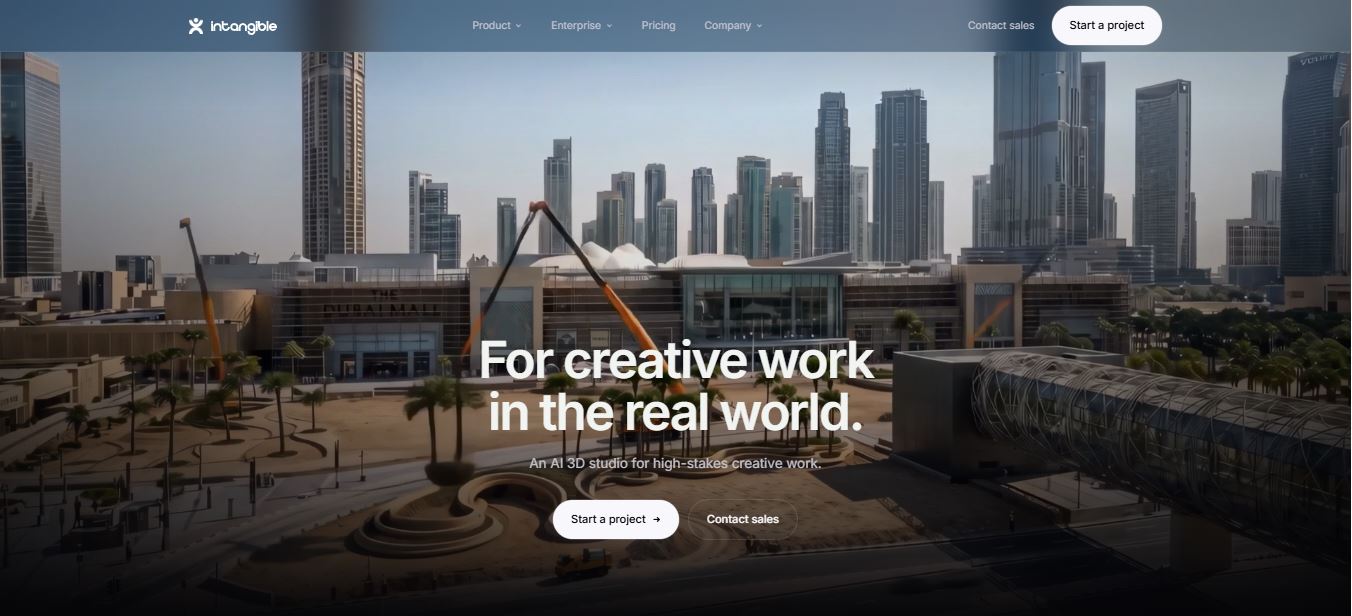
Intangible.ai is a browser-based AI 3D studio built around what the company calls a Spatial Intelligence Engine — a system that gives large language models and generative image and video models an actual semantic understanding of objects, distances, and camera relationships in a scene. In plain terms: instead of hoping a text prompt produces a coherent 3D layout, Intangible tries to hold your set, your characters, and your camera as real spatial data, then lets generative models render on top of that structure.
The tagline on their site now reads “for creatives who direct the real world,” and the product is split into three connected tools: Build for assembling sets, references, and CAD imports; Compose for placing cameras and simulating animation like you’re on a physical set; and Visualize for rendering the final image or video with current-generation AI models. It’s still no-code, still runs entirely in-browser, and still doesn’t require any prior 3D modeling experience.
The Build → Compose → Visualize Workflow, Explained
Every project in Intangible moves through the same three stages, and understanding them upfront makes the whole tool click much faster than it did for me on day one.
- Build — this is where you assemble your set. Drop in references, characters, and props from the asset library, or import your own CAD files and 3D models if you’re on a paid plan. The idea is to hold your real-world context — the actual product, the actual location — instead of letting the model invent its own version of it.
- Compose — this is the part that feels the most different from other AI creative tools. You place cameras directly in the 3D scene, block character poses, and simulate basic animation paths, the same way you’d storyboard on a physical set.
- Visualize — the final stage renders your composed shot using current-generation AI image and video models, informed by everything the Spatial Intelligence Engine already knows about your scene’s geometry.
This sequencing is the whole point of the product. Most AI image and video tools collapse composition and generation into one text box. Intangible splits them apart, which costs you a little more setup time upfront but buys back a lot of the “why doesn’t this look like what I asked for” frustration that comes with prompt-only workflows.
Who Intangible AI Is Actually Built For
Reading through Intangible’s enterprise pages, the product now leans hard into six verticals: advertising, film, retail, events, deeptech, and architecture. That’s a meaningfully wider net than the “filmmakers and marketers” framing from the earlier beta.
- Filmmakers and previs teams — blocking scenes, testing camera moves, and pitching shots before a single physical set gets built.
- Advertising and agency creatives — pitching campaign visuals and experiential activations in believable 3D rather than flat mockups.
- Retail and merchandising teams — visualizing store resets and shelf layouts that need to roll out across thousands of locations.
- Event and experiential designers — simulating venue flow, stage builds, and installations before construction begins.
- Deeptech companies — aerospace, robotics, and energy teams that need believable renders of hardware that doesn’t physically exist yet.
- Architecture and AEC firms — early massing studies and marketing renders, though it’s not a CAD replacement.
If your work is purely 2D — social graphics, blog thumbnails, flat product shots — this tool is overkill. But if any part of your job involves explaining a space, a set, or a shot to someone else before it exists, Intangible solves a real problem.
Plans at a Glance: Free vs Explorer vs Business
Before I get into how the studio actually feels to use, here’s the current plan breakdown, pulled directly from Intangible’s pricing page this month. I’ve got a full standalone breakdown of the credit system too — you can read it on my Is Intangible AI Free or Paid? page, which I’ll be keeping updated as pricing shifts.
| Plan | Price | Credits | Best For |
|---|---|---|---|
| Free | $0 | 150 one-time | Testing the workflow, watermarked outputs |
| Explorer | $35/mo | 250/mo | Freelancers, watermark-free exports |
| Business | $65/mo | 1,000/mo | Small teams, real-time collaboration |
| Enterprise | Custom | Custom, pooled | Studios, agencies, white-glove onboarding |
Two things jumped out at me compared to the old beta pricing I documented last year. First, the Free plan quietly went from 100 credits to 150 credits — a small but welcome bump. Second, what used to be called “Individual” and “Pro” are now “Explorer” ($35/month) and “Business” ($65/month), and both prices moved up from the original $12 and $40 beta estimates. Annual billing knocks off up to 30%, and every paid tier now ships with a genuine 2-week free trial, which wasn’t the case during the open beta period.
My Hands-On Test: Building My First Scene

I created a free account through studio.intangible.ai and was dropped straight into the dashboard — no lengthy onboarding survey, no forced demo video. The layout genuinely reminded me of Figma crossed with a lightweight game engine: a canvas in the center, an asset browser on the left, and camera and lighting controls tucked into the right rail.
Signup took under a minute with a Google account, no credit card required for the free tier. That’s worth calling out, because a lot of “AI creative suite” tools I’ve tested lately gate the actual editor behind a card-on-file step. Intangible doesn’t.
Building the Set
In Build mode, I dropped in a small street-corner set: a storefront prop, a couple of vehicles, and a character from the asset library, which currently gives free users access to roughly 5,000 of the platform’s 3D assets. Dragging and rotating objects felt genuinely responsive — closer to native 3D software than to the laggy web-based editors I’ve dealt with elsewhere.
Directing the Camera in Compose
Compose is where the “direct like you’re on set” positioning actually clicked for me. Instead of typing a camera angle into a prompt box and hoping, I placed a virtual camera in the scene, framed a low three-quarter shot, and could see exactly what would render before spending a single credit. That’s the biggest functional difference from prompt-only tools like Midjourney or base Runway — you’re composing first, generating second.

This is the first scene I rendered end-to-end. Proportions between the character and the storefront held up correctly, the ambient lighting matched the mood I set, and the shadow direction was consistent with the light source I’d placed — something a lot of pure text-to-image tools still get wrong in cluttered scenes.
Where I Ran Into Friction
Two specific issues cost me time. First, a close-up render on a prop with a reflective surface produced a warped reflection that didn’t match the scene geometry — I had to reposition the camera slightly and re-render to get a clean result, which burned an extra credit I hadn’t planned on. Second, when I tried importing a custom 3D asset in .glb format, the upload silently failed twice before succeeding on the third attempt, with no error message explaining what went wrong the first two times. Support pointed me to their Discord for this kind of issue, which worked, but a clearer in-app error would have saved me ten minutes.
On the credit side: my simple street scene render, plus two re-renders after adjusting the camera, used up close to 40 of my 150 free credits. A short 10-second video render of the same scene used significantly more — around 80 credits by itself. If you’re planning to lean on video generation regularly, budget for that; it’s the single fastest way to burn through a monthly allotment.
The Spatial Intelligence Engine: What’s Actually Under the Hood
The technical claim that separates Intangible from a typical text-to-image wrapper is the Spatial Intelligence Engine. According to Intangible’s own technology page, it’s a proprietary layer that sits between your scene data and the generative models, giving those models an actual semantic map of where objects sit, how far apart they are, and how a camera relates to both. In practice, that’s why moving a camera three feet closer in Compose produces a render that respects that distance, instead of a generic reframe.
I tested this directly by keeping the same set and character but swapping between a wide establishing shot and a tight three-quarter shot. The character’s scale relative to the storefront stayed consistent across both renders — no floating props, no mismatched perspective. That’s a harder problem than it sounds, and it’s the part of the product that most clearly justifies the “spatial intelligence” branding rather than being marketing language stapled onto a standard diffusion model.
Where the AI Genuinely Impressed Me
- Style propagation across shots — switching my scene’s mood from a neutral daylight look to a warmer, moodier grade carried through consistently without breaking the composition.
- No prompt roulette — because you’re composing the shot manually first, the render mostly comes back matching what you set up, rather than a random reinterpretation of a text description.
- Reasonable render speed — simple stills came back in well under 30 seconds; more complex multi-object scenes took longer but stayed predictable.
Where It Still Falls Short
- Fine detail on close-ups — reflective and highly textured surfaces are still the weakest point, as I saw with my prop reflection issue.
- No real physics or interactivity — this is a rendering and previs tool, not a game engine. Don’t expect collision, rigid-body simulation, or playable builds.
- Real-time multiplayer collaboration — listed as a Business-tier feature, but in my testing it still felt early compared to something like Figma’s live cursors.
What the Wider Community Is Saying
Coverage from tech press earlier in Intangible’s life cycle focused heavily on the funding story and the founding team’s background at Unity and Apple. What’s changed since then is the shift in tone from “promising beta” to “in active production.” The client logo wall — ARGO Space, Last Energy, Northrop Grumman, Live Nation, Netflix, Meta, A24, ByteDance, Epic Games, Media.Monks, Virgin, and Silverside — reads less like a beta tester list and more like a roster of studios that have folded the tool into an actual pipeline.
That said, I’d treat any “in production at” logo wall with the same skepticism I’d apply to any vendor case study — it tells you the tool cleared procurement somewhere in these organizations, not necessarily that it’s their primary pipeline for every project. Judge it by what you can test yourself, which is exactly what the free plan is for.
Intangible AI vs the Alternatives
| Tool | Best At | Where Intangible Wins |
|---|---|---|
| Meshy AI | Text/image-to-3D model generation | Full scene composition and camera direction, not just single models |
| Runway ML | Pure 2D AI video and editing | Real 3D spatial control instead of flat prompt-to-video |
| Marble by World Labs | Generating explorable 3D worlds from prompts | Purpose-built camera and shot-directing tools for production |
| Unreal / Unity | Full interactivity, physics, real-time rendering | No install, no engine skills, faster concepting |
Pros and Cons
✅ Pros
- Camera-first composition, not just prompt-and-hope
- No credit card required to start on the free plan
- Fast, responsive canvas even with multiple objects
- Real enterprise adoption across six industries
- 2-week free trial on every paid tier
❌ Cons
- Video generation drains credits far faster than stills
- Occasional reflection/texture glitches on close-up props
- Custom 3D asset uploads can fail without a clear error
- Explorer and Business prices rose from beta-era estimates
- Free plan exports are watermarked
Pricing Deep Dive

If you burn through your monthly allotment, Intangible sells top-up credit packs that don’t expire: $10 for roughly 1,000 credits (about 170 one-megapixel images or 80 seconds of video), $25 for 2,500 credits, and $50 for 5,000 credits. Subscription credits, on the other hand, do expire at the end of each billing cycle, so it’s worth using what you’ve paid for before it resets.
I go much deeper into the credit math, the top-up packs, and which plan actually makes sense for different workloads in my dedicated Intangible AI pricing breakdown, which I keep separately updated as the numbers shift.
Try Intangible AI’s Free Plan
150 free credits, no credit card required. See if the Build → Compose → Visualize workflow fits your projects before you pay a cent.
Start a Free Project →Real-World Use Cases I’d Actually Recommend It For
- Client pitch decks — showing an immersive 3D mockup of a campaign activation instead of a flat comp.
- Film and TV previsualization — blocking a scene and locking camera moves before the crew shows up.
- Retail shelf resets — visualizing a merchandising change before rolling it out to thousands of stores.
- Deeptech marketing — rendering believable hardware visuals for products still in development.
- Early architecture massing studies — quick spatial mockups for stakeholder buy-in, not construction drawings.
How I Test the Platforms I Review
Every review on this site starts with hands-on testing, not a rewrite of a press release. For this one, I created a personal Intangible account, explored the free plan’s tools and limits directly, and took notes as I worked through building, composing, and rendering a real scene. My conclusions here are based on that combined experience.
This review reflects my personal opinion and experience with the platform and isn’t professional, financial, legal, or technical advice. Features, pricing, and policies change — for anything mission-critical, contact Intangible directly or check their official documentation before you commit.
Frequently Asked Questions
Is Intangible AI free to use?
Yes. The Free plan gives you 150 one-time credits, one project, and access to roughly 5,000 3D assets, no credit card required. Exports on the free tier are watermarked.
How much does Intangible AI cost?
Paid plans start at $35/month for Explorer (250 credits/month) and $65/month for Business (1,000 credits/month, plus team collaboration). Enterprise pricing is custom. Annual billing saves up to 30%.
Do I need 3D modeling experience?
No. The interface is closer to Figma or Canva than to a traditional 3D engine, and I was assembling a basic scene within minutes of signing up.
Does Intangible AI replace Unreal Engine or Blender?
No. It’s built for fast concepting, previs, and marketing-grade renders, not full interactivity, physics simulation, or game-ready assets. For that level of control, a traditional engine is still the right tool.
Final Verdict: Is Intangible AI Worth It in 2026?
Yes, with a clear caveat on budget. Intangible has grown from an interesting open-beta experiment into a genuinely production-capable AI 3D studio, and the shift to real enterprise clients across film, advertising, retail, and deeptech backs that up. The camera-first Compose workflow is the single best reason to choose it over a prompt-only generator — you’re directing a shot, not gambling on one.
Where it gets expensive is video. If your work leans heavily on rendered video output rather than stills, do the credit math against the Business plan before committing, because a handful of longer renders can eat a monthly allotment fast. For concepting, previs, and pitch visuals, though, the free plan alone is worth the ten minutes it takes to try it.


