
Pricing Breakdown · Updated July 2026
Intangible AI Pricing Explained: Plans, Features & Is It Worth It?
A full breakdown of Intangible’s Free, Explorer, Business, and Enterprise tiers — what each credit actually buys you, and whether the AI 3D studio earns its price tag.
⚡ Quick Answer
Intangible AI costs $0/month on the Free plan (150 credits, 1 project), $35/month on Explorer billed monthly or $25/month billed annually (250 credits, 3 projects, watermark-free), and $65/month on Business billed monthly or $50/month billed annually (1,000 credits, unlimited projects, Teams collaboration). Enterprise is custom-quoted. Paying annually saves roughly 23–29% depending on the plan. For most solo creators testing 3D scene generation, Explorer billed annually is the sweet spot — I’ll show you exactly why below.
What Is Intangible AI?
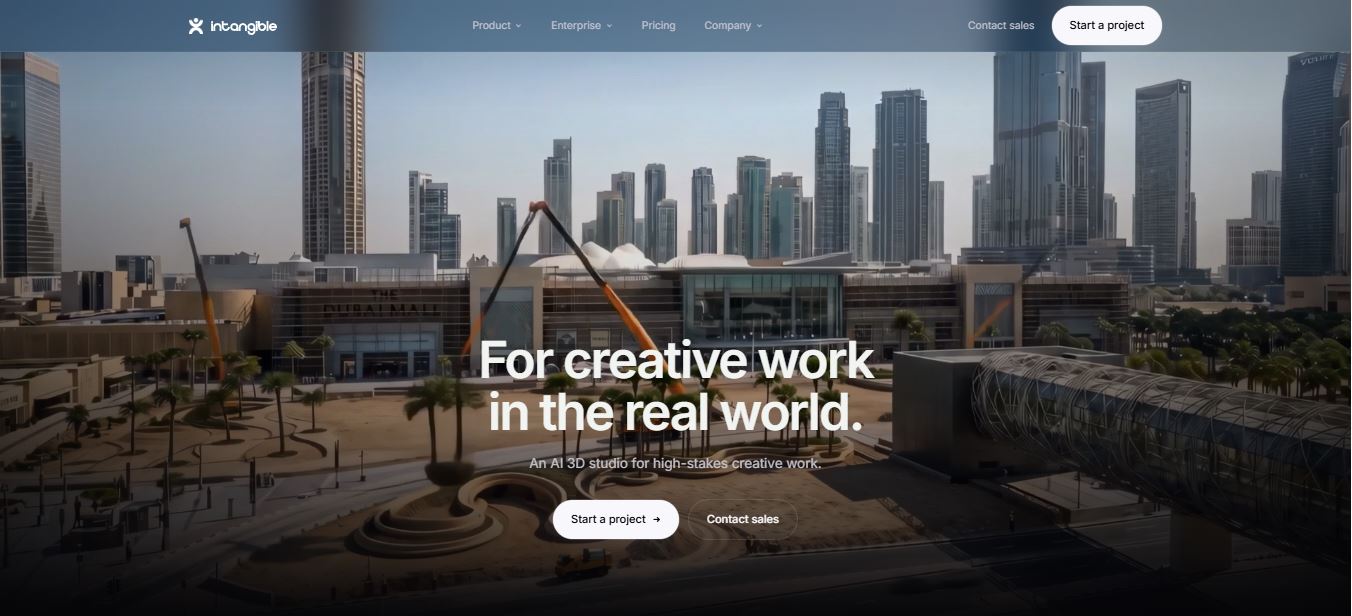
Intangible AI is a browser-based 3D studio built for people who need to direct scenes, not just prompt for pictures. Instead of typing a paragraph and hoping a diffusion model guesses your layout correctly, you build the space yourself — placing 3D assets, setting cameras, blocking a shot — then let the platform’s Spatial Intelligence Engine render it with an AI model.
I first reviewed the tool back when it was still in open beta with pricing that hadn’t fully settled. It’s out of beta now, and the pricing structure has changed twice since. It’s currently in production use at companies like Netflix, A24, Epic Games, and Northrop Grumman, according to the client logos on its homepage.
The pitch is simple: creative teams working on advertising, film previs, retail merchandising, events, architecture, or even deeptech/aerospace visuals get a tool that behaves more like a real production pipeline (Build → Compose → Visualize) than a slot machine of AI image generations. That structure is also why its pricing looks different from a typical “text-to-image” subscription — you’re not just paying for renders, you’re paying for projects, scenes, and shots too.
Build, Compose, Visualize — Why Pricing Is Structured This Way
Intangible’s pricing only really clicks once you understand the workflow underneath it. The platform runs on three stages, and every plan’s limits map directly onto them.
1. Build
Assemble references, characters, and CAD or asset data into a scene.
2. Compose
Place cameras, choreograph animation, and frame the shot. This is the part that felt the most like being on a real film set during my testing.
3. Visualize
The final render pass, where the AI model turns your composed scene into a finished image or video.
That workflow is exactly why “projects,” “scenes,” and “shots” are tracked separately from “credits.”
Projects and scenes cap how much you can Build and Compose — think of them as your workspace ceiling. Credits are different: they gate how often you can actually Visualize, or render, something.
That split matters in practice. A cheap plan with generous scene limits but a tight credit pool lets you plan a lot but only render a little — which is exactly the wall Free-tier users hit once they start iterating on camera angles.
Intangible AI Pricing Plans — Full Breakdown
Intangible runs four tiers, and — like most credit-based AI platforms — your monthly price and your usage limits are two separate numbers you need to track. Here’s what’s actually on the official pricing page as of this writing, billed monthly:
| Plan | Monthly Price | Credits | Projects / Scenes |
|---|---|---|---|
| Free | $0 | 150 (one-time) | 1 project / 1 scene |
| Explorer | $35/mo | 250/mo | 3 projects / 10 scenes |
| Business | $65/mo | 1,000/mo | Unlimited / 50 scenes |
| Enterprise | Custom | Custom pool | Unlimited / custom scenes |
Screenshot below is straight from Intangible’s live pricing page, billed monthly view.

Billed Annually: How Much You Actually Save
Switch the toggle to annual billing on Intangible’s pricing page and the numbers drop noticeably. Explorer goes from $35 to $25/month (billed as $300/year), and Business drops from $65 to $50/month (billed as $600/year). Free stays free either way, and Enterprise is negotiated regardless of billing cycle.
| Plan | Monthly Billing | Annual Billing | You Save |
|---|---|---|---|
| Explorer | $35/mo ($420/yr) | $25/mo ($300/yr) | $120/year (29%) |
| Business | $65/mo ($780/yr) | $50/mo ($600/yr) | $180/year (23%) |
The catch, obviously, is commitment. Annual billing locks you into a year of payment up front for a platform where your creative needs might shrink or grow depending on client volume. My rule of thumb after testing: if you already know Intangible fits your workflow (you’ve burned through a Free or Explorer month and want more headroom), the annual Explorer plan is the best value in the lineup. If you’re still deciding, stay monthly for at least one billing cycle first.

How Intangible’s Credit System Actually Works
This is the part that trips people up, so let me be precise about it. Your subscription tier and your credit balance are two different limits stacked on top of each other. The plan sets your ceiling for projects, scenes, and shots per project — the credits are what you actually spend when you hit “generate.”
During testing, a straightforward still-image render inside a scene I’d already built cost noticeably fewer credits than a multi-second video render of the same scene. That matches what most credit-based generative platforms do — video is computationally heavier than a still frame, so it draws down the pool faster.
On the Free plan’s 150 one-time credits, I burned through roughly a third of my balance experimenting with camera angles and re-rendering a single street scene three times before I got a shot I liked. That’s the real lesson here: your 150 free credits evaporate fast if you’re indecisive about framing, so plan your shot before you hit render, not after.
One detail worth flagging for anyone comparing plans: Free-tier credits are a one-time allotment, not a recurring monthly grant. Explorer, Business, and Enterprise all refill their credit pool every billing cycle. If you’re testing the Free plan and wondering why your credits didn’t reset next month, that’s expected behavior, not a bug — you’ll need to upgrade once they’re gone.
Monthly Credit Pool by Plan
Seeing the credit jump between tiers side by side makes the value gap clearer than the pricing table alone:
Business gives you 4x Explorer’s credit pool for less than double the price — the best per-credit value in the lineup if you actually need that volume.
Plan-by-Plan: What You’re Actually Getting
Free — $0/month
150 credits, one project, one scene, ten shots per project, basic templates, and access to roughly 5,000 of Intangible’s 3D assets. This is genuinely enough to test whether the Build → Compose → Visualize workflow clicks for you. It is not enough to complete a real client deliverable — one project means you can’t run parallel concepts, and you’ll likely exhaust your credits before you’ve iterated your way to a polished final render.
Explorer — $35/mo or $25/mo annual
250 monthly credits, three projects, ten scenes, twenty shots per project, premium templates, and — critically — watermark-free exports. This is the plan I’d point freelancers and solo creators toward. Three concurrent projects means you can pitch two client concepts while still having room for a personal portfolio piece, and the watermark removal alone justifies the jump from Free if you’re sending renders to anyone outside your own team.
Business — $65/mo or $50/mo annual
1,000 monthly credits, unlimited projects, 50 scenes, unlimited shots, premium templates, and real-time Teams collaboration. This is the plan that unlocks Intangible’s actual differentiator: shared, live scene editing with a team instead of passing files back and forth. If more than one person on your creative team needs to be inside the same 3D canvas at once, Business is the minimum tier that makes that possible — Explorer doesn’t include collaboration at all.
Enterprise — Custom pricing
Custom credit allotment, unlimited projects, custom scene limits, unlimited shots, credit pooling across a whole organization, dedicated “set design” support, and custom configuration or development work. This tier is squarely aimed at the studio and agency clients whose logos sit on Intangible’s homepage — Netflix, A24, Epic Games, and Northrop Grumman among them — not solo creators. You’ll need to contact sales directly to get a number.
See Current Plans on Intangible’s Pricing Page
Prices and credit allotments can shift — always confirm the live numbers before you commit to annual billing.
View Intangible AI Pricing →How Intangible’s Pricing Compares to Similar AI Creative Tools
Intangible isn’t priced in a vacuum, so it’s worth seeing where it lands against other AI tools creative teams reach for. Straight text-to-video generators tend to undercut it on entry price but don’t give you the same spatial control — you’re prompting for a result rather than directing one. Dedicated AI 3D-asset generators, meanwhile, often charge per-model rather than per-scene, which is a fundamentally different pricing logic than Intangible’s project-and-credit structure.
The honest takeaway from comparing several of these platforms side by side: you’re not paying Intangible for the cheapest possible render. You’re paying for the ability to keep a scene consistent across multiple shots and camera angles — something flat text-to-video tools still struggle with. If your work rarely needs that consistency (a single hero shot, not a sequence), a cheaper generator may serve you better. If continuity across a sequence matters — previs, product campaigns, event walkthroughs — Intangible’s pricing starts to look more justified.
Which Plan Should You Actually Pick?
After running through every tier, here’s the shorthand I’d give a friend asking me over coffee:
- Just curious or a student experimenting? Stay on Free. Don’t pay until you’ve hit its limits.
- Freelancer sending client-ready renders? Explorer, billed annually at $25/month. The watermark removal alone pays for itself on a single paid gig.
- Small creative team that needs to co-edit scenes live? Business is the minimum tier — collaboration isn’t available below it.
- Agency or studio doing high-volume production work? Contact sales for Enterprise pricing and credit pooling before assuming Business will scale to your team size.
Bugs and UX Friction I Ran Into While Testing
Signing up was frictionless — no credit card required to start on Free, just an email and a project name before I was dropped straight into the 3D canvas. That’s worth noting because plenty of “free trial” tools gate the actual product behind a card number, and Intangible doesn’t.
Where I hit friction: the credit meter isn’t always visible while you’re mid-render, so it’s easy to trigger a second generation before checking your remaining balance, only to find you’ve dipped lower than expected. I’d also flag that switching between the Build and Compose stages on a scene with a lot of props introduced a noticeable lag on my mid-range laptop — nothing that crashed the session, but enough of a stutter that I wouldn’t recommend Intangible on older hardware if you’re working with dense scenes.
One more practical note tied directly to pricing: because Free gives you exactly one project and one scene, there’s no way to duplicate a scene to test a variation without either overwriting your original or burning into Explorer territory. If A/B testing a composition matters to your workflow, budget for Explorer from day one rather than assuming Free will cover it.
Pros and Cons of Intangible AI’s Pricing
✓ What Works
- No credit card needed for the Free plan
- Annual billing saves 23–29%
- Explorer’s watermark-free exports at a fair entry price
- Enterprise credit pooling suits large teams
- Transparent, publicly listed pricing — no “request a quote” wall until Enterprise
✗ Where It Falls Short
- Free credits are one-time, not recurring
- Collaboration is locked behind Business ($65/mo minimum)
- Video renders drain credits faster than stills, with no upfront cost preview
- Explorer’s 3-project cap is tight for agencies juggling multiple clients
- Annual plans require a full year’s commitment upfront
Is Intangible AI Worth the Price?
It depends entirely on how much your work depends on 3D spatial accuracy, and I’d rather be honest about that than tell you it’s a universal yes.
If you’re a hobbyist or just curious about AI-driven 3D scene-building, the Free plan genuinely lets you build and render something real — that’s rarer than it should be among AI tools in this price bracket. If you’re a freelance previs artist, ad creative, or solo filmmaker who needs watermark-free, client-ready output on a predictable budget, Explorer at $25/month annual is the plan I’d actually recommend paying for. It’s cheap enough to run alongside other subscriptions and gives you enough scenes to iterate properly.
Where it gets harder to justify is the mid-size agency use case — teams big enough to need Business’s collaboration features but not big enough to negotiate an Enterprise deal. At $50–65/month per seat (Intangible doesn’t publish per-seat multi-user pricing clearly on its site, so confirm this directly with sales before assuming per-user cost), Business can get expensive fast for a five-person creative team. That’s the one spot in the pricing ladder I’d want more transparency on before committing.
How I Test the Platforms I Review
Every review on this site is based on hands-on testing, not a rewrite of a press release. For this piece, I created a personal account on Intangible AI, explored the Free plan’s tools and limits directly, and took notes throughout the process — including the exact credit costs, UI friction, and rendering behavior described above. I then combined those findings with the platform’s official, currently published pricing to make sure the numbers you’re reading are accurate as of the publish date.
This review reflects my personal opinion and hands-on experience with Intangible AI, and it isn’t professional, financial, legal, or technical advice. Pricing, features, and credit allotments can change after publishing — always confirm current details directly with Intangible before purchasing a plan.
Frequently Asked Questions
Is Intangible AI actually free to use?
Yes. The Free plan costs $0/month, requires no credit card, and gives you 150 one-time credits, one project, one scene, and access to roughly 5,000 3D assets. It’s enough to test the platform but not enough for repeated professional output.
What’s the cheapest paid plan?
Explorer, at $25/month if billed annually or $35/month billed monthly. It includes 250 credits/month, 3 projects, 10 scenes, and watermark-free exports.
Do unused credits roll over each month?
Intangible doesn’t publish a clear rollover policy on its pricing page for paid plans, so treat your monthly allotment as a use-it-or-lose-it pool unless you confirm otherwise with their support team.
Which plan includes team collaboration?
Real-time Teams collaboration starts on the Business plan ($50–65/month). It’s not available on Free or Explorer.
How do I get Enterprise pricing?
Enterprise is fully custom-quoted. You’ll need to book an intro call through Intangible’s sales team to get a number based on your team size and credit needs.
Related Reading on Websites2Know
- My Full Intangible AI Review: Features, Workflow & Verdict
- Meshy AI Review: Another Take on AI-Generated 3D Models
- Marble by World Labs: AI World-Building Tool Reviewed
- RunwayML Review: AI Video Generation Tested
- Kling AI Review: Pricing and Video Quality Compared
- Visla Review: AI Video Editing for Creative Teams
- Visla Pricing and Plans Explained
- Top 10 3D Mockup Generator AI Tools I Tried This Year
- Freepik Review: Pricing and Features Explained
- Bazaar.it Review: AI Product Photography Tested
Ready to Try Intangible AI Yourself?
Start on the Free plan with 150 credits — no credit card required — and see if the Build → Compose → Visualize workflow fits your next project.
Start a Free Project on Intangible →