

Independent SEO Software Pricing Guide · Updated October 16, 2026
LinkResearchTools Pricing 2026: What Every Superhero Plan Actually Costs (And Who Should Pay It)
Every tier, every crawl-budget allowance and the fine print on the trial, checked against LRT’s own pages, so you can see what $599 a month buys and what it doesn’t.
By Oyekale Olawale · 13 min read
Quick Answer
LinkResearchTools has no free plan. The entry route is a 7-day trial that costs $17 and is listed as “then 599”, so it leads into Superhero Small at $599/month. Above that are Superhero Standard at $999/month and Superhero Plus at $2,499/month, plus custom Enterprise quotes.
Paid annually, the effective rates are about $483, $792 and $2,000 a month. My verdict: it is priced for agencies and in-house teams doing backlink audits, link prospecting and penalty recovery. It is not priced for someone who just wants to see who links to them. Prices last verified October 16, 2026.
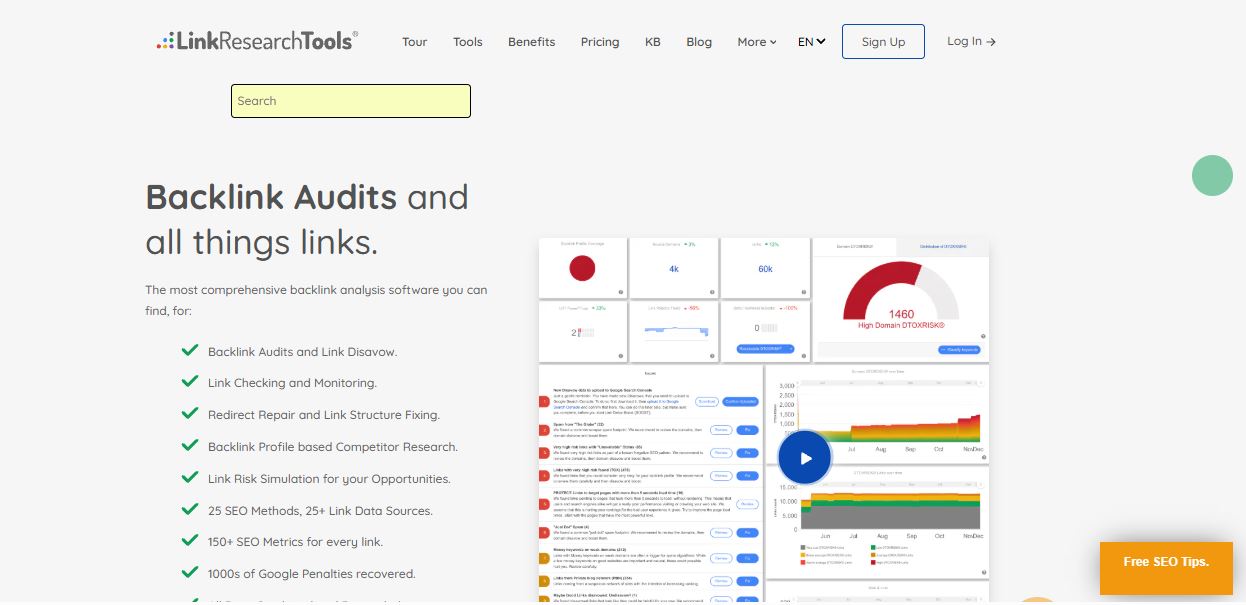
LinkResearchTools (LRT) is not a general SEO suite. It audits and manages backlinks, finds link opportunities and watches links over time. You pay $599 a month or more for that one job.
For an agency cleaning up a link penalty, that can be a rounding error. For a solo site owner, it is a lot of money for a narrow tool. The numbers below should help you work out which side you are on.
Buttons on this page may be affiliate links.
What You Actually Get With LinkResearchTools
LRT is made by LinkResearchTools GmbH, an Austrian company. Its pricing page lists 25 tools and methods, link data combined from 25+ sources, and 150+ SEO metrics for every link.
25
Tools and methods listed
25+
Link data sources combined
150+
SEO metrics per link
Every Superhero plan lists the same modules. The tiers differ in volume and support, not in features. Here is what the module list covers.
- Backlink audits. Link Detox, Link Detox Smart and Link Detox Boost score links by risk. Disavow file management keeps a full change history, like version control.
- Link simulation. Link Simulator estimates the risk of links you are thinking about building, before you build them. It is a link-building safeguard, not a tool that predicts what a disavow will do.
- Monitoring. Link Monitoring and Link Alerts track whether links stay live and flag new ones.
- Link prospecting. SERP-based and competitor-based methods surface link opportunities, and Link Recover Tool finds broken links you can redirect.
- Competitor research. Competitive Landscape Analyzer, Common Backlinks Tool, Competitive Link Velocity and Domain Compare show who links to your rivals and how fast.
Enterprise adds the extras you would expect: custom contracts, purchase orders, SSO/SAML, security audits, 1:1 training and SEO consulting.
How I Checked This Guide
This guide is built from documents, not from a paid LRT account. I read LRT’s live pricing page, its Terms and Conditions, its knowledge-base entry on Link Crawl Budget, its accuracy documentation and the Link Simulator page. I checked competitor rates against several public price trackers, because vendor pricing changes often.
That means I can’t tell you how the dashboard feels or where it breaks. I won’t pretend to. What I can show you is where the numbers, the terms and the marketing copy disagree with each other, and there are a few such places below.
Two limits to keep in mind. The Terms I read are labelled “Version: September 29, 2020”, so LRT may handle some things differently today. And the pricing page puts an asterisk next to “Unlimited” domains and users, but the footnote did not appear in the text I could read.
LinkResearchTools Pricing: Every Plan and Billing Cycle
Here is every paid tier at every billing cycle LRT lists, in USD.
Prices last verified: October 16, 2026, against linkresearchtools.com/pricing. Confirm the live page before you buy.
| Plan | Monthly | Quarterly | 6 months | Annual | Support |
|---|---|---|---|---|---|
| Trial (7 days) | $17, then $599 | n/a | n/a | n/a | |
| Superhero Small | $599 | $1,739 | $3,399 | $5,799 (about $483/mo) | |
| Superhero Standard | $999 | $2,899 | $5,999 | $9,499 (about $792/mo) | Live chat, email |
| Superhero Plus | $2,499 | $6,199 | $12,999 | $23,999 (about $2,000/mo) | Live chat, email |
| Enterprise | Custom quote, bespoke pricing | Phone, live chat, email | |||
Annual equivalents: $5,799 ÷ 12 ≈ $483, $9,499 ÷ 12 ≈ $792, $23,999 ÷ 12 ≈ $2,000. Swipe the table sideways on a phone.

Paying for longer saves money, but not evenly. Here is what each cycle saves compared with paying monthly for the same stretch.
| Plan | Quarterly saves | 6 months saves | Annual saves |
|---|---|---|---|
| Small | $58 (3%) | $195 (5%) | $1,389 (19%) |
| Standard | $98 (3%) | -$5 (costs more) | $2,489 (21%) |
| Plus | $1,298 (17%) | $1,995 (13%) | $5,989 (20%) |
Look at the Standard row. Six months costs $5,999, and six monthly payments cost $5,994. You get the whole six months of crawl budget up front, which helps if your work comes in bursts, but you save nothing.
Link Crawl Budget by Plan and Billing Period
Link Crawl Budget is the unit LRT uses to meter link analysis. It is assigned at sign-up and at every renewal for that service period.
Two details from LRT’s documentation matter. Budget is deducted in steps of 10,000 links, so the smallest analysis costs 10,000. And all gross links count, including site-wide links.
Allowances verified: October 16, 2026. The budget you get depends on the billing period you pick.
| Plan | Monthly | Quarterly | 6 months | Annual |
|---|---|---|---|---|
| Trial (7 days) | 1 million | n/a | n/a | n/a |
| Superhero Small | 1 million | 3 million | 6 million | 12 million |
| Superhero Standard | 6 million | 18 million | 36 million | 72 million |
| Superhero Plus | 18 million | 54 million | 108 million | 216 million |
Each figure is the total for that billing period, not a per-month amount. On annual and 6-month plans, LRT says you receive the full budget at sign-up.
Here is how to read it. Say your site has 8 million gross backlinks, and assume each full analysis deducts roughly that many links (my simplification, since LRT doesn’t publish a worked example).
- Standard, monthly: 6 million. One analysis doesn’t fit, so you would need an add-on.
- Standard, quarterly: 18 million. One analysis fits, with about 10 million left for the quarter.
- Plus, monthly: 18 million. Same headroom, at $2,499 for a single month.
- Small, annual: 12 million for the year. One analysis fits and not much more.
LRT says that if you run out, you can buy extra Link Crawl Budget as an add-on. It also notes that upgrading is the cheaper route if you need more on an ongoing basis.
What One Million Links of Crawl Budget Costs
If crawl budget is your bottleneck, the useful number is price per million links. I got it by dividing each plan’s price by its crawl budget for the same billing period.
Cost per 1 million crawl-budget links (USD)
Superhero Small
Superhero Standard
Superhero Plus
Bar length is scaled to price. Calculated as plan price ÷ Link Crawl Budget for the same period. It ignores every other quota.
The gap is big. On monthly billing, a million links of budget costs $599 on Small and about $167 on Standard. If your backlink profile is large, Small is the expensive way to buy crawl budget, even though it has the lowest sticker price.
The Separate Quotas Behind Each Plan
Crawl budget is only one meter. LRT also lists 15 separate LRT Classic credit pools, plus three quotas for LRT Smart (Links Boosted, Links Simulated and Links Crawled). Heavy competitor research won’t eat into your Link Detox Boost allowance, and the reverse is also true.
These are the monthly-billing allowances for the five quotas people ask about most.
| Plan | Links Boosted (LRT Smart) | Link Detox Boost (Classic) | Backlink Profiler | Competitive Landscape Analyzer | Link Alerts |
|---|---|---|---|---|---|
| Small | 900 | 3 | 20 | 100 | 5 |
| Standard | 3,000 | 10 | 50 | 500 | 25 |
| Plus | 10,500 | 35 | 175 | 1,750 | 85 |
Longer billing cycles multiply most of these quotas (for example, 2,700 Links Boosted per quarter on Small). Link Alerts stays flat at 5, 25 and 85.
Don’t mix up the two similar names. Link Detox Boost is a Classic credit, counted in runs: 3 a month on Small. Links Boosted is an LRT Smart quota counted in links: 900 a month on Small.
None of it rolls over. Unused crawl budget and credits reset at the end of the billing period and are lost. LRT compares this to a mobile data allowance. If you like seeing how metered pricing behaves in other tools, I broke down a similar system in my Bubble.io workload units pricing guide, and the GitHub Copilot token credits policy shows how allowance rules change real costs.
Does Every LRT Report Use Fresh Data?
LRT’s pricing page says you get a new crawl with every report. LRT’s own accuracy documentation tells a slightly different story. It describes a “Link Data Freshness” metric that shows how recently your links were recrawled, and it offers custom recrawl frequencies.
If every report were guaranteed to be fully fresh, you wouldn’t need a freshness metric. So I read the claim as “LRT recrawls link data” rather than “every tool, in every report, shows live data.” Check the freshness figure on each report before you act on it.
LRT also says other products can serve data last crawled years ago. That is the vendor’s position about its competitors. I haven’t benchmarked any of them, so treat it as marketing until you test it on your own domain during a trial.
Is the $17 Trial Worth It?
It is a look, not a full test drive. You get 7 days, a 1 million link crawl budget and email support. LRT’s FAQ lists two big limits: you can’t export any data, and Link Detox Boost is not included.
No export matters because reports and disavow files are the deliverable for most buyers. You can judge the interface and the risk scoring, but not the output you would hand to a client. I’d prefer a trial that includes export, but that is a preference, not a flaw in the terms.
Before you start the trial: renewal and cancellation
The pricing page shows the trial as “$17 for 7 days, then 599”. LRT’s Terms (version dated September 29, 2020) add the following.
- Subscriptions renew automatically until you cancel, and the Terms say you won’t get a renewal notice.
- You cancel in writing through the helpdesk form in your account settings. A phone call isn’t enough.
- For automatic charges, the stated cancellation period is 30 days before the new service period begins. Cancellation brings no refund, and access runs to the end of the paid term.
- A separate clause says free bonus or trial periods can’t convert into paid services. It doesn’t say how that applies to a paid $17 trial.
I couldn’t confirm how the 7-day trial behaves at the end. Ask LRT support in writing before you enter a card, and screenshot the checkout terms.
What “Unlimited” Domains and Users Really Means
The pricing page lists “Unlimited*” for both domains and users on every plan below Enterprise. The asterisk is doing work, and I couldn’t read the footnote.
The Terms add context. They say each client has one main account with sub-users, and that “depending on the plan purchased,” the number of sub-users is limited. They also ban reselling the service and treat workarounds to account limits as a breach.
My read: there is no per-domain fee, but that doesn’t mean unlimited usage. Crawl budget and credits are the real cap on how many domains you can audit. If you plan to give your whole agency a login, ask LRT for the exact seat limit in writing first.
Do You Need to Disavow Every Risky Link? Probably Not
This is the most important caution in the whole guide. A tool flagging a link as risky is not a reason to disavow it.
Google’s own documentation calls the disavow tool an advanced feature to use with caution. It says that in most cases Google can work out which links to trust without help, so most sites don’t need the tool. Used wrongly, it can hurt your performance in search.
LRT’s Terms are candid too. They say SEO is not an exact science, ask you to double-check automated results, and state that links labelled harmful don’t always affect rankings. They also put full responsibility for disavow data on you.
A sensible rule: consider a disavow when you have a manual action for unnatural links, or when paid or artificial links you or a past SEO built could trigger one. For ordinary background spam, leave it alone. The same lesson shows up in my test of whether AI SEO tools can replace human editors: automated scores need a person to check them.
Pros and Cons
✓ What works in its favor
✓ Every Superhero plan lists the same modules, so you never pay extra for a feature
✓ Link Simulator checks the risk of planned links before you build them
✓ Disavow files are exportable, with a saved change history
✓ Annual billing saves about 19% to 21%
✓ Price grandfathering for subscribers in good standing, with a 14-day re-activation grace period
✗ What to watch
✗ No free plan, and the $17 trial blocks export
✗ Crawl budget and credits expire every billing period
✗ 15 Classic credit pools plus three Smart quotas to track
✗ Written cancellation with a stated 30-day period, and no refunds
✗ Its module list centers on links, so you will likely still need a general SEO suite
Who Should Pay $599+ a Month for This
LRT makes sense in three situations. You run penalty recovery or link audits for clients, where $599 is small next to the project fee. You are an in-house SEO at a large site with a backlink profile in the millions. Or you are dealing with a manual action right now and need the audit and disavow workflow more than you need to save money.
LRT’s own customer logos include brands such as eBay, idealo, Tchibo and Coolblue, which fits the large-site profile. It is also not alone in this price band: YouScan’s Starter plan runs from US$499 a month, as I found in my YouScan review.
If none of those fit, look elsewhere. Solo bloggers and small local businesses rarely need a link-audit specialist with 15 credit meters.
If you want a cheaper, automated take on backlinks, my BabyLoveGrowth review covers a $99 a month tool, though it is a very different kind of product. And if your real worry is showing up in AI answers rather than link risk, start with my retrieval versus citation explainer and my LaunchPist review.
LinkResearchTools vs General SEO Suites on Price
LRT isn’t a head-to-head rival of Ahrefs, Semrush or Moz Pro, but buyers often price them side by side. This table uses exact plan names and shows both billing options.
Prices last verified: October 16, 2026. Competitor rates are published list prices as reported by several public pricing trackers. Promotions, taxes and regional pricing can differ, so confirm on each vendor’s page.
| Tool and plan | Monthly billing | Annual billing (per month) | Core focus |
|---|---|---|---|
| LRT Superhero Small | $599 | about $483 ($5,799/yr) | Backlink audit, prospecting |
| LRT Superhero Standard | $999 | about $792 ($9,499/yr) | Backlink audit, prospecting |
| Ahrefs Lite | $129 | about $108 ($1,290/yr) | All-in-one SEO suite |
| Ahrefs Standard | $249 | about $208 ($2,490/yr) | All-in-one SEO suite |
| Ahrefs Advanced | $449 | about $374 ($4,490/yr) | All-in-one SEO suite |
| Semrush Pro (SEO Toolkit) | $139.95 | $117.33 | All-in-one SEO suite |
| Semrush Guru (SEO Toolkit) | $249.95 | $208.33 | All-in-one SEO suite |
| Moz Pro Standard | $99 | about $79 ($950/yr) | All-in-one SEO suite |
| Moz Pro Medium | $179 | about $143 | All-in-one SEO suite |
Not in the table: Ahrefs Starter ($29, monthly only) and Enterprise ($1,499/mo, annual commitment). Semrush Business ($499.95 monthly, $416.66 annual) and the newer Semrush One plans (Starter $199, Pro+ $299, Advanced $549 monthly). Moz Pro Starter ($49 monthly, about $39 annual, one site) and Large ($299 monthly, about $239 annual).
The table isn’t like-for-like, and I don’t want to oversell it. A suite gives you keyword research, rank tracking and site audits. LRT’s module list is about links. If you already pay for a suite, treat LRT as an added cost, not a replacement.
For a wider look at suite pricing and audit features, see my roundup of sites like Woorank. And if you’re asking whether one platform can cover several subscriptions, my piece on all-in-one AI platforms replacing multiple subscriptions applies the same logic.
How to Pick a Plan Without Overpaying
1. Get your backlink count first. The pricing page has a plan finder that checks your domain and recommends a plan. Use it as a starting estimate and cross-check the number in Google Search Console or another backlink tool.
2. Match your count to the budget for your billing period. Use the crawl budget table above, not the plan name. A 5 million link profile fits Standard monthly (6 million) for one analysis, but not twice.
3. Pick the cycle by how steady your work is. Steady, heavy use favors annual billing. A single big audit followed by quiet months favors monthly, because nothing rolls over.
4. Get the fine print in writing. Ask support what the “Unlimited*” asterisk means, how the 7-day trial converts, and how cancellation works for your cycle.
5. Set a reminder. The Terms say there is no renewal notice. Put the renewal date, and the cancellation deadline, in your calendar on day one.
FAQ
How much does LinkResearchTools cost per month?
On monthly billing, Superhero Small is $599, Superhero Standard is $999 and Superhero Plus is $2,499. Enterprise is a custom quote. Prices last verified October 16, 2026.
Is there a free version of LinkResearchTools?
No. The cheapest way in is a 7-day trial for $17. The trial doesn’t allow data export and doesn’t include Link Detox Boost.
Does the LinkResearchTools trial renew automatically?
The pricing page lists it as “$17 for 7 days, then 599,” and LRT’s Terms say subscriptions auto-renew until cancelled with no renewal notice. The Terms don’t spell out how that applies to the paid trial, so confirm with support in writing before you sign up.
How do I cancel LinkResearchTools?
According to the Terms (version dated September 29, 2020), you cancel in writing through the helpdesk form in your account settings. A phone call isn’t enough. The stated period is 30 days before the new service period for automatic charges, and there are no refunds.
How much Link Crawl Budget does each plan include?
It depends on the billing period. Small gets 1 million monthly and 12 million annually. Standard gets 6 million monthly and 72 million annually. Plus gets 18 million monthly and 216 million annually.
Do unused credits roll over?
No. Unused Link Crawl Budget and tool credits reset at the end of each billing period and can’t be carried forward.
What happens if I exceed my Link Crawl Budget?
You can buy extra budget as an add-on without upgrading. LRT says an upgrade is usually the cheaper route if you need the extra budget on an ongoing basis.
Does LinkResearchTools really offer unlimited domains and users?
The pricing page says “Unlimited*” with an asterisk. LRT’s Terms say sub-users are limited depending on the plan, so ask LRT for the exact seat limit before you buy for a team.
Should I disavow every risky link LRT flags?
No. Google says most sites don’t need the disavow tool and that misuse can harm search performance. Consider it mainly for a manual action or for artificial links you or an SEO built.
Can I export reports on a paid plan?
Yes. Outside the trial, LRT supports XLS, CSV and PDF export, and you can export the full disavow file. A raw export of every source’s original data isn’t available.
Is LinkResearchTools cheaper than Ahrefs or Semrush?
No. Its $599 entry price compares with $129 for Ahrefs Lite and $139.95 for Semrush Pro on monthly billing. They are different products, though: LRT focuses on links, while those are all-in-one suites.
Conclusion
LinkResearchTools pricing isn’t unreasonable for what it is. It is priced for a narrow audience: agencies, large in-house teams and anyone in the middle of a link penalty. For those buyers, $599 to $2,499 a month buys a deep link toolkit with a disavow workflow built in.
For everyone else, the cost, the expiring credits, the trial limits and the cancellation rules add up to a lot of friction. My verdict: pay for it only if link audits or link prospecting are a core part of your work, read the terms before you enter a card, and don’t disavow anything just because a score told you to.
Sources checked October 16, 2026: LinkResearchTools pricing page, Terms and Conditions (version dated September 29, 2020), Link Crawl Budget knowledge-base entry, accuracy page and Link Simulator page; Google Search Central’s disavow documentation; public pricing trackers for Ahrefs, Semrush and Moz Pro. I did not run a paid LRT account for this update.


