
Syllaby Pricing Review: Plans, Features & Is It Worth the Cost?
A hands-on breakdown of every Syllaby plan, credit cost, and hidden fee — so you know exactly what you’re paying for before you subscribe.
By Oyekale Olawale | Updated July 2026
Quick Answer
Syllaby’s paid plans run from $29/month (Basic, 500 credits) to $153/month (Premium, 5,000 credits), with a custom-priced Enterprise tier above that. Paying annually cuts the bill by roughly 15%, dropping Basic to $24.67/month and Premium to $130.08/month. Every plan includes a 7-day free trial, and for most solo creators or small teams the Standard plan at $78/month is the sweet spot — it unlocks the higher-end Sora 2 Pro and Veo3 Quality models that Basic doesn’t get.
I’ve spent the last two weeks running faceless videos, avatar clips, and text-to-scene generations through every tier of Syllaby’s pricing to see where the credits actually go. If you’ve already read my full Syllaby review, this piece zeroes in on one question: which plan (if any) is actually worth your money.
What Is Syllaby?
Syllaby is an all-in-one AI video platform built for creators and marketers who want to publish faceless videos and AI avatar content without hiring an editor or a script writer. It combines four things that most competitors sell separately: trending topic discovery, AI script generation, a full video editor with voice cloning, and a built-in social media scheduler.
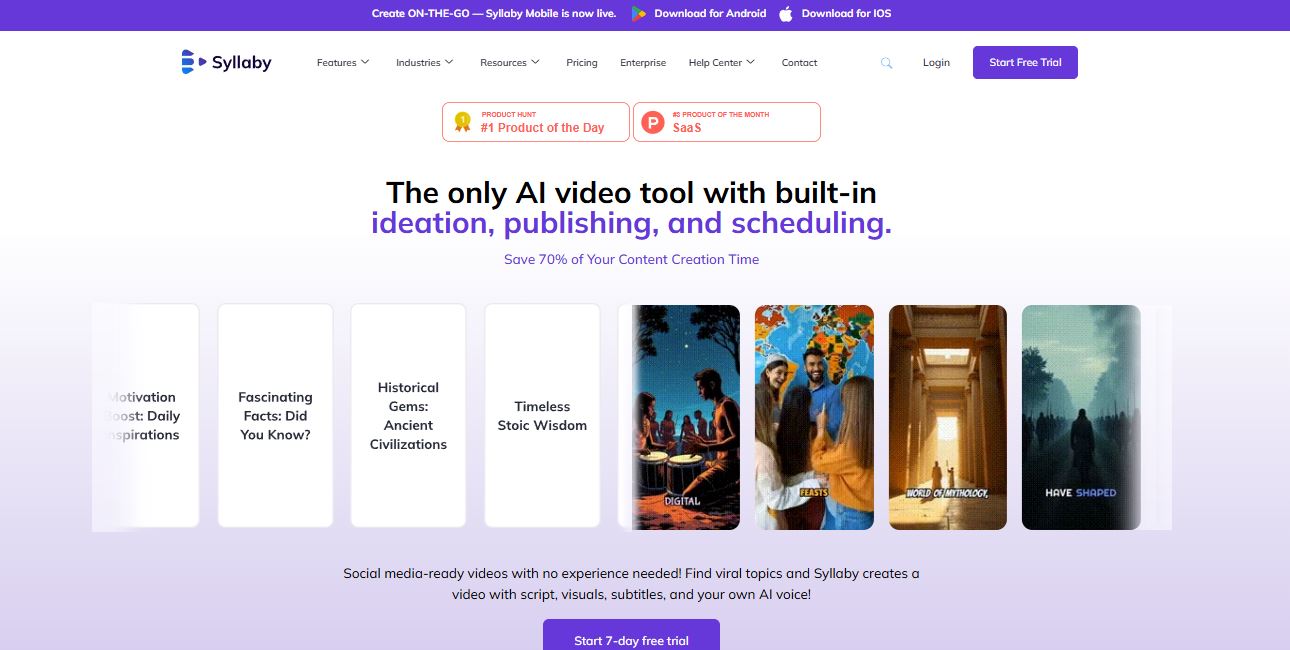
The platform now bundles several third-party AI video models directly into its editor, including Sora 2 and Sora 2 Pro, Google’s Veo 3 and Veo 3.1, Seedance 1.0 Pro/Lite and 1.5 Pro, and Kling AI’s v2.6 Pro and Omni models — so you’re not just paying for Syllaby’s own tech, you’re paying for access to the same models you’d otherwise subscribe to individually. If you’ve compared standalone tools like Kling AI or RunwayML, this bundling is a big part of why Syllaby’s pricing looks the way it does.
How I Tested Syllaby’s Pricing
I signed up for the 7-day free trial, then upgraded to the Basic plan and manually tracked credit consumption across idea discovery, script generation, faceless video export, and text-to-scene renders on Sora 2 and Veo3 Fast. I cross-checked every number against Syllaby’s official pricing and credit-charge documentation, then compared the monthly vs. annual billing math myself rather than trusting the marketing copy at face value (the annual “savings” percentages on the pricing page are rounded, and the real discount varies slightly by tier).
Syllaby Pricing Plans (Monthly & Annual)
Syllaby runs four consumer/business tiers plus a custom Enterprise plan. Here’s exactly what each one costs and includes, based on the current pricing page:
| Plan | Monthly Price | Annual Price | Credits/Month | Voice Clones |
|---|---|---|---|---|
| Basic | $29 (500 cr.) / $53 (1,000 cr.) | $24.67 / $45.08 (billed $296 / $541 yr) | 500 – 1,000 | 1 |
| Standard (Best Value) | $78 (1,500 cr.) / $102 (2,000 cr.) | $66.33 / $86.67 (billed $796 / $1,040 yr) | 1,500 – 2,000 | 3 |
| Premium | $153 | $130.08 (billed $1,561 yr) | 5,000 | 5 |
| Enterprise | Custom pricing — contact sales | Custom | ||
Note: Basic and Standard each have two credit tiers at two different prices; you pick the credit level when you subscribe. Credits do not roll over month to month, so unused credits reset at the end of each billing cycle.
How Syllaby’s Credit System Works
Every action inside Syllaby — generating an idea, writing a script, rendering a video — draws from your monthly credit pool. This is the part most reviews skip, and it’s the part that actually determines whether a $29 plan is a bargain or a trap. Here’s the official credit-cost breakdown:
Do the math and the picture gets clearer fast: a single 10-second Sora 2 Pro clip costs 130 credits — over a quarter of an entire Basic 500-credit plan in one shot. Meanwhile, exporting a finished faceless video is free after editing, and image regenerations only start costing credits after your third free redo. If your workflow leans on faceless, script-driven content rather than premium text-to-scene renders, the Basic plan stretches much further than the sticker price suggests.
Monthly Cost Per Plan (Visualized)
Annual vs. Monthly: How Much You Actually Save
Syllaby advertises “save 15%” on annual billing, but the real discount varies by plan when you run the numbers:
- Basic (500 cr.): $29/mo monthly vs. $24.67/mo annual ($296/year) — saves about $52/year
- Standard (1,500 cr.): $78/mo monthly vs. $66.33/mo annual ($796/year) — saves about $140/year
- Premium (5,000 cr.): $153/mo monthly vs. $130.08/mo annual ($1,561/year) — saves about $275/year
The higher the tier, the more absolute value the annual discount delivers. If you’re already committed to Syllaby past the trial period, annual billing on Standard or Premium is the better deal. Syllaby also runs a limited-time Lifetime Deal (pay once, use forever, advertised at up to 90% off) — worth checking if you want to skip subscriptions entirely, though lifetime deals typically come with capped or reduced monthly credit allowances compared to the standard plans above.
What You Actually Get in Each Plan
Beyond credits, the plans differ in publishing limits, storage, and which AI video models you can access for text-to-scene generation:
- Basic: 20 scheduled posts across 2 weeks, 5GB storage, access to Veo3 Fast, Seedance-1-Lite, and Sora 2 only (no Pro-tier models)
- Standard: 60 scheduled posts across 4 weeks, 10GB storage, full model access including Veo3 Quality, Seedance-1-Pro, and Sora 2 Pro
- Premium: Unlimited scheduled posts, 20GB storage, same full model access as Standard, plus 5 voice clones instead of 3
- Enterprise: Custom scheduling limits, custom storage, and access to every model Syllaby integrates
Every plan, including Basic, gets an unlimited-length video editor, stock audio and video, and search-platform idea discovery across Google, Google Trends, YouTube, TikTok, and Instagram. The real dividing line between tiers is model access and publishing volume — not the core editing toolkit.
How to Sign Up and Pick the Right Plan
- Start the free trial. Go to Syllaby’s signup page and start the 7-day free trial — no plan commitment is locked in until it ends, and you can cancel anytime during the trial window.
- Test idea discovery and scripting first. These are the cheapest actions (15 and 1 credit respectively), so you can explore the workflow without burning through your trial credits.
- Render one faceless video and one text-to-scene clip. Compare the credit draw on each so you understand your personal burn rate before committing to a tier.
- Choose Basic if you’re solo and faceless-video-focused, or Standard if you want Sora 2 Pro/Veo3 Quality and post more than 20 times every two weeks.
- Switch to annual billing once you’re confident you’ll stay past month one — it’s the single easiest way to cut your effective monthly cost.
Pros and Cons of Syllaby’s Pricing
✓ Pros
- 7-day free trial on every plan, cancel anytime
- Bundles Sora 2, Veo3, Seedance and Kling access into one subscription
- Free video export after editing, no extra render fees
- Annual billing saves up to ~15%
- 30-day refund window on unused credits
✗ Cons
- Credits don’t roll over — unused credits are lost each cycle
- Premium-model text-to-scene (Sora 2 Pro, Veo3 Quality) burns credits fast
- Basic plan locks out the higher-end AI video models entirely
- Enterprise pricing isn’t published — you have to contact sales
Bugs and UX Quirks I Ran Into
A couple of things worth flagging before you subscribe: the credit-usage dashboard doesn’t update in real time after a render finishes — I had to refresh the billing page to see the deduction reflect correctly. I also noticed the pricing page’s toggle between Monthly and Annual occasionally resets to Monthly when you switch between credit tiers on the same plan, so double-check which billing cycle you’re actually confirming at checkout before you enter payment details.
Syllaby Alternatives Worth Comparing
Before you commit, it’s worth benchmarking Syllaby against other AI video platforms. Visla and its detailed pricing breakdown take a similar credit-based approach but lean more toward team collaboration. Perso AI, covered alongside its own pricing plans explained guide, focuses more narrowly on avatar dubbing. If you want a broader roundup, our InVideo AI alternatives list covers several budget-friendly faceless-video tools outside Syllaby’s ecosystem. For the scheduling side specifically, ContentStudio and Guidde are both worth a look if publishing volume matters more to you than video generation itself.
Who Should (and Shouldn’t) Pay for Syllaby
Syllaby makes the most sense for solo YouTube/TikTok creators running faceless channels, small agencies managing a handful of client accounts, and marketers who want idea discovery baked into the same tool as production. It’s a weaker fit if you only need one AI video model occasionally (a single-purpose tool will be cheaper) or if you publish dozens of videos a day, where Premium’s 5,000 credits can disappear inside a single afternoon of Sora 2 Pro renders.
FAQ
How much does Syllaby cost per month?
Syllaby’s paid plans start at $29/month for Basic (500 credits) and go up to $153/month for Premium (5,000 credits), with Enterprise priced individually.
Does Syllaby offer a free trial?
Yes. Every paid plan includes a 7-day free trial, and you can cancel anytime during that period without being charged.
Do Syllaby credits roll over?
No. Credits reset at the end of each billing cycle and unused credits do not carry over to the next month.
Can I get a refund on Syllaby?
Syllaby offers a refund window for unsatisfactory experiences within 30 days of payment. Requests go through customerrequest@syllaby.io or the site’s Contact Us form.
What payment methods does Syllaby accept?
Syllaby processes all subscriptions through Stripe, so it accepts the standard range of major credit and debit cards supported by Stripe’s checkout.
Is the Standard plan really the best value?
For most creators, yes — it’s the cheapest tier that unlocks Sora 2 Pro and Veo3 Quality, which are the models most people actually want once they see the output quality difference over the Fast/Lite versions available on Basic.
Bottom Line
Syllaby’s pricing rewards planning ahead. Jump in on Basic without checking your credit burn rate and you’ll likely hit a wall mid-month, especially if you lean on the premium text-to-scene models. Budget realistically — factor in idea discovery, scripting, and rendering together — and Standard at $78/month (or $66.33/month billed annually) delivers the best balance of model access and credit runway for most solo creators and small teams. If you’re testing the waters, use the 7-day trial to actually render a full video end-to-end before you pick a tier; the credit math only makes sense once you’ve seen your own workflow in action.


