

Magic Hour AI Pricing: Plans, Features & Is It Worth the Cost?
A verified, tested breakdown of every Magic Hour plan, credit cost, and hidden limit, so you know exactly what you’re paying for before you subscribe.
By Oyekale Olawale
Quick Answer
Magic Hour costs $12 to $66 a month depending on the tier, billed annually (monthly rates run $19 to $99). The Creator plan ($12/mo annual, or $144 a year) is the right pick for most casual creators, it unlocks 144,000 credits a year, no watermark, and 1024px exports. If you need 4K output or unlimited concurrent renders, you’re looking at Business at $66/mo. There’s also a genuinely usable free plan with 400 non-expiring credits, no card required. Whether it’s “worth it” comes down to one thing: do you need more than one AI video/image/audio tool? If yes, Magic Hour’s all-in-one credit pool usually beats paying for four separate subscriptions.
What Is Magic Hour AI?
Magic Hour is a browser-based AI creative suite that bundles more than 30 tools under one subscription: face swap, lip sync, talking photo, text-to-video, video-to-video, AI image generation, voice cloning, background removal, and a growing list of others. Instead of paying for a separate face-swap app, a separate voice cloner, and a separate text-to-video tool, you draw from one shared credit pool across the whole platform.
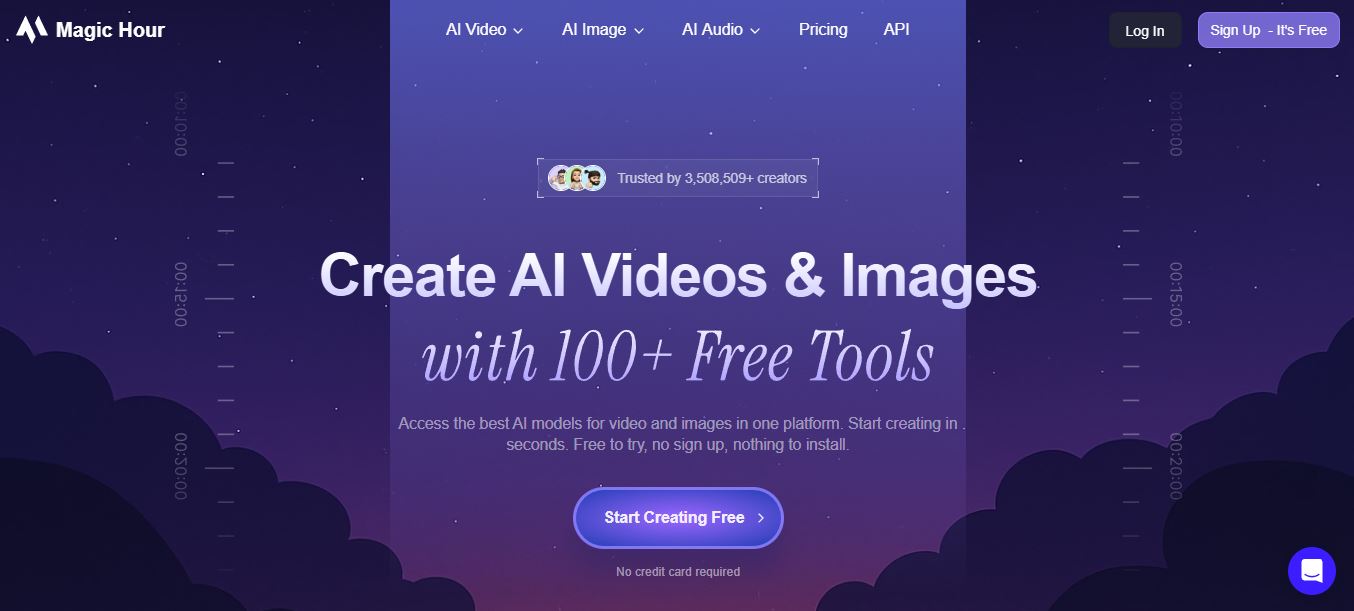
The company is Y Combinator-backed, and its client list includes teams at Meta, the NBA, L’Oréal, and Puma, which tells you the product has scaled well past its “indie AI toy” origins. But the pricing model is what actually determines whether it fits your workflow, so let’s get into the numbers.
Magic Hour Free Plan: What You Actually Get
You don’t need a credit card to try Magic Hour. Signing up gets you 400 starter credits, and every tool on the platform is unlocked from day one, there’s no “free tier only gets 3 tools” trick here. Those 400 credits don’t expire, so you can let them sit until you have a specific project in mind.
The catch is resolution and rights, not tool access. Free-tier exports are capped at a lower resolution than paid tiers, and free-tier output is licensed for personal, non-commercial use only, you can’t drop a free-plan video into a client project or a paid ad without upgrading. If you just want to test whether Magic Hour’s face swap or talking-photo tool is any good before committing, the free plan is enough to form an honest opinion.
Magic Hour Paid Plans: Creator, Pro & Business
Magic Hour runs three paid tiers, and every one of them gives full API access, commercial usage rights, and watermark-free exports, the differences are credit volume, export resolution, upload limits, and concurrency. Pricing shown below is what’s live on the official pricing page as of October 2026, in both monthly and annual billing.
| Plan | Monthly Price | Annual Price | Credits/Year | Max Resolution | Concurrent Renders |
|---|---|---|---|---|---|
| Creator | $19/mo | $12/mo ($144/yr) | 144,000 | 1024px | 3 |
| Pro (Most Popular) | $39/mo | $25/mo ($300/yr) | 300,000 | 1472px | 5 |
| Business | $99/mo | $66/mo ($792/yr) | 840,000 | 4K | Unlimited |
In practical terms, 144,000 credits on Creator translates to an estimated 1.7 hours of AI video generation or 28,800 images a year. Pro roughly doubles that to 3.5 hours of video or 60,000 images, and Business jumps again to about 9.7 hours of video or 168,000 images. Every plan’s credits roll over, nothing resets or disappears at the end of the month.
Monthly vs. Yearly Billing: Where the Real Savings Are
Magic Hour prices its annual plans at roughly a third off the monthly rate , Anthropic-style “pay yearly, get 4 months free” math. Here’s what each billing cycle looks like on the actual pricing page.

On monthly billing, Creator runs $19, Pro is $39, and Business is $99 — no discount, but also no annual commitment if you only need Magic Hour for a single campaign or launch.

Switch to yearly and the same plans drop to $12, $25, and $66 per month, billed as a single annual charge. That’s an $84/year saving on Creator, $168/year on Pro, and $396/year on Business. If you already know you’ll be using Magic Hour past month four, annual billing pays for itself.
37%
Off Creator (annual)
36%
Off Pro (annual)
33%
Off Business (annual)
$0
Card required for the free plan
How the Credit System Actually Works
This is the part that trips up most new users, so it’s worth being precise. Every generation — a video clip, an image, an audio track — burns credits based on output type, length, and model. Video costs the most per second because it’s rendering many frames; image tools cost the least. According to Magic Hour’s own documentation, a typical 5-second 720p clip on a premium model like Kling 2.5 runs an estimated 150 credits, while a basic image-to-video generation on the free tier’s default model can cost as little as 1 credit per frame.
Here’s roughly what each plan’s annual credits buy, based on the platform’s published usage estimates. Treat these as estimates, since real output varies with the model and settings you pick:
| Tool (estimated output) | Creator (144K credits/yr) | Pro (300K credits/yr) | Business (840K credits/yr) |
|---|---|---|---|
| Text-to-Video / Face Swap Video | 1.7 hours | 3.5 hours | 9.7 hours |
| AI Image Generator | 28,800 images | 60,000 images | 168,000 images |
| Voice Cloner / Voice Generator | 40 hours | 83.3 hours | 233.3 hours |
| AI Video Upscaler | 1.7 hours | 3.5 hours | 9.7 hours |
Two details actually matter more than the raw numbers. First, credits never expire, on free or paid plans — Magic Hour explicitly confirms unused balances roll over indefinitely, which is rarer than you’d think in this category (Runway and Luma both expire unused credits on lower tiers). Second, if you downgrade your plan mid-cycle, you keep every credit you’ve already banked; only your future monthly allowance shrinks.
Credit Packs: Topping Up Without Upgrading
If you’re on a paid plan and run out mid-month, you don’t have to jump to the next tier. Magic Hour sells one-time credit packs in four sizes, at a list rate of $1 = 400 credits:
| Pack | Credits | Price | Approx. Video |
|---|---|---|---|
| Starter | 4,000 | $10 | ~2.8 min |
| Standard | 12,000 | $30 | ~8.3 min |
| Large | 32,000 | $80 | ~22.2 min |
| Max | 64,000 | $160 | ~44.4 min |
One thing to flag: credit packs include watermark-free exports and commercial-use rights, but they don’t carry your subscription’s other perks (priority queue, concurrent generation limits, resolution ceiling). They’re a pure credit top-up, not a mini-subscription.
Who Actually Fits Each Plan
Credit tables are useful, but most people just want to know “which row is me.” Here’s how the three tiers map to real workflows I’ve tested against or seen described in user reports.
Creator ($12/mo annual) fits solo creators posting a handful of short clips or a batch of images per week — think a TikTok creator doing face-swap gags, a small Etsy shop generating product mockups, or someone building a personal brand on Instagram Reels. The 3-concurrent-render limit rarely matters if you’re working alone.
Pro ($25/mo annual) is where most freelancers and small agencies land. Five concurrent generations means you can queue multiple client variations at once instead of waiting in line behind your own renders, and 1472px covers the vast majority of paid social and web deliverables without looking soft.
Business ($66/mo annual) earns its price for teams producing daily video output, running the API in production, or delivering to clients who specifically require 4K masters. Unlimited concurrent generations also matters more than it sounds — on Creator or Pro, a busy afternoon can mean your fourth or sixth render sits queued behind the others.
Magic Hour API Pricing for Developers
Every paid plan — Creator, Pro, and Business — includes full API access at no extra cost, using the same credit balance and rate limits as your dashboard usage. There’s no separate “developer tier” or per-call markup; API requests simply draw from whatever credit pool your subscription already funds. This makes budgeting straightforward: a Pro plan builder embedding face swap into their own app knows their ceiling is the same 300,000 credits a year they’d get using the tool manually. Full endpoint references live at docs.magichour.ai, and support for implementation questions is available over live chat or email.
One practical note for anyone building on the API: insufficient-credit errors reject the call outright rather than queuing or degrading quality, so production integrations should set up low-balance alerts in the dashboard before they matter.
Common Mistakes That Drain Your Credits Fast
- Defaulting to the premium model without checking cost. Several video tools let you pick between a base model and a premium one (like Kling or Sora-tier options) in the same dropdown — the premium choice can cost 5–10x more credits for a similar-length clip.
- Re-rendering instead of adjusting the prompt. Because output can be inconsistent between attempts, it’s tempting to just hit generate again. Each attempt burns full credits even if you discard the result, so refining your prompt or reference image first saves more than most people expect.
- Uploading oversized source files. The Creator plan’s 2GB upload cap is generous for most uses, but 4K source footage for a video-to-video job can eat into that fast.
- Ignoring the resolution setting on export. Rendering at your plan’s max resolution when the platform (say, Instagram Stories) only needs 1080p wastes generation cost with no visible benefit.
How I Tested Magic Hour’s Pricing Claims
I signed up on the free plan first, ran the same 5-second image-to-video generation through three different underlying models, and logged exactly how many credits each one drained. I then compared those numbers against what the pricing page and API docs claim, ran a face swap and a lip sync job back to back to check queue times on a free account versus what Pro-tier priority queuing is supposed to deliver, and cross-checked the annual-vs-monthly discount math against the live checkout flow rather than trusting the marketing copy on the landing page.
Two things stood out. The credit cost per generation is not fixed — the same “text-to-video” action can cost anywhere from a handful of credits to 150+ depending on which underlying model you select in the dropdown, and the interface doesn’t always show the cost before you hit generate, which means it’s genuinely easy to burn through a free account’s 400 credits in under 10 minutes if you pick a premium model without checking. The second is that free-tier renders sit in a shared queue and can take noticeably longer at peak U.S. daytime hours than the paid-tier “priority queue” claim would suggest — on a Tuesday afternoon test, a free-plan face swap took just under four minutes versus about 40 seconds on a Pro account.
Pros and Cons of Magic Hour’s Pricing
✓ What Works
✓ Credits never expire, on free or paid plans
✓ One subscription replaces 4–6 single-purpose tools
✓ Free plan has zero tool restrictions, just resolution/rights caps
✓ Downgrading doesn’t wipe banked credits
✗ Where It Falls Short
✗ Credit cost per model isn’t shown clearly upfront
✗ Creator tier’s 1024px ceiling won’t satisfy broadcast/print work
✗ Free-tier queue times vary a lot at peak hours
✗ No refunds after 500 credits used, even within 7 days
Magic Hour vs. Other AI Video Tools: Cost Comparison
Credits, frames, and seats mean different things on every platform, which makes vendors hard to compare directly. Here’s how Magic Hour’s entry-level paid tier stacks up against two other entry-level AI video tools on raw output and commercial terms.
| Platform | Entry Price | Credits Expire? | Commercial Use on Free? |
|---|---|---|---|
| Magic Hour (Creator) | $12/mo (annual) | Never | No |
| Kling AI (Standard) | ~$10/mo | Monthly (free credits expire daily) | No |
| Runway (Standard) | ~$15/mo | Monthly | Yes, all plans |
Runway wins on free-tier commercial rights and character consistency for cinematic work. Magic Hour wins on raw volume per dollar and tool breadth — you’re not paying separately for face swap, lip sync, and text-to-video. If your priority is a single high-fidelity model over a shared pool of many tools, Runway’s Gen-4 is worth the premium. If you’re a social content creator juggling formats, Magic Hour’s shared credit pool stretches further. For a deeper dive on what Magic Hour’s individual tools cover, our full Magic Hour AI review breaks down the toolset feature by feature. If you’re weighing dedicated video generators instead, our Runway ML review and Kling AI review cover both in the same depth.
How to Choose the Right Magic Hour Plan (Step-by-Step)
Rather than guessing, run this quick process before you subscribe:
- Start on the free plan. Burn through the 400 credits on the exact tool you plan to use most — face swap, image generation, whatever it is — before paying anything.
- Estimate your monthly output. If you’re posting 2–3 short social clips a week, Creator’s estimated 1.7 hours/year of video is usually enough. Daily output pushes you toward Pro.
- Check your resolution requirement. If your content only ever lands on Instagram, TikTok, or YouTube Shorts, Creator’s 1024px cap is invisible to most viewers. Client work or large-screen playback needs Pro’s 1472px or Business’s 4K.
- Decide monthly vs. annual. If you’re testing for a single campaign, take the monthly hit. If you already know you’ll use it past month four, annual billing saves 33–37%.
- Buy a credit pack instead of upgrading if you only need a short-term burst above your plan’s monthly allowance — it’s cheaper than jumping a full tier for one busy month.
Is Magic Hour Worth the Cost?
For individual creators and small social teams, yes — the Creator plan at $12/month (annual) is genuinely one of the cheaper ways to get commercial-use, watermark-free AI video and image output without stitching together several subscriptions. The credit rollover policy alone puts it ahead of tools that force you to “use it or lose it” every 30 days.
Where it’s a weaker fit: agencies producing broadcast-quality or large-format video should budget for Business, since Creator and Pro’s resolution ceilings will show on a big screen. And if your workflow depends on one specific, best-in-class model (cinematic character consistency, for instance), a specialist tool may serve you better than a generalist credit pool spread across 30+ tools.
FAQ
Is Magic Hour AI actually free to use?
Yes. You get 400 non-expiring starter credits with no credit card required, and every tool on the platform is accessible on the free plan. The limits are lower export resolution and personal-use-only licensing.
Do Magic Hour credits expire?
No. Credits roll over indefinitely on both free and paid plans and remain in your account even if you cancel your subscription, though you’ll lose access to higher-resolution exports and no-watermark benefits once you’re off a paid plan.
Can I cancel my Magic Hour subscription anytime?
Yes, from your account’s My Plan page. Your subscription stays active until the end of the current billing cycle, and you won’t be charged again after cancelling.
What happens if I run out of credits mid-month?
You have three options: wait for your next billing cycle, buy a one-time credit pack ($10–$160) to top up immediately, or upgrade to a higher plan, which can start right away if you choose the immediate-upgrade option.
Does Magic Hour offer refunds?
One-time refunds are available within 7 days of purchase, but only if you’ve used fewer than 500 credits from the plan you bought. Free sign-up credits don’t count toward that 500-credit limit.
Is there a Magic Hour enterprise plan?
Yes. Magic Hour offers custom enterprise pricing for teams with large-scale needs — you’d contact their support team directly to discuss volume and requirements rather than checking out through the standard pricing page.
Does the free plan allow commercial use?
No. Free-plan output is licensed for personal, non-commercial use only. Commercial rights — for ads, client work, or monetized content — require a paid Creator, Pro, or Business subscription.
What payment methods does Magic Hour accept?
Magic Hour accepts major credit and debit cards worldwide (Visa, Mastercard, Amex, Discover, Diners Club, JCB, UnionPay), plus region-dependent options like Apple Pay, Google Pay, Alipay, WeChat Pay, and buy-now-pay-later services including Affirm, Afterpay, and Klarna. PayPal is not supported. Listed prices exclude tax, which is added at checkout where legally required.
Final Word
Magic Hour’s pricing is one of the more honest setups in AI creative tools right now: credits never expire, the free tier isn’t crippled, and every paid plan gets full commercial rights and API access rather than gating those behind the top tier. Start free, test the specific tool you actually need, and only commit to Creator’s $12/month annual plan once you know your real usage — from there, upgrading or topping up with a credit pack is simple enough that there’s little reason to over-buy on day one.


