
Magic Hour AI Review: My Honest Experience After Actually Testing It
I signed up, burned through my free credits, broke the face-swap tool on purpose, and generated a pineapple city that still lives in my camera roll. Here’s what actually happened.
By Oyekale Olawale
Quick Answer
Yes, Magic Hour AI is free to try, no card required. New accounts get 400 starter credits, plus another 100 free every day you log in. The AI image generator is the standout tool — fast, detailed, and genuinely impressive for the price. The face-swap tool, on the other hand, gave me a merged, uncanny-valley result instead of a clean swap when I tested it with my own photo and The Rock’s. Paid plans start at $10/month billed annually (Creator plan). If you make image-heavy content, it’s worth the signup. If you need reliable face-swap or video tools today, test the free tier first before you commit.
I found Magic Hour the way most people probably do — a random Google search while hunting for something to turn my music tracks into visuals I could actually post. I wasn’t expecting much. Most “AI video generator” tools I’ve tried over the years either gatekeep everything behind a paywall or hand you a watermarked 3-second clip and call it a demo. Magic Hour didn’t do that, and that alone made me pay closer attention.
What Is Magic Hour AI?
Magic Hour is a browser-based AI content studio built by Runbo Li and David Hu, who founded the company in San Francisco in 2023 and went through Y Combinator’s Winter 2024 batch. Runbo previously worked as a data scientist at Meta on early-stage consumer social products, and David came from a full-stack engineering background at Skillz. According to the platform, it’s now used by more than 3.5 million creators, and the tool count has grown well past 100 — spanning image generation, image editing, video generation, face swap, lip sync, talking photos, and a full audio suite for voice cloning and AI music.
What sets it apart from a lot of the AI tool sprawl out there is that everything sits under one login and one credit balance instead of five separate subscriptions. You’re not bouncing between a face-swap app, a separate upscaler, and a third tool just for text-to-image. It’s all in the same dashboard.
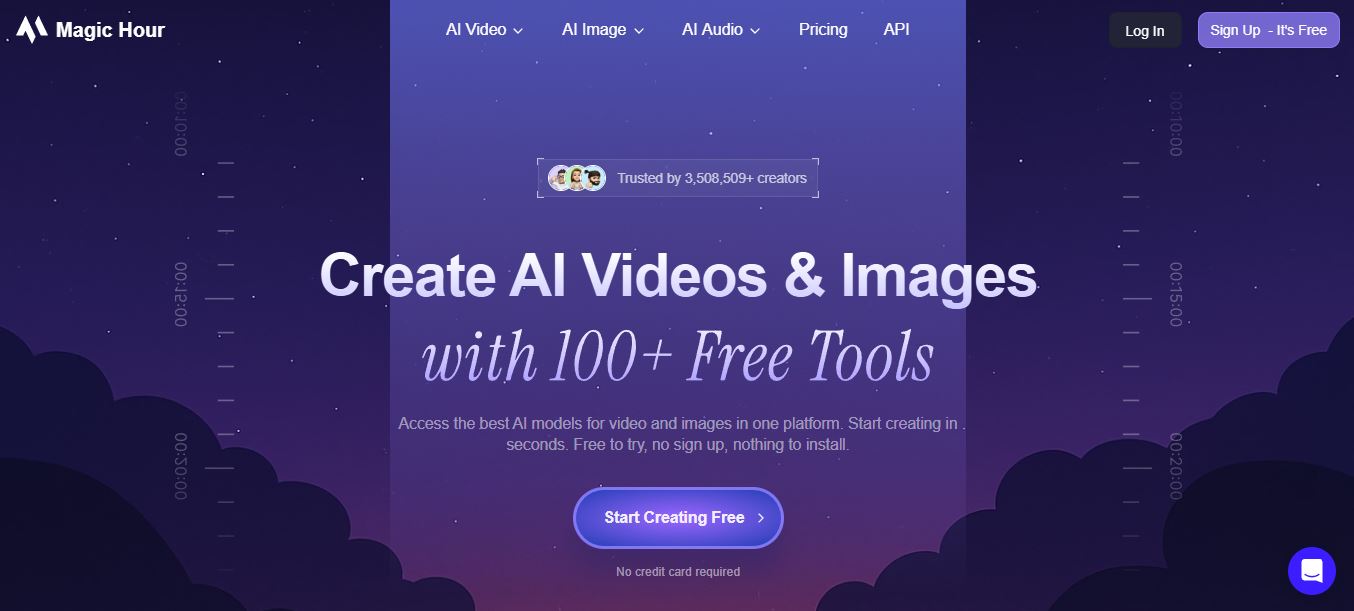
I’d already read a fair amount about Magic Hour being marketed mainly as a video tool — and to be fair, that’s clearly the platform’s main pitch. But the tool I actually kept coming back to during testing was the AI image generator, and that’s where most of this review is going to focus, because that’s where I spent the bulk of my credits and got the most consistent results.
Who Is Magic Hour AI Actually For?
I went in looking for something to help with music video visuals, and that’s a fairly niche use case. But after poking around the dashboard for a few hours, it’s obvious the platform is built for a much wider crowd:
- Musicians and content creators who need cheap, fast visuals for tracks, reels, and shorts without hiring a designer
- Social media managers who need a steady stream of on-brand images without a stock photo subscription
- E-commerce sellers who want product mockups or model shots without a studio
- Small marketing teams testing ad creative before committing budget to a real shoot
- Hobbyists who just want to mess around with prompt-based art (this was basically me for the first hour)
If you’re chasing Hollywood-grade, long-form video production, this isn’t that. But for fast, short-form visual content, it earns its spot in the toolkit.
How I Actually Tested Magic Hour AI
I don’t review a tool off a landing page. I create a free account, spend the starter credits on real tasks I’d actually use the tool for, and note exactly what broke, what surprised me, and what the credit meter said every time I clicked “generate.” For Magic Hour, that meant three things: generating original images from detailed prompts, running a face-swap test between my own photo and a well-known public figure, and trying the upscaler on one of my results. I logged in daily for a week to see how the free daily credit refresh actually behaves, rather than just reviewing the one-time signup bonus.

The AI Image Generator: This Is Where Magic Hour Shines
I’ll be honest, I didn’t expect much from the free tier. My first prompt was intentionally overloaded — a stress test more than anything:
“…In a vibrant, futuristic city nestled within a gigantic, hollowed-out pineapple, tiny inhabitants bustle about, surrounded by lush green vines and iridescent, glowing accents, as a sleek, golden train hurtles through a tunnel carved into the fruit’s crimson flesh, radiating warm, golden light.”
Less than five seconds later, I had two finished variations. Not thumbnails, not previews — full generations, and genuinely stunning ones. The lighting, the texture on the pineapple’s flesh, the tiny train detail — the model clearly picked up on almost every clause in that prompt instead of just the obvious nouns.

Here’s the thing I want to flag, because it matters more than the pretty picture: prompting is the whole game here. The more structured and specific your prompt, the better the output. Vague one-liners like “a city in a pineapple” gave me flatter, less interesting results in follow-up tests. Stack style keywords, lighting descriptors, and a clear subject-action-setting structure, and the generator rewards you for it.
In my tests, a standard image generation cost 10 credits. With 400 starter credits plus 100 free daily credits on top, that’s enough to generate 40+ images before you ever touch your wallet — and that’s before factoring in the daily top-up, which effectively resets your budget every 24 hours if you’re consistent about logging in.
If you’re weighing this against tools like Vheer AI or Google’s Nano Banana 2, Magic Hour’s generator holds its own on prompt comprehension, and the daily credit refresh is more generous than most competitors offer on a free tier.
The Face Swap Tool: Where Things Got Weird
This is the part of the review most other write-ups skip, probably because they didn’t actually run the test. I uploaded a clear photo of myself and a reference image of Dwayne “The Rock” Johnson, expecting the standard face-swap output — my facial identity mapped onto his body, or his face template with my features.
Instead, what came back looked like the model tried to blend both faces into one new composite person, rather than doing a clean swap. It wasn’t a subtle glitch — the result was visibly off, somewhere between both of us and neither of us. I ran it twice with slightly different crops on the source photo, and got the same merging behavior both times.

For a tool that Magic Hour markets heavily on its homepage — complete with claims about automatic skin-tone matching and expression tracking — this was a genuine miss in my testing. If face swap is the specific reason you’re signing up, don’t take my word for it either way: burn a couple of free credits and test it yourself with your own source images before you build a workflow around it. Results can vary a lot depending on image angle, lighting, and resolution.
I also ran the AI upscaler on the merged face-swap result out of curiosity, hoping sharper resolution might expose or fix the blending issue. It didn’t. The output came back at a marginally higher resolution but visually almost identical to the source — no meaningful detail recovery, and the merge artifact was still there. That one cost 25 credits and, honestly, felt like the least impressive tool I tested.
Pros and Cons — The Balanced View
✅ What I Liked
- Genuinely generous free tier — 400 signup credits + 100 daily, no card needed
- Image generator handles long, detailed prompts remarkably well
- Generations render in under 5 seconds in my tests
- 100+ tools under one login instead of five subscriptions
- Credits roll over and never expire
- Commercial use rights on paid plans
❌ What Fell Short
- Face swap merged two faces instead of swapping cleanly in my test
- Upscaler produced almost no visible improvement
- Free tier caps resolution at 1024px on generated images
- Video tools need more testing time to judge fairly than image tools do
- Watermarks stay until you upgrade or remove via credit pack
Every Major Feature, Briefly Explained
Beyond the image generator and face swap, here’s what else lives inside the Magic Hour dashboard, based on what I explored and what’s documented on the platform itself:
- AI Image Editor — natural-language photo edits: remove objects, swap backgrounds, adjust lighting
- Text-to-Video — converts written scene prompts into short video clips
- Image-to-Video — animates a still photo with camera motion and parallax
- Lip Sync — matches any face to any audio track, including different languages
- Talking Photo — turns a static portrait into a speaking video from an audio clip
- AI Headshot Generator — studio-style portraits generated from one selfie
- AI Clothes Changer — virtual outfit swaps on uploaded photos
- Background Remover and AI Image Expander — quick utility edits
- Voice Cloner, Voice Generator, and AI Music Generator — the audio side of the platform
- REST API — for developers who want to build these tools into their own apps
I didn’t test all 100+ tools — nobody reasonably could in one sitting — but the pattern I noticed held across the ones I tried: image-based tools performed more consistently than the tools involving faces, motion, or identity mapping.
Magic Hour AI Pricing: Free vs. Paid Plans
Magic Hour’s free plan doesn’t require a credit card, and you can even try a handful of tools without creating an account at all. Once you sign up, you get 400 starter credits plus 100 more every day you log back in — which, as I mentioned, is enough for daily image generation without spending a cent. Paid plans exist mainly to unlock higher resolution exports, remove watermarks, and add commercial usage rights. I’ve put together a full breakdown of every plan, credit pack, and what each tier actually gets you on our dedicated Magic Hour AI pricing page — but here’s the annual-billing snapshot:
| Plan | Price (Annual) | Credits/Year | Max Resolution | Concurrent Gens |
|---|---|---|---|---|
| Free | $0 | 400 + 100/day | 512–1024px | 1 |
| Creator | $10/mo ($120/yr) | 120,000 | 1024px | 3 |
| Pro (Most Popular) | $25/mo ($300/yr) | 300,000 | 1472px | 5 |
| Business | $66/mo ($792/yr) | 840,000 | 4K | Unlimited |

Switch to monthly billing instead of annual and the same plans run $15, $39, and $99 respectively — annual billing saves roughly 33–36% depending on the tier. Credits also roll over month to month with no expiration, which is a detail a lot of competing platforms bury in the fine print or skip entirely.

If you run out of credits mid-cycle on a paid plan, you’re not stuck waiting — you can buy a one-time credit pack (starting at $10 for 4,000 credits, no watermark), start a new plan immediately, or just wait for the next billing cycle. Refunds are available within 7 days if you’ve used fewer than 500 credits from a purchased plan.
How It Compares to Other AI Creative Tools
I’ve tested a fair number of AI image and video generators for this site, and Magic Hour lands in an interesting spot. Against a dedicated image generator like Freepik’s AI suite, Magic Hour’s prompt comprehension held up well, though Freepik pulls ahead on raw stock-asset variety. Against video-first platforms like RunwayML or Kling AI, Magic Hour’s video tools are more accessible for beginners but less advanced for pros who need frame-level control. If face swap specifically is your priority, based on my test, I’d actually recommend cross-testing against a tool like Magic Animator before committing credits, since results clearly vary a lot by platform and source image quality.
Where Magic Hour genuinely wins is the “everything in one place” pitch. I didn’t have to export from one app and re-upload to another just to generate an image, then edit it, then try animating it. That workflow friction is real when you’re juggling five separate AI subscriptions, and Magic Hour removes most of it.
Real-World Use Cases Worth Knowing
- Musicians and independent artists can generate cover art, lyric video backgrounds, and social teaser images without hiring a designer for every release
- E-commerce brands can mock up product shots and try-on visuals using the AI clothes changer, cutting studio costs
- Marketing teams can A/B test ad creative concepts fast before greenlighting a full production budget
- Educators can build quick explainer visuals or animated diagrams for course content
- Solo creators can batch-produce thumbnail and reel visuals for a week of content in one sitting
FAQ
Is Magic Hour AI free?
Yes. Magic Hour AI is free to use without a credit card. The free plan includes starter credits for image generation, editing, face swap, and other tools, though resolution and some premium features are limited compared to paid plans.
How many free credits does Magic Hour AI give?
New accounts receive 400 starter credits on signup. On top of that, Magic Hour gives an additional 100 free credits every day you log in, so consistent daily use adds up to a meaningful amount of free generation over time — that’s exactly what I did while testing this review.
Does Magic Hour AI require a credit card to sign up?
No. You can create a free account and start generating without entering any payment information. A card is only needed if you choose to upgrade to a paid plan or buy a credit pack.
How much does Magic Hour AI cost?
Paid plans start at $10/month on the Creator tier when billed annually ($15/month if billed monthly). The Pro plan runs $25/month annually, and Business is $66/month annually. Each tier scales up credits, export resolution, and concurrent generations.
Is the Magic Hour face swap tool reliable?
In my testing, it wasn’t consistent. Instead of a clean face swap, my test produced a merged composite of both faces rather than a proper swap. Results may vary depending on your source image quality, so it’s worth testing with your own free credits before relying on it for a project.
Do unused Magic Hour credits expire?
No. Credits roll over month to month on paid plans and don’t expire. Credit packs purchased separately also never expire.
The Bottom Line
I went into this expecting another overhyped AI tool with a stingy free tier hiding behind a slick landing page. That’s not what I got. The image generator earned a real spot in my workflow — fast, detailed, and genuinely free to use daily thanks to the credit refresh. The face swap tool needs work, at least based on what I saw with my own test images, and the upscaler didn’t do much of anything. If your priority is images, sign up and see for yourself — the free credits cost you nothing but a few minutes. If face swap or video is the main reason you’re here, test it with your own source material first before you plan a project around it.
For anyone tracking pricing tiers more closely before committing, I’ve broken every plan down in more depth on our Magic Hour AI pricing guide. And if you’re comparing this against other creative AI stacks, our reviews of Meshy AI, Visla, Hera Video, Gentube, and Sjinn AI are worth a read too.


