

Tool Pricing Breakdown
Meshy AI Pricing: Plans, Features & Is It Worth the Cost?
I ran every Meshy AI tier — Free through Ultra, plus the team plans — to see what your credits actually buy. Here’s the real cost-per-asset breakdown.
$0
Free plan, no card needed
$16–$80
Individual plans (yearly, discounted)
6
Total plans, individual to enterprise
100–10,000
Monthly credit range
Quick Answer
Meshy AI’s free plan gives you 100 credits a month with no card required, but it’s a testing sandbox, not a real workflow. For solo creators, Pro at $16/month (billed yearly, 20% new-user discount) is the plan that actually makes sense — it unlocks private asset ownership, unlimited downloads, and the full DCC bridge. Studios need at least two seats and start at $60/month for Studio, while Enterprise pricing is fully custom. If you only need a handful of models a month, stay free; if you’re shipping assets weekly, Pro pays for itself fast.
What Is Meshy AI?
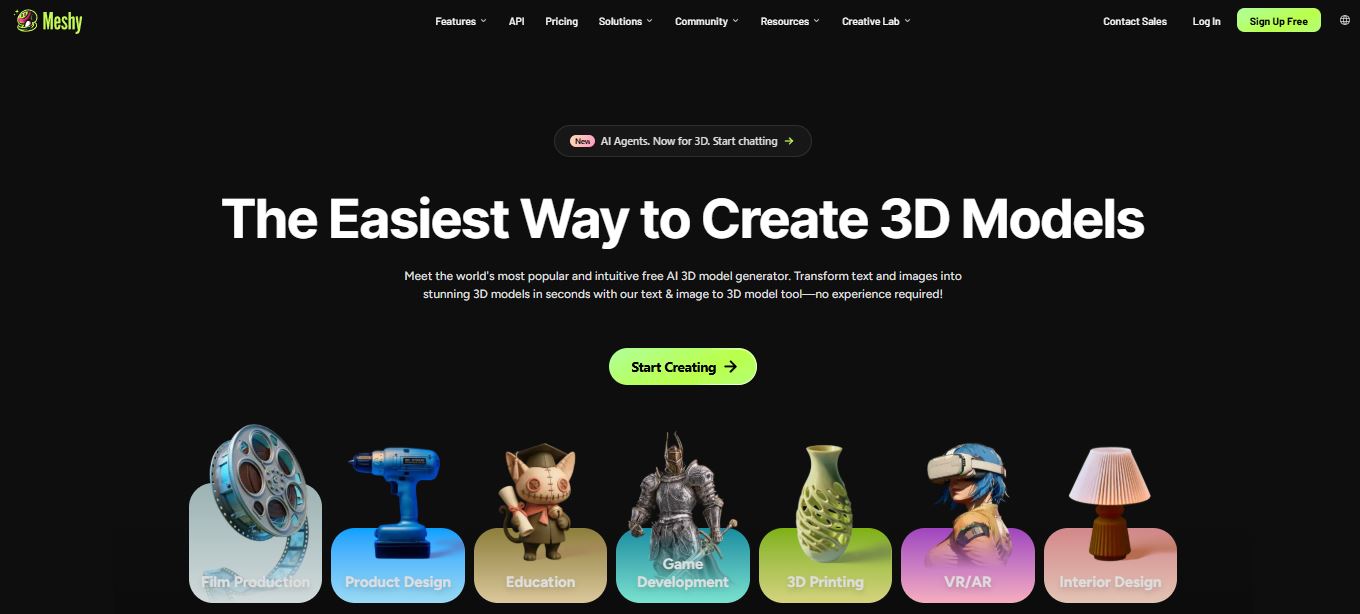
Meshy AI is a browser-based 3D generation platform that turns a text prompt or a reference image into a textured, riggable 3D model in a couple of minutes. Instead of blocking out geometry by hand in Blender or Maya, you type a description — or upload a photo — and Meshy handles the mesh, the UV unwrap, and the texture pass in one pipeline. It’s built for game developers who need to populate a level fast, 3D-printing hobbyists prototyping physical objects, and concept artists who want a rough 3D pass before committing to a full sculpt.
I’ve been generating assets on Meshy for a few weeks now, cycling through text-to-3D, image-to-3D, and the auto-texturing tool on existing meshes. The short version: the free tier is genuinely useful for judging output quality before you commit a dollar, and the newest model generation (Meshy 6) produces noticeably cleaner topology than what I remember from earlier versions. Where things get interesting — and where most people get confused — is the pricing. Meshy runs on a credit system layered under four individual tiers and two team tiers, and the credit cost per asset changes depending on what you’re generating. That’s what this breakdown untangles.
How Meshy’s Credit System Actually Works
Every plan runs on the same internal currency: credits. Each generation task — a text-to-3D draft, a refine pass, an AI texture job, or an animation render — deducts a set number of credits from your monthly balance. Meshy doesn’t publish a rigid per-task price list because cost scales with model complexity and resolution, but as a rough rule from my own usage, a full text-to-3D asset (draft plus refine plus texture) tends to land you around 8–10 credits, which is why Meshy markets its tiers in terms of “assets you can create” rather than raw credit counts. On Pro’s 1,000 monthly credits, that maps to roughly 100 finished assets a month — which lines up with what Meshy states directly on its pricing page.
Unused credits don’t carry over indefinitely, so if you’re not generating consistently, the Free plan’s 100 credits (good for roughly 10 assets a month) is often plenty. Where it gets restrictive is concurrency — Free gives you exactly one task in the queue at a time with low priority, which means during peak hours you can genuinely wait several minutes for a single generation to start processing.
Meshy AI Pricing for Individuals
Meshy splits its individual plans into four tiers: Free, Pro, Premium, and Ultra. All three paid individual tiers share the same feature set — API access, the full DCC bridge, unlimited downloads, private licensing — and differ mainly in monthly credits, concurrent tasks, and generation speed. Here’s the full comparison table, current as of my testing this month, including the 20% new-user discount that’s active on yearly billing.

| Plan | Price | Monthly Credits | Concurrent Tasks | Best For |
|---|---|---|---|---|
| Free | $0/mo | 100 | 1 | Testing the workflow |
| Pro | $16/mo (billed $192/yr) | 1,000 (~100 assets) | 10 | Solo creators & indie devs |
| Premium | $32/mo (billed $384/yr) | 3,000 (~300 assets) | 30 | High-volume solo creators |
| Ultra | $80/mo (billed $960/yr) | 10,000 (~1,000 assets) | 100 | AI agents & advanced pipelines |
Prices reflect yearly billing with Meshy’s active new-user discount at the time of writing. Monthly billing (no discount) runs higher — always check the live pricing page before you buy, since promotions rotate.
Free — $0/month
No credit card required to sign up, which lowers the friction to zero for testing. You get 100 credits a month, one concurrent task, and low queue priority, and everything you generate is licensed under CC BY 4.0 — meaning you can use it commercially, but you have to credit Meshy, and your models effectively sit in a public license bucket rather than being exclusively yours. Fine for prototyping, not fine for a client project you want fully owned.
Pro — $16/month (billed yearly)
This is the tier most solo users land on, and it’s the one I’d point a game dev or print hobbyist toward first. 1,000 credits a month covers roughly 100 finished assets, 10 concurrent tasks means you can queue up a batch and walk away, and generation runs about 60% faster than the free tier. You also get four free retries per task — genuinely useful, because AI mesh generation is inconsistent enough that a bad first pass is common. Pro is also where private licensing kicks in: everything you make is yours, not CC BY 4.0. It includes the full DCC bridge (Blender, Unity, Unreal, Godot, Maya, 3ds Max, Roblox), API access, and 3D platform plugins, plus access to Meshy’s newer 3D Agent and MCP/skill integration for anyone building AI-agent workflows on top of it.
Premium — $32/month (billed yearly)
Premium triples the credit allowance to 3,000 (about 300 assets), bumps concurrent tasks to 30, and pushes generation speed to 80% faster than baseline. It carries everything from Pro, plus early access to new features and a perk called Creative Lab — four free AI images a day, and a $30 shipping coupon if you’re printing physical objects from your models. This tier makes sense once you’re shipping multiple assets a week and Pro’s queue starts feeling like a bottleneck.
Ultra — $80/month (billed yearly)
Ultra is built for heavy automated use — think an AI agent pipeline generating hundreds of assets unattended, or a studio-of-one running a constant production line. 10,000 credits covers roughly 1,000 assets, 100 concurrent tasks, and the highest individual-tier queue priority. You get 40 free retries per task and 12 free Creative Lab images a day. Realistically, most solo creators won’t need this — it’s aimed at workflows where a script or agent is calling the API programmatically rather than a person clicking generate by hand.
Credits at a Glance: Individual Plan Comparison
Here’s how the monthly credit allowance scales across the four individual tiers — the jump from Pro to Ultra is a 10x increase in generation capacity for a 5x increase in price, which is worth noting if you’re trying to decide whether to skip straight to a higher tier.
100
Free
1,000
Pro
3,000
Premium
10,000
Ultra
Monthly credit allowance by plan (bar height scaled to Ultra’s 10,000 credits)
Ready to test Meshy AI’s free plan?
No credit card required — see the output quality for yourself before upgrading.
Try Meshy AI Free →Meshy AI Pricing for Teams and Enterprise
Once you move from a solo account to a studio, Meshy pushes you into its team tier structure — Studio and Enterprise — which requires a minimum of two seats. This is a real limitation worth flagging: as of a policy change in mid-June 2026, you can no longer upgrade an individual Pro account directly into Studio. If you need team collaboration, you have to create a separate team workspace and subscribe with at least two seats; for solo use, the path is Pro → Premium → Ultra instead.

| Plan | Price | Monthly Credits | Concurrent Tasks | Best For |
|---|---|---|---|---|
| Studio | $60/mo (billed $576/yr, min. 2 seats) | 4,000 (~400 assets) | 20 | Small studios & teams |
| Enterprise | Custom pricing | Customizable balance | 50+ | Large orgs, SSO, custom scale |
Studio — $60/month (2-seat minimum)
Studio wraps everything in Pro into a team package: 4,000 shared monthly credits, 20 concurrent tasks, 60% faster generation, and 8 free retries per task. What actually justifies the jump from an individual plan is the collaboration layer — centralized billing, shared team credits, team model annotations, API asset retention, and a limited API Playground plus API Console access. If two or more people are generating assets against a shared brief, this is where the workflow stops fighting you.
Enterprise — Custom Pricing
Enterprise is where credit limits stop being fixed numbers — Meshy negotiates a customizable balance based on your projected volume, gives you 50+ concurrent tasks and the highest queue priority, and throws in unlimited free retries. On top of Studio’s feature set, you get multi-workspace management, full (not limited) API access, forever API asset retention, SAML SSO, configurable data retention, and dedicated account support. This tier is built for companies with compliance requirements or API-driven production pipelines at real scale — you’ll need to contact Meshy’s sales team directly for a quote.
Is the Meshy AI Free Plan Actually Usable?
Short answer: for evaluation, yes. For production, no. I spent my first week entirely on the free tier before upgrading, and 100 credits disappears fast once you factor in retries — a mediocre first draft that needs a second attempt eats into the same monthly pool. The single concurrent task cap is the bigger practical issue: you can’t queue up three prompts and walk away to do something else, which kills the batch-generation workflow that makes AI 3D tools genuinely time-saving in the first place.
The other real constraint is licensing. Free-tier outputs are CC BY 4.0, meaning you can technically sell or use them commercially, but you’re expected to credit Meshy, and — depending on the model generation — some outputs on Free aren’t downloadable at all without a paid plan. If you’re testing whether Meshy’s quality fits your project before spending anything, the free plan does its job. If you’re trying to run a real workflow on it long-term, you’ll hit walls within the first couple of weeks.
How to Choose the Right Meshy AI Plan: Step-by-Step
1. Start on Free and generate at least 10–15 test assets. Use a mix of text-to-3D and image-to-3D so you get an honest read on output quality for your specific use case before spending a dollar.
2. Estimate your monthly asset volume. If you’re producing fewer than 10 finished models a month, Free may cover you indefinitely. Above that, move to Pro.
3. Check whether you need asset ownership. If your models are for a commercial game, product, or client, you need private licensing — that means Pro or above, not Free.
4. Decide if you’re working solo or on a team. A second person on the account means you’re locked into Studio’s 2-seat minimum, not an individual tier — plan your budget around that from the start.
5. Check for active promotions before checkout. Meshy runs rotating discount campaigns and referral coupons (up to 60% off Pro Monthly at times), so it’s worth checking the pricing page for an active code before you commit to a yearly plan.
6. Choose yearly billing if you’re staying past month two. The yearly discount on Pro, Premium, and Ultra is substantial enough that even six months of committed use usually beats paying monthly.
Pros and Cons of Meshy AI’s Pricing
Pros
- No credit card needed to try the platform
- Pro is genuinely affordable for solo creators at $16/mo yearly
- Full DCC bridge and API access starting at the lowest paid tier
- Free retries reduce wasted credits on bad generations
- Transparent credit-to-asset ratio across all individual tiers
Cons
- Free plan’s single concurrent task blocks batch workflows
- Studio requires a 2-seat minimum — no solo team upgrade path
- Refunds are rare given GPU operating costs
- Enterprise pricing isn’t public, so budgeting requires a sales call
- Credit costs per task aren’t published as a fixed table, only estimated
How I Test the Platforms I Review
Every review on this site is based on hands-on testing, not a summary of marketing pages. I create a personal account, explore the free plan or trial in depth, and take notes as I go — what worked smoothly, what broke, and where the pricing page didn’t match the actual account experience. I then combine those findings into the review you’re reading.
This review reflects my personal opinion and experience with Meshy AI at the time of testing, and isn’t professional, financial, legal, or technical advice. Pricing, credit allowances, and promotions change often — always confirm current details directly with Meshy AI before subscribing.
Is Meshy AI Worth the Cost?
For what it does, yes — with a caveat. At $16/month on the Pro tier, Meshy is priced well below hiring a freelance 3D artist for even a single asset, and the DCC bridge means you’re not stuck inside Meshy’s own viewer; models drop straight into Blender, Unity, or Unreal. Where I’d pump the brakes: AI-generated meshes, even on Meshy 6, usually need some cleanup pass in your engine or DCC tool before they’re production-ready — treat Meshy as a fast first draft, not a finished asset pipeline. If your use case is rapid ideation, blockouts, or print prototyping, the ROI is clear. If you need consistent, gallery-ready output with zero manual cleanup, budget extra time regardless of which tier you’re on.
Frequently Asked Questions
Does Meshy AI have a free plan?
Yes. Meshy’s Free plan gives you 100 credits a month, no credit card required, with one concurrent task and CC BY 4.0-licensed outputs.
How much does Meshy AI Pro cost?
With the current new-user discount and yearly billing, Pro runs $16/month ($192 billed annually). Monthly billing without the discount is higher, so check the live pricing page for the current rate.
What’s the difference between Pro, Premium, and Ultra?
All three individual paid plans share the same core feature set — API access, unlimited downloads, private licensing, and the full DCC bridge. The difference is monthly credits: 1,000 on Pro, 3,000 on Premium, and 10,000 on Ultra, along with proportionally higher concurrent task limits and generation speed.
Can I upgrade from an individual plan to Studio?
Not directly as a solo user. Studio requires a minimum of two seats and a separate team workspace. If you’re staying solo, the upgrade path is Pro → Premium → Ultra instead.
Does Meshy AI offer refunds?
Generally no, due to the operating cost of GPU-powered generation, though Meshy states it will review individual cases submitted through its support email.
Is Meshy AI good for game development?
It’s strong for blockouts, prop generation, and rapid iteration on concept assets, with direct export into Unity and Unreal via the DCC bridge. For hero assets or anything player-facing at high fidelity, expect to do manual cleanup after generation.
Does Meshy AI have an API?
Yes, API access is included starting on the Pro plan, with full, unrestricted API access reserved for Enterprise customers.
Compare plans and pick the right one for your workflow
Check Meshy AI’s live pricing page for current promotions before you subscribe.
See Meshy AI Pricing →Related Reading
- My full Meshy AI review: features, testing notes, and honest pros and cons
- Marble by World Labs review — another take on AI-generated 3D worlds
- RunwayML review and pricing for AI video and generative media
- Kling AI review — text and image-to-video generation tested
- Vheer AI review for free AI image generation
- Nano Banana 2 review — Google’s AI image model explained
- Freepik review: AI tools, stock assets, and pricing breakdown
- Base44 review — no-code AI app builder pricing and features
- Best vibe coding tools I tested and reviewed this year
- Is Claude AI good for coding? A hands-on breakdown


