

Base44 Review 2026: I Vibe-Coded a Real Booking App With It — Here’s What Actually Happened
A backend developer’s honest test of Wix’s $80M AI app builder — from a working prototype on the first prompt to the exact point where the code needed a human developer again.
Quick Answer
Base44 is a prompt-based AI app builder that generates a full front end, back end, database, and authentication from plain English. It’s free to start; paid plans run from $16/month (Starter, billed annually) up to $160/month (Elite). I had a working booking app after a single prompt — genuinely impressive. But by prompt 25, when I pushed it toward multilingual support, things started fraying, and I ended up exporting my code to fix it myself. Verdict: excellent for a fast MVP, prototype, or client demo. Budget real time — or export early — if you’re planning to run something long-term on it.
I found out about Base44 a little over a month ago and spent the last couple of weeks actually building with it, not just clicking around a demo. This review reflects Base44 as it runs today — I’m not comparing it against older versions, and I’m not judging it on marketing screenshots. Everything below came out of an actual project.
One thing worth knowing up front: I was assisted by a backend software developer by trade. That colors everything here, where a non-technical founder might get stuck, I understood how to word my way around it. Keep that in mind as you read.
What Is Base44?
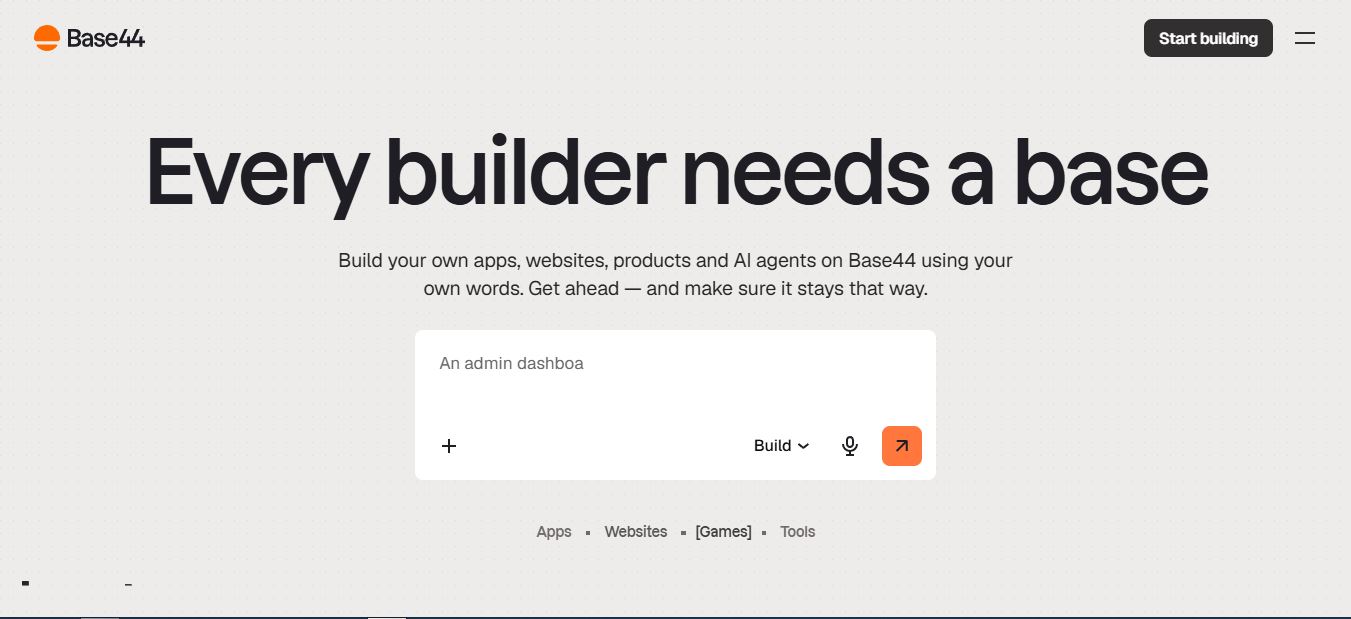
Base44 is a no-code AI platform that builds full-stack apps and websites from plain-language prompts — the practice often called “vibe coding.” Describe what you want, and it generates the interface, the database schema, the authentication flow, and hosting, all inside one browser tab. There’s no separate Supabase instance to wire up, no auth provider to configure, no server to touch.
Base44 launched in 2025 and was acquired by Wix roughly six months later for a reported $80 million — a strong signal that this isn’t a fly-by-night side project. It now sits inside Wix’s broader push into AI app building, alongside a growing set of built-in marketing tools: an SEO/GEO dashboard, social content generation, and app analytics.
Under the hood, Base44 auto-picks between large language models — it defaults to a mix that currently leans on Claude and Gemini-class models depending on the task — but paid plans let you override the choice. If you want to read more on how these underlying models actually perform for coding specifically, I’ve tested that separately in my Claude AI coding review and my ChatGPT coding review.
My Test Case: A Real Tennis Court Booking App
Instead of building another to-do list or CRM demo, I picked something with actual logic to it: an online booking system for tennis courts. No payments, no gamification — just user signup, a list of courts with available timeslots, booking, a confirmation email, and an admin role that can manage bookings, edit court details, and message users. I started on the Free plan to see exactly how far it would take me before I had to reach for my wallet.
The first prompt produced a working prototype. I could see a list of courts, pick one, view open timeslots, book a slot, and receive a confirmation email — on the first try. That genuinely surprised me. It also looked good, which mattered more to me than I expected, since UI design is not my strong suit as a backend developer. A working draft like that is useful beyond the “wow” factor too — it immediately surfaces logic gaps and missing features you hadn’t thought to ask for, and Base44’s first pass did exactly that.

Over the following days I spent roughly 24 more prompts adding admin pages for managing bookings and courts, refining the UI, and adding form validation. I hit a couple of hiccups where the AI agent believed a feature was already implemented, or a bug already fixed, when it wasn’t — but in nearly every case, a more precise prompt fixed it. Being a developer clearly helped here. How you plan the project and phrase what you need to the AI makes a real difference.
A concrete example: my app has a personal-details form on the signup page and again on the user profile page. I asked Base44 to build the profile page later, and it built a brand-new form from scratch instead of extracting the existing one into a shared, reusable module the way a senior developer would. The result: two visually identical forms in the codebase, each with its own validation logic that does the same thing in a slightly different way. That kind of thing goes unnoticed early on — especially if you’re planning as you go and not reading the generated code — but it makes every future edit more error-prone. To be clear, that’s not bad AI. That’s bad prompting on my part.
The real breaking point came when I asked Base44 to add multilingual support. It did — partially — but it was obvious things were starting to come apart at the seams. Again, that wasn’t a Base44 failure so much as me pushing the tool past what a single-prompt architecture can gracefully absorb. At that point I subscribed to a paid Builder-tier plan, exported my code, and started fixing things myself with the help of ChatGPT, since I’d never touched Node.js or Vite before in my life. In hindsight, I should have exported a few prompts earlier, while the codebase was still cleaner.
Idea Library, Discuss Mode, and the Visual Editor
Three features shaped how I worked day to day:
- Idea Library — a set of pre-seeded prompts by category (travel, home management, finance, and more) that’s genuinely useful for demos or when you’re stuck on how to phrase a first prompt.
- Discuss Mode — lets you talk through logic and architecture with the AI without spending build credits. I used this constantly before committing to a prompt, since credits on the Free plan disappear fast.
- Visual editor — click-to-edit text, colors, and layout after generation, without burning a full prompt on a one-line copy change.

If you’re comparing your options here, it’s worth glancing at how other vibe coding tools approach the same idea-to-prototype gap — some, like Macaly and Same.new, lean harder into visual cloning rather than Base44’s all-in-one backend approach.
Base44 Pricing: Every Plan, Verified
Base44 runs on two separate credit pools: message credits (spent when you prompt the AI to build or change your app) and integration credits (spent when your live app calls an LLM, sends email, uploads files, or hits any connected integration). Neither type rolls over month to month. Here’s the current lineup, pulled directly from Base44’s pricing page as of July 2026:
| Plan | Price/mo* | Message Credits | Integration Credits |
|---|---|---|---|
| Free | $0 | 25/mo | 100/mo |
| Starter | $16 | 100/mo | 2,000/mo |
| Builder | $40 | 250/mo | 10,000/mo |
| Pro | $80 | 500/mo | 20,000/mo |
| Elite | $160 | 1,200/mo | 50,000/mo |
*Prices shown are the monthly equivalent when billed annually; monthly billing runs about 20% higher per Base44’s own FAQ. Free plan caps at 5 apps; paid plans include unlimited apps, in-app code edits, GitHub sync, and a free custom domain for one year.

One flag worth raising for E-E-A-T’s sake: some older third-party reviews list Starter at $20 and Builder at $40–$50 instead of Base44’s current $16/$40 annual-billing rates. I verified directly against Base44’s live pricing page while writing this, so treat any number that doesn’t match the table above as outdated rather than a hidden fee.
Want to Test It Yourself?
The Free plan gives you every core feature — database, auth, and hosting included — enough to build a real working prototype before you spend a cent.
Compare Base44 Plans →Base44 vs. Bolt vs. Lovable vs. Cursor
Base44’s core pitch is the all-in-one stack. Here’s how that stacks up against the tools people usually compare it to:
| Feature | Base44 | Bolt | Lovable | Cursor |
|---|---|---|---|---|
| Built-in database | ✅ Yes | ❌ External | ❌ External | ❌ External |
| Built-in auth | ✅ Yes | ❌ External | ❌ External | ❌ External |
| Code export / GitHub sync | ✅ Two-way sync | ✅ Full | ✅ Full | ✅ Full |
| Visual editor | ✅ Yes | ⚠️ Limited | ✅ Yes | ❌ Code only |
| Starting price | Free; $16/mo paid | ~$20/mo | ~$20/mo | ~$20/mo |
| Best for | Non-technical builders wanting a full stack | Developers | Designers & makers | Professional developers |
If you want the deeper dive on why an all-in-one architecture trades flexibility for speed, my roundup of the best vibe coding tools I’ve tested covers eight platforms side by side, and my Verdent alternatives roundup looks at tools built more for developers who want to keep full code control.
Pros and Cons
✅ Strengths
- Working prototype from a single prompt, with a genuinely polished default UI
- Zero external setup — database, auth, hosting, and email all built in
- Discuss Mode lets you plan without burning credits
- Backed by Wix’s infrastructure and resources — not a fly-by-night startup
- Two-way GitHub sync means you’re not fully locked in
- Lower total cost than stitching together Supabase, auth, and hosting separately for small projects
❌ Weaknesses
- Free-tier credits vanish fast — expect to upgrade sooner than planned
- Repeated features (like duplicate forms) can creep into the codebase without careful prompting
- Complexity wall becomes real once you push past basic CRUD — I hit it adding multilingual support
- Credits don’t roll over month to month
- Login screens carry Base44/Wix branding you can’t fully restyle on lower tiers
- Support response times are inconsistent for non-Elite users, per multiple independent reviews
Who Should (and Shouldn’t) Use Base44
Good fit if you’re: a founder validating an idea before committing budget to real development, a solo maker who wants a functional internal tool by tonight, a designer who needs a clickable prototype for a stakeholder demo, or someone comfortable exporting code once the AI hits its ceiling.
Not a fit if you’re: planning to run a production app with real users and no plan for who maintains the code when Base44’s AI gets stuck, need SOC 2 or ISO 27001 compliance out of the box, or want a tool that stays flexible indefinitely instead of rewarding simple CRUD apps and penalizing ambitious ones. If your project leans more toward a marketing site than an app with real logic, tools like Framer or Landingsite.ai or my broader look at AI website builders might fit your use case better than an app builder like this one.
How I Test the Platforms I Review
Every review on this site is based on hands-on testing, not marketing copy. For this one, I created a real Base44 account, started on the Free plan, and built an actual multi-feature app end to end — not a throwaway demo. I took notes during testing, tracked exactly which prompt each feature or bug appeared on, and combined those notes with a direct check of Base44’s current pricing and terms pages before publishing.
This review reflects my personal opinion and hands-on experience. It isn’t professional, financial, or legal advice, and Base44’s features, pricing, and policies can change after publication — for the most current details, contact Base44 directly or check their official pricing page.
Frequently Asked Questions
Is Base44 legit?
Yes. Wix, a publicly traded company, acquired Base44 for a reported $80 million in 2025. Your apps run on real production infrastructure, not a sandbox, and payments go through standard processors.
Is Base44 free?
Yes — the Free plan includes every core feature (database, auth, hosting) with 25 message credits and 100 integration credits per month, capped at 5 apps. It’s enough to build and test a real prototype, but serious building will likely push you toward Starter or Builder.
Can I export my code from Base44?
Yes. Base44 offers two-way GitHub sync that exports your full source code to your own repository at any time — this is what I did once I hit the multilingual-support wall in my own test.
Is Base44 good for non-technical users?
It’s approachable, but not effortless. You’ll get further, faster, if you understand basic app concepts like data relationships and user roles. Non-technical founders can absolutely ship a working MVP, but troubleshooting once the AI gets confused is where technical fluency starts to matter.
How does Base44 compare to Lovable and Bolt?
Base44’s biggest differentiator is the built-in database and authentication — Lovable and Bolt both lean on external services like Supabase. That makes Base44 faster to start with but potentially harder to migrate off of later.
What can you actually build with Base44?
Dashboards, booking systems, CRMs, internal admin tools, customer portals, and simple marketplaces are all realistic. Anything with heavy custom logic or non-standard data relationships is where you’ll want to budget extra time — or a developer’s help.
Final Verdict
Base44 is very good at what it does. The problem is that a lot of people don’t fully understand what it’s capable of — or where its limits are. It’s easy to see a free tool and think, “maybe I can vibe-code in a couple of days the web app a software agency quoted $10,000 and two months for.” For a genuine MVP, an internal tool, or a client demo, that’s often true. For a production app you plan to run and grow for years, it’s a different conversation — one where knowing exactly when to export your code, as I did around prompt 25, matters more than the tool itself.
If you’re weighing Base44 against a broader set of options before committing, my vibe coding tools comparison and Verdent AI review are good next reads.
Ready to Build Your Own Prototype?
Start on Base44’s Free plan — no credit card required — and see how far your idea gets before you need to upgrade.
Related Reading
- Best Vibe Coding Tools I Tested and Reviewed
- Verdent AI Review: A Fast Coding Assistant
- 10 Top Verdent Alternatives for AI-Powered Coding
- Macaly Review: My Honest Take
- Same.new Review
- Is Claude AI Good for Coding? Full Developer Review
- Is ChatGPT Good for Coding?
- Landingsite.ai Review
- Framer Review
- The 6 Best AI Website Builders


