

Questas.co Review 2026: I Tested It Myself — Here’s What Actually Happens
Real pricing, a prompt-upgrade feature nobody else mentions, and the exact spot where my generations kept failing.
By Oyekale Olawale · Updated July 2026
Quick Answer
Questas.co is a credit-based AI storytelling tool: $0.10 per credit right now (50% beta discount), 5 free credits on signup, 1 credit per image, and 5 credits per video. That part works exactly as advertised. What doesn’t always work smoothly is generation speed — in my own test in July 2026, every single image I tried to generate got stuck on “no artwork available yet” and never loaded. If you’re patient and prompt carefully, it’s still worth the free credits to try. If you need something reliable for a client deadline, I’d look elsewhere first.
I’ve reviewed a good number of AI storytelling and image-generation tools on this site — Sjinn AI, InVideo alternatives, and a handful of others — so when Questas.co popped up promising “choose-your-own-adventure” stories built entirely from AI-generated images and videos, I wanted to see if it actually delivers or if it’s another launch that reads better on Product Hunt than it performs in your browser. I signed up, burned through my free credits, and I’m going to walk you through exactly what happened, including the parts that didn’t go well.
What Is Questas.co?
Questas.co is a browser-based platform for building branching, “choose-your-own-adventure” stories where every decision node comes with an AI-generated image or short video. You type a scene description, the AI produces the artwork, and you connect that node to the next choice in your story tree. There’s no coding, no timeline editor, and no separate art tool required — everything happens inside Questas’s visual canvas.
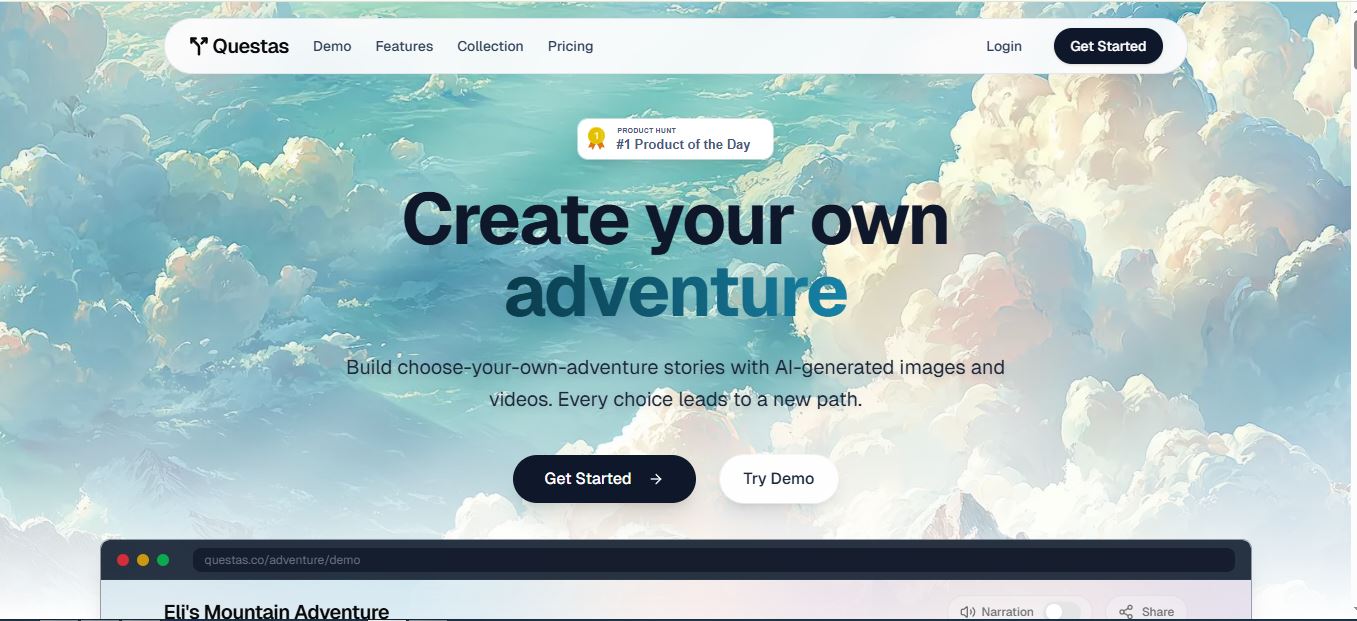
The site is built by Charlie Clark of Liinks and launched on Product Hunt in late 2025. It’s a small team, and it shows in some of the rough edges I ran into during testing — but the core idea, pairing a branching story editor with on-demand AI art, is genuinely useful for people who’ve always wanted to make interactive fiction without hiring an illustrator or learning a game engine like Twine or a full dev stack.
Try Questas.co Free (5 Credits) →Questas.co vs. What Other Reviews Say: Pricing Is Different Than You’ve Read
This matters, so I want to flag it upfront: pricing details on Questas have changed since it launched, and not every review online reflects the current numbers. I checked the live pricing page directly on questas.co in July 2026, and here’s what’s actually true right now versus what’s floating around.
| Detail | Current (Verified July 2026) | Outdated Claim Seen Elsewhere |
|---|---|---|
| Cost per credit | $0.10 (50% beta discount off $0.20 base) | ~$0.25 per image |
| Video cost | 5 credits per video | 3 credits per video (~$0.75) |
| Free credits at signup | 5 credits, confirmed on signup | Matches — this one was accurate |
| Credit pack range | Slider from 50 credits ($5) up to 500 credits ($50) | Flat “$10 for 100 credits” tiers |
In other words: it’s still a pay-as-you-go, credit-based system with no subscription requirement and no credit expiry — that hasn’t changed. But the actual per-credit math is cheaper right now than most older write-ups suggest, thanks to that ongoing beta discount. Worth checking the live pricing page yourself before you budget, since beta pricing is, by definition, temporary.
My Hands-On Test: Signup, Prompting, and Where It Fell Apart
Here’s how I test every tool on this site: I sign up with a real account (no test emails), use the free tier exactly the way a first-time visitor would, and document the bugs and friction points as they happen — not just the highlight reel. For Questas, that meant signing up with my Google account and immediately getting dropped into the dashboard with my 5 free credits sitting there, ready to use.
The Prompt-Upgrade Feature Nobody Else Mentioned
The most interesting thing I found — and something neither of the other reviews I read online caught — is that Questas doesn’t just take your prompt literally. It rewrites it into a tighter, more scene-ready version before generating. I typed in a fairly open-ended adventure premise about a young explorer chasing a forgotten map to a lost city. Questas turned it into a specific first scene, complete with a named character standing at the jungle’s edge, a concrete decision point, and sensory detail about footprints in the mud. That’s a genuinely useful feature if you’re bad at writing image prompts, since a vague idea gets converted into something the AI model can actually render well — and since editing outputs burns more credits, a better starting prompt saves you money down the line.
Where It Broke: The “No Artwork Available Yet” Wall
This is the part I have to be honest about. After the prompt was rewritten and I hit generate, the loading animation kicked in — and just kept running. When I tried to preview the finished image, the interface returned the message “no artwork available yet,” even though the loading spinner was still visibly cycling in the background. I left the tab open and worked on something else, and it still hadn’t resolved by the time I came back. I want to be fair here: I can’t rule out that this was a connection issue on my end rather than a platform-wide problem, since I only have my own session to go on. But it happened consistently across multiple attempts, not once.

Checking my Generations tab afterward confirmed it wasn’t just a display glitch — every single trial in that tab shows as failed. Not “processing,” not “queued,” but failed outright. For a tool whose entire value proposition is turning text into visuals on demand, that’s a rough first impression for a new user working through their free credits.

Is This a Beginner-Friendly Tool? Not Quite Yet
After the failed attempts, my honest take is that I need to sit down and actually study how the platform expects prompts and node structure to work before I write it off completely — it’s entirely possible I’m missing a step somewhere in the workflow. But compared to other AI generation tools I’ve tested and reviewed on this site — InVideo, Sjinn, and even more technical model playgrounds — Questas didn’t feel as beginner-friendly out of the gate. The interface is clean, but the gap between “sign up” and “see a working generation” was longer and rockier than I expected for a tool built around instant gratification.
Money-saving tip from my test: because editing a generated output costs additional credits, and because Questas already tightens up vague prompts for you, write your scene description as specifically as you can the first time. Fewer regenerations means your 5 free credits — or your first paid pack — go further.
Pricing and Plans, In Full
Questas runs entirely on a pay-as-you-go credit model — there’s no monthly subscription requirement for the core tool. You pick up credits when you need them, and unlike a lot of AI SaaS tools, those credits reportedly never expire.

What 100 Credits Actually Buys You (at $0.10/credit)
| Plan / Tier | Price | What You Get |
|---|---|---|
| Free Starter | $0 | 5 free credits, unlimited story creation, full editor access |
| Credit Slider (min) | $5.00 | 50 credits — never expire |
| Credit Slider (mid) | $10.00 | 100 credits — never expire |
| Credit Slider (max) | $50.00 | 500 credits — never expire |
| Collection Subscription | $20/year | 200 credits + access to 200+ curated community adventures + creator leaderboard eligibility |
Pros and Cons
What Works
✅ Free 5 credits with no card required
✅ AI auto-upgrades vague prompts into usable scenes
✅ Credits never expire, no subscription forced
✅ Currently 50% cheaper per credit during beta
✅ Branching editor is genuinely simple to navigate
What Doesn’t
❌ Generations can stall on “no artwork available yet”
❌ Every trial in my Generations tab showed as failed
❌ Learning curve is steeper than the UI suggests
❌ No export option — stories stay on the platform
❌ Editing outputs eats credits fast if prompts are vague
Who Should Actually Use Questas.co?
Based on my test, Questas makes the most sense for hobbyist writers, educators building interactive lessons, and indie creators who want to prototype a branching story without paying for a full no-code development platform. If you already generate visuals with tools like Kling AI or RunwayML and paste them in manually, Questas can replace that whole workflow — when generation is working.
Skip it, at least for now, if you’re on a client deadline or need guaranteed output every time you hit generate. It’s also not the right pick if you need to export your finished story somewhere else — everything stays hosted on the Questas platform itself.
How It Compares to Similar AI Creative Tools
Nothing else I’ve reviewed combines branching narrative structure with built-in AI art generation quite the way Questas does. Straight image or video generators like Nano Banana 2, Vheer AI, and Freepik are strong for one-off visuals but have no concept of story branching. Video-focused platforms like Visla or Sjinn AI are better if your goal is a single polished video rather than an interactive tree of scenes. If you want programmatic control over video output instead of prompt-based generation, something like Remotion is a completely different, code-first approach. Questas is the only one on this list actually built around the “every choice leads to a new path” concept — that’s its real differentiator, even with the rough edges I hit.
Start Your Free Adventure →FAQ
How much does Questas.co actually cost right now?
As of July 2026, credits cost $0.10 each during the ongoing beta discount (normally $0.20). One image costs 1 credit, one video costs 5 credits. You get 5 free credits at signup, and credit packs range from 50 credits ($5) to 500 credits ($50).
Do Questas credits expire?
No. Credits are advertised as never expiring, and there’s no subscription requirement to keep using the platform between purchases.
Why did my Questas generation fail or take forever?
In my own testing, generations repeatedly stalled with a “no artwork available yet” message while the loading animation kept running, and every attempt in my Generations tab was marked as failed. I can’t confirm whether this is a widespread platform issue or specific to my session, but it happened consistently across multiple prompts.
Does Questas rewrite my prompts automatically?
Yes. During my test, a fairly loose prompt got automatically expanded into a more specific, scene-ready version with concrete character and setting details before generation started.
Can I export my Questas story to another platform?
No. There’s currently no export option, so your adventures stay hosted on Questas. If you need a portable, self-hosted format, a code-first tool like Twine may suit you better.
Is the $20/year Collection Subscription worth it?
If you plan to both create and read community adventures regularly, the 200 included credits plus access to 200+ curated stories is good value. If you’re a one-off creator, buying credits directly from the slider is more flexible.
Bottom Line: Is Questas.co Worth Trying?
Questas.co has a genuinely clever core idea and a pricing model that’s fair to hobbyists — 5 free credits, no subscription trap, and credits that don’t expire. The prompt-upgrade feature is a real, underrated strength I haven’t seen called out elsewhere. But my hands-on test kept hitting a wall at the generation step, with stalled loading animations and a dashboard full of failed attempts. I’d still recommend using your free credits to see if you get better results than I did — the downside is capped at zero dollars — but I wouldn’t build anything time-sensitive around it just yet. I’ll be revisiting this review as the platform matures out of beta.
Try Questas.co Free →