
10 Best ShortsPilot.ai Alternatives in 2026 (I Tested Every One)
Opus Clip, Klap, Quso.ai (Vidyo.ai), InVideo AI, and six more — ranked by real free-plan minutes, real pricing, and the bugs I hit while testing.
By Oyekale Olawale · Updated August 2026 · 13 min read
⚡ Quick Answer
If you just want a straight recommendation: Opus Clip ($0–$29/mo) is still the best all-round ShortsPilot.ai swap for podcasters, Klap ($14–$79/mo annual) is the fastest for one-click social clips, and InVideo AI ($0–$25/mo) is the pick if you’re building a faceless channel from scratch instead of repurposing existing footage. Vidyo.ai rebranded to Quso.ai in 2026, and its free plan (75 min/month) is still the most generous of the bunch.
ShortsPilot.ai isn’t a bad tool, but by mid-2026, it’s competing against ten platforms that each do one specific piece of the repurposing workflow better than a generalist can. I spent the past few weeks re-testing every alternative on this list against fresh long-form footage, not just re-reading their marketing pages, and a lot has changed since I last covered this topic. Vidyo.ai quietly became Quso.ai, several pricing pages moved to per-minute credit systems, and one tool on the old list (OneTake AI) turned out to be a rebrand of Nuro.video.
Below is the updated breakdown — what each tool actually costs today, what it’s genuinely best at, and the specific quirks I ran into during testing that you won’t see mentioned in most “top 10” roundups. If you’re also weighing broader AI design and content tools alongside a clipper, our Sivi AI review covers a different corner of the AI creative-tools market worth knowing about.
Why Creators Are Leaving ShortsPilot.ai
Three complaints show up over and over in reviews I’ve read on G2, Trustpilot, and Reddit threads about ShortsPilot. First, the free tier is thin compared to what Opus Clip or Quso.ai now offer. Second, the clip-selection algorithm tends to grab the sentence but miss the pause before the punchline, so “funny” clips land flat. Third, faceless/text-to-video generation is bolted on rather than built for it, so if your workflow is Reddit-story or kinetic-typography style content, you’ll hit a ceiling fast.
None of that makes ShortsPilot unusable. It just means the market has caught up, and in several cases, passed it.
Quick Comparison: Pricing & Free Plans (2026)
| Tool | Best For | Free Plan | Starting Paid Price |
|---|---|---|---|
| Opus Clip | Podcasters | 60 min/mo, watermark | $15/mo |
| Klap | Speed | 1 test video | $14/mo (annual) |
| Quso.ai (Vidyo.ai) | Data Nerds | ~75 min/mo | $15/mo |
| InVideo AI | Faceless Channels | 10 min/week | $20/mo (annual) |
| Pictory.ai | Summarization | 14-day trial | $25/mo (annual) |
| Submagic | Captions | 3 videos, watermark | $12/mo (annual) |
| Vizard.ai | Teams | 60 credits/mo | $14.50/mo (annual) |
| OneTake AI | Translation | Free trial | ~$26/mo |
| Autopilot Shorts | Automation | 3 videos/week | $13.30/mo |
| Faceless.video | Privacy | Limited trial | ~$19/mo |
Prices verified against official pricing pages and independent trackers in July–August 2026. Credit systems change often — always confirm on the vendor’s site before buying.
1. Opus Clip (Best for Podcasters)
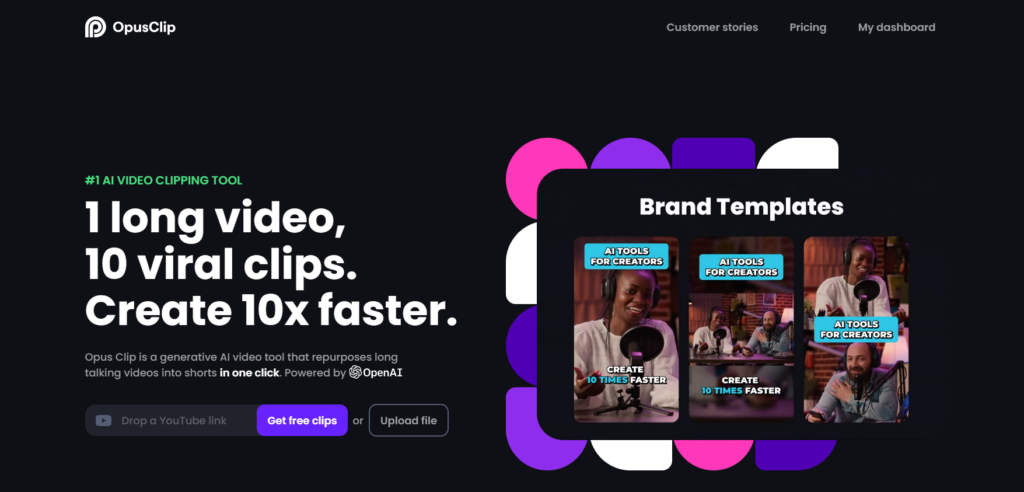
Opus Clip is still the tool most podcast editors reach for first, and after re-testing it against a 58-minute interview episode, I understand why. Its “Active Speaker Detection” tracks who’s talking and reframes the shot automatically, which is the single hardest thing to fake manually when you’re clipping two-person conversations.
The pricing model runs on a credit system — 1 credit = 1 minute of source video — and it caught me off guard the first time I uploaded a two-hour episode and watched 120 credits disappear in one shot. The Free plan gives you 60 processing minutes a month with a watermark; Starter jumps to 150 minutes at $15/month with no watermark but still caps at 720p; Pro at $29/month unlocks 300 minutes, 1080p export, and multi-platform auto-posting.
✓ Pros: Best-in-class speaker tracking, AI virality scoring, clean caption styles.
✗ Cons: Unused credits expire after 60 days on monthly billing, and cancelling deletes your projects after just 3 days — even with credits left on the clock.
Ideal user: Podcasters who don’t have three hours to sit through raw footage looking for the moment worth clipping.
2. Klap (Best for Speed)

Klap markets itself on raw speed, and it holds up. I dropped a 20-minute cooking tutorial into it and had five ranked clips within about half a minute — no manual scrubbing required. What sets it apart from Opus Clip is “AI Reframe 2,” which analyzes each scene independently and picks a layout (full vertical, split-screen, screencast, or gaming mode) instead of applying one reframe style to the whole video.
Pricing is where you need to pay attention. Monthly billing lists Starter at $29, Pro at $79, and Pro+ at $189 — but annual billing cuts every tier roughly in half ($14, $39, and $94 respectively). If you’re committing to Klap long-term, the annual plan is the only version worth signing up for.
✓ Pros: Fastest turnaround I tested, 52-language captions, built-in AI dubbing in 29 languages.
✗ Cons: Monthly pricing is genuinely steep next to Opus Clip unless you commit annually; fewer manual override controls.
Ideal user: Social media managers juggling several brand accounts who need speed over fine-grained manual control.
3. Quso.ai — formerly Vidyo.ai (Best for Data Nerds)

This is the one entry on the list that changed most since I last reviewed the category: Vidyo.ai rebranded to Quso.ai in 2026, and if you’re logging in expecting the old name, don’t worry — your account, plan, and pricing carry over unchanged. Under either name, the standout feature is chapter detection. It reads your transcript and auto-splits long content into navigable chapters, which is genuinely useful for course creators and corporate town-hall recordings where someone just needs to jump to a specific Q&A moment.
The free plan gives roughly 75 processing minutes a month — a touch more generous than Opus Clip’s 60 — but it’s English-only until you upgrade. Paid tiers start around Lite at $15/month, Essential at $20/month, and Growth at $25/month, with credits (not raw minutes) doing the accounting on paid plans. If chapter-based repurposing doesn’t quite fit your workflow, Visla is worth a look for a similar transcript-driven editing approach.
✓ Pros: Text-based “magic delete” editing, generous free tier, strong chapter/topic detection.
✗ Cons: Free plan is English-only; the mobile app still lags the web version in stability.
Ideal user: Course creators and educators repurposing hour-long lessons into navigable, searchable clips.
4. InVideo AI (Best for Faceless Channels)

Everything else on this list is reactive — you feed it a video, it clips it. InVideo AI is proactive: type a prompt like “explain the history of the Roman aqueducts in 60 seconds” and it sources stock footage, generates a voiceover, and builds captions without you ever recording anything. That makes it the strongest option here for Reddit-story channels, fact accounts, and quote pages.
Pricing is split into three separate credit pools — AI minutes, iStock downloads, and voice-clone slots — none of which roll over month to month, and that tripped me up during testing when my iStock allowance ran dry mid-project while AI minutes still had room. The free plan gives 10 AI minutes a week with a watermark; Plus runs $25/month monthly or $20/month billed annually; Max sits at $60/month ($48 annual); a Generative tier bundling Sora 2 and Veo 3.1 access runs $100–120/month.
✓ Pros: Massive stock library (iStock/Getty), 5,000+ templates, genuinely useful for zero-footage channels.
✗ Cons: Separate credit pools that don’t roll over; default AI voice can sound flat without manual tuning.
Ideal user: Reddit-story channels, history/trivia accounts, and creators with zero raw footage to start from.
5. Pictory.ai (Best for Summarization)

Pictory takes a different approach from everything else on this list. Instead of hunting for loud moments or silence gaps, it searches your transcript for keywords you define. Tell it to find every mention of “pricing” or “refund” across a two-hour sales webinar, and it’ll assemble a highlight reel built entirely around that theme — which makes it the strongest option here for sales enablement, not just short-form social clips.
The free trial runs 14 days with three full projects, watermarked. Paid tiers land around Starter at $25/month (annual, or $29 monthly), Professional at $35/month annual ($59 monthly), and Teams at $119/month for multi-seat collaboration. The learning curve is noticeably steeper than Opus Clip or Klap — this isn’t a one-click tool.
✓ Pros: Keyword-based highlight reels, strong for sales/coaching content, large stock and music library.
✗ Cons: Steeper learning curve; Starter tier caps each video at 10 minutes.
Ideal user: Coaches and sales teams turning webinars into topic-specific highlight reels.
6. Submagic (Best for Captions)

Submagic doesn’t clip your video for you — you still need finished footage. What it does is take that footage and layer on animated captions, emoji triggers, sound effects, and eye-contact correction that make a clip feel “finished” rather than just trimmed. It’s a narrower tool than the others on this list, but it’s the one I keep coming back to for polish.
Free gives you 3 videos a month, watermarked, capped at 90 seconds. Starter is $19/month monthly or $12/month billed annually for 15 videos; Pro is $39/month ($23 annual) for 40 videos and eye-contact correction; Business+API runs $69/month ($41 annual). One thing worth flagging during signup: if you want the long-form “Magic Clips” repurposing feature, it’s a separate $19/month add-on on top of whatever base plan you’re already paying for. For process-documentation style captions instead of viral hooks, Guidde takes a different, walkthrough-focused approach worth comparing.
✓ Pros: Best animated caption engine I tested, 48+ language support, fast rendering.
✗ Cons: Doesn’t cut/trim raw footage on its own; long-form clipping is a paid add-on, not included.
Ideal user: Editors who already have raw clips and just need flashy, high-retention captions fast.
7. Vizard.ai (Best for Teams)

Vizard positions itself as the budget-friendly, team-ready alternative to Opus Clip, and the collaboration tooling backs that up — a “Social Clips” calendar view lets a marketing team schedule and review clips from inside the editor instead of exporting to a third scheduling tool.
The free plan gives 60 credits a month (roughly 60 minutes of source video), watermarked, with a 3-day storage window that catches people off guard. Creator jumps to around $14.50/month billed annually, removing the watermark and unlocking 4K exports and six connected social accounts. Business runs about $19.50/month annually for shared workspaces and brand kits, though I’ve seen this tier listed as high as $42/month on monthly billing depending on the promo cycle — worth double-checking at checkout.
✓ Pros: Genuinely team-friendly, built-in social scheduler, competitive pricing versus Opus Clip.
✗ Cons: Free plan exports vanish after 3 days; AI cuts sometimes land a beat early or late, requiring manual trim.
Ideal user: Small marketing agencies running several client accounts through one shared workspace.
8. OneTake AI (Best for Translation)

Worth knowing upfront: OneTake AI is the same platform that used to be called Nuro.video, so if you find references to that name in older reviews, they’re describing the same product under a previous brand. The core pitch hasn’t changed — record in one language, and OneTake dubs your voice or translates captions into languages like Spanish or Mandarin with more context-awareness than a straight word-for-word translation.
Pricing has fragmented across a few published sources, but the shape is consistent: a free trial to test the editing tools, a Starter tier somewhere around $26–39/month for roughly 10 videos, a Business tier around $92–159/month for higher volume, and a Premium/International tier from about $249/month that adds unlimited projects and full translation. Confirm the exact figures at checkout since I found conflicting numbers across third-party trackers. If dubbing quality matters more than clipping, it’s also worth comparing against Perso AI, which focuses specifically on AI presenters and voice localization.
✓ Pros: Built-in background noise removal, voice cloning, context-aware translation rather than literal.
✗ Cons: Smaller community and support base than the bigger names; pricing tiers jump steeply between plans.
Ideal user: Global creators trying to reach non-English-speaking audiences without hiring a separate localization team.
9. Autopilot Shorts (Best for Automation)

Autopilot Shorts is built for genuinely hands-off publishing — connect a topic or RSS feed, and it writes the script (using GPT-4 and Claude Sonnet under the hood), generates the voiceover, and posts on a schedule without you touching it daily. It’s the most “set it and forget it” tool on this list, and that’s exactly its appeal and its limitation at once.
The free plan gives 3 videos a week capped at 60 seconds with basic scripts. Starter runs $13.30/month for the same 3-videos-a-week cadence plus commercial usage rights; the Daily plan bumps to $27.30/month for one video a day at up to 120 seconds with auto-scheduling; Elite runs $48.30/month for the highest output tier. If scripting is your actual bottleneck rather than posting cadence, TubeMagic is a narrower tool worth pairing with a manual editor instead.
✓ Pros: Truly automated workflow, custom visual styles, built-in NSFW content filtering.
✗ Cons: Output can look formulaic across videos; you trade personality/voice for volume.
Ideal user: Creators running multiple faceless channels who need quantity over handcrafted personality.
10. Faceless.video (Best for Privacy)

If the idea of appearing on camera makes you want to close the laptop, Faceless.video is built specifically around that discomfort. It specializes in Reddit-story and text-on-screen formats, and its account-creation flow is built for creators who want to run a channel entirely on autopilot without ever recording their own voice or face.
Signup gives you a limited free trial before you hit a paywall, with paid plans starting around $19/month — the exact tier structure is behind a JavaScript-heavy pricing page that doesn’t expose clean numbers to crawlers, so I’d recommend checking the live checkout page before committing to a plan level.
✓ Pros: Purpose-built for “AITA”-style commentary channels, simple onboarding.
✗ Cons: Narrow feature set — it does one content style well and little else; pricing page is hard to verify without signing up.
Ideal user: Faceless TikTokers running commentary or story-time channels who want zero on-camera presence.
Free Plan Minutes: Which Tool Gives You the Most Runway?
Here’s a quick visual on approximate free-tier processing allowance across the clipping-style tools (bar length is scaled relative to the highest value in this set, not absolute percentages):
How to Choose the Right ShortsPilot.ai Alternative
Match the tool to your source material, not to the review with the loudest headline.
Working from a conversation (podcast/interview)? Opus Clip or Klap for speaker detection. Working from a monologue (tutorial/webinar)? Quso.ai or Pictory for chapter/keyword detection. Working from text only (article, story, script)? InVideo AI or Faceless.video, since you have no footage to feed a clipping tool in the first place.
Also check export resolution before you commit. Several free plans still cap at 720p, and for TikTok and Reels in 2026, 1080p is the realistic floor for competing in the feed. And if your main tool doesn’t already produce strong burn-in captions, layer Submagic on top — most creators on this list still use two tools together rather than one that does everything. If background music licensing is your remaining gap, our roundup of AI music generators covers royalty-free options that pair well with any clipper on this list. Developers building custom rendering pipelines instead of relying on a SaaS dashboard might also want to see Remotion, a code-first alternative to all of the above.
How I Test the Platforms I Review
Every review on this site is based on hands-on testing. I personally create an account and test each platform myself, using free plans and trials extensively to explore the actual features, usability, and performance rather than relying on marketing pages. I take notes throughout the process and combine those findings into the final review you’re reading.
These reviews reflect my personal opinion and experience, not professional, financial, legal, or technical advice. For anything mission-critical, contact the company directly for official guidance.
FAQ
What is the best alternative to ShortsPilot.ai?
It depends on your source content, but Opus Clip is the strongest general-purpose pick for podcast and interview clipping, while InVideo AI is the better fit if you’re generating faceless content from scripts rather than repurposing existing video.
Is there a free alternative to ShortsPilot.ai?
Yes. Quso.ai (formerly Vidyo.ai) offers roughly 75 processing minutes a month on its free plan, the most generous free allowance in this category as of 2026. Opus Clip and Vizard.ai both offer around 60 minutes/credits monthly, though exports carry a watermark on the free tier.
Which ShortsPilot competitor is cheapest?
On annual billing, Klap’s Starter tier ($14/month) and Vizard’s Creator tier (~$14.50/month) undercut most of the competition. Autopilot Shorts’ Starter plan at $13.30/month is technically cheaper still, but with a much narrower output cap.
Did Vidyo.ai shut down?
No — Vidyo.ai rebranded to Quso.ai in 2026. Existing accounts, plans, and pricing carried over unchanged; only the name and branding changed.
Are there better AI tools than ShortsPilot for translation or automation?
For translation and dubbing, OneTake AI (formerly Nuro.video) offers more context-aware localization than ShortsPilot’s built-in captions. For fully hands-off publishing, Autopilot Shorts automates scripting, voicing, and scheduling without daily input.
Conclusion
For podcasters: Opus Clip’s speaker detection and virality scoring are still worth the credit-based pricing. For faceless creators: InVideo AI’s stock-footage integration saves the most hours of B-roll hunting. For budget-conscious testers: Start with Quso.ai’s free 75-minute plan — it’s the most generous no-cost runway on this list before you commit to a card.
Run the same 10-minute video through two or three of these free tiers before you subscribe to anything. The differences in clip selection and caption quality become obvious within the first upload, and that’s a better signal than any comparison table — including this one.


