
AI Tools Review · Updated August 2026
Top 7 AI Avatar Tools for Virtual Event Hosting (Tested & Ranked)
From $4.70/month photo-to-avatar tools to enterprise 3D metaverse platforms — here’s what actually works for event organizers in 2026.
By Oyekale Olawale | Websites2Know
⚡ Quick Answer
HeyGen ($29/mo) leads for pre-recorded keynote avatars; Synthesia ($29/mo) for multilingual training; Mootup (custom) for immersive 3D conferences; D-ID (from $4.70/mo) for budget photo-to-avatar clips; Spatial.io (free tier available) for virtual networking; Colossyan ($27/mo) for interactive L&D; and Animaze ($19.99/mo) for live-stream avatar hosting.
I’ve spent the better part of 2026 logging into every major AI avatar platform so you don’t have to. And I’ll be honest — the gap between a good tool and a bad one is enormous. Some of these platforms feel like the future of digital events. Others feel like you’re fighting the software more than hosting your conference.
“Zoom fatigue” is real. Attendees crave something beyond static slide decks and talking head tiles. AI avatar tools are rapidly changing how we deliver keynotes, facilitate networking, and run interactive workshops — all without a studio, a camera crew, or an expense budget that makes your CFO cry.
Below is my honest assessment of the 7 best platforms, with real pricing, actual UX observations, and clear guidance on which tool fits which use case.
🔬 How I Review These Tools
For each platform, I evaluate the free trial or entry plan, generate at least one test video or event space, stress-test the export/render pipeline, and check credit/minute consumption against advertised limits. I also review G2, Capterra, and Reddit feedback to cross-reference my findings. I have no affiliation with any of the tools listed — I’m approaching this purely as an independent reviewer for Websites2Know.
At-a-Glance Comparison: All 7 Tools
Starting Monthly Price Comparison
| Tool | Starting Price | Best For | Avatar Type | Free Trial |
|---|---|---|---|---|
| HeyGen | $29/mo | Enterprise keynotes | AI video avatar | Yes (3 clips) |
| Synthesia | $29/mo | Multilingual training | AI video avatar | Yes (10 min) |
| Mootup | Custom | 3D live events | 3D / hologram | Demo available |
| Animaze | $19.99/mo | Live streams | Real-time animated | Yes |
| Spatial.io | Free / Pro | Virtual networking | 3D RPM avatar | Yes (free tier) |
| Colossyan | $27/mo | Interactive L&D | AI video avatar | Yes |
| D-ID | $4.70/mo | Photo-to-avatar clips | Animated photo | 14-day trial |
The 7 Best AI Avatar Tools for Virtual Event Hosting
1. HeyGen — Best for Enterprise Keynotes & Pre-Recorded Sessions
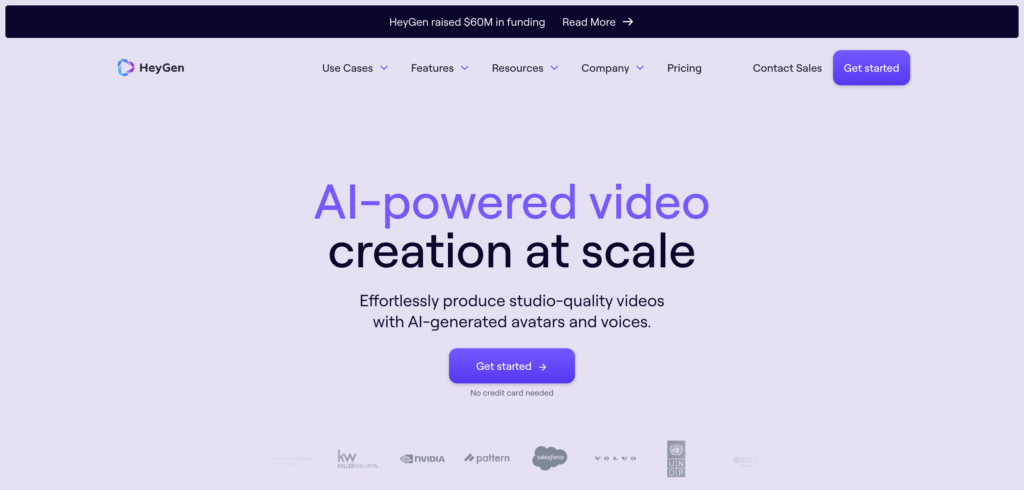
HeyGen is the tool I’d recommend first to anyone producing a polished virtual keynote. The Avatar IV and Avatar V engines produce genuinely impressive talking-head video — realistic enough that I’ve seen audience members on event feedback forms specifically comment on how “real” the presenter looked.
The video translation feature is legitimately a superpower. You upload your event keynote, pick a target language, and HeyGen rebuilds the lip-sync to match — covering 175+ languages. For international conferences, that’s a budget-killer of a feature that would otherwise cost thousands in human dubbing fees.
That said, the pricing structure has a catch that trips up a lot of organizers. The Creator plan at $29/month sounds affordable, but it only ships with 200 Premium Credits. Avatar IV video — the quality level you actually want for a professional event — burns 20 credits per minute. Do the math: that’s 10 minutes of usable high-quality footage per month. If you’re producing a 45-minute virtual summit with multiple avatar segments, you’ll blow past that allocation fast.
For serious production, the Pro plan starts at $49/month with 1,000 credits (roughly 50 minutes of Avatar IV content). The Business tier at $149/month adds team collaboration, brand kit management, and SAML/SSO. One thing I’d flag: the Business plan’s shared credit pool doesn’t scale as you add seats — you pay an additional $20/seat but the credits don’t proportionally increase, which gets expensive quickly for larger teams.
Also useful for event planners: HeyGen’s LiveAvatar feature for real-time streaming exists, though it runs on a separate $49/month slot add-on per real-time avatar. Not ideal for budget-conscious organizers who assumed the base plan covered everything.
✅ Pros
- Avatar IV/V realism is industry-leading (9.2/10 on G2)
- Up to 30-minute video length per render
- Real lip-synced video translation in 175+ languages
- Huge stock avatar library (500+)
- Strong API ecosystem (fal.ai, n8n, Replicate)
❌ Cons
- Credit system is opaque — real costs higher than headline
- Creator plan only yields ~10 min of Avatar IV/month
- LiveAvatar add-on is $49/mo extra per real-time slot
- Team plan deprecated Jan 2026; Business plan pricier
- API costs billed on a completely separate wallet
2. Synthesia — Best for Multilingual Training Presentations at Scale

Synthesia is the industry’s workhorse for L&D teams and corporate communications. If you’re running a global virtual summit with attendees spanning three continents and four languages, Synthesia is probably where you end up. Their Express-2 avatar engine introduced in late 2025 meaningfully improved realism, and the localization pipeline — where the avatar’s mouth movements actually match each target language — remains the most polished I’ve seen.
The free tier is genuinely competitive, giving you 10 minutes of video per month with no credit card required — more useful for real evaluation than most tools in this category. The Starter plan at $29/month is a reasonable entry point for solo event producers who need consistent output without enterprise overhead.
My main frustration? The per-seat billing model is brutal for teams. A five-person event production crew on the Creator plan ($89/month) isn’t $89/month — it’s closer to $445/month because each seat needs its own subscription, and minutes don’t pool. For large teams, the jump to Enterprise (custom pricing, typically $25,000–$40,000/year for mid-market deployments) is steep.
One thing Synthesia does exceptionally well is team collaboration — multiple editors can work on the same project simultaneously, which is genuinely useful when you’re producing a multi-session virtual conference with tight deadlines. That’s something HeyGen only offers on its Business and Enterprise tiers.
If you’re producing training sessions alongside event content, also look at our guide to the best AI avatar tools for multilingual voiceovers — Synthesia features prominently there too.
✅ Pros
- Fastest script-to-video pipeline (~15 min for a 3-min video)
- Free plan is actually useful (10 min/month, no card)
- 140+ language lip-synced translation
- Strong real-time team collaboration features
- 240+ stock avatar library with Express-2 realism
❌ Cons
- Per-seat billing with no minute pooling kills team value
- Custom avatar creation costs $1,000/year add-on
- SSO and SCORM gated behind expensive Enterprise tier
- Overage minutes billed at $2–$5/min — adds up fast
3. Mootup — Best for Fully Immersive 3D Virtual Conferences

Mootup plays in a completely different league to the other tools on this list. It’s not about generating a talking-head video — it’s about building an entire 3D virtual venue where your attendees actually walk around as avatars, browse exhibition booths, join breakout rooms via spatial audio, and shake hands (literally, using 2-player animations) with other participants.
This is the closest thing to replicating the “hallway conversations” you lose with traditional webinar-style events. Attendees can represent themselves as 3D avatars with over a billion customization options, as video avatars (your live webcam feed projected inside the 3D space), or even as hologram avatars if they have a green screen. The spatial audio implementation is particularly well done — conversations naturally trail off as you walk away from a group, just like at a real conference.
From an organizer standpoint, Mootup integrates cleanly with standard conferencing tools. Speakers can present through a standard Zoom-style interface while the audience interacts in the 3D space — which is a smart design choice that doesn’t require your keynote speakers to learn an entirely new workflow.
The honest downside: pricing is entirely custom and requires a sales conversation. There’s no self-serve plan you can spin up for a quick pilot. For large-scale enterprise events — product launches, virtual trade shows, annual conferences — that’s often fine. For small teams testing the waters, it’s a barrier. My suggestion: request the demo, and come prepared with your expected attendee count and event frequency.
If you’re evaluating tools for a virtual trade show specifically, also check out our broader review of AI-powered platforms used across corporate operations — Mootup fits naturally into that ecosystem.
✅ Pros
- Truly immersive 3D spaces — not just video tiles
- Browser-based, no app install needed
- Scales to 50,000 attendees with up to 1,000 exhibitors
- Hologram, video, and 3D avatar options simultaneously
- Spatial audio for natural networking conversations
❌ Cons
- No self-serve pricing — requires sales call
- Overkill for small-team webinar-style events
- Steeper learning curve for non-technical event organizers
4. Animaze — Best for Live-Stream Hosts Who Want a Branded Avatar Identity

Animaze by Holotech is the outlier on this list in the best possible way. While every other tool here either pre-renders video or builds a virtual space, Animaze maps your real-time facial expressions, head movements, and hand gestures onto an animated character — live, as you present.
The use case that immediately clicks is event hosts who want a consistent on-screen persona without putting their face in front of a camera every time. Tech company presenters, online educators, and virtual workshop facilitators have all found real value here. The audio-based lip-sync means it even works without a high-end webcam — your voice drives the mouth movements.
It plugs into OBS Studio, Zoom, Webex, and Teams via virtual camera. That integration story is actually strong — most event production setups already run OBS for scene switching and overlays, so dropping Animaze into that pipeline is straightforward.
The limitation is obvious: Animaze is a “presenter tool,” not an “event platform.” You still need an actual streaming or conferencing setup around it. Think of it as a layer you add on top of your existing virtual event stack, rather than a replacement for it. For influencer-style virtual summits or informal community events, it’s excellent. For a formal corporate conference, you’d want to pair it with something like Mootup or Spatial for the actual event environment.
✅ Pros
- Real-time animated avatar — no rendering wait time
- Works without a high-end camera (audio lip-sync)
- OBS, Zoom, Teams, Webex integration
- Strong for building a consistent presenter brand identity
❌ Cons
- Not a standalone event platform — needs a conferencing layer
- Cartoon/animated aesthetic isn’t for every corporate event
- Less suitable for formal enterprise keynote delivery
5. Spatial.io — Best for Virtual Networking Events & Creative Showcases

Spatial.io is positioned between a social networking tool and a virtual event platform — and that ambiguity is actually its strength. Attendees load a 3D gallery or meeting room directly in their browser, create a personalized avatar (often imported via Ready Player Me), and navigate the space just like they would a physical venue. Walk up to someone, start a conversation, explore a product display, join a breakout room.
The free tier is genuinely usable — you can create a space, invite guests, and host a small networking event without spending anything. For paid plans supporting larger audiences and custom branding, contact the team for enterprise pricing. The upside is that attendees don’t need a VR headset; a standard laptop browser is enough, which dramatically reduces friction compared to older metaverse platforms.
Where Spatial falls short is in structured presentation-style events. It excels at open exploration and networking, but if you need controlled session scheduling, breakout room management, or speaker queue management, you’ll hit the limits of the platform quickly. It’s a “wander around and discover” experience by design — not a “sit down and watch a keynote” one.
A natural pairing: use Spatial for the networking hour before or after a formal session delivered via HeyGen or Synthesia avatars. The contrast in modality keeps attendees engaged without overlapping the tools’ strengths.
✅ Pros
- Free tier available with no credit card
- No VR headset required — full browser support
- Seamless Ready Player Me avatar import
- Excellent for art exhibitions, product showcases, networking
❌ Cons
- Weak for structured, presentation-heavy events
- 50-user limit per space on standard plans
- Limited session management and speaker queue tools
6. Colossyan — Best for Interactive Training Sessions & L&D Webinars

Colossyan doesn’t try to compete with HeyGen on avatar realism or with Mootup on immersive 3D environments. Instead, it focuses on what it does best: interactive, branching video sessions that turn a passive viewer into an active participant.
The branching scenario feature is genuinely unique in this space. Your avatar can pose a question during a training webinar, and depending on how the viewer responds, the video branches to a different segment. This is a game-changer for compliance training, product certification events, and onboarding webinars where you need to verify comprehension — not just passive viewing.
The pricing story here is actually excellent versus Synthesia for high-volume teams. At entry, both tools are roughly comparable ($27 vs $29/month). But at the Business level, Colossyan offers unlimited video minutes at around $70/month annually — while Synthesia’s Creator tier gives you just 30 minutes/month at $64/month. For teams producing high volumes of event content, that difference compounds significantly.
SCORM export (available on Business plan) means your event recordings integrate directly with popular LMS platforms — which matters if your “virtual event” is really an extended learning program running over multiple sessions. One thing to verify: SCORM is gated behind the Business plan, not the entry tier.
For context on where Colossyan sits in the AI learning landscape, our review of AI tools in education — benefits and risks covers the broader category.
✅ Pros
- Branching/interactive video — unique in this space
- Unlimited minutes on Business plan ($70/mo annual)
- SCORM export for LMS integration
- Document-to-video feature saves real production time
- Competitive entry pricing vs Synthesia
❌ Cons
- Avatar realism trails HeyGen’s Avatar IV/V engines
- SCORM gated behind Business plan — not entry tier
- 80 languages vs Synthesia’s 140+ and HeyGen’s 175+
7. D-ID — Best Budget Option for Quick, Personalized Event Promos

D-ID earns its spot on this list by solving a very specific problem: how do you create a “personal” talking-avatar video at minimal cost? Upload a headshot, type a script, and D-ID animates the photo to speak your text convincingly. The result isn’t quite on par with HeyGen’s Avatar IV rendering, but at $4.70/month for the Lite plan, the value-to-price ratio is exceptional.
The sweet spot use case for event organizers: personalized welcome messages. Imagine every registered attendee receiving a 30-second “welcome to our virtual summit” video featuring an animated version of your CEO or speaker — addressed to them specifically. D-ID can produce that kind of content at scale in a way that more expensive platforms can’t match on cost. D-ID plans go up to $108/month for Advanced, covering more clips, higher resolution, and expanded API access.
Voice cloning is available across plans, which adds authenticity. You record a few minutes of your speaker’s voice, and D-ID applies it to the avatar — so it actually sounds like the executive, not a synthetic TTS voice. That’s a meaningful differentiator for event promotions.
The resolution limitation is worth noting: the Lite plan renders at 512px, which is fine for social media clips and email embeds but not suitable for fullscreen presentation content. The Advanced plan unlocks higher resolution output. For a broader look at what D-ID sits alongside, our guide to the best InVideo AI free alternatives covers the adjacent video creation category.
✅ Pros
- Lowest entry price in this roundup ($4.70/mo)
- Photo-to-avatar pipeline is extremely fast and simple
- Voice cloning included across plans
- 14-day free trial, no commitment
❌ Cons
- Lite plan renders at 512px — not for full presentations
- Less realistic than HeyGen or Synthesia avatars
- Better suited for promos/clips than full keynote delivery
How to Choose: A Decision Framework for Event Organizers
After reviewing all seven platforms, I’ve found that event organizers consistently trip on the same three decisions. Here’s a clear framework:
Which Tool Fits Your Event Type?
🎤 Pre-Recorded Keynote / Training Session
→ HeyGen (best avatar realism) or Synthesia (best for multilingual teams)
🌐 Immersive 3D Conference / Trade Show
→ Mootup (enterprise scale, up to 50,000) or Spatial.io (free tier, smaller networking events)
📚 Interactive Training / L&D Webinar Series
→ Colossyan (branching scenarios, SCORM, unlimited minutes on Business)
🎙️ Live-Streamed Event Host with Avatar Identity
→ Animaze (real-time motion tracking, OBS integration)
💌 Personalized Event Promos / Budget-Conscious Clips
→ D-ID (cheapest in category, photo-to-avatar, voice cloning)
The 3 Hidden Costs to Watch For
Across these tools, three cost patterns catch organizers off-guard repeatedly:
1. Credit burn rate vs monthly allocation. HeyGen’s Creator plan sounds reasonable at $29/month — but 200 credits at 20 credits/min for Avatar IV means you get 10 minutes of usable premium content. Always calculate cost per usable output minute, not cost per plan name.
2. Per-seat billing without pooled minutes. Synthesia’s minute allocation is per-seat, not shared. A five-person team on Creator isn’t $89/month — it’s potentially $445/month. Always calculate total cost based on your actual team size.
3. Feature gating. SCORM export (Colossyan), SSO (Synthesia, HeyGen), and LiveAvatar slots (HeyGen) are often gated behind higher tiers or separate add-ons. Map your “must-have” features before choosing a base plan — many organizers upgrade mid-event-cycle at the worst possible time.
Also worth reading if you’re dealing with broader tech decisions: the team at Issues2Fix regularly documents integration and troubleshooting issues with platforms like these — useful if you hit unexpected errors during event setup.
FAQ: AI Avatar Tools for Virtual Events
What is the best AI avatar tool for virtual event hosting?
HeyGen is the best overall for pre-recorded keynotes thanks to its Avatar IV/V realism and 175+ language translation. For live 3D events, Mootup leads the category. For interactive training webinars, Colossyan is the strongest choice due to branching scenarios and SCORM export at a self-serve price.
Do I need a VR headset to use these platforms?
No. Mootup, Spatial.io, and every video-based tool on this list work entirely in a standard browser or desktop app. VR headsets are supported where available but never required. Your attendees can join from any laptop, tablet, or phone.
Can I clone my own voice for an AI avatar?
Yes — HeyGen, Synthesia, and D-ID all offer voice cloning. You record a short sample (typically 2–5 minutes), and the platform applies your voice to the avatar. HeyGen includes one voice clone on the Creator plan; Synthesia and D-ID offer it across their paid tiers.
Are these AI avatar tools legally compliant for corporate events?
Enterprise tiers from Synthesia, HeyGen, and Colossyan include commercial use rights. However, always review the platform’s Terms of Service regarding data processing and PII handling — especially if your event collects attendee data in countries covered by GDPR or similar regulations. For compliance-sensitive organizations, Synthesia and HeyGen are the more commonly enterprise-vetted choices.
What is the cheapest AI avatar tool for virtual events?
D-ID is the most affordable, starting at $4.70/month for the Lite plan with a 14-day free trial. Spatial.io also has a genuinely useful free tier. For free testing, Synthesia’s free plan gives 10 minutes per month with no credit card required — the most useful free evaluation in the category.
What is the difference between Synthesia and HeyGen for virtual events?
HeyGen leads on avatar realism (Avatar IV/V engine, 9.2/10 on G2) and language coverage (175+). Synthesia leads on team collaboration features, enterprise security certifications, and a more generous free tier (10 min/month vs HeyGen’s 3 watermarked clips). For multilingual teams at enterprise scale, Synthesia’s governance features often tip the decision. For solo creators and small production teams prioritizing raw avatar quality, HeyGen wins.
Conclusion: Which One Should You Pick?
There’s no single winner here — these tools serve genuinely different event production needs. But if I had to cut the list to three recommendations for the majority of event organizers:
🥇 Best Overall: HeyGen
For polished pre-recorded presentations and multilingual keynote delivery. Just watch the credit math before committing to a plan.
🥈 Best for Teams/Training: Colossyan
Unlimited minutes on Business plan, branching interactive sessions, and SCORM export at a price Synthesia can’t touch at the same tier.
🥉 Best Budget Pick: D-ID
At $4.70/month with voice cloning, nothing else in the category delivers this level of personalization for event promos and welcome messages at this price point.
My honest advice: start small. Almost every tool here offers a meaningful free trial. Run a real test with your actual event script — not a sample template — before you sign an annual plan. The right tool for your event depends heavily on your team size, output volume, and whether you need pre-recorded polish or live interactivity.
Virtual events are getting more competitive, not less. An AI avatar tool that makes your keynote feel genuinely human and your networking feel genuinely interactive is increasingly a differentiator — not just a nice-to-have.
If you found this useful, explore our reviews of AI tools for freelancers and event producers and our in-depth look at RunwayML if you need to layer generative video alongside your avatar content. For more troubleshooting, tech fix guides, and platform deep-dives, the team at Issues2Fix.com covers the setup and integration side in detail.
Ready to Upgrade Your Virtual Events?
Start with a free trial — no commitment needed to see the quality difference firsthand.
About the Author
Oyekale Olawale runs Websites2Know, an independent platform reviewing AI tools and SaaS software. He tests each tool across real workflows — not demos — and publishes reviews based on hands-on evaluation. Reviews are written independently; no vendors pay for favorable coverage.