
Pricing Guide · Updated July 2026
Base44 Pricing 2026: What Each Plan Actually Buys You (And Where the Credits Run Out)
A plan-by-plan breakdown of Base44’s five pricing tiers, how the dual-credit system really behaves once you’re building, and which plan actually fits your project instead of just your budget.
By Oyekale Olawale · 12 min read
⚡ Quick Answer
Base44 has five plans: Free ($0), Starter ($16–$20/mo), Builder ($40–$50/mo), Pro ($80–$100/mo), and Elite ($160–$200/mo). Annual billing saves 20% on every paid tier. Every plan runs on two separate credit meters — message credits for building and integration credits for what your live app does — and neither one carries over to the next month. For most people building a real MVP, Builder at $40/month annually is the plan that actually removes friction.
I’ve spent the past several weeks inside Base44, building three separate test apps — a simple internal tool, a client-style MVP with backend functions, and an AI-powered app that leans on LLM calls and image generation. That last one is where the credit math actually gets interesting, and it’s the part most pricing breakdowns skip.
This guide isn’t a rehash of Base44’s pricing page. It’s what happened when I actually spent the credits — where they went faster than expected, which plan genuinely removes friction, and where the “hidden” costs show up once you’re past the free tier.
What Is Base44?
Base44 is an AI app builder that turns plain-language prompts into full-stack applications — frontend, backend, database, authentication, and payments included. You describe what you want (“build a client portal with login and a dashboard”), and Base44’s AI writes and wires up the actual code behind it. Apps run on production infrastructure from the start, not a throwaway sandbox, and every plan lets you export your full source code to GitHub whenever you want.
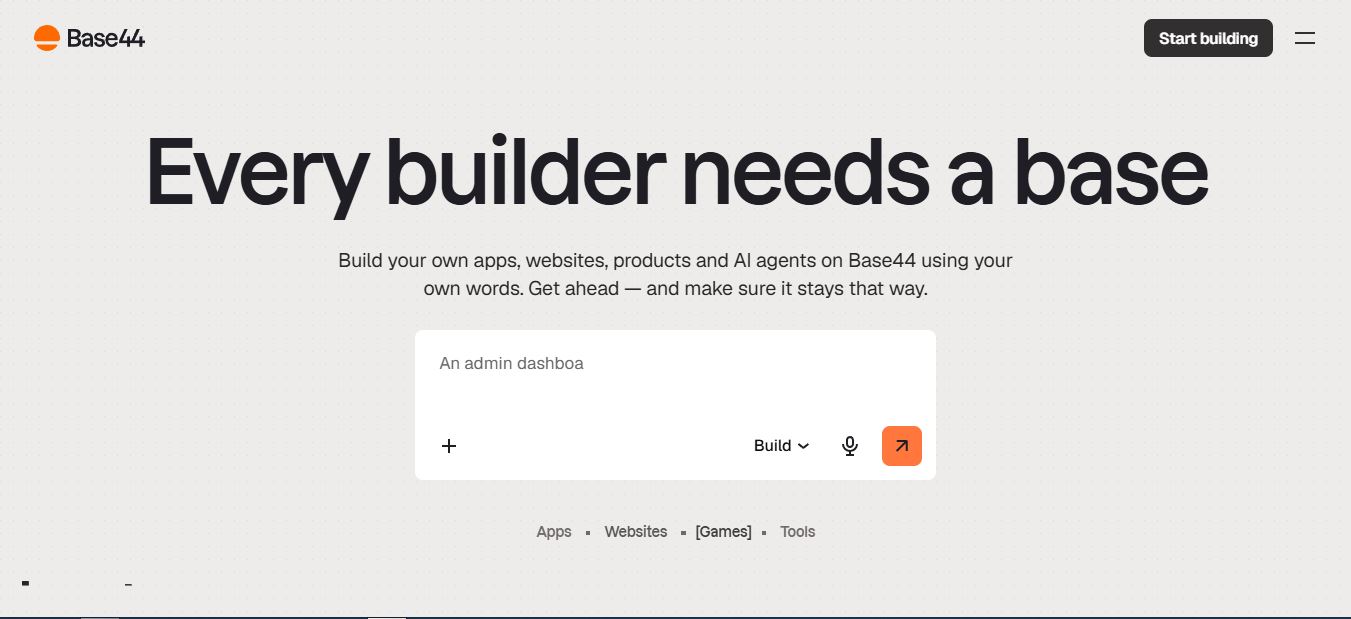
That part of Base44 hasn’t changed much since I first covered it. What has changed — and what trips people up — is understanding exactly what you’re paying for once you move past the free plan. That comes down to two things: the plan tier, and the credit system layered on top of it.
Base44 Pricing Plans at a Glance (July 2026)
Here’s the full breakdown, verified directly against Base44’s live pricing page. Prices shown are billed annually (the 20% discount rate); monthly billing runs 25% higher on every paid tier.
| Plan | Annual Price | Monthly Price | Message Credits | Integration Credits |
|---|---|---|---|---|
| Free | $0 | $0 | 25/mo | 100/mo |
| Starter | $16/mo | $20/mo | 100/mo | 2,000/mo |
| Builder 🏆 | $40/mo | $50/mo | 250/mo | 10,000/mo |
| Pro | $80/mo | $100/mo | 500/mo | 20,000/mo |
| Elite | $160/mo | $200/mo | 1,200/mo | 50,000/mo |
Every paid tier includes unlimited apps, in-app code editing, backend functions, AI model selection, a connected domain with one free year, GitHub sync, and 25 credits to share with a friend. Elite adds priority support on top.
How Base44’s Two-Credit System Actually Works
This is the part that catches new users off guard, because “credits” sounds like one thing when it’s actually two completely separate meters.
Message Credits (What You Spend While Building)
Every prompt you send to Base44’s AI — “add a login page,” “fix this bug,” “change the header color” — draws down one message credit, regardless of how big or small the change is. On my test MVP, a full build-out with a login flow, dashboard, and a basic CRUD backend used roughly 180 message credits over about three weeks. That’s comfortably inside the Builder plan’s 250/month, but it would have blown past Starter’s 100 by the second week.
Integration Credits (What Your Live App Spends)
Once your app is live, integration credits kick in — one credit per LLM call, file upload, image generation, email send, SMS, or automation your users trigger. Standard database reads and writes are free and don’t touch this pool. If you’re building anything AI-powered (which is Base44’s core use case), this is the number to actually watch. In my AI-features test app, a chatbot answering roughly 40 test queries burned through 40 integration credits in an afternoon — fine on Builder’s 10,000, but it shows how fast a public-facing AI feature can eat into Starter’s 2,000.
Neither credit type rolls over. Whatever you don’t use resets to zero at your monthly billing anniversary (or daily, on the Free plan). There’s no banking unused credits for a slower month.
Plan-by-Plan Breakdown
Free Plan — $0/month
You get every core Base44 feature — authentication, database, analytics — up to five apps, with 25 message credits and 100 integration credits per month. No custom domain, no backend functions, no GitHub sync. It’s genuinely enough to build a working proof-of-concept over a weekend. It is not enough to build anything you plan to ship.
Starter Plan — $16–$20/month
Unlimited apps and in-app code editing unlock here, along with 100 message credits and 2,000 integration credits. It’s a solid fit for a personal project or a first learning app, but no backend functions and no custom domain means it’s not built for something you’re shipping to real users yet.
Builder Plan — $40–$50/month 🏆
This is where Base44 turns into a real product-building tool. Backend functions, a connected custom domain (free for the first year), and two-way GitHub sync all show up here, alongside 250 message credits and 10,000 integration credits. In my testing, this was the first tier where I stopped watching the credit counter out of anxiety. It comfortably covered an MVP build plus early user testing.
Pro Plan — $80–$100/month
Everything in Builder, plus the ability to choose which AI model powers your builds and early access to beta features. The jump to 500 message and 20,000 integration credits makes sense once you’re running multiple active apps or an app with a genuine, growing user base.
Elite Plan — $160–$200/month
Everything in Pro, plus priority support and the largest credit pool by far — 1,200 message credits and 50,000 integration credits. This tier is built for people running production apps with real, paying users, not for a single MVP still finding traction.
A Few Things I Ran Into While Testing
The integration credit counter in the dashboard sometimes lags by a few minutes behind actual usage — twice during my chatbot test, I hit a “credits exhausted” wall in the live app before the dashboard number had updated, which was momentarily confusing. Vague prompts also cost real money: a one-line prompt like “make it look better” still burns a full message credit even when the AI’s interpretation misses what you wanted, so writing specific prompts upfront genuinely pays for itself in credits saved.
Hidden Costs to Budget For
- Domain renewal after year one on Builder+ plans typically runs $10–$15/year if you keep the included domain.
- Third-party services you connect — Stripe, SendGrid, OpenAI’s own API, etc. — bill you directly. Base44’s integration credits cover the connection, not the underlying provider’s own charges.
- Upgrading mid-cycle to cover a credit shortfall means paying for a new tier before your current billing period even ends.
- Education and nonprofit pricing exists but isn’t listed publicly — it’s a case-by-case conversation with Base44’s team.
Base44 vs. Other AI App Builders
| Platform | Free Tier | Entry Paid | Mid Tier |
|---|---|---|---|
| Base44 | Yes | $16/mo | $80/mo |
| Lovable | Yes | $20/mo | $50/mo |
| Bolt.new | Yes | $18–20/mo | $99/mo |
| Replit | Yes | $20/mo | — |
| Bubble | Yes | $32/mo | $134/mo |
Base44’s entry-level pricing is genuinely competitive — its $16/month Starter plan undercuts most of the field. Where it gets pricier is at the higher tiers, where the credit ceilings (rather than raw feature counts) become the deciding factor between platforms.
Real-World Cost Scenarios
Numbers on a pricing page only tell you so much. Here’s roughly what different projects actually cost to build and run based on my own usage and typical patterns I’ve seen from other builders.
Building a Solo MVP
Most solo MVP builds take 150–300 message credits across two to four weeks of active iteration. Builder’s 250 monthly credits fit that comfortably, putting the realistic total cost at $40–$80 before launch — a fraction of hiring a developer for the same scope.
Internal Business Tool
Internal tools used by a small team rarely trigger heavy integration usage since there’s no public AI feature draining credits from outside users. Builder’s 10,000 integration credits handle this easily, and most of the monthly spend goes toward message credits during active development periods.
AI-Powered Public App
This is where costs climb fastest. An app that calls an LLM or generates images for every user interaction can burn 50–100 integration credits per active user each month. A few hundred active users on a chat-style feature will push most builders toward Pro or Elite, not because the plan feature list demands it, but because the integration credit ceiling does.
Integration Credit Usage by Project Type
Estimated % of Builder’s 10,000/mo integration credit pool consumed
Estimates based on my own testing and typical AI-feature usage patterns. Actual consumption depends on how many integrations each user session triggers.
Annual vs. Monthly Billing
Annual billing saves a flat 20% on every paid tier, which adds up — Builder drops from $600/year to $480/year, for example. My advice: stay on monthly billing for your first cycle so you can validate that your actual usage matches the plan’s credit ceiling, then switch to annual once you’re confident it’s the right tier. Annual plans typically don’t offer prorated refunds if you downgrade mid-term.
What About Enterprise Pricing?
Base44 also offers a custom Enterprise tier with custom credit allocations, a dedicated architect, SSO, and advanced security controls — but pricing isn’t published. That path only makes sense once you’ve outgrown Elite’s 50,000 integration credits or need organization-wide governance, which is a different conversation than most solo builders and small teams will need to have.
Which Base44 Plan Should You Pick?
| Your Situation | Recommended Plan |
|---|---|
| Just testing the platform | Free |
| Personal project or learning | Starter |
| Building a real MVP | Builder |
| Freelancer, multiple client projects | Pro |
| Production app with active users | Pro or Elite |
✅ Pros
- Genuinely usable free tier
- Competitive $16/mo entry price
- Unlimited apps on every paid plan
- Full GitHub export, no lock-in
- 20% off with annual billing
❌ Cons
- Credits never roll over
- Integration credits drain fast on AI-heavy apps
- No mid-tier between Builder and Pro
- Priority support only on Elite
- Enterprise pricing isn’t public
Frequently Asked Questions
Is Base44 actually free to use?
Yes. The Free plan includes core features like authentication, database, and analytics on up to five apps, with 25 message credits and 100 integration credits per month. It’s enough to test the platform, but not to build something you plan to ship.
What’s the actual difference between message credits and integration credits?
Message credits are spent by you while building — every prompt costs one. Integration credits are spent by your app’s users after it’s live, whenever they trigger an LLM call, file upload, email, or similar action.
Do unused Base44 credits carry over to the next month?
No. Both message and integration credits reset on your billing anniversary, and anything unused simply expires.
Does Base44 offer student or nonprofit discounts?
Base44 doesn’t list public student or nonprofit pricing, but it does offer education and nonprofit rates on a case-by-case basis — reaching out to their team directly is the way to check.
Can I cancel or downgrade my Base44 plan anytime?
Yes. Upgrades, downgrades, and cancellations can happen anytime from your account settings, and changes apply at your next billing cycle. Your apps and data stay intact regardless of plan changes.
Final Take: Is Base44’s Pricing Worth It?
For what it delivers — a full-stack app builder with real production infrastructure and no code lock-in — Base44’s pricing holds up well against the competition, especially at the entry level. The credit system takes some getting used to, and it rewards people who plan their prompts and features before diving in. If you’re serious about shipping something, skip the Free and Starter tiers and start at Builder. That’s where the platform stops feeling like a trial and starts feeling like a real workspace.
Want the Full Picture Before You Commit?
Read our hands-on breakdown of Base44’s features, builder experience, and where it stands against other vibe coding tools.
📚 Related Reading on Websites2Know
- Base44 Review: Full Features & Hands-On Breakdown
- Best Vibe Coding Tools I Tested and Reviewed
- 10 Top Verdent Alternatives for AI-Powered Coding
- GitHub Copilot Token Credits Policy Changes Explained
- Is Claude AI Good for Coding? Full Developer Review
- AppMySite Review: No-Code App Building Explained
- The 6 Best AI Website Builders for Fast Web Design
- Verdent AI Review: A New Coding Assistant
Pricing verified directly from Base44’s official pricing page as of July 2026. Plans and credit allowances may change — always confirm current pricing on base44.com/pricing before subscribing.


