
LogoAI Review 2026: I Tested Every Pricing Tier, the Editor, and the New AI Design Suite
A hands-on test of LogoAI’s logo generator, brand kit, and ChatGPT Image 2-powered AiDesign Suite — with real screenshots, real bugs, and the exact prices you’ll pay.
By Oyekale Olawale · Updated July 2026 · 12 min read
⚡ Quick Answer
LogoAI is a one-time-payment logo maker: Basic $29, Pro $59, and Brand $99 — no subscription. Design is free; you only pay to download. I tested all three tiers plus the newer AiDesign Suite (which runs ChatGPT Image 2 and other models for marketing images), and it’s a strong pick if you want a usable logo and brand kit in under 20 minutes. It’s not the pick if you want fully original, non-templated artwork — for that, budget for a human designer or a more flexible tool like Freepik.
I’ve reviewed a lot of AI logo makers for this site, and I keep coming back to LogoAI. It’s one of the few that hasn’t quietly disappeared or gotten worse since 2018.
For this update, I rebuilt an entire brand from scratch — logo, business card, and a marketing banner — using LogoAI’s editor and its newer AiDesign Suite. I wanted to see whether it still earns a spot on a “tools I’d actually pay for” list in 2026.
What Is LogoAI?
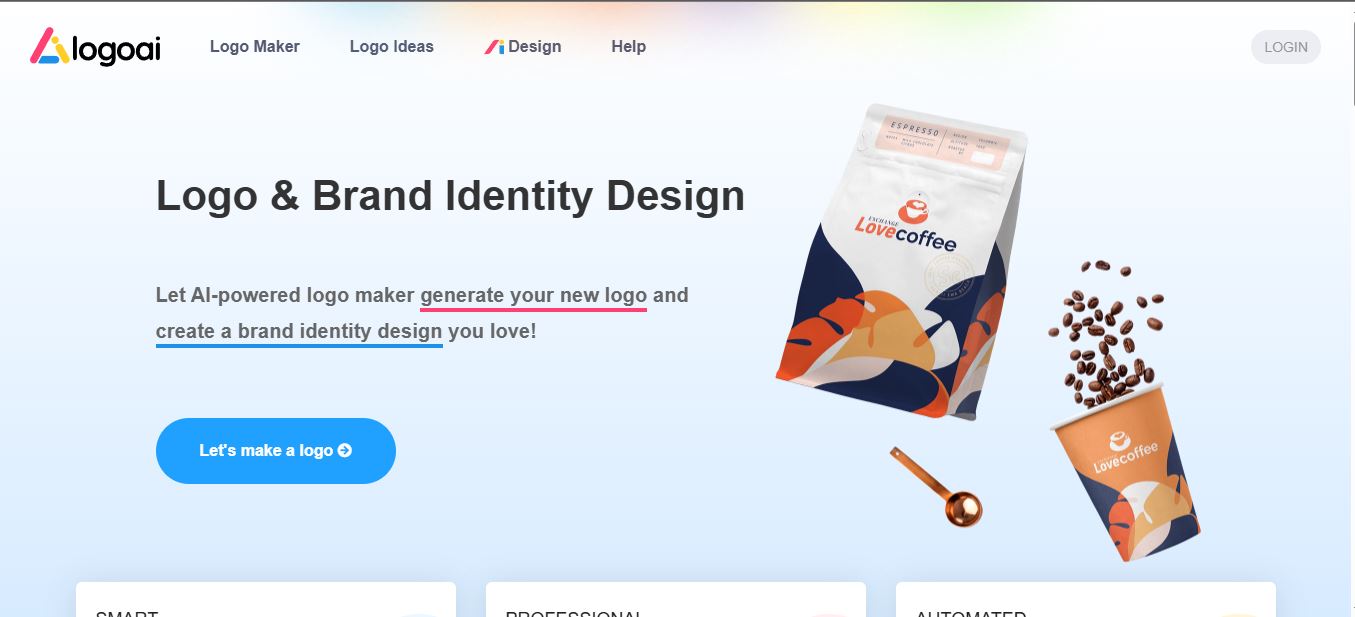
LogoAI is a browser-based, AI-powered logo and brand-identity generator. You type in a company name and (optionally) a slogan, then tell it your industry, color mood, and font style.
Its engine returns a wall of logo concepts pulled from — by the company’s own count — a template library north of 3.5 million combinations. From there you land in a drag-and-drop editor to fine-tune spacing, color, and typography before exporting.
What’s changed since my last review is the scope. LogoAI isn’t just a logo tool anymore — it’s grown into a small suite: a Logo Mockup Generator, an AI Icon Generator, a Business Card builder, Animated Logo exports, an Email Signature generator, and most recently, an AiDesign Suite that plugs into multiple image-generation models.
It’s still a one-time-payment product, not a subscription. That pricing philosophy hasn’t moved in years, and it’s one of LogoAI’s more distinctive traits in a market that’s gone almost entirely to SaaS billing.
Who Is LogoAI Actually For?
LogoAI isn’t chasing design agencies or brand studios. It’s built for the person who needs to look credible this week, not eventually.
In practice, that breaks down into a handful of recognizable groups:
💼 Small business owners who need a logo for a storefront, invoice, or Google Business listing without a design firm’s minimum retainer.
🎥 YouTubers & creators who need a channel logo and matching banner before their next upload, not next month.
🧑💻 Freelancers & solopreneurs establishing a consistent personal brand across a portfolio site and social profiles.
🚀 Startup founders who need something presentable for a pitch deck before they’ve raised enough to hire a designer.
🛠️ Developers & indie hackers who want to generate logos programmatically through LogoAI’s Logo API.
If any of that sounds like you, LogoAI’s speed-first approach is a genuine advantage.
If you’re further along — raising a Series A, already have brand guidelines, or need something a trademark attorney will bless as fully original — this isn’t the tool for that stage.
How I Test Logo and Design Tools
Before I hand out a verdict, I actually build something real with the tool — not a throwaway test brand. For this review, I ran Websites2Know itself through LogoAI: real company name, real slogan, real industry category (Technology).
I paid attention to three things every reader actually cares about: how close the first-pass output is to usable, how much friction shows up once you start customizing, and whether the pricing page matches what you actually get charged.
I also cross-checked every price against LogoAI’s live pricing page and against independent reviews published in the past few months, since AI tool pricing shifts more often than most software categories.
Core Features, Beyond the Logo Itself
The logo generator gets most of the attention, but LogoAI’s toolset is wider than most people expect going in.
Here’s what’s actually bundled into the platform as of this test:
AI Icon Generator
Spins off standalone icons that match your logo’s visual language — handy for app icons or favicons.
Logo Mockup Generator
Drops your logo onto real-world surfaces — t-shirts, coffee cups, storefront signs — for client pitches.
AI Business Card Builder
Auto-generates a matching card layout using your brand’s colors and fonts.
Animated Logo Export
Available on the Brand tier — turns your static mark into a short animated intro clip.
Email Signature Generator
A small but handy inclusion for freelancers who want brand consistency down to the inbox.
Logo API
Lets developers integrate LogoAI’s generation engine directly into their own apps.
The Brand tier’s 100 AI credits are earmarked for generating matching business cards, brand posters, and additional logo mockups after your initial purchase.
So that $99 isn’t just a bigger file bundle — it’s ongoing generation capacity inside the Brand Center.
Step 1: Enter Your Brand Details
I started on the LogoAI homepage by typing in my company name, “Websites2Know,” and an optional slogan: “In-Depth AI Tools & Software Reviews, Comparisons & Practical Guides.” No account creation was required to start — you can get through concept generation entirely before LogoAI asks for an email.
Step 2: Define Your Brand Style
Next, the AI prompted me to select an industry (Technology), a color palette (I chose Cold), and a font style (Modern). That’s the entire input — three taps, and the engine already has enough to work with.

Within seconds, LogoAI presented hundreds of logo variations. I landed on a clean, minimalist option that already felt close to done — no squinting required to see it as a real brand mark.
Step 3: Customizing in the Editor

Clicking into the chosen design dropped me into the editor, where I had genuine control. I tweaked the font, adjusted the spacing between the icon and the text, and experimented with slightly different shades of blue until the balance felt right.
Zero design background needed — the whole process felt closer to filling out a form than “designing” in the traditional sense.
Where it got a little clunky: nudging letter spacing and icon size by small increments takes an extra click or two more than I’d like, and there’s no keyboard-nudge shortcut that I could find. If you’re used to Figma-level precision, you’ll notice the ceiling almost immediately.
The AiDesign Suite: Testing the Marketing Image Generator

This is the part of LogoAI most reviews skip, and it’s genuinely new since the platform’s early days. From the dashboard I opened the AiDesign Suite, which gives you access to multiple underlying image models rather than locking you into one. I specifically picked ChatGPT Image 2, since it’s marketed as the fastest option in the lineup.
I wanted a marketing banner for this blog, so I prompted it for a modern 16:9 tech banner — a sleek laptop displaying AI software dashboards, floating SEO and AI icons, navy blue and sky blue brand accents, minimal futuristic design, ultra-realistic, no text, no watermark.

The “lightning-fast” claim held up — the image rendered almost instantly, and the quality genuinely surprised me. Compared to other generators I’ve tested that take up to a minute per render, this was a meaningful workflow improvement, especially if you’re producing several variations before landing on the one you want.
Generation Speed — What I Actually Measured
Bugs and UX Friction I Actually Ran Into
No AI tool review is complete without the rough edges. Here’s what actually tripped me up during testing — not generic complaints pulled from a template:
- Fixed spacing increments. The icon-to-text spacing control only moves in set steps — no drag handle or numeric input — so fine-tuning takes several clicks of trial and error instead of one precise adjustment.
- Font resets on palette switch. Toggling between color palette presets and a custom hex picker occasionally reset my font selection back to default, forcing me to redo a step. This happened twice in one session.
- No render progress indicator. AiDesign Suite generation was fast, but the screen just sits static during rendering with no spinner or queue status — the first time, I genuinely wasn’t sure my request had gone through.
None of these are dealbreakers. They’re the kind of small friction points that only show up once you’ve used the tool past the first “wow” impression.
What Other Users Are Saying
Beyond my own test, I checked how LogoAI is landing with other users across review platforms and community threads.
The consistent themes: people are impressed by how close the first-pass logo gets to “done” without any prompting expertise, and the mockup generator gets called out repeatedly as more useful than expected for client pitches.
The recurring complaint mirrors what I found: the platform’s “templated” feel becomes noticeable once you’ve generated a few dozen logos across different projects, since you’re customizing within the AI’s existing layout rather than building freeform.
Review aggregators covering this category also flag the same structural trade-off: it’s a one-time purchase per logo, so exploring a genuinely different concept later means a new charge, not a free do-over.
LogoAI Pricing in 2026: The Full Breakdown
LogoAI still runs on a one-time-payment model — no monthly subscription, no auto-renewal. Designing is completely free; you only pay when you decide to download. Here’s exactly what each tier unlocks, verified against the current live pricing page:
| Plan | Price | What You Get |
|---|---|---|
| Basic | $29 | 800×600px logo, transparent PNG, one vector file, 3-day unlimited edits |
| Pro | $59 | High-res files, full vector/PNG set, brand identity elements, business card design |
| Brand | $99 | Everything in Pro + logo animation, Brand Center, and 100 AI credits for posters and mockups |
| Designer Manual Fix | +$40 | An in-house designer manually adjusts your logo, up to 3 revisions |
Two pricing quirks worth knowing before you buy. First, each purchase covers one logo — a second concept means a second charge.
Second, returning customers get a real discount through the code WEBSITES2KNOW: 40% off your 2nd–5th logo, 50% off your 6th–10th, and 60% off your 11th and beyond. If you’re an agency spinning up placeholder brands for multiple clients, that volume discount changes the math considerably.
LogoAI vs. LogoFast vs. Canva: Feature Matrix
I get asked constantly how LogoAI stacks up against the newer wave of one-shot logo tools like LogoFast, plus the perennial default, Canva. Here’s the honest side-by-side:
| Feature | LogoAI | LogoFast | Canva |
|---|---|---|---|
| Pricing model | One-time, $29–$99 | One-time, tiered | Free + Pro subscription |
| Vector file export | ✅ Pro & Brand tiers | ✅ Varies by plan | Limited |
| Multi-model AI image suite | ✅ AiDesign Suite | ❌ | ✅ Dream Lab |
| Deep manual design control | Moderate | Moderate | ✅ High |
| Real-time collaboration | ❌ | ❌ | ✅ |
The AI Power-User Angle: Is LogoAI a Good “AI Agent”?
Since this site covers AI tools broadly, it’s worth framing LogoAI as what it functionally is: an AI-as-a-service branding agent.
Judged that way, it performs well on speed and context-awareness. Feed it an industry and a couple of keywords, and the color palette and font pairing it returns actually feel relevant, not random. It’s a solid pick for MVPs, pitch decks, or getting a social presence looking legitimate fast.
Where it falls short for power users: the uniqueness ceiling is real. The AI is fast, but not especially creative — a lot of outputs still feel template-based if you’re chasing something truly original.
It’s also a solo experience with no collaborative editing or shared workspace, and once you’re used to tools like Illustrator or Figma, the customization ceiling shows up fast. LogoAI isn’t built for long-term, highly customized brand identity work — it’s built to get you looking legit, quickly.
Pros and Cons
✅ Pros
✔ One-time payment, no forced subscription
✔ Free to design and preview before paying
✔ AiDesign Suite adds fast, high-quality marketing images
✔ Volume discount (WEBSITES2KNOW) rewards repeat buyers
✔ Zero design skill required
❌ Cons
✘ Vector files locked behind Pro/Brand tiers
✘ One purchase = one logo, no unlimited iteration
✘ No collaborative/shared editing
✘ Fine-grain spacing edits feel a click slower than they should
✘ No native mobile app
FAQ
Is LogoAI a subscription?
No. LogoAI charges a one-time fee per logo purchase ($29–$99). There’s no recurring billing or auto-renewal.
Can I get a refund after downloading?
Refunds generally aren’t offered once logo files have been downloaded, and discount codes must be entered at checkout — they can’t be applied retroactively.
Do I own the logo I create?
Yes — every paid plan includes a full commercial license, and you can even transfer ownership of a logo to a client’s account.
What is the AiDesign Suite?
It’s LogoAI’s newer image-generation dashboard, giving access to multiple AI models — including ChatGPT Image 2 — for producing marketing assets like banners and social graphics beyond the logo itself.
Is there a free plan?
Designing and previewing logos is free. You need a paid plan to download usable, high-resolution files.
Bottom Line
LogoAI in 2026 is still one of the fastest ways to walk away with a usable logo and a small starter brand kit, and the new AiDesign Suite genuinely extends its usefulness past the logo itself.
If you need something that looks legitimate today — for an MVP, a pitch deck, or a rebrand you don’t want to overthink — the $29 to $99 range is a fair trade for the hours it saves you.
If you need a fully original mark or an evolving brand system that grows with you over years, treat LogoAI as a fast first draft, not a final designer.
Related Reading
LogoFast Review: A Faster One-Shot Logo Generator?
Freepik Review: Full Design Asset Library Breakdown
ProVisual 3D Mockup Generator Review
Top 10 3D Mockup Generator AI Tools I Tried
Templated.io Review: Automated Design Templates
Meshy AI Review: 3D Asset Generation Tested
Vheer AI Review: Free AI Image Generator
Nano Banana 2: What’s New in Google’s Image Model
Landingsite AI Review: AI Website & Design Builder
Bazaar.it Review: AI Product Design Tool


