

Railway.com Review 2026: I Ran 3 Services for a Month and Here’s the Real Bill
A Hono backend, a Postgres database, and a cron job that backs it up — here’s exactly what it cost, and where the bill starts to hurt.
⚡ Quick Answer
Railway is a usage-based cloud platform that deploys apps, databases, and cron jobs from a GitHub repo in minutes, with pricing starting at $5/month (Hobby) or $20/month (Pro) in included usage credits. It’s genuinely excellent for backend-heavy side projects and MVPs — I ran a Node backend, a PostgreSQL database, and a backup cron job on less than 5GB of monthly traffic for $2.90. But egress costs $0.05/GB with no bundled bandwidth, and if your app gets real traffic, that bill climbs fast. For anything beyond a small side project, I moved to a $6/month VPS running Docker myself — more setup work, dramatically lower cost.
I used Railway to deploy a small stack: a Hono-based backend, a PostgreSQL database, and a cron service that runs nightly to back up that database. Nothing exotic. Traffic was low — under 5GB a month, and honestly I’m not fully certain of the exact number since Railway’s usage dashboard rounds things off. Even at that low load, I burned through about $2.90 of my $5 Hobby credit. When I did the math on adding my Next.js frontend to the same project, it became clear the $5 monthly quota wouldn’t come close to covering it. That’s the story this review is built around — not marketing copy, but an actual invoice.
What Is Railway?
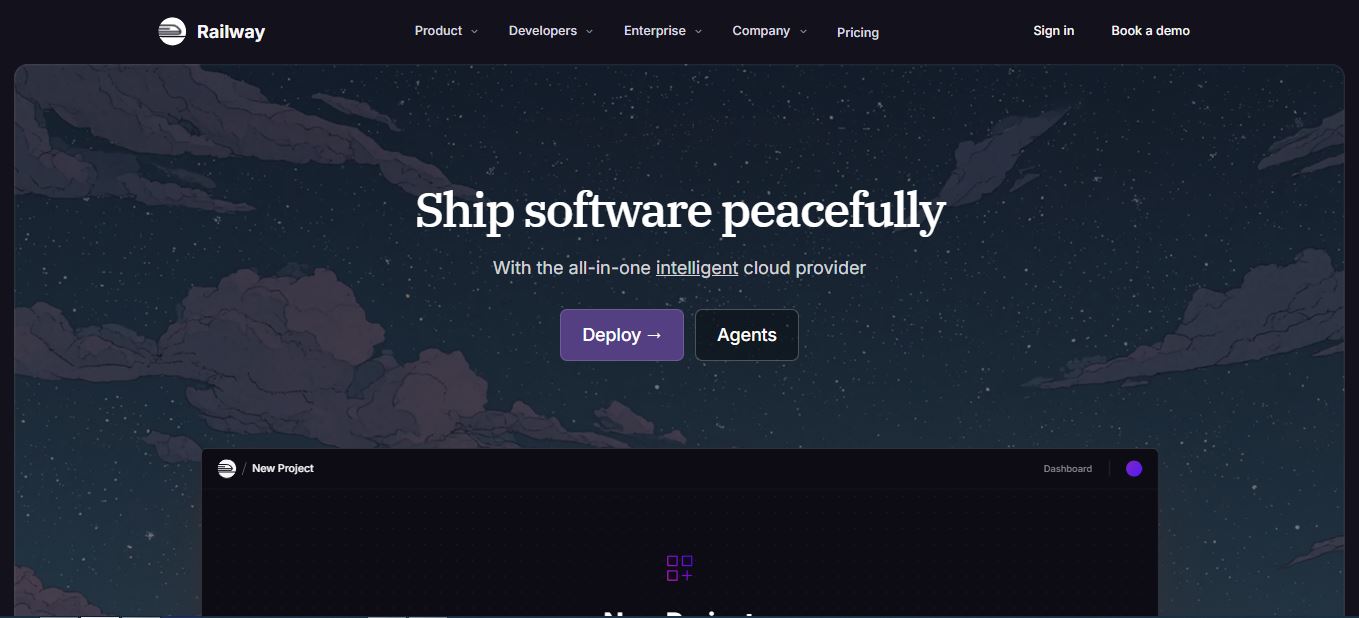
Railway is a cloud deployment platform — a Platform-as-a-Service, or PaaS — built to take the manual work out of shipping a backend. Instead of provisioning a VPS, installing Docker, configuring Nginx, wiring up SSL, and setting environment variables by hand, you point Railway at a GitHub repo or a Docker image, and it builds, deploys, networks, and monitors the service for you. It automatically detects your stack using its own build system, Nixpacks, which means most Node, Python, Go, Rust, and Ruby projects deploy without a Dockerfile at all.
What sets it apart visually from something like Render or Heroku is the project canvas: every service, database, and volume shows up as a box on a live diagram, and you connect them by dragging variables between boxes rather than hand-editing YAML. It’s a genuinely different way of thinking about infrastructure, and it’s a big part of why Railway has become the default backend companion for teams whose frontend already lives on a fast AI-built site or on Vercel.
Signing up is genuinely fast — I authenticated with GitHub OAuth and was looking at an empty project canvas in under 15 seconds, no email verification screen, no credit card gate for the free trial. That frictionless first five minutes is one of Railway’s real strengths, and it shows up again the moment you start deploying.
How Railway Works: From Repo to Production
Deployment sources
You can deploy from a GitHub repo (Railway builds an OCI-compliant container via Nixpacks, or uses your Dockerfile if one exists), from a pre-built image on Docker Hub or any registry, or from your local machine with the Railway CLI. Pushing to your connected branch triggers an automatic redeploy — no separate CI/CD tool required for a basic pipeline.
Databases and storage
Railway provisions PostgreSQL, MySQL, MongoDB, and Redis as one-click templates inside the same project, complete with credentials injected automatically into your service’s environment variables. Volumes attach for persistent storage, and there’s a separate object storage tier (Class A/B operations are free, egress on buckets is free — it’s service-to-internet egress that’s billed). This is exactly what I used for my Postgres instance and the volume the cron backup service writes to.
Networking, domains, and SSL
Every deploy gets a free Railway subdomain with automatic HTTPS. Attaching a custom domain and getting a valid certificate took me about three minutes end-to-end, no manual DNS wrangling beyond a CNAME record. Services inside the same project talk to each other over private networking — Railway advertises up to 100 Gbps internally — so my backend reaches Postgres without ever touching the public internet.
Scaling and environments
Vertical scaling (more vCPU/RAM per service) and horizontal scaling (replicas behind a load balancer) are both switch-flip simple. Preview environments spin up automatically for pull requests with their own ephemeral database, which is genuinely useful for QA — you get a full, isolated environment per PR without any extra configuration.
Railway Pricing Explained (2026)

Railway bills by the second for exactly what your services consume — there’s no flat monthly fee that magically covers unlimited usage. Here’s the current plan structure:
| Plan | Price | CPU / RAM per service | Best for |
|---|---|---|---|
| Free | $0/mo (30-day trial with $5 credit, then $1/mo) | Up to 1 vCPU / 0.5 GB | Testing the platform |
| Hobby | $5/mo minimum usage | Up to 48 vCPU / 48 GB | Solo devs, side projects |
| Pro | $20/mo minimum usage | Up to 1,000 vCPU / 1 TB | Teams shipping production apps |
| Enterprise | Custom | Up to 2,400 vCPU / 2.4 TB | Compliance, SSO, dedicated VMs |
The Hobby and Pro plans aren’t flat fees — they’re minimum monthly commitments that unlock a matching pool of usage credits ($5 or $20). Once you burn through the credit, you’re billed for anything extra at these per-second rates:
| Resource | Rate |
|---|---|
| Memory | $0.00000386 per GB/sec |
| CPU | $0.00000772 per vCPU/sec |
| Volumes | $0.00000006 per GB/sec |
| Egress | $0.05 per GB (services) |
| Object storage | $0.015 per GB-month (free egress) |
That egress line is the one I’d flag hardest. Unlike some platforms that bundle a bandwidth allowance into the base plan, Railway charges for every gigabyte your services send out to the internet, on top of compute. It’s not hidden — it’s right there on the pricing page — but it’s easy to miss until your invoice shows it.
My Real Bill: 3 Services, Under 5GB of Traffic, $2.90
Here’s the part most reviews skip: an actual number. My setup was deliberately modest — a Hono backend (lightweight, low memory footprint by design), a PostgreSQL instance, and a small cron service whose only job is to dump and archive the database nightly. Traffic stayed under 5GB for the month, though I’ll be honest that Railway’s usage graphs don’t give you a razor-precise breakdown by service, so “under 5GB” is my best read of the dashboard rather than a number I’d swear to in court.
Even at that low a load, I used about $2.90 of my $5 Hobby credit. That’s not compute-heavy work — Hono barely touches CPU, Postgres was idling most of the day, and the cron job runs once nightly for a few seconds. The bulk of that spend is the always-on nature of three services, each holding a small CPU/RAM reservation around the clock, plus the modest egress from API responses and the nightly backup upload.
The math got uncomfortable when I considered adding a fourth service: my Next.js frontend. Frontend rendering, static asset serving, and the additional egress from serving pages to real users would almost certainly push a four-service project past the $5 Hobby quota — meaning I’d either need to upgrade to Pro at $20/month minimum, or start being aggressive about trimming resource allocation per service. And that’s still hobby-scale traffic. If your project gets meaningful visitor numbers, the egress fee alone — $0.05/GB with zero bundled bandwidth — gets genuinely scary. A blog or SaaS pulling 200GB of monthly egress is looking at $10 in bandwidth costs before compute is even counted.
My conclusion, after actually paying the bill rather than reading about it: I rented a $6/month VPS and deployed the same three services with Docker myself. It’s more upfront work — you have to actually learn to be your own DevOps team, configure Nginx, manage SSL renewal, and monitor the box yourself — but for anything beyond a genuine toy project, it’s the only way I found to avoid a bill that scales faster than the traffic does.
Railway vs Vercel vs Render vs Heroku vs a VPS
| Platform | Best for | Databases | Pricing model |
|---|---|---|---|
| Railway | Full-stack apps, APIs, workers, cron | Postgres, MySQL, Mongo, Redis (built-in) | Usage-based, per second |
| Vercel | Frontends, edge functions, static sites | External only | Bandwidth + function invocations |
| Render | Full-stack apps similar to Heroku | Postgres, Redis | Flat tiers + usage add-ons |
| Heroku | Beginners, legacy apps | Postgres add-on | Flat dyno pricing, pricier at scale |
| VPS (Docker, self-managed) | Cost-sensitive production apps | Self-hosted, any engine | Flat, ~$5–$12/mo, unmetered-ish |
If you’re weighing Railway against a self-hosted setup, the honest framing is this: Railway sells you time. Every hour you don’t spend configuring Nginx, rotating SSL certificates, or debugging a broken Docker Compose file is an hour Railway is billing you for indirectly, through convenience. For a $50 client project or a weekend prototype, that trade is obviously worth it. For an app with real, sustained traffic, the math flips, and a $6 VPS starts looking a lot more attractive than a bill that grows with every visitor. If you’re evaluating your broader toolchain, it’s worth reading how Claude AI holds up for coding or how ChatGPT compares for the same job, since the AI tool you pair with your deploy platform matters almost as much as the platform itself.
Pros and Cons of Railway
✅ What I liked
- Fast, zero-config GitHub deploys via Nixpacks
- Built-in Postgres/MySQL/Mongo/Redis with auto-wired credentials
- Automatic SSL, custom domains in minutes
- Visual project canvas makes multi-service architecture legible
- Preview environments per pull request, with their own database
- Hard spending limits, so you can’t get a surprise five-figure bill
❌ What frustrated me
- Egress at $0.05/GB with zero bundled bandwidth
- Costs scale with every service you add, fast
- No built-in CDN, WAF, or DDoS protection
- Community-only support on the Hobby tier
- Usage dashboard isn’t granular enough for precise per-service billing forensics
- Fewer regions than AWS/GCP-scale providers
Is Railway Good for Beginners?
Yes, with a caveat. The learning curve for getting something live is genuinely low — connect a repo, click deploy, and you have a working URL. Where beginners get caught out isn’t deployment, it’s cost literacy: understanding that a replica, a database, and a worker each draw from the same credit pool, and that idle services still cost money because Railway bills for reserved compute, not just active requests. If you’re coming from tools like AI-assisted vibe coding platforms where you’re used to a flat monthly subscription, Railway’s metered model takes a mental adjustment. Set a hard spending limit in your project settings on day one — it’s the single best thing a new user can do.
When You Should Think Twice About Railway
Railway is not an edge or CDN platform — it’s built for stateful, compute-heavy backend workloads, not globally-cached static content. If your project is a marketing site or a Jamstack frontend, pairing it with a platform built for edge delivery makes more sense; Railway becomes your backend’s home, not your front door. It’s also worth thinking twice if you expect real, sustained traffic. Community reports on Reddit describe latency inconsistencies on lower tiers and a lack of built-in DDoS mitigation — one user described migrating away after unexplained slowdowns under what looked like light bot traffic. And if you’re running a high-egress workload — video, large API payloads, heavy asset serving — that $0.05/GB adds up in a way a flat-rate host wouldn’t.
For teams that need predictable, flat monthly hosting costs regardless of traffic, it’s worth comparing against a Linux VPS provider or a budget host like the one I broke down in my Hostinger review. Neither gives you Railway’s push-to-deploy simplicity, but both give you cost certainty, which matters once a project stops being a hobby.
How I Test the Platforms I Review
Every review on this site is based on hands-on testing. I personally create an account, use the free plan or trial extensively, and put real time into exploring features, usability, and performance before writing a single word. I take notes as I go — bugs, UX friction, pricing surprises — and combine those findings into the final review you’re reading. These reviews reflect my personal opinion and experience; they aren’t professional, financial, legal, or technical advice, and if you need official guidance on billing, compliance, or infrastructure decisions, contact the company directly.
Frequently Asked Questions
Does Railway still have a free plan?
Yes, as of 2026 Railway offers a Free tier with a 30-day trial that includes $5 of credit, after which it drops to a $1/month minimum with reduced limits (up to 1 vCPU / 0.5 GB RAM per service). It’s meant for testing the platform, not running anything long-term.
How much does Railway actually cost for a small app?
For my three-service setup (backend, Postgres, cron job) with under 5GB of monthly traffic, I spent about $2.90 out of the $5 Hobby credit. Your number will vary based on how many services you run and how much they idle versus process.
Why is my Railway bill higher than expected?
The most common surprise is egress — Railway charges $0.05/GB for data leaving your services, with no bundled bandwidth allowance. Multiple always-on services also each reserve CPU/RAM continuously, which adds up even with low active traffic.
Is Railway better than Heroku?
For most modern use cases, yes. Railway’s usage-based pricing tends to undercut Heroku’s flat dyno pricing at small-to-medium scale, and its deployment experience — Nixpacks auto-detection, the visual canvas — feels more current. Heroku still has an edge in maturity and third-party add-on ecosystem depth.
Can I self-host to avoid Railway’s costs entirely?
Yes — a $5–$12/month VPS running Docker Compose can host the same services for a fraction of a metered Railway bill once traffic grows. The trade-off is that you become responsible for server maintenance, SSL renewal, backups, and uptime monitoring yourself.
Want to try Railway for yourself?
Deploy your first service in minutes with the free trial — no credit card required to start.
Visit Railway.com →Final Verdict
Railway earns its 8.4/10 for what it sets out to do: it collapses hours of DevOps work into a few clicks, and for a solo developer, a hackathon project, or an MVP that needs a real backend without a real infrastructure team, that’s genuinely valuable. GitHub integration is smooth, the built-in logging is handy for catching issues fast, and the visual canvas makes a multi-service project easy to reason about at a glance. My own bill — $2.90 for three low-traffic services — backs up that it’s cheap at small scale.
Where it loses points is exactly where the marketing goes quiet: the egress fee, the lack of bundled bandwidth, and how quickly a fourth or fifth service pushes you past the Hobby quota. If your project stays small and backend-focused, Railway is close to ideal. If you expect real traffic, do the egress math before you commit — and keep a VPS migration path in your back pocket, because I ended up needing mine.
Related Reading
- Best Vibe Coding Tools I Tested and Reviewed
- Verdent AI Review: A Fast New Coding Assistant
- 10 Top Verdent Alternatives for AI-Powered Coding
- Is Claude AI Good for Coding? Full Developer Review
- Is ChatGPT Good for Coding? Full Developer Review
- Hostinger Review 2026: Is This Budget Host Still Worth It?
- Best Linux Hosting Providers Compared
- The 6 Best AI Website Builders for Fast Web Design


