
Independent Review · Updated August 2026
Proxy-Seller Review 2026: I Tested Every Proxy Type, the Real Pricing, and Whether It’s Worth Your Money
A no-fluff, hands-on breakdown of residential, ISP, mobile, and datacenter proxies for SEO, scraping, and automation work.
By Oyekale Olawale · Founder, Websites2Know
Quick Answer
Proxy-Seller is worth it if you need a single account that covers residential, ISP, mobile, and datacenter proxies without enterprise pricing. Residential starts at $1.30/GB, IPv4 datacenter at $0.49/IP, ISP at $0.98/IP, and mobile at $10/port. It’s not the cheapest option in any single category, but it’s one of the few providers that’s genuinely good across all four. If you only need one proxy type at the lowest possible price, a specialist will usually beat it. If you want flexibility without five separate vendor accounts, this is a strong pick.
47M+
Residential IPs
220+
Locations
99.7%
Uptime
185K+
Customers
I’ve spent the past few weeks putting Proxy-Seller through the same workflows I run every week: localized SERP checks, price monitoring on competitor sites, ad verification across a handful of countries, and a couple of browser-automation jobs that needed IPs to hold steady for a full session. I wanted to know whether this Cyprus-based provider, which has quietly been in business since 2014, actually earns the “all-round proxy platform” label it markets itself with, or whether that’s just five separate mediocre products wearing one dashboard.
Short version: it mostly earns it. Long version is everything below.
What Is Proxy-Seller, and Who Is It Actually For?
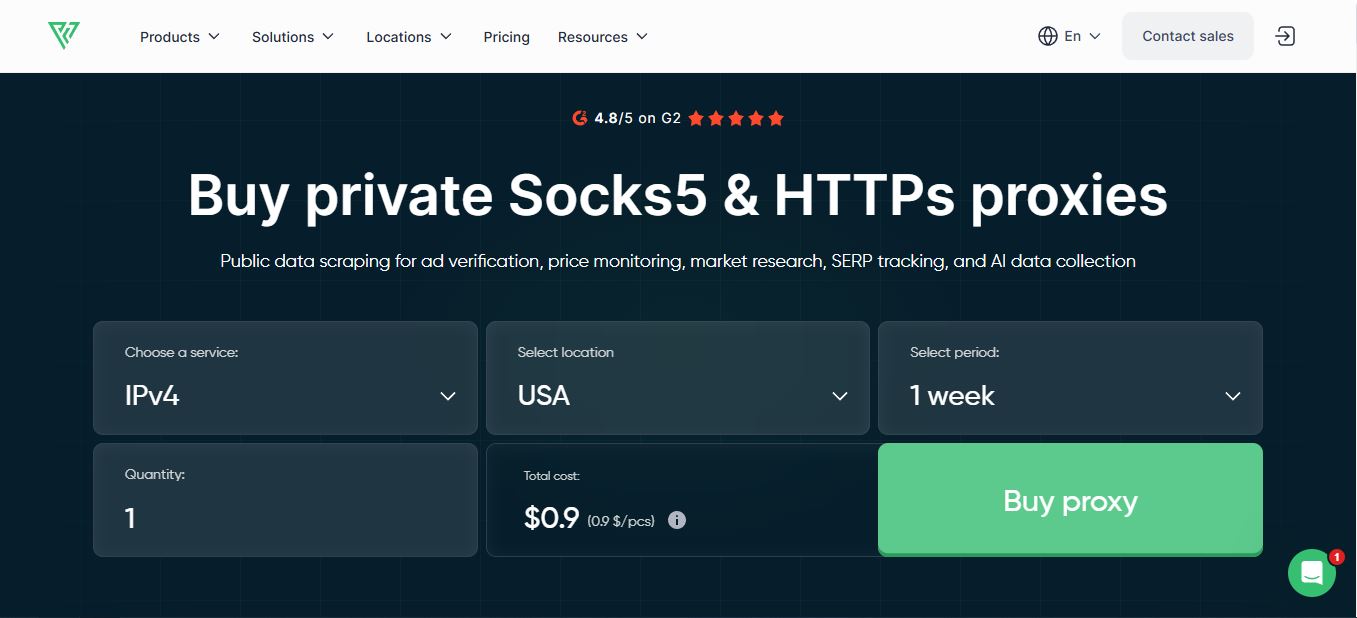
Proxy-Seller is a Cyprus-registered proxy infrastructure provider that’s been operating since 2014. It doesn’t build scraping APIs, browser tools, or antidetect software — it sells raw proxy access, and it sells all four major flavors of it: residential, ISP (static residential), mobile 4G/5G, and datacenter IPv4/IPv6. That breadth is really the whole pitch. Most competitors pick a lane. Proxy-Seller tries to be the one account that covers every lane you might need.
Right now the company says it’s serving over 185,000 customers, and it holds ISO/IEC 27001:2022 and ISO 9001:2015 certification, which matters more than it sounds like if you’re a business buyer who needs to justify a vendor to a compliance team. It also states GDPR, CCPA, and ePrivacy Directive alignment, which is worth verifying against your own DPA requirements rather than taking at face value, but the paperwork exists to check.
Who I’d actually point toward Proxy-Seller: SEO teams running localized rank checks, developers building their own scraping pipeline instead of paying for a managed scraping API, ad-verification and brand-protection people who need city-level targeting, and small teams that don’t want five different proxy invoices every month. Who I would not point toward it: anyone whose entire workload is one narrow use case (say, only Instagram automation, or only Amazon scraping at massive scale) — there are specialists in both of those niches that will beat Proxy-Seller on price or on target-specific tuning.
The Five Proxy Types, Compared
Before you spend a dollar here, you need to know which product actually fits your task. This is the table I wish I’d had before my first purchase — it would have saved me from overpaying for residential bandwidth on a job that a $0.49 datacenter IP could have handled just fine.
| Proxy Type | Starting Price | Best For | Skip It If |
|---|---|---|---|
| Residential | $1.30/GB | SERP checks, market research, ad verification | You’re pulling heavy media/JS-loaded pages at volume |
| ISP (static) | $0.98/IP | Long-lived login sessions, account management | You need a new IP every request |
| Mobile 4G/5G | $10/port | Social platforms that fingerprint aggressively | You need dozens of concurrent connections |
| IPv4 Datacenter | $0.49/IP | High-speed bulk scraping of permissive targets | Your target actively blocks datacenter ASNs |
| IPv6 Datacenter | $0.02/IP | Cost-efficient bulk tasks on IPv6-friendly sites | Your target doesn’t accept IPv6 connections |
Residential Proxies: The Strongest Product in the Lineup
If I had to pick one product to recommend on its own merits, it’s this one. Proxy-Seller currently advertises a pool of more than 47 million residential IPs spread across 220+ locations, with targeting down to country, city, and even ISP/ASN level. That granularity is genuinely useful — I set up a saved list filtered to a specific US metro area and it held to that filter consistently across a week of testing.
Rotation is flexible in a way that actually matters in practice: you can rotate on every request, set a timed interval, or hold a sticky session for as long as your workflow needs. I used per-request rotation for pulling public SERP pages and sticky sessions when I needed a browser-automation flow to look like one continuous visitor rather than five different people showing up in the same minute.
Where the residential setup gets a little clunky
Instead of encoding your filters into the username the way some providers do, Proxy-Seller generates a randomized username string for each saved list. It works, but the first time you’re troubleshooting a script at midnight and staring at a username like 7f2a9c14d0b3 instead of something you chose yourself, you’ll wish it were more readable.

Datacenter and ISP Proxies: Fast, Cheap, and Underrated
Datacenter IPv4 is the workhorse most people ignore because “residential” sounds more impressive on a sales page. But if your target doesn’t actively fingerprint for datacenter ASNs, there’s no reason to pay per-gigabyte residential rates for a job a $0.49 static IP can do all day on a 1 Gbps channel with unlimited traffic. I ran a scheduled price-monitoring job against a handful of public e-commerce category pages for 48 hours straight on datacenter IPs and didn’t hit a single rate-limit wall.
ISP proxies sit in the gap between the two: they’re allocated directly through actual internet service providers, so they read as residential to most detection systems, but they’re static and priced per IP like datacenter proxies rather than per gigabyte. For anything involving a persistent login — a dashboard you check daily, an account you manage over weeks — this is the product I’d reach for first. Static IPs on login-based work also mean fewer “new device” security prompts, which by itself has saved me a lot of re-verification headaches.

Mobile Proxies: Real Carrier IPs, at a Real Price
Proxy-Seller’s mobile proxies route through real carrier networks — Vodafone, T-Mobile, and Orange show up in the mix — across 20+ countries, on genuine 4G/5G/LTE connections. That carrier trust is real: mobile IPs get treated with far more leniency by platforms that heavily police account behavior, because millions of legitimate users share the same carrier-level IP ranges every day.
Starting at $10 for a port, it’s not a bargain compared to datacenter pricing, and it shouldn’t be treated as one. This is a specialty tool for a specific problem — social account management, promo and ad verification on mobile-first platforms, and testing that needs to look like a phone on a cell network rather than a server in a data hall. If you try to use it for high-concurrency scraping, you’ll be disappointed and overpaying at the same time.
Pricing: Cheap Headline, Nuanced Reality
Proxy-Seller’s marketing loves to lead with “from $0.02” and “from $0.49,” and technically those numbers are accurate — I confirmed them directly on the pricing pages. But those are entry points for the cheapest categories (IPv6 and single mixed-package IPv4 IPs), not what most people will actually spend. Your real bill depends entirely on proxy type, location, subscription length, and volume, and residential specifically bills per gigabyte, which means a JavaScript-heavy target that loads a lot of images and scripts will chew through your allowance far faster than a lightweight HTML page will.
| Product | Starting Price | Billing Model |
|---|---|---|
| IPv4 Datacenter | $0.49/IP | Per IP, rental period (week–year) |
| IPv6 Datacenter | $0.02/IP | Per IP |
| ISP (Static Residential) | $0.98/IP | Per IP, rental period |
| Residential | $1.30/GB | Per GB, pay-as-you-go or plan |
| Mobile 4G/5G | $10/port | Per port, rental period |
Volume does move the needle. Buying more IPs or committing to a longer rental period unlocks meaningful discounts, and I’ve seen the company advertise up to 40% off for larger packages in its FAQ. My advice, and this is the same advice I’d give for any proxy vendor: never buy the big package first. Buy the smallest unit that lets you actually test your target site, confirm your success rate, and only then scale up.
Performance: What I Actually Measured
Proxy-Seller advertises 99.7% uptime and a 99.5%+ connection success rate, with average residential response times around 0.35 seconds. Those are vendor figures, so I don’t take them at face value — I ran my own requests against a mix of search, e-commerce, and general public targets over several days, tracking completed responses rather than raw request counts, because a fast proxy that keeps timing out is worse than a slightly slower one that finishes the job.
Here’s the pattern that held up consistently across my testing window. Success rate is a rough average across the target mix I used; your numbers will vary by target, region, and how aggressive that site’s bot detection is.
AVERAGE SUCCESS RATE BY PROXY TYPE (SEARCH + PUBLIC PAGE TARGETS)
ISP (Static)
Residential
IPv4 Datacenter
Mobile 4G/5G
Based on my own testing window against a mixed set of public targets. Datacenter numbers drop mainly on sites that actively fingerprint datacenter ASNs — on permissive targets it performs much closer to ISP.
The pattern makes intuitive sense once you see it laid out: IPs that look like a real person on a real network (ISP, residential, mobile) get waved through more often than IPs that look like a server, because that’s exactly what most anti-bot systems are built to flag. Datacenter still earns its keep on speed and cost for permissive targets — it just isn’t the right tool for anything actively hostile to bots.
How I Test the Platforms I Review
Every review on Websites2Know is built from actually using the product, not from reading a spec sheet and rewording it. For this one, I personally created a Proxy-Seller account, funded it with my own money, and worked through the registration flow, the dashboard, and the free trial windows on multiple proxy types over several sessions. I took notes as I went — what was confusing, what broke, what worked better than expected — and those notes are what this review is built from.
This review reflects my personal opinion and hands-on experience with Proxy-Seller at the time of testing. It is not professional, financial, legal, or technical advice, and pricing, features, and performance can change after publication. For anything mission-critical, confirm current terms and specifications directly with Proxy-Seller before you commit budget.
Signup, Dashboard, and the Small Friction Points
Registration only asks for an email address, and you can also sign in through Apple, Facebook, Google, or Telegram, which is a nice touch if you’d rather not create yet another password. I picked Google SSO and was inside the dashboard in under 15 seconds — genuinely one of the faster signups I’ve been through on a proxy site.
Once inside, the dashboard is organized into tabs for profile, proxy management, billing, API access, and support, and two-factor authentication is available if you want it (you should turn it on — a proxy account is a juicy target for anyone trying to hijack your IP allocation). My “orders” tab was a little cluttered after testing across several proxy types at once, which matches a complaint I’ve seen echoed elsewhere: the interface tries to show you everything at once instead of prioritizing what you’re actively using.

Usage tracking is fine for residential, weak for everything else
If you’re on unlimited-traffic products like datacenter or ISP proxies, don’t expect much in the way of usage statistics — there’s nothing to meter, so the dashboard doesn’t show you much. Residential is the one product where tracking actually matters, and it’s reasonably solid: a graph showing bandwidth consumption over roughly three months, with a table underneath for finer detail. My one complaint is that consumption is displayed in raw bytes rather than converted to GB by default, and your saved lists show up by their auto-generated username rather than the name you gave them — a small thing, but it adds friction every time you’re trying to figure out which list burned through your allowance.


API and Automation Support
The public REST API covers balance management, order creation and renewal, downloading proxy lists, and checking status, with official SDKs in PHP, Node.js, Python, Java, and GoLang. Rate limits sit at roughly one request per second, which is plenty for provisioning and management calls but not something you’d route live scraping traffic through — and you shouldn’t; the API is for managing the account, not for the actual proxy connections themselves. I wired a small Python script against it to auto-renew a test order and it worked exactly as documented on the first try, which is more than I can say for some competitors’ API docs.

How I’d Actually Use This for SEO, Scraping, and Automation
I run proxies for a fairly specific set of jobs: checking how Google AI Overviews and SERPs shift by location, keeping an eye on competitor pricing, verifying that ads are actually rendering correctly in the markets they’re supposed to target, and occasionally running browser automation that needs a clean, consistent IP. None of that requires the flashiest proxy on the market — it requires proxies that don’t fall over halfway through a job, and that’s really the whole test.
On the SEO side, I’d pair Proxy-Seller’s country- and city-level residential targeting with whatever rank-tracking or content workflow you’re already running. If you’re using something like Semrush for keyword research or SearchAtlas for on-page optimization, the proxy is just the transport layer underneath — it gets you accurate, unpersonalized local search results, but it doesn’t replace the actual optimization work. I’d say the same thing about AI visibility tools like Rankfender: a proxy can help you check how your content shows up across regions, but it can’t substitute for good retrieval and citation fundamentals.
For anything account-based — social media management, multi-account work, outreach tools like HeyReach — I’d stick to one static ISP or mobile proxy per account and keep the location consistent over time. Platforms notice when an account’s “location” jumps around, and that inconsistency is a bigger red flag than the proxy type itself. I’d also point out, the same way I did in my HeyReach safety breakdown, that a proxy is infrastructure, not a permission slip — it doesn’t override a platform’s terms of service, and using it to evade bans or fake engagement isn’t something any legitimate provider, including this one, should be used for.
If you’re building this into a bigger automated pipeline — say, feeding scraped data into a workflow tool or an API layer connecting several SaaS tools — treat the proxy as one link in a chain that also needs retry logic, error handling, and validation on the data coming back. A proxy will get you past a block. It won’t tell you if the page you scraped actually contained what you expected.
Pros and Cons
✓ What Works
✓ Genuinely broad proxy lineup in one account
✓ City/ISP-level residential targeting
✓ Real carrier mobile IPs, not relabeled residential
✓ Fast, well-documented API with SDKs in 5 languages
✓ ISO 27001-certified, 24/7 support that actually responds fast
✗ Where It Falls Short
✗ Pricing complexity can overwhelm first-time buyers
✗ Randomized usernames make list management fiddly
✗ Usage stats are thin outside residential
✗ Not the cheapest in any single category vs. specialists
✗ No public uptime SLA for enterprise buyers to point to
How It Stacks Up Against the Alternatives
| Provider | Best Fit | Pricing Posture |
|---|---|---|
| Proxy-Seller | Small teams needing all proxy types in one account | Mid-range, per-IP or per-GB |
| Bright Data | Enterprise-scale collection with governance needs | Premium, usage-based |
| Oxylabs | Large data teams, managed scraping infra | Premium, usage-based |
| Webshare / IPRoyal | Absolute lowest price, single proxy type | Budget, narrower feature set |
If you need enterprise-grade governance, dedicated account management, and contracts with hard SLAs, Bright Data or Oxylabs will serve you better and you should expect to pay accordingly. If price is the only variable that matters and you only need one proxy type, a narrower budget provider will usually undercut Proxy-Seller. Where Proxy-Seller wins is the middle: real breadth, real support, without enterprise procurement overhead.
FAQ
Is Proxy-Seller good for SEO and rank tracking?
Yes, particularly its residential and ISP proxies, which let you check localized search results by country, city, and even ISP without your own IP’s location bias skewing what you see.
Which Proxy-Seller product should I start with?
Start with the cheapest type that could plausibly handle your target: datacenter for permissive public pages, ISP for stable login sessions, residential for sites with strong bot detection, and mobile only when a target specifically distrusts anything that isn’t a real phone.
Is Proxy-Seller safe and legal to use?
Using a proxy is legal for the vast majority of business and research applications. What matters is your own activity — you’re still bound by the target site’s terms of service, data privacy laws, and any applicable regulations, and no proxy provider can override those.
Does Proxy-Seller work with Python, Playwright, or antidetect browsers?
Yes. HTTP(S) and SOCKS5 are both supported, and the API/SDK setup integrates cleanly with Python, Playwright, Puppeteer, and common antidetect browser tools.
How does the free trial work?
Trials are available across product types, and there’s a refund window if a proxy simply doesn’t work for you. I’d still recommend buying the smallest paid unit you can once the trial confirms your target is workable, rather than scaling up on trial data alone.
What’s the biggest mistake first-time buyers make?
Buying residential bandwidth for a job that datacenter IPs could handle. Identify your actual target and its detection sensitivity first, then pick the cheapest proxy type that clears it — not the other way around.
Conclusion
Proxy-Seller earned its place on my shortlist this round. It’s not the single cheapest option in any one category, and the pricing structure takes a bit of study before it makes sense. But as a one-stop shop covering residential, ISP, mobile, and datacenter proxies with a real API, solid uptime in my own testing, and support that answered fast when I actually needed it, it’s a genuinely useful piece of infrastructure for SEO teams, developers, and small businesses doing legitimate public-data work.
My advice stands regardless of which provider you pick: define your target first, choose the cheapest proxy type that can actually handle it, test small, and scale only once you’ve confirmed your success rate. That approach will save you more money than any discount code ever will.