How to Manage Multiple Social Media Accounts Safely in 2026 (Without Triggering a Ban)
A tested isolation, proxy, and security framework for agencies, creators, and brands running more than one profile per platform — updated for how platforms actually detect linked accounts in 2026.
By Oyekale Olawale · Updated 2026
⚡ Quick Answer
Safe multi-account management rests on three layers: environment isolation (a dedicated browser profile, antidetect browser, or cloud phone per account — not one shared Chrome window), one dedicated IP per account (a sticky residential or mobile proxy, never a rotating one), and account hygiene (unique passwords, app-based 2FA, and a slow warm-up for new profiles). Skipping isolation — not your content — is what causes the “chain ban” pattern where one flagged account drags others down with it.
I manage social accounts for more than one client at a time, and for a while I did it the wrong way: one Chrome profile, one laptop, ten logins. It worked fine for about three weeks. Then a client’s Instagram got a “suspicious login” lock the same morning I’d switched between four accounts before 9am. Nothing malicious happened on that account. The platform just didn’t like how it looked from the outside.
That’s the part most guides skip. Platforms in 2026 aren’t primarily reacting to what you post. They’re reacting to the environment your accounts run from — the device signals, the IP behavior, the timing patterns. Fix the environment, and most of the “random” restrictions disappear.
Why Platforms Flag Multi-Account Managers
Every browser and device gives off a fingerprint — a combination of screen resolution, installed fonts, WebGL signature, time zone, and dozens of smaller parameters. When ten accounts log in from the same fingerprint and the same IP, the platform doesn’t see ten separate people. It sees one device controlling multiple identities, which is exactly the pattern bot farms and account-scraping operations produce.
TikTok and Instagram go a step further than most people realize. As mobile-first apps, they can read device sensor data — tap timing, movement patterns, hardware identifiers — signals that a desktop browser simply can’t fake convincingly, no matter how well-configured it is. That’s part of why a browser-only setup starts to feel unstable once you’re running mobile-native platforms alongside web-based ones.
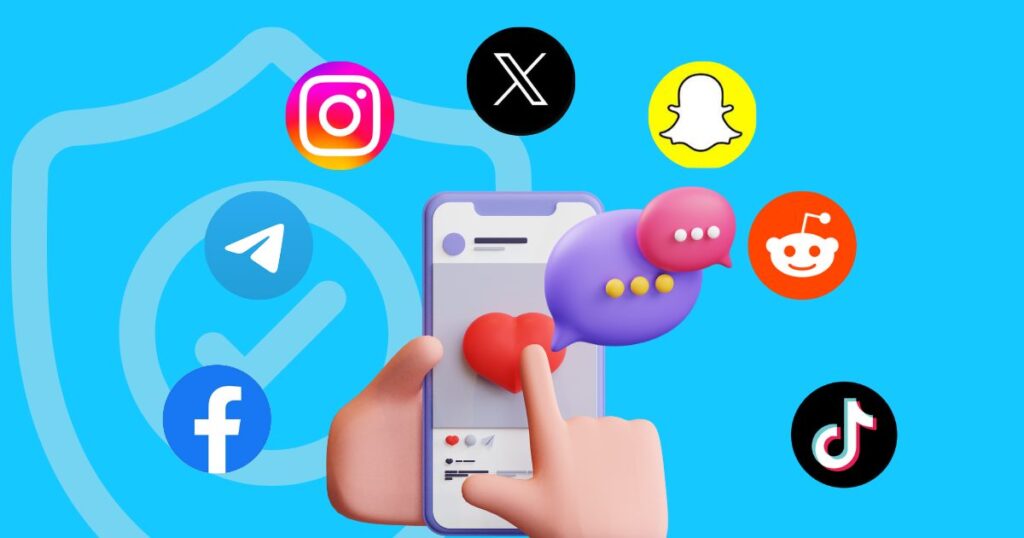
The consequences compound quietly. Sessions expire faster than they used to. Verification prompts show up more often. Then one account gets restricted, and a second one — barely used — follows within days, even though you did nothing wrong on it directly. That’s a chain ban, and it’s a structural problem, not a content problem.
The Real Cost of Getting This Wrong
This isn’t just an inconvenience. Impersonation and account takeover cost businesses real money. In October 2025, Disney’s official Instagram and Facebook accounts were hijacked to promote a fake cryptocurrency, and Samsung’s X account was hit with a similar playbook weeks earlier — both exposing millions of followers before recovery. The FBI’s Internet Crime Complaint Center logged over 859,000 complaints in 2025 with losses exceeding $16 billion, and reported that impersonation-driven fraud cost U.S. companies nearly 10% of revenue on average, a sharp year-over-year jump.
Account security research from McAfee’s 2026 Scamiverse report also found deepfake content now shows up in roughly 4 out of every 10 people’s daily feeds, which makes verifying who you’re actually talking to — a DM from a “client,” a message from a “teammate” — genuinely harder than it was two years ago. None of this is meant to scare you off running multiple accounts. It’s meant to explain why the setup matters more than the schedule you post on.
Three Ways to Isolate Your Accounts, Compared
Before you touch proxies or scheduling tools, decide which isolation method fits your account count. I’ve tested all three at different points — this is what actually held up.
| Method | Best For | Isolation Level | Starting Cost |
|---|---|---|---|
| Browser profiles | 2–5 accounts, low budget | Low–Medium | Free |
| Antidetect browser | Agencies, web-first platforms | High | ~$24/mo (GoLogin) |
| Cloud phone (Android) | TikTok, Instagram, mobile-native apps | Very High | Free tier + ~$7.08/mo (Multilogin) |
Browser profiles: the free starting point
Chrome calls them “profiles,” Firefox calls them “containers.” Each gets its own cookies, cache, and extensions — enough separation for 2–5 accounts on web-first platforms. It won’t help you on TikTok or Instagram, where the app itself, not the browser, is what platforms are watching.
Antidetect browsers: one fingerprint per profile
Tools like GoLogin give each browser profile a separate IP, MAC address, time zone, and WebGL signature, so each one looks like a different physical device. One habit worth stealing from GoLogin’s own workflow docs: before you launch a fresh profile, run it through a fingerprint checker like iphey.com and confirm every parameter reads “green” — no IP leaks, no WebRTC exposure, consistent Canvas/WebGL. Skipping that step is how people end up with a profile that looks isolated on the surface but leaks its real signature underneath. If you’d rather test a lighter, privacy-first browser as your daily driver alongside a dedicated antidetect tool, I reviewed Omega Browser for exactly that use case.
Cloud phones: the fix for mobile-native platforms
This is the category most guides underweight. A cloud phone is a real Android device running remotely — not an emulator pretending to be one, which matters because emulated hardware IDs are exactly the kind of thing detection systems are built to catch. I broke down the technical difference in more detail in my cloud phones vs. emulators comparison, but the short version: one account per cloud phone, native app installed once, session stays open indefinitely. When I tested GeeLark’s setup for a TikTok-heavy client, the account picked up right where I left it days later — no re-verification, no re-login. Multilogin’s cloud phones work the same way and ship with a built-in residential proxy per phone, which removes a step most people forget to configure manually.
Choosing the Right Proxy Type
Isolation without a matching IP is half a solution. If five “separate” profiles all connect from the same network, the separation was cosmetic. Here’s how the main proxy types compare for account work specifically.
| Proxy Type | Risk Level | Best For | Entry Pricing |
|---|---|---|---|
| Residential | Low | Daily account management | $2.20/GB (NodeMaven) |
| Mobile | Very Low | Sensitive/high-value accounts | $2.20/GB (NodeMaven) |
| ISP / Static Residential | Low–Medium | Long sticky sessions | $2.99/IP (NodeMaven) |
| Datacenter | High | Scraping, not account use | Avoid for this use case |
I’ve run both NodeMaven and Thordata proxies against live client accounts over the past few months. NodeMaven’s paid trial ($3.50 for 750MB) requires a card upfront — no free tier — while its residential and mobile pools sit in the same $2.20/GB bracket, which is genuinely one of the lower entry points I’ve tested against Bright Data ($8/GB) and Oxylabs ($3.87/GB). If you want a second data point before committing, I go deeper on setup and pricing in my full Thordata review and separately stress-tested its residential proxy safety and stability. If you’re vetting a provider you haven’t used before, it’s also worth checking whether it’s actually legit and safe to use before you connect it to a client’s login.
Sticky Sessions vs. Rotating Proxies
This trips people up constantly. Rotating proxies change your IP every few minutes — great for scraping, actively harmful for account management. A platform that sees an account log in from a new city every ten minutes assumes the credentials were stolen. Sticky sessions keep you on one IP for a full session, or for hours at a time, which is what account work actually needs. Pick one dedicated, sticky IP per account and leave it alone unless you have a real reason to change it.
The relative risk difference between setups is bigger than most people expect going in. Here’s roughly how it breaks down based on the setups I’ve tested and the detection patterns platforms have described publicly:
Illustrative relative risk, scored 0–100, based on tested setups and publicly documented platform detection behavior — not a measured statistic from any single platform.
The Account Warm-Up Rule
A cold account that starts following 500 people on day one gets banned, full stop, isolation or not. New profiles need to look like a person settling in, not a script switching on. The pattern I use across client accounts: days 1–3, log in once daily and just scroll, no actions. Days 4–7, add a post or two, follow 5–10 accounts, like a handful of posts. Week two, ramp up gradually. Week three onward, normal activity. Also don’t switch between profiles faster than every 15–20 minutes, especially on first logins — identical, rapid-fire login patterns across profiles are their own red flag.
Password, 2FA, and Credential Hygiene
Isolation solves the platform-detection problem. It doesn’t solve the “someone guessed your password” problem. Both matter.
- Use a password manager — not a spreadsheet, not a notes app. 1Password or Bitwarden generate and store a unique password per account.
- App-based 2FA only. SMS codes are vulnerable to SIM-swap attacks. Google Authenticator or Authy close that gap.
- Never share logins over email or chat. Use team-access features inside your management tool instead — credentials sent in Slack messages are how leaks happen.
- Review connected third-party apps quarterly. Every forgotten integration is a backdoor you’re not watching.
Build a Calendar That Prevents Wrong-Account Mistakes
Once isolation and security are handled, the next real risk isn’t a ban — it’s posting the wrong client’s content to the wrong account. It happens more than anyone admits. A proper calendar needs the exact account username (not “Client A”), the platform, final approved copy, linked visual assets, and an approval status column. Color-coding by client is the single change that’s saved me the most embarrassment.

Recommended Tool Stack by Scale
| Scale | Isolation | Scheduling | Est. Monthly Cost |
|---|---|---|---|
| Solopreneur (3–5 accounts) | Browser profiles + Bitwarden | Buffer free tier | $10–20 |
| Small agency (10–20 accounts) | Antidetect browser + residential proxies | ContentStudio or Social Poster | $80–150 |
| Large agency (20+ accounts) | Cloud phones + dedicated mobile proxies | ContentStudio Agency / Hootsuite Enterprise | $200–500+ |
For the scheduling layer specifically, I put ContentStudio through its paces for a hotel-management client last quarter — its workspace separation keeps each client’s content genuinely walled off, and white-label reporting means you’re not explaining your tool stack to every account owner. Full breakdown in my ContentStudio review.
Monitoring for Impersonation and Takeovers
You can’t protect what you don’t check. Once a week, search each platform for your brand name with slight variations — extra spaces, underscores instead of dots — plus your logo used as a profile picture and your executives’ names. CybelAngel’s 2026 impersonation report found that 56% of CISOs don’t monitor social platforms for impersonation at all. The gap between a 24-hour takedown and a two-week exposure is almost always whether you had a documented reporting process ready before you needed it, not how fast you can improvise one.
Worth a quick distinction here: monitoring apps like mSpy are built for parental device oversight, not brand protection — I tested mSpy for a separate piece and it’s genuinely a different category of tool. For securing your own team’s access rather than watching someone else’s device, a properly isolated cloud environment does more — I looked at whether Shadow’s cloud PC setup is safe for exactly this kind of remote, isolated access.
✅ What Actually Reduces Risk
- One dedicated environment per account
- Sticky residential or mobile IP per account
- App-based 2FA, unique passwords
- Slow, human-like warm-up for new profiles
- Weekly impersonation checks
❌ What Triggers Chain Bans
- Multiple accounts, same device, same IP
- Rotating proxies on account logins
- Mass follow/like activity on cold accounts
- Shared credentials over email or chat
- Identical, rapid-fire login patterns across profiles
How I Test the Platforms I Review
Everything in this article comes from hands-on testing, not spec sheets. I personally create an account on each platform or tool I write about and put it through real use — leaning heavily on free plans and trials where available to explore the actual features, usability, and day-to-day performance rather than the marketing page. I take notes as I go, including anything that breaks, confuses me, or works better than expected, and I combine those findings into the review you’re reading.
One honest note from testing NodeMaven’s trial signup specifically: it’s a paid trial ($3.50 for 750MB) that requires a card on file, which caught me off guard after Multilogin’s genuinely free, no-card plan. Small detail, but it changes how you’d actually test either one before committing budget.
These reviews reflect my personal opinion and experience, not professional, financial, legal, or technical advice. Pricing, features, and policies change — always check directly with the company for current, official terms before making a decision.
FAQ
Can I get banned just for managing multiple accounts?
No — most platforms explicitly allow multiple accounts for legitimate business, brand, or regional use. Restrictions come from detected “suspicious” patterns caused by shared environments, not from the account count itself.
What’s the maximum number of accounts I can manage safely?
There’s no fixed ceiling. With proper isolation (antidetect browser or cloud phone plus a dedicated proxy per account), agencies manage 50+ accounts. Without isolation, even 5 accounts carry meaningful risk.
Should I use rotating or sticky proxies?
Sticky, always, for account management. Rotating proxies are built for scraping and will make an account look compromised because the IP changes too often for normal human behavior.
Do I need a cloud phone, or is a browser profile enough?
If you’re only managing web-first platforms (Reddit, YouTube, LinkedIn), a well-configured browser profile with a dedicated proxy is usually enough. For TikTok, Instagram, or any app that reads native device signals, a cloud phone closes a gap a browser physically can’t.
What should I do if one account already got restricted?
Review that specific account’s environment first — was it sharing a device or IP with others? Fix the isolation for that account before creating a replacement. Then use the platform’s official recovery process and audit connected apps, login locations, and recent activity across every linked account.
Conclusion
Managing multiple social media accounts safely in 2026 isn’t about finding one magic tool — it’s about layering three things that reinforce each other: a genuinely separate environment per account, a dedicated sticky IP to match it, and boring, consistent account hygiene underneath both. Skip any one layer and the other two only slow the problem down instead of solving it.
Start with the cheapest fix this week — a password manager, app-based 2FA, and an honest audit of which accounts you actually need. Then layer in real isolation as your account count grows. Your accounts, and the client relationships attached to them, are worth the extra hour of setup.