

Talo AI Pricing Plans Explained: Starter, Pro, Team & Enterprise Costs Broken Down
A plain-English look at what Talo AI actually charges per minute, per seat, and per plan — and which tier makes sense for your calls.
By Oyekale Olawale
Quick Answer
Talo AI has four plans: Starter at $33/month (billed annually, 120 minutes/month, 1 seat), Pro at $100/month billed monthly or $80/month billed annually (400 minutes/month, 1 seat), Team at $500/month billed monthly or $400/month billed annually (5 seats), and a custom-priced Enterprise tier. Every plan runs on a 7-day free trial, and extra minutes cost $0.25 (Pro) or $0.20 (Team) per minute once you go over your included allowance.
I spent a week running actual Zoom and Google Meet calls through Talo AI’s real-time translator before writing this — you can read the full hands-on breakdown in our Talo AI review — and the pricing page isn’t as simple as the four boxes on screen suggest. There’s a per-minute overage fee that can quietly double your bill if you’re not watching it, a Team plan that’s still labeled “Coming Soon” even though it’s listed with a live price, a Starter tier that’s only sold as an annual commitment despite showing a monthly number, and a couple of places where Talo’s own monthly and annual numbers don’t actually line up. This guide breaks all of that down, discrepancies included, so you know exactly what you’re paying for before you hand over a card number.
What Is Talo AI?
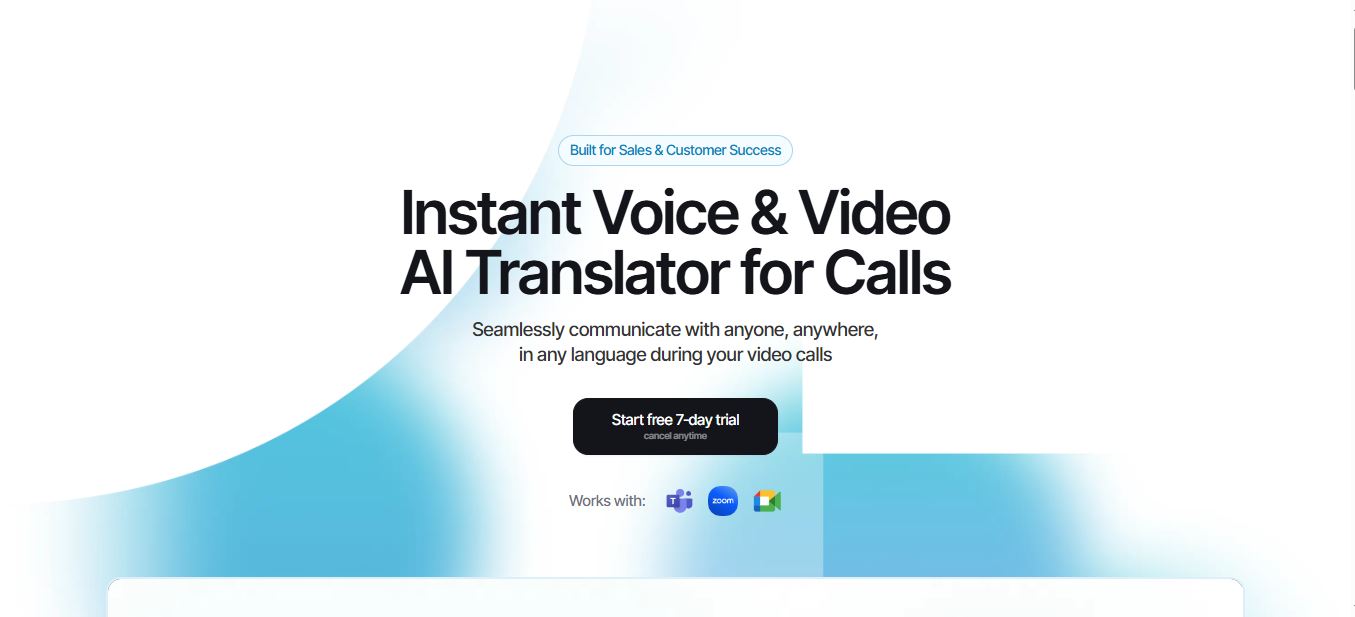
Talo AI is a real-time voice and video translator built to sit inside video calls on Zoom, Google Meet, and Microsoft Teams — three of the platforms we cover in our roundup of top video conferencing software. Instead of transcribing after the fact, it joins your meeting as a bot, listens to whoever is speaking, and pushes back a live translated voice track in one of 60 supported languages — so a rep speaking English can effectively run a sales call in Spanish, Portuguese, or Mandarin without switching tools. The company behind it, Palabra.AI, also sells the same translation engine as a standalone API for developers who want to embed it into their own products, along with dedicated versions built for webinars, live streaming, and large conferences.
In my testing, the translation lag on a one-to-one Google Meet call sat somewhere around 2 to 3 seconds — noticeable, but workable for most business conversations. What actually stood out was the plumbing behind the plans: Talo prices per minute of translated audio, not per user seat alone, which changes how you should think about “cheap” versus “expensive” once you factor in real call volume.
Talo AI Pricing Plans: Full Breakdown
Talo’s pricing page toggles between monthly and annual billing, and the two views aren’t identical across every plan. Here’s what each tier actually costs, confirmed directly from the live pricing page.

Monthly vs. Annual Pricing Table
| Plan | Monthly Billing | Annual Billing | Seats |
|---|---|---|---|
| Starter | $33/mo — annual billing only, $396/yr total (no separate monthly plan exists) | 1 | |
| Pro | $100/mo | $80/mo, $960/yr total (save 20%) | 1 |
| Team (Coming Soon) | $500/mo | $400/mo, $4,800/yr total (save 20%) | 5 |
| Enterprise | Custom quote | Custom quote | Unlimited |
The Team plan is worth flagging on its own: it’s fully priced and listed on the live pricing page, but the sign-up button is still marked “Coming Soon,” meaning you can’t actually check out on it yet. If you need 5 seats today, Talo will point you toward Enterprise or ask you to run multiple Pro seats in the meantime.
Included Minutes and Overage Costs
| Plan | Minutes Included | Extra Minutes | Extra Seats |
|---|---|---|---|
| Starter | 1,140/year (≈95/month) — see note below* | Not available | Not available |
| Pro | 400/month, 4,800/year on annual billing | $0.25/minute | Not available |
| Team | 400/month on monthly billing, 30,000/year on annual — see note below* | $0.20/minute | $100/seat |
| Enterprise | Unlimited | Custom | Custom |
*Two numbers on Talo’s own pricing page don’t quite line up, and I’d rather flag them than smooth them over. Toggling to “Monthly” shows Starter at 120 minutes/month, but toggling to “Yearly” lists Starter’s annual allowance as 1,140 minutes — which works out to only about 95 minutes/month, not the 120 you’d expect from 120 × 12. The gap is bigger on Team: the monthly view lists 400 minutes/month, but the yearly view lists 30,000 minutes/year, which is roughly 2,500/month — six times higher than the monthly figure. Since Starter has no separate monthly plan and Team isn’t open for checkout yet, there’s no way to buy either allowance independently to confirm which number is current, so treat both as approximate until Talo clarifies it on their end. Pro’s numbers, by contrast, check out cleanly: 400/month × 12 = 4,800/year, matching what’s listed. If your call volume regularly runs past 400 minutes a month on Pro, the $0.25/minute overage adds up fast — 200 extra minutes is another $50 on top of your base fee. That’s usually the point where Team (once it’s actually available for checkout) or negotiating an Enterprise quote starts to make more financial sense. If you’re comparing this per-minute model against flat-rate AI video tools, our Visla pricing breakdown and Perso AI pricing breakdown use the same plan-by-plan format for reference.
What Each Plan Actually Unlocks
Beyond minutes and seats, Talo’s pricing page lists a features comparison covering voice settings, custom branding, Slack support, single sign-on, and SOC 2 alignment. The general pattern, based on the live matrix, is that all plans include the core 60-language translation engine, with voice customization opening up from Pro upward, and the compliance-and-support extras — Slack support, SSO, and SOC 2 — reserved for Team and Enterprise. Talo’s homepage also states its infrastructure aligns with SOC 2 and ISO 27001 standards and that meeting data isn’t stored or retained, which matters if you’re running sensitive sales or HR conversations through it. Because feature rows shift as the product ships new updates, I’d still recommend a quick check of the live pricing page before you commit, since “Coming Soon” tags (like the one currently sitting on custom logo branding) can flip to “included” without much notice.
Talo sits in a fairly specific niche — live call translation, not dictation or transcription — so if what you actually need is voice-to-text on your own machine rather than translated audio inside a meeting, tools like WisprFlow or Lingloop solve a different problem and are worth comparing before you commit to a plan. And since Talo also ships a developer API alongside its consumer app, teams building their own AI-powered call tooling and juggling multiple model providers might also want to see how routing costs stack up in our ZenMux review.
✓ What Talo Gets Right
✓ 7-day free trial on every plan, cancel anytime
✓ Works natively inside Zoom, Google Meet, and Teams
✓ 60 languages with one bot per meeting
✓ No meeting data stored, per the company’s stated privacy policy
✗ Where It Gets Complicated
✗ Starter is annual-only despite showing a monthly price
✗ Team plan is priced but not yet purchasable
✗ Per-minute overage fees can surprise high-volume users
✗ Multi-seat teams need Team (unavailable) or Enterprise until then
How to Pick the Right Talo AI Plan
Here’s how I’d map real use cases to each tier after testing the product myself:
- Starter ($33/mo, annual): Freelancers, consultants, or solo founders taking occasional international calls — under 120 minutes a month, one person on the account.
- Pro ($80–$100/mo): Sales reps, recruiters, or customer success managers running regular multilingual calls, roughly 8–15 hours of translated audio a month.
- Team ($400–$500/mo, once available): Small sales or support teams of up to 5 people who need shared billing and Slack support without a full enterprise contract.
- Enterprise (custom quote): Larger organizations needing SSO, SOC 2 documentation for procurement, unlimited seats, or usage well beyond a few hundred minutes a month.
Step-by-Step: How to Sign Up and Choose a Plan
- Go to taloai.com/pricing and toggle between Monthly and Yearly to compare the real per-month cost for Pro and Team.
- Click Start Your 7-Day Free Trial on the plan that matches your monthly call volume, and check taloai.com directly for the current signup requirements.
- Connect Talo to your Zoom, Google Meet, or Microsoft Teams account from the app dashboard.
- Add Talo’s bot to a real call and test translation lag and voice clarity with a colleague before your trial ends — a tool like Guidde is handy here if you want to record and share the results with your team.
- Track your minutes used in the dashboard so you know if you’re approaching your plan’s included allowance before overage charges kick in.
- Upgrade, downgrade, or cancel from account settings — the trial explicitly states it can be cancelled anytime.
FAQ
Is Talo AI free to use?
Talo AI isn’t free long-term, but every plan comes with a 7-day free trial you can cancel anytime before being charged.
How much does Talo AI cost per month?
Plans start at $33/month for Starter (billed annually), $80–$100/month for Pro depending on billing cycle, and $400–$500/month for Team once it opens for sign-ups. Enterprise pricing is custom.
What happens if I go over my included minutes?
Pro plan users pay $0.25 per extra minute, and Team plan users pay $0.20 per extra minute. Starter doesn’t currently offer an overage option, so once you exceed your included allowance (listed as 120 minutes/month, though the annual total on Talo’s site works out closer to 95/month), you’ll need to upgrade to Pro instead.
Can I add more seats to a Talo AI plan?
Yes, but only on the Team plan, where additional members cost $100 per seat per month. Starter and Pro are both single-seat plans.
Is Talo AI’s Team plan available right now?
The Team plan is listed with full pricing on the site but its sign-up button currently shows “Coming Soon,” meaning new customers can’t check out on it yet — Enterprise is the current alternative for teams of five or more.
Bottom Line
Talo AI’s pricing is straightforward once you separate the plan fee from the per-minute overage cost. Solo users with light call volume are well served by Starter at $33/month. Anyone making multilingual calls a regular part of their job should budget for Pro at $80–$100/month and keep an eye on minute usage to avoid surprise overage fees. Teams should hold off or go Enterprise until the Team tier actually opens for sign-ups. Either way, the 7-day free trial is the cheapest way to find out if the translation quality holds up on your specific calls before you commit a card number.


