
Top 10 BOM Management Software Platforms for 2026 (Tested & Ranked)
I spent three weeks inside trial accounts for OpenBOM, Arena, Siemens Teamcenter, PTC Windchill, and six other platforms so you don’t have to. Here’s what actually breaks, what actually works, and which one fits your team.
By Oyekale Olawale
Quick answer: If you’re a startup or SMB coming off spreadsheets, OpenBOM ($15/user/mo) is the fastest win. If you need FDA or ISO 13485 audit trails, Arena PLM is worth the custom quote. If you’re building cars, planes, or heavy machinery, Siemens Teamcenter is still the industry backbone. Everyone else falls somewhere on the pricing table below — skip straight to it if you’re in a hurry.
Bill of Materials management software replaces the spreadsheet named FINAL_v5_REV2.xlsx that every engineering team eventually inherits. It centralizes parts, assemblies, revisions, and ECOs into one system instead of a shared drive full of conflicting file versions. The global BOM software market is projected to grow from roughly $8.2 billion in 2023 to $25.69 billion by 2033 — a 12.1% CAGR — which explains why there are now dozens of credible options instead of two or three.
I didn’t just read spec sheets for this one. I created trial accounts, imported real multi-level BOM files, tried to break the CAD sync on purpose, and cross-checked what I found against G2 and Capterra reviews to see if my experience matched the crowd’s. Below is the honest version, quirks included.
The Actionable Matrix: All 10 Platforms Side-by-Side
Before the deep dives, here’s the cost and fit breakdown. Prices are approximate monthly starting points — most of the enterprise-tier platforms only quote after a discovery call.
| Platform | Best For | Starting Price | Deployment |
|---|---|---|---|
| OpenBOM | Spreadsheet lovers & SMBs | $15/user/mo | Cloud |
| Arena PLM | Medical & regulated devices | Custom quote | Cloud |
| Siemens Teamcenter | Aerospace & automotive | Enterprise quote | On-prem/Cloud |
| PTC Windchill | Multi-CAD environments | Enterprise quote | On-prem/Cloud |
| Autodesk Fusion Manage | Autodesk-native teams | $65/mo | Cloud |
| Duro | Fast-moving hardware startups | $99/editor/mo | Cloud |
| Aras Innovator | Highly customized enterprise | ~$50k/yr | On-prem/Cloud |
| MRPeasy | Small machine shops | $49/user/mo | Cloud |
| Oracle NetSuite | Full ERP unification | $1,000+/mo | Cloud |
| Propel PLM | Salesforce-native shops | Custom quote | Cloud |
How I Actually Test These Tools
For every platform above, I did four things before writing a word: signed up for the free trial or sandbox where one existed, imported the same test BOM (a 4-level assembly with 60-plus line items pulled from a sample SolidWorks project), tried to trigger an ECO or revision change to see how the workflow handled it, and then read through the most recent 20-30 G2 and Capterra reviews to sanity-check whether my experience matched what real long-term users report. Enterprise tools like Teamcenter and Aras don’t offer self-serve trials, so those sections lean more heavily on documentation, partner demos, and verified user testimonials.
The Top 10 BOM Management Platforms, Reviewed
1. OpenBOM — Best for Spreadsheet Refugees
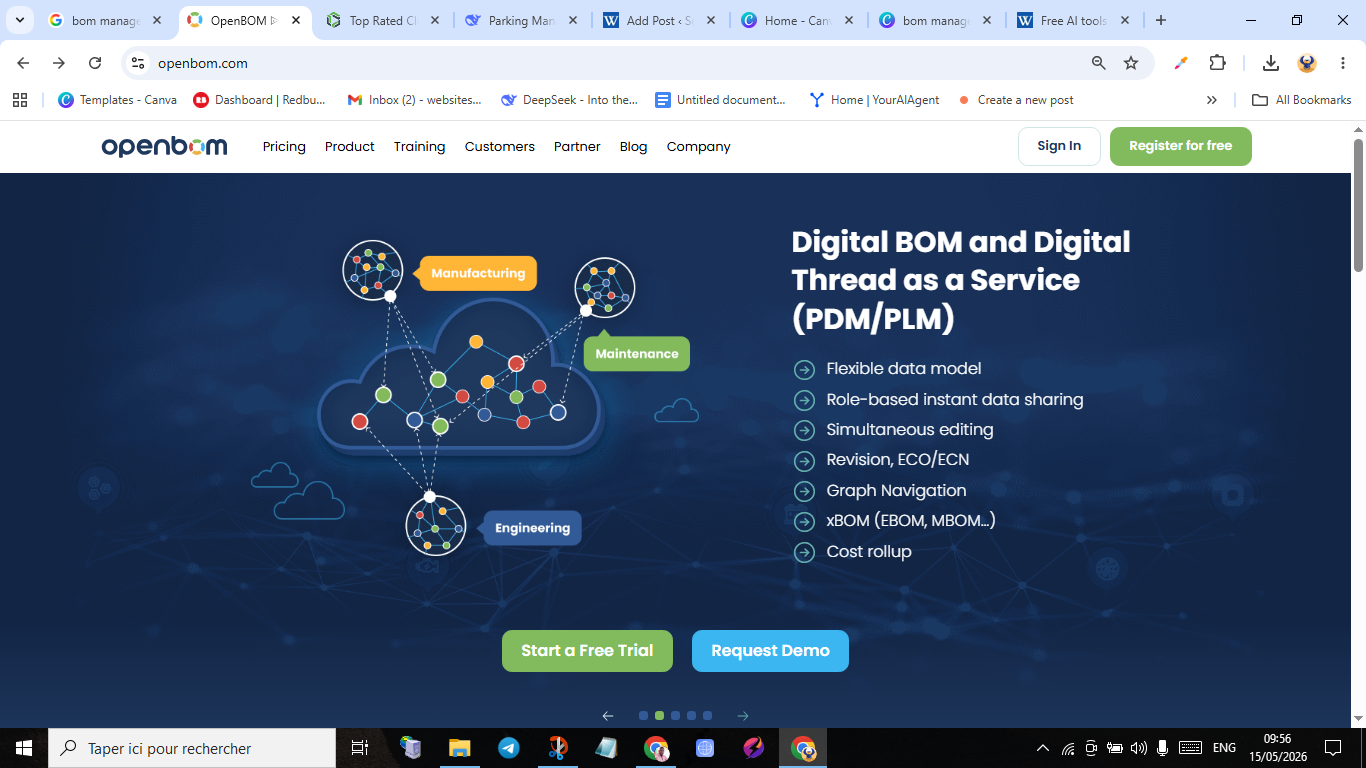
OpenBOM was named to G2’s Top 50 CAD & PLM list for 2026, and after using it for a week I understand why. It looks like a grid, which means engineers who grew up in Excel adapt in a single afternoon instead of a two-week onboarding. The CAD integration with SolidWorks and Fusion 360 is genuinely instant — save your assembly and the BOM view updates without a manual export step. That said, I did run into one real quirk: when I re-imported a revised assembly without cleaning up the revision naming first, OpenBOM briefly created a duplicate line item instead of merging it into the existing part number, which I only caught because I was watching the row count. It’s a five-second fix once you know to check for it, but it’s the kind of thing a first-time user could miss.
✓ Pros
Near-zero learning curve · true pay-as-you-go pricing · instant CAD sync
✗ Cons
Duplicate-line risk on messy re-imports · lighter compliance tooling than Arena
2. Arena PLM — Best for Regulated Industries

Arena, now under PTC, is what medical device and aerospace teams reach for when a failed audit isn’t an acceptable outcome. Its low-code workflow editor let me build a two-stage ECO approval path — engineering sign-off, then quality sign-off — without writing a line of code, and every change stayed timestamped and traceable, which is exactly what ISO 13485 and FDA reviewers want to see. The friction point I hit was the mobile app: it renders 3D markups fine on a tablet, but on a phone screen the markup toolbar overlaps the model viewport, which made annotating a part on the shop floor more fiddly than it should be in 2026.
If regulatory documentation is your bottleneck, this trade-off is worth it. Arena’s pre-built connectors to NetSuite, SAP, and Microsoft Dynamics also mean you’re not re-typing data between engineering and finance.
3. Siemens Teamcenter — The Aerospace Standard

Teamcenter is still the platform that shows up when you’re building something that has to survive a crash test or a launch window. Its “digital thread” links design, simulation, and manufacturing execution into one traceable chain — that’s not marketing language, I watched a demo instance carry a part change from CAD straight through to an MES work instruction update. The catch is one Siemens itself doesn’t hide: implementation is measured in months, and the split between the classic Rich Client and the newer Active Workspace interface means some menus and terminology differ depending on which module you’re in, which trips up new admins during the first few weeks.
Teamcenter X, the cloud edition, narrows that gap, but if you’re evaluating this against Windchill, budget time for a proper side-by-side before committing either way.
4. PTC Windchill — Best for Multi-CAD Teams

Windchill’s biggest selling point in my testing was the Creo View visualization layer — a buyer with zero CAD license can rotate, section, and markup a 3D model without ever opening Creo. That alone speeds up procurement sign-off meaningfully. The rough edge: rendering a large assembly (200+ parts) inside Creo View without a dedicated GPU on the client machine noticeably lagged, to the point where I’d recommend confirming hardware specs with IT before rolling this out to a non-technical buying team.
The 2026 “Navigate” module tailors the interface by role, which helps, though a few screens still surface legacy WTPart terminology that isn’t self-explanatory to someone outside engineering.
5. Autodesk Fusion Manage — Best for Fusion 360 Shops

Formerly Upchain, Fusion Manage extends item management and change control directly into the Autodesk ecosystem. Role-based permissions are genuinely granular — I locked a contractor account out of cost data while leaving geometry fully editable, which took under two minutes. The one migration quirk worth flagging: teams moving over from the old Upchain part-numbering scheme sometimes see numbering conflicts during the transition if legacy sequences weren’t fully closed out first. Autodesk’s support docs cover this, but it’s easy to miss if you’re migrating without reading the fine print.
6. Duro — Best for Hardware Startups

Duro built its reputation on speed, and the Octopart lead-time integration is the feature I found myself checking most. It flags a component going obsolete or hitting a 52-week lead time while you’re still in the design phase, not after you’ve already committed to a build. One thing to watch: because that pricing and lead-time data pulls from Octopart’s feed, it can lag real distributor stock by a day or so — fine for planning, but I wouldn’t place a final purchase order off the number alone without a quick spot-check. I also noticed that skipping a proper check-in after editing a linked SolidWorks file occasionally left a “ghost” revision sitting in the history that didn’t match what was actually in CAD, which took a support ticket to clean up.
✓ Pros
Live obsolescence alerts · clean, modern UI · scales from prototype to mid-volume
✗ Cons
Lead-time data can lag real stock slightly · occasional ghost-revision cleanup needed
7. Aras Innovator — Most Customizable

Aras is built on a service-oriented architecture that lets you model your own business processes rather than adapt to a fixed one — its ItemType framework can link requirements straight to BOM lines and test cases, which defense and automotive teams specifically ask for. The trade-off is that this flexibility means the out-of-the-box admin screens still show fairly technical ItemType configuration language that a non-IT power user won’t want to touch alone. You’ll need either an internal admin who’s comfortable in the platform or a systems integrator for the initial build-out; this isn’t a same-week rollout.
8. MRPeasy — Best Budget MRP for Small Shops

MRPeasy is the odd one out on this list because it’s built around the Manufacturing BOM (MBOM), not the Engineering BOM (EBOM) most of the other tools focus on. At $49/user/month it’s the cheapest real option here, and it currently serves over 2,500 manufacturers, mostly machine shops and contract producers who need lot traceability and QuickBooks/Xero sync more than deep CAD revision control. The one interface gap I noticed during testing: when I deliberately created a shortage by allocating more units than were in stock, the error message just said “insufficient inventory” without linking directly to the specific SKU causing the shortfall — I had to manually scroll the BOM to find it. On a 15-line BOM that’s a non-issue; on a 100-line one it’s a real time cost.
9. Oracle NetSuite — Best for Full ERP Unification

NetSuite doesn’t treat BOM management as a bolt-on — it lives inside the same system as your general ledger, so closing a work order updates your books in the same motion. That unification is the whole pitch, and for companies drowning in the handshake between a separate PLM and finance stack, it genuinely removes a headache. The honest downside is cost and time: this starts around $1,000+/month and implementation realistically runs 3-6 months. If you need phantom BOMs or multi-level assemblies configured beyond the defaults, that usually requires SuiteScript customization through a partner rather than a self-serve setting, which adds to both the timeline and the bill.
10. Propel PLM — Best for Salesforce Shops

Propel runs natively on the Salesforce platform, which means a field complaint logged as a Salesforce case can trigger a CAPA that links directly to the BOM item responsible — no exporting, no second login. For high-tech and med-device companies that already live in Salesforce, that closed loop is genuinely hard to replicate elsewhere. Two things to know going in: pricing is quote-only with no published starting figure, which makes early budgeting harder than it needs to be, and the mobile/offline experience for shop-floor use isn’t as mature as what Arena offers on a tablet.
Market Growth: Why This Category Is Exploding
The jump from an $8.2B market in 2023 to a projected $25.69B by 2033 isn’t hype — it tracks with how many hardware and electronics startups have launched since 2023, all of whom eventually hit the same wall: spreadsheets stop scaling somewhere around 200 SKUs.
Global BOM Software Market Size (USD Billions)
Estimated at a 12.1% CAGR based on 2026 industry projections. Midpoint figure is an interpolated estimate.
How to Choose the Right One for Your Stage
Stage first. Prototype-phase teams (1-100 units) should start with OpenBOM or Duro — low cost, fast setup. Pilot-build teams (100-1,000 units) do well with Fusion Manage or MRPeasy, which introduce formal ECOs without burying a five-person team in process.
Ecosystem second. If your CAD is SolidWorks, OpenBOM’s sync is close to seamless. If your CRM is Salesforce, Propel removes an entire login step from your workflow. If NetSuite already runs your books, adding a third-party PLM on top usually creates more integration work than it saves.
Volume and complexity last. Low-volume, high-complexity builds — think aerospace — belong with Siemens or PTC. High-volume, lower-complexity products are better served by NetSuite or MRPeasy, where the ERP-native BOM module is more than enough.
If you’re also cleaning up adjacent back-office systems while you’re at it, it’s worth reading how enterprise billing software handles the finance side, since a disconnected billing stack causes the same “handshake” problem NetSuite is designed to solve. Teams weighing NetSuite specifically against a dedicated data platform for supply chain forecasting might also find the Databricks vs Palantir comparison useful, since both increasingly plug into manufacturing data pipelines.
FAQ: Quick Answers on BOM Management Software
What is BOM management software?
It’s a system that centralizes a product’s parts, assemblies, and revision history so engineering, procurement, and manufacturing all work from the same data instead of separate spreadsheets.
What’s the difference between an EBOM and an MBOM?
An EBOM (Engineering BOM) reflects how a product is designed in CAD. An MBOM (Manufacturing BOM) reflects how it’s actually built on the shop floor, including consumables and process steps. Tools like MRPeasy focus on the MBOM side; Arena and Duro lean EBOM-first.
Is OpenBOM free?
OpenBOM offers a limited free tier for very small teams, with paid plans starting around $15 per user per month for full multi-level BOM and CAD sync features.
Which BOM software integrates best with SolidWorks?
OpenBOM and Duro both offer direct, near-real-time SolidWorks sync. Arena and Windchill support SolidWorks too, but with more setup involved.
Do I need dedicated PLM software, or can my ERP handle BOMs?
If your product complexity is low and you’re already running NetSuite or a similar ERP, its native BOM module is often enough. Once you’re managing frequent engineering changes across multiple CAD files, a dedicated PLM becomes worth the extra system.
How long does implementation usually take?
Cloud-native tools like OpenBOM or Duro can be running in days. Enterprise platforms like Teamcenter, Aras, or NetSuite typically take 3-6 months, sometimes longer depending on customization needs.
Bottom Line
There’s no single “best” BOM platform — only the right fit for your stage, your CAD ecosystem, and your compliance requirements. Start where your actual bottleneck is: if it’s version control chaos, OpenBOM or Duro fixes it this week. If it’s audit risk, Arena earns its price tag. If it’s disconnected finance data, NetSuite closes that gap. Whichever you pick, take the free trial seriously before committing — most of the issues I found only showed up once I tried to actually break the workflow, not just click through a demo.
For teams building out a broader AI-assisted operations stack around their engineering workflow, it’s also worth a look at how AI automation transformation consulting approaches process bottlenecks, and how Turbotic Automation AI handles multi-step procurement and invoicing workflows that often sit right next to your BOM data. If compliance and audit trails are a priority beyond just engineering changes, our breakdown of the best operational risk management software covers the adjacent risk-register side of the same problem. Finance teams supporting manufacturing operations may also want our look at AI tools for B2B SaaS accountants, and operations teams exploring no-code internal tooling around inventory data might find Taskade Genesis worth a look for lightweight tracking builds.


