

Best Higgsfield Alternatives for AI Filmmaking in 2026
Six tools compared on current pricing, credit math and license rules, checked against vendor pages in October 2026.
By Oyekale Olawale | Updated November 2026
Quick Answer
The best Higgsfield alternatives for AI filmmaking in 2026 are InVideo AI (Agent Two) for script-to-scene production with project memory, Runway for editing-heavy cinematic work, Kling for the lowest cost per realistic clip, PixVerse for cheap clips with native audio, and LTX Studio for storyboard-first filmmaking. Viggle is a motion-transfer specialist, not a full filmmaking suite.
For context, Higgsfield runs Free ($0, no credits), Starter ($19), Plus ($47 billed annually, $59 monthly) and Ultra ($99 annual, $129 monthly). Credits reset every cycle and every re-roll costs credits, so the real question is which tool wastes the fewest of them.
I write about AI video tools for a living, and this corner of the market is messy. Plans get renamed, credit costs change without notice, and the same tool can show two different prices on two different pages of its own site.
So I did the boring part for you. Every price, model name and license rule below comes from the vendor’s pricing page or help center, then gets cross-checked against independent trackers. Where sources disagree, I say so.
What You’re Replacing: Higgsfield’s Current Plans
Higgsfield is a credit-metered hub. It resells models like Seedance, Kling, Wan and Nano Banana, then adds its own Cinema Studio, Soul ID (character consistency) and Speak (lip sync) tools on top.
| Plan | Annual billing | Monthly billing | Credits | Seedance access |
|---|---|---|---|---|
| Free | $0 | $0 | 0 | None |
| Starter | $19 | $19 | 270 | 2.0 Fast and Mini only |
| Plus | $47 | $59 | 1,200 | Full lineup |
| Ultra | $99 | $129 | 3,000 | Full lineup |
Prices exclude VAT and local taxes. Four details explain why people start shopping around:
- Subscription credits do not roll over, and purchased packs expire after 90 days.
- Re-rolls and upscales cost credits, so a bad generation is still a paid generation.
- Starter can’t run Seedance 2.0 or 2.5. You need Plus for the full Seedance lineup.
- The “Unlimited” windows (Plus currently includes seven days of Kling 3.0) only apply on higgsfield.ai, not through MCP, CLI or Canvas.
Higgsfield Alternatives at a Glance
| Tool | Best for | Entry paid price | Free option | License note |
|---|---|---|---|---|
| InVideo AI | Script-to-scene films with project memory | $20 per seat/mo | None on the pricing page | Watermark-free export on paid plans; read the terms for client work |
| Runway | Cinematic shots plus a real timeline editor | $15/mo ($12 annual) | 125 one-time credits | Free plan is non-commercial; confirm your paid tier |
| Kling | Realistic motion at a low cost per clip | $8.80/mo renewal ($6.60 yearly) | Login bonus credits | No commercial rights on Free |
| PixVerse | Fast, cheap clips with native audio | $10/mo ($8 annual) | 90 signup + 60 daily credits | Free clips are watermarked |
| LTX Studio | Storyboard-first production | $15/mo (Lite) | 800 one-time credits | Commercial use starts at $35 Standard |
| Viggle | Motion transfer onto characters | $9.99/mo (Pro) | Yes, watermarked | Free output is not for commercial use |
How I Evaluated These Tools
I checked each vendor’s live pricing page and help center in October 2026, then compared those numbers with independent trackers and recent third-party reviews. If a vendor’s own pages disagreed with each other, I noted it instead of picking the friendlier number.
One honest limit: hands-on notes only appear for tools I’ve reviewed in full on this site, Runway and Kling. For the rest, the quirks come from documentation and published user reports, and I label them that way.
1. InVideo AI (Agent Two): Best for Script-to-Scene Filmmaking
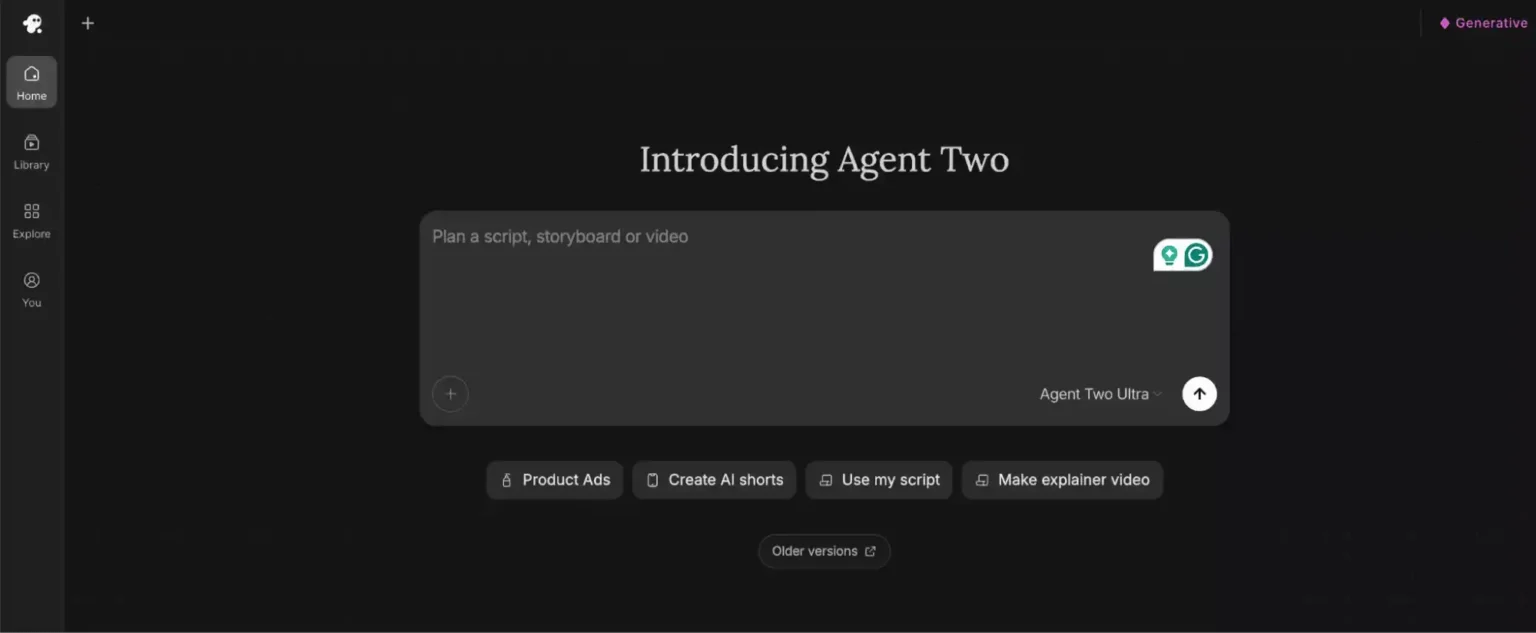
Agent Two is the closest thing to a Higgsfield replacement if you want a pipeline rather than a model menu. You give it a treatment or script, and it plans shots, picks a model for each one and keeps going.
The part that matters for filmmakers is project memory. A Context holds your characters, locations, tone and visual rules, while each scene or episode gets its own Brief. That’s how it avoids regenerating a fresh face every shot. It can route across 200+ third-party models, including Veo 3.1, Sora 2, Kling and Seedance.
Every plan includes the full timeline editor and multiplayer editing, even the $20 tier. The gating is on models: Starter only gets Agent Two Lite plus Seedance 2.0 Fast and Mini. Seedance 2.5 and Seedance 2.0 at 4K begin at Plus.
| Plan | Monthly price (per seat) | Credits | What it unlocks |
|---|---|---|---|
| Starter | $20 | 400 | Agent Two Lite, Seedance 2.0 Fast and Mini |
| Plus | $60 | 2,000 | Lite, Pro and Ultra agents; Seedance 2.5 at 1080p; 10 guest seats |
| Max | $150 and up, by credit tier | 5,000+ | Lowest cost per credit, early access to new models |
Annual billing carried a 50% promotion when I checked, so the effective price was much lower. Promos like that come and go, so treat the monthly list price as your baseline.
Credit math from InVideo’s own page: a five-second Seedance 2.0 Fast clip costs about 30 credits, a Nano Banana Pro image about 2.5, and a Seedance 2.5 clip at 1080p about 96 credits. Stills from an image model like Nano Banana 2 make good character references before you spend video credits.
Two quirks worth knowing. InVideo’s earlier Agent One FAQ documented a run where reasoning ate more than 30% of the credits before any pixels rendered. And InVideo says it can change credit costs at any time without notice. If your work is closer to marketing explainers than cinematic scenes, a lighter tool like Visla may be enough.
Strengths
- ✓ Persistent Context and Brief structure for characters and style
- ✓ Routes across 200+ models instead of locking you into one
- ✓ Full timeline editor on every paid tier
Weaknesses
- ✗ No free plan listed on the current pricing page
- ✗ Starter locks out Seedance 2.5 entirely
- ✗ Credits don’t roll over, and costs can change without notice
2. Runway: Best for Editing-Heavy Cinematic Work
Runway is the one on this list that feels like a creative suite rather than a generator. You get Gen-4.5, a timeline editor, lip sync and audio tools in one workspace. It also hosts third-party models such as Kling 3.0, Seedance 2.0 and 2.5, and Veo 3.1, so you can benchmark models on the same prompt.
The credit rule to memorize: Gen-4.5 costs 12 credits per second, so a five-second clip is 60 credits and a finished minute is 720. On Standard that’s about 52 seconds of Gen-4.5 a month.
| Plan | Monthly | Annual (per month) | Credits |
|---|---|---|---|
| Free | $0 | $0 | 125 (one time) |
| Standard | $15 | $12 | 625 |
| Pro | $35 | $28 | 2,250 |
| Max | $95 | $76 | 9,500 |
Max replaced the old Unlimited tier on June 1, 2026, so older pricing guides that still mention Unlimited are out of date. Credits don’t roll over on Standard or Pro. Only Max carries them forward, and only for one month.
Documented quirks: Runway’s Standard and Pro cards list Gen-4 Turbo at 6 credits per second while the Max card and the docs say 5. In my own testing for the full RunwayML review, finished jobs sometimes didn’t appear in my asset library until I refreshed the page, and the interface changes style from tool to tool.
Strengths
- ✓ Timeline editor, lip sync and audio in one place
- ✓ Hosts Kling, Seedance and Veo next to its own models
- ✓ Per-second credit pricing is easy to budget
Weaknesses
- ✗ Free plan is a one-time 125 credits, not a monthly refresh
- ✗ Credits burn fast on Standard
- ✗ Interface is inconsistent across tools
3. Kling: Best Cost per Realistic Clip
Higgsfield sells Kling access, so the obvious question is why not go straight to the source. On a per-clip basis you often should. Kling 3.0 renders native 4K, holds shots for up to 15 seconds and uses Reference Elements to keep characters and products consistent across angles.
| Plan | First month | Renewal | Credits |
|---|---|---|---|
| Standard | $6.99 | $8.80 | 660 |
| Pro | $25.99 | $32.56 | 3,000 |
| Premier | $64.99 | $80.96 | 8,000 |
| Ultra | $127.99 | $159.99 | 26,000 |
Watch the credit rates. A five-second clip on the Turbo model runs around 15 credits, while the flagship Kling 3.0 is closer to 45. That’s a threefold difference on the same plan.
The catch is billing, not quality. When I wrote my full Kling AI review, its Trustpilot profile showed a 1.2 out of 5 score, mostly over lost credits after plan switches, failed generations that still cost credits, and renewals after cancellation. My advice there still stands: avoid switching tiers mid-cycle and screenshot your cancellation.
Strengths
- ✓ Native 4K and clips up to 15 seconds
- ✓ Reference Elements for character and product consistency
- ✓ Among the lowest cost per clip on this list
Weaknesses
- ✗ Poor customer-review record on billing and support
- ✗ Credits don’t roll over; Ultra has no annual option
- ✗ Weaker on flat 2D and abstract styles
4. PixVerse: Best for Cheap, Fast Clips With Native Audio

PixVerse plays a different game. It builds its own model line and ships it fast. The current flagship is V6, launched March 30, 2026, and it can generate multi-shot short films with native audio from a single prompt, plus multilingual text inside the frame. A command-line interface also lets coding agents drive it.
The free tier is where it beats Higgsfield, whose Free plan includes zero credits. PixVerse gives new accounts 90 signup credits plus 60 daily credits. Daily credits expire if unused, and a typical clip costs about 35 credits, so you get roughly one watermarked clip a day.
| Plan | Monthly | Annual (per month) | Credits |
|---|---|---|---|
| Basic (free) | $0 | $0 | 90 + 60 daily |
| Standard | $10 | $8 | 1,200 |
| Pro | $30 | $24 | 6,000 |
| Premium | $60 | $48 | 15,000 |
| Ultra | $199 | $149 | 25,000 |
Standard removes the watermark but caps output at 720p. Credits are deducted per attempt, not per keeper, so failed generations still cost you. Trackers disagree on a few mid-tier details, so confirm on PixVerse’s own page before paying. If you mostly want faceless short-form rather than film, my Vid AI review covers a more template-driven option.
Strengths
- ✓ Daily free credits, not just a one-time trial
- ✓ V6 multi-shot generation with native audio
- ✓ Lowest cost per clip in my math below
Weaknesses
- ✗ No storyboard or script layer; it’s a clip generator
- ✗ Free clips are watermarked and capped at 540p
- ✗ Plan details differ between third-party trackers
5. LTX Studio: Best for Storyboard-First Filmmaking

LTX Studio comes from Lightricks and covers the whole chain: script, storyboard, character Elements, generation, sound and timeline editing. It’s the one I’d pick if you want to approve shots on a board before spending a single render credit.
Its model line moves quickly. LTX-2.5 arrived in August 2026 as a 22-billion-parameter open-weights audio-video model with native multi-shot scenes and 4K HDR output, available inside Studio and as downloadable weights. Few vendors on this list publish that much about their own model.
The license is the trap. LTX’s help center says Free and Lite are personal-use only, and commercial use starts at Standard. Lite at $15 a month is fine for a hobby film, and a legal risk for a client ad.
| Plan | Monthly | Annual (per month) | Credits | License |
|---|---|---|---|---|
| Free | $0 | $0 | 800 (one time) | Personal |
| Lite | $15 | $12 | 8,000 | Personal |
| Standard | $35 | $28 | 28,000 | Commercial |
| Pro | $125 | $100 | 110,000 | Commercial |
Standard adds third-party models such as Veo and Kling, and Pro adds the newer Veo 3.1 and Kling 3.0 Pro variants. One more inconsistency: some pages list Lite at 8,000 credits a month while LTX’s own pricing page has shown 8,640. Unused credits don’t roll over.
Strengths
- ✓ Script-to-storyboard workflow before any render
- ✓ Open-weights model family you can also run locally
- ✓ Reaches third-party models from the Standard tier
Weaknesses
- ✗ Free and Lite are personal-use only
- ✗ Commercial rights cost $35 a month or more
- ✗ Credit counts differ between pages
6. Viggle: Best for Motion Transfer, Not Narrative Film
Viggle solves a narrower problem, and I’d rather say that upfront than stretch the comparison. You upload a character image and a motion reference, and it maps the movement onto your character. Its tools include Animate (image to video), Mix (motion transfer), Move (part-by-part control) and a live Real-Time Swap.
That’s useful for previsualization, dance and meme content, or blocking a scene before paying for real mocap. It isn’t a script-to-film pipeline. A July 2026 guide also reports that Pro and above can reach other labs’ models such as Kling 3.0 and Veo 3.1, but I’d confirm that in-app.
Pricing, as listed in mid-2026: Free (5 watermarked videos a day), Pro at $9.99 a month ($7.99 annual) with 80 credits, Live at roughly $20 to $25 with 200 credits, and Max at $79.99 ($63.99 annual) with 800 credits. Sources disagree on the Live price, and Viggle’s public pricing detail is thinner than most rivals’.
If you’re assembling a wider creative toolkit around it, my roundup of AI tools for designers and creatives is a good next stop.
Strengths
- ✓ Cheap way to prototype character motion
- ✓ Multi-character motion mapping
- ✓ Free tier available for testing
Weaknesses
- ✗ No script, storyboard or scene planning
- ✗ Short clips only
- ✗ Free output is watermarked and non-commercial
What a Five-Second Clip Actually Costs
Credit systems make price comparison deliberately awkward, so I converted each vendor’s published rates into dollars per five-second clip. This is my own math, not a vendor figure, and the tools use different models, so lower cost doesn’t mean equal quality.
Approximate cost per 5-second clip (USD)
Dark bar: cheapest per-credit tier on annual billing (InVideo uses list price). Light bar: entry tier on monthly billing. LTX Studio and Viggle are left out because their per-clip credit costs aren’t published in a comparable form.
| Tool | Basis for the estimate | Credits per 5 sec |
|---|---|---|
| PixVerse | Typical standard clip, per PixVerse docs | About 35 |
| Kling | Kling 3.0 model | About 45 |
| Runway | Gen-4.5 at 12 credits per second | 60 |
| Higgsfield | Seedance 2.0 at 720p (1080p is 45 credits, or $1.49 to $2.21) | 23 |
| InVideo | Seedance 2.0 Fast | About 30 |
Native audio, 4K output and longer durations all raise credit costs, and retries multiply them. Budget for two or three attempts per keeper shot, not one.
Which Alternative Should You Pick?
Match the tool to the job, not to the longest feature list.
Short film or ad campaign
InVideo AI or LTX Studio. Both plan scenes before they render.
Polish and editing control
Runway, for the timeline, lip sync and multi-model access in one place.
Lowest cost per clip
PixVerse for volume, Kling for realism, with careful billing habits.
Character motion only
Viggle, for motion transfer and previsualization.
How to Switch From Higgsfield in 5 Steps
- Export first. Download finished clips, character references and your best prompts before the plan lapses. Subscription credits reset at renewal, and packs expire after 90 days.
- Pick by job. Use the guide above. One tool rarely replaces every Higgsfield use case.
- Test cheaply. PixVerse’s daily credits, Runway’s 125 free credits, LTX’s 800 free credits and Viggle’s free tier all let you judge output before paying.
- Rebuild your references. Prompts don’t transfer cleanly between models. A prompt library like Banana Prompts can speed up the still frames you’ll use as character anchors.
- Check the license. LTX Lite is personal-use only, and free tiers on Kling, Runway and Viggle aren’t for commercial work.
FAQ
What is the closest free alternative to Higgsfield?
PixVerse. New accounts get 90 signup credits plus 60 credits that refresh daily, which is roughly one watermarked clip a day with no card. Higgsfield’s own Free plan includes zero credits.
Which alternative is best for character consistency?
InVideo’s Agent Two keeps characters, locations and style in a project Context, and Kling’s Reference Elements and LTX Studio’s Elements handle it at the shot level. Higgsfield’s equivalent is Soul ID.
Which tool has the lowest cost per clip?
On my math, PixVerse (about $0.11 to $0.29 for a five-second clip), then Kling ($0.34 to $0.60). Both are well under Higgsfield’s $0.76 to $1.13 for Seedance 2.0 at 720p.
Can I use free-plan videos commercially?
Generally no. Higgsfield’s Free plan, Kling’s Free plan, Runway’s free credits, Viggle’s free tier and LTX’s Free and Lite plans all exclude commercial use or add watermarks. Check the terms for your exact tier before delivering client work.
Do unused credits roll over?
Mostly no. Higgsfield, InVideo, Kling and LTX Studio reset credits each cycle, and Runway only carries credits over on Max, for one month.
Is Haiper still available?
No. Haiper’s consumer app went offline in February 2025, its cofounders joined Microsoft AI, and NetMind.AI acquired its video models in June 2025. PixVerse is the nearest replacement for cheap text-to-video.
Can I combine more than one of these tools?
Yes, and many creators do. Plan scenes in InVideo or LTX Studio, grab cheap B-roll from PixVerse, and use Viggle for motion tests. Once you’re sitting on hours of footage, a video-search tool such as TwelveLabs can help you find the right shot later.
Conclusion
No single tool replaces everything Higgsfield does, and that’s fine. If you want a full script-to-scene pipeline, start with InVideo’s Agent Two. If you want control over the edit, Runway is the safer bet. For the cheapest clips, PixVerse and Kling win, with billing caution on Kling.
LTX Studio suits storyboard-first filmmakers who can afford the commercial tier, and Viggle earns a slot only for motion transfer. Prices and credit costs in this space change quickly, so treat everything here as an October 2026 snapshot and confirm on each pricing page before committing to an annual plan.


