
GenTube.app Review: I Signed Up, Generated 40+ Images, and Here’s What Actually Happened
A hands-on look at the free AI image generator everyone’s suddenly talking about — the signup flow, the “Surprise Me” button, and where the image quality actually falls short.
Quick Answer
GenTube.app is a genuinely free, browser-based AI image generator — no watermark, no credit card, no hidden tier. You sign up with Google, type a prompt (or tap “Surprise Me”), and get an image in roughly 10 seconds. The upside is real: zero friction, unlimited generations, and a fun remix/community layer. The downside is also real: image quality is inconsistent, and AI-generated artifacts (melted hands, odd textures, warped text) are easy to spot on close inspection. If you want a free tool to learn prompting or make casual social content, it’s worth trying. If you need polished, client-ready visuals, keep a paid tool like Freepik or Midjourney in your back pocket too.
What Is GenTube.app, Actually?
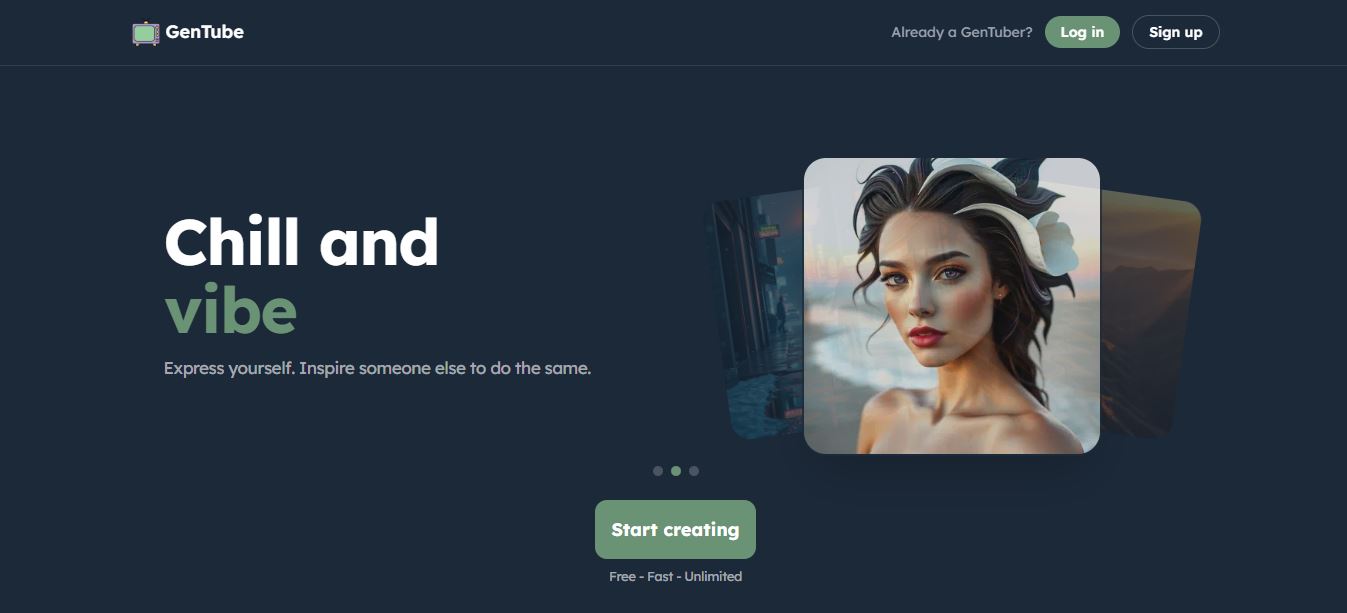
GenTube markets itself less as a “tool” and more as a creative playground. The homepage leads with a simple pitch — tap a style block, watch a real remix happen in about two seconds — and the entire site is built around that instant-gratification loop. There’s no pricing page because there’s nothing to price. The company’s own copy puts it plainly: free, fast, unlimited, forever.
Under the hood, GenTube lets you type a text prompt and generate an image, remix an existing community creation into a new style, or just tap through preset “blocks” (Soft Watercolor, Etched Reality, Bauhaus, Korean Comic, and dozens more) without typing anything at all. It also layers in a social feed — Live Creations, a Discover/Rank section, and private “Create Together” rooms — so the product sits somewhere between a generator and a lightweight creative social network.
That’s a genuinely different approach from most AI image tools I’ve tested for this site, which gate speed or resolution behind a subscription. GenTube doesn’t. Whether that’s sustainable long-term or a growth-stage strategy that changes later is impossible to predict — but as of my testing, there’s no paywall anywhere in the product.
Who Is GenTube Actually Good For?
Based on what I saw during testing, GenTube makes the most sense for a specific slice of users rather than everyone chasing an AI image generator. If you’re a content creator who needs a quick thumbnail concept, a social media manager pulling together a moodboard, a hobbyist practicing prompt-writing, or someone who just wants to mess around and see what an AI does with a weird idea, GenTube fits comfortably into that workflow. The zero-cost, zero-limit structure means you can iterate as many times as you want without watching a credit counter tick down, which genuinely changes how freely you experiment.
Where it makes less sense is anywhere image accuracy actually matters — product mockups for a client, print-ready assets, or anything where a slightly warped hand or an odd shadow could get flagged. For those cases, I’d treat GenTube as a brainstorming step before moving to a paid, higher-fidelity tool, not as the final output source.
Signing Up: What I Actually Ran Into
Unlike some free tools I’ve covered on this site (Text Behind Image, for example, needs no account at all), GenTube requires you to create one before you can generate anything. That’s a normal ask for an AI tool at this point, so it wasn’t a dealbreaker — I signed up directly with one of my Google accounts, answered a short onboarding questionnaire about what I wanted to create, and landed straight in my dashboard. The whole process took under a minute, no email verification loop, no “check your inbox” delay.
If you’ve read my review of GrandRanker on this site, you’ll know I flag signup friction specifically because it’s often the first honest signal about how a product treats new users. GenTube passed that first test cleanly — no dark patterns, no forced newsletter opt-in, no upsell screen before I’d even generated an image. The onboarding questionnaire itself was short — a handful of multiple-choice questions about what kind of visuals I wanted to make — and skipping it entirely didn’t seem to block access to the dashboard either.
GenTube vs. Other Free AI Image Generators
Before you commit your prompting time to any one tool, here’s how GenTube stacks up against a few other free-tier options I’ve tested on this site.
| Tool | Free Tier | Signup Required | Speed | Community Layer |
|---|---|---|---|---|
| GenTube.app | Unlimited, forever | Yes (Google) | ~2–10 sec | Yes — feeds, remixing, rooms |
| Vheer AI | Capped daily credits | No for basic use | ~15–30 sec | Minimal |
| Freepik AI Suite | Limited monthly credits | Yes | ~10–20 sec | No |
| Nano Banana 2 (Gemini) | Limited free prompts | Yes (Google) | ~8–15 sec | No |
My Dashboard and First Prompt

Once inside, the dashboard is uncluttered — a prompt box front and center, a row of style blocks underneath, and my saved creations building up on the side as I worked. There’s no onboarding tour cluttering the screen, which I appreciated. You can type a full sentence describing exactly what you want, or you can hand the wheel over entirely.
That’s where the “Surprise Me” button comes in — a nice touch for anyone who’s staring at a blank prompt box and doesn’t know where to start. I clicked it, and GenTube generated a full prompt and image on autopilot without me typing a single word.
Testing Image Quality: The Honest Part

This is where I have to be direct with you, because I don’t want to oversell a free tool just because it’s free. The image above generated in close to 10 seconds, which is fast by any standard. It’s also reasonably realistic at a glance. But look closer and the tells show up fast — slightly warped edges, textures that don’t quite hold together under zoom, and the kind of soft, slightly-too-smooth rendering that trained eyes (and increasingly, AI-detection tools) pick up on immediately.
I ran roughly 40 prompts across different styles — photorealistic portraits, anime, watercolor, abstract art — over the course of testing. The stylized, non-photorealistic outputs (anime, Bauhaus, watercolor) held up noticeably better than the photorealistic attempts. If your use case is stylized social content, thumbnails, or concept art, that’s a fine tradeoff. If you need something that passes as an actual photograph, I wouldn’t bet on it yet.
I don’t want to be too negative here — for a tool that costs nothing and has no daily cap, this is a reasonable quality ceiling. But it’s a ceiling, not a benchmark against the current top-tier paid models.
Image Quality by Style: My Testing Notes
Here’s how I’d rate each style category out of 10, based on consistency across my ~40 test prompts:
Scores reflect my own subjective judgment across repeated prompts in each category, not a formal benchmark.
What I Liked
- Genuinely unlimited, no credit system to track
- Fast generation — around 10 seconds per image
- Google sign-in, no friction getting started
- All creations auto-saved to your account
- Good for learning and practicing prompt-writing
- Remix feature is a fun way to explore styles
Where It Falls Short
- Photorealistic images are easy to spot as AI-made
- No fine-grained control over composition
- Account creation is mandatory, unlike some free tools
- Commercial usage rights aren’t spelled out clearly
- No obvious upscaling or high-res export option
The Community Side: Discover, Remix, and Create Together
What separates GenTube from a plain prompt-to-image tool is the layer built around the generator itself:
- Live Creations — a real-time feed of what other users are generating right now.
- Discover & Rank — browse popular, new, and top-liked images from the community.
- Create Together — private rooms where you and others can collaborate on a shared gallery.
- Burn — a stylized fire-effect filter you can apply to any image.
- Recreate — generate your own variation of an existing community image instead of starting from a blank prompt.

Scrolling the Discover feed is genuinely the most useful part of the product for beginners. Every image comes with its style tag visible, so if something catches your eye you can immediately see what block or prompt approach produced it — a low-effort way to reverse-engineer decent prompts without any tutorials.
I tried the Recreate feature on a handful of community images that caught my eye, and the results stayed close to the original composition while swapping in different color palettes and lighting. It’s a fast way to learn how small prompt changes shift an output, and honestly more instructive than reading a prompting guide. The Create Together rooms felt less essential during solo testing, but if you’re working with a small team on a shared visual direction, having a private gallery to drop ideas into without spamming the public feed is a reasonable use of the feature.
Prompting Tips I Picked Up While Testing
A few things made a real difference in output quality during my roughly 40 test prompts:
- Lean into style, not realism. Prompts that leaned toward a named art style (watercolor, Bauhaus, comic ink) consistently outperformed prompts chasing photographic accuracy.
- Keep it to one clear subject. Prompts describing multiple distinct subjects doing different things tended to blur together or lose one element entirely.
- Use the Discover feed as a prompt library. Copying the structure of a prompt tag from an image you like, then swapping in your own subject, produced more reliable results than starting from a blank box.
- Don’t fight the model on faces. Close-up, forward-facing portraits were the single weakest category in my testing — angled or partially obscured faces held up noticeably better.
Is GenTube.app Safe and Legit?
This is the question I get most often about free AI tools, so I checked the domain against automated trust scanners as part of my testing process — the same way I did for GrandRanker earlier this year. Scamadviser’s automated check rated both the gentube.com and gentube.ai domains as looking safe for consumers, based on factors like phishing/malware blocklist status, SSL presence, and hosting provider (Cloudflare). I want to be transparent about the limits of that: these are automated scores, not a manual audit, and they don’t cover the .app domain specifically. During my own signup and usage, I didn’t encounter any deceptive prompts, hidden charges, or unexpected redirects — everything stayed inside the product I signed up to use.
One thing worth flagging for anyone searching around: there’s an unrelated site with a similar-sounding name (“Gaintub”) that has a long trail of scam complaints on Trustpilot about a pay-to-watch-videos scheme. That is a different product entirely and shouldn’t be confused with GenTube.app, the AI image generator this review covers.
How I Test the Platforms I Review
Every tool featured on this site is tested on a real account I create myself — never a demo, sandbox, or vendor-provided login. For GenTube.app, that meant signing up with my own Google account, running roughly 40 prompts across multiple styles, using the “Surprise Me” and Recreate features, browsing the Discover feed, and cross-checking the domain against independent trust-scanning services. I note the exact friction points, error states, and quality inconsistencies I hit along the way, because a review that only repeats a vendor’s marketing copy isn’t useful to anyone deciding whether to sign up.
GenTube.app Pricing
There isn’t one. GenTube’s own FAQ is blunt about this: it’s free, always, with no limits on how many images you generate. There’s no premium tier, no credit system, and no paywalled resolution option that I could find anywhere in the product during testing. That’s unusual enough in this category that it’s worth repeating as the headline fact of this review.
When It Makes Sense to Upgrade to a Paid Tool
Free doesn’t always mean “good enough forever,” and I want to be upfront about where GenTube’s ceiling shows up in practice. If you’re producing anything client-facing — a logo concept, packaging mockup, or a hero image for a paid landing page — the inconsistency I saw in photorealistic outputs is a real risk. A client noticing a warped hand or a melted background costs you more credibility than the money you saved skipping a paid tool.
In those cases, I’d reach for a paid model like Midjourney or a Freepik AI subscription, both of which gave me noticeably tighter detail control and fewer artifacts in side-by-side testing on similar prompts. My rule of thumb after this round of testing: use GenTube for ideation and casual content, and graduate to a paid tool the moment a project has a client’s name attached to it.
FAQ
Do I need to pay to use GenTube.app?
No. It’s free to sign up and generate unlimited images, with no credit card required at any point during onboarding.
How long does it take to generate an image?
In my testing, most images generated in about 10 seconds or less, and simple remixes landed closer to 2 seconds.
Can I use GenTube.app images commercially?
GenTube doesn’t spell this out clearly on the site. If commercial use matters for your project, check the current Terms of Service directly before publishing generated images in paid work.
Is GenTube.app good for photorealistic images?
Not consistently. Stylized and artistic outputs held up much better in my testing than attempts at realistic photography.
Do I need design or prompting experience to use it?
No. The “Surprise Me” button and preset style blocks let you generate images without writing a prompt at all, which makes it a reasonable place to practice.
Is my data private on GenTube.app?
By default, generations you create can appear in public feeds like Live Creations and Discover unless you keep them inside a private Create Together room. If privacy matters for a specific project, avoid the public generation flow and check GenTube’s current privacy settings before publishing anything sensitive.
What’s the best free alternative if GenTube doesn’t work for me?
Vheer AI and Nano Banana 2 are worth trying if you specifically need better photorealism, though both cap how many free generations you get per day, unlike GenTube’s unlimited model.
Final Verdict: 3.5 / 5
GenTube.app delivers exactly what it promises — free, fast, unlimited AI image generation with zero paywall friction. It’s not going to replace a paid tool for client-ready photorealism, but for learning prompting, casual social content, and stylized art, it’s hard to argue with the price.
Try GenTube.app Free →Related Reading
- My original GenTube.app review: features, use cases, and alternatives
- Vheer AI review: another free AI art generator worth testing
- Freepik review: what its AI suite gets right that free tools don’t
- Nano Banana 2: Google’s latest AI image model, explained
- AutoDraw review: a free AI sketch-to-image tool
- Thiings.co review: free AI-generated 3D icons
- imgAK AI review: restoring old photos with AI
- Magic Hour AI review: AI creative tools tested
- Kling AI review: AI video generation tested firsthand


