
Syllaby Review 2026: I Tracked Every Credit for 30 Days — Here’s What It Actually Costs You
A hands-on Syllaby.io review covering real credit math, the bugs I hit in testing, honest pricing, and whether the faceless-video pipeline is worth your money in 2026.
By Oyekale Olawale | Updated July 2026
Quick Answer
Syllaby is a credit-based AI content platform ($29–$153/month) that bundles trend-based idea discovery, faceless/avatar video generation with Sora 2, Veo 3, and Seedance, a built-in editor, and cross-platform scheduling into one dashboard. It’s worth it if you’re a faceless creator or solopreneur who needs a repeatable weekly system — it’s not worth it if you plan to generate premium Sora 2 Pro clips on the $29 Basic plan, since a single 1-minute Sora 2 Pro video (780 credits) burns more than that entire plan’s 500-credit monthly allowance in one clip. A 7-day free trial is available before you commit.
I spent the better part of a month inside Syllaby’s dashboard, generating faceless videos with three different AI models, cloning a voice, scheduling posts across TikTok and YouTube, and — most importantly — logging exactly how many credits each action actually consumed. This isn’t a rehash of Syllaby’s landing page copy. It’s what happened when I tried to build a real content pipeline with it, including the parts that didn’t go smoothly.
What Is Syllaby?
Syllaby is an AI content platform built around a single, specific bottleneck: consistency. Most creators don’t stall out because editing is hard — they stall because they run out of ideas, or run out of the two or three hours it takes to turn an idea into a scripted, edited, subtitled, and scheduled video. Syllaby tries to remove that friction by chaining four separate stages into one workflow: it pulls trending topics from real Google, YouTube, and TikTok search signals, drafts a script from the winning topic, generates a faceless or avatar video using current-generation models, and then schedules the finished clip across your connected social accounts.
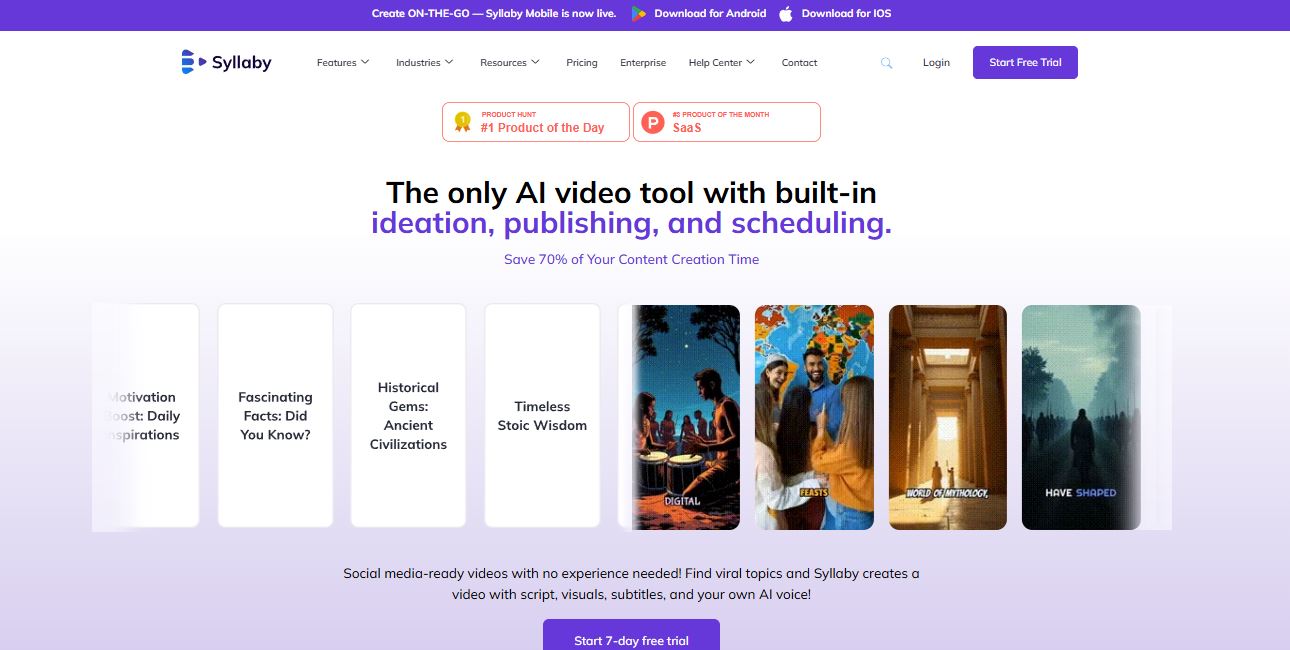
The company (based in Durham, North Carolina) says over 19,000 users have generated more than 90,000 videos and 56,000 scripts through the platform since launch — and the tool has picked up coverage from Yahoo Finance, Business Insider, and a #1 Product of the Day badge on Product Hunt. None of that tells you whether it’s the right tool for your workflow, though, so let’s get into how it actually behaves once you’re inside it.
If you’re comparing Syllaby against other faceless-video options before committing, it’s worth reading our breakdown of free InVideo AI alternatives first — it covers a few tools that overlap with what Syllaby does on the video-generation side.
How Syllaby Works: From Idea to Published Video
The dashboard follows a linear flow, and I want to be specific about what each stage actually does, since a lot of “AI video tool” reviews gloss over this part:
- Idea Discovery — You enter a niche and Syllaby surfaces trending topics pulled from Google, Google Trends, YouTube, TikTok, and Instagram search data rather than a generic prompt list. Each idea costs 15 credits to generate.
- Script Generation — Pick a topic and Syllaby drafts a hook-body-CTA script. This runs 1 credit per finished minute of script — the cheapest step in the whole pipeline.
- Video Creation — The script becomes a video using either the faceless engine (stock/AI visuals, 13 credits per rendered minute) or an avatar clone (50 credits per rendered minute), with Text-to-Scene generation available separately through Sora 2, Sora 2 Pro, Google Veo 3, or Seedance, at per-second credit rates that vary by plan tier. Kling is also listed among the platform’s supported models, though Syllaby hasn’t published its per-second credit rate the way it has for the others.
- Editing — A built-in timeline editor lets you trim, add stock media, and adjust captions. Exporting a faceless video is free once it’s edited; exporting an avatar video costs 6 credits per minute.
- Scheduling — Finished videos drop into a content calendar and auto-publish to YouTube, TikTok, Instagram, Meta, and Threads.

In practice, the interface doesn’t require a tutorial to produce a first video — I had a rough 45-second faceless clip scheduled within about twenty minutes of signing up. Where it slows down is the review step: scripts read like solid first drafts, not finished copy, and I ended up rewriting the hook on almost every script I generated to match my actual voice. That’s not a flaw exactly, but budget the time for it.
Syllaby Credit Costs: The Real Numbers
This is the part most Syllaby reviews skip, and it’s the part that actually determines whether a plan works for you. Syllaby’s Text-to-Scene pricing is charged per second, and the difference between models is enormous once you do the math on a full minute of footage:
| Model | Credits / Second | Cost for a 60-Second Clip |
|---|---|---|
| Seedance 1.0 Lite | ~1 credit | ~60 credits |
| Seedance 1.0 Pro | ~2 credits | ~120 credits |
| Google Veo 3 Fast | 4 credits | 240 credits |
| Sora 2 | 3 credits | 180 credits |
| Google Veo 3 Quality | 11 credits | 660 credits |
| Sora 2 Pro | 13 credits | 780 credits |
Read that last row again: a single 60-second Sora 2 Pro clip costs 780 credits — more than the entire monthly allowance on the $29 Basic plan (500 credits), and more than half of the Standard plan’s 1,500-credit allotment. If you’re picturing yourself generating cinematic Sora 2 Pro b-roll every week on the entry tier, that math doesn’t work. Stick to the faceless-video pipeline (13 credits/minute) or Seedance Lite Text-to-Scene if you’re on a lower tier, and reserve Sora 2 Pro for the plans built to support it.
A few other credit line-items worth knowing before you subscribe: idea discovery runs 15 credits per idea, image regeneration gives you 3 free tries before charging 1 credit each, thumbnail generation is 1 credit per 3 thumbnails, and — this one surprised me — exporting a finished faceless video is free once you’ve edited it, but exporting an avatar video costs 6 credits per minute on top of the generation cost. Credits also don’t roll over month to month, so unused credits reset at the end of every billing cycle.

On output quality: the faceless videos I generated using stock visuals and cloned narration held up well for short-form vertical content — subtitles synced cleanly, and character consistency across a six-scene avatar sequence stayed intact in five of six scenes (scene four swapped my clone’s shirt color, a small but noticeable slip). For a deeper look at how Sora 2 and Veo 3 output compare on their own, our RunwayML review and Kling AI review are useful side references since Syllaby licenses several of the same underlying models rather than training its own.
Syllaby Pricing 2026: Full Breakdown
Syllaby runs a credit-based subscription rather than flat per-video pricing, and every tier includes idea discovery, the video editor, voice cloning, and scheduling — the differences are credit volume, voice clone slots, storage, and how many posts you can queue at once. Annual billing saves roughly 15% across every tier.

| Plan | Monthly Price | Credits | Voice Clones | Scheduled Posts | Storage |
|---|---|---|---|---|---|
| Basic | $29 – $53 | 500 – 1,000 | 1 | 20 / 2 weeks | 5GB |
| Standard | $78 – $102 | 1,500 – 2,000 | 3 | 60 / 4 weeks | 10GB |
| Premium | $153 | 5,000 | 5 | 180 / 6 weeks | 20GB |
| Enterprise | Custom | Custom | Custom | Custom | Custom |
Note: Basic and Standard each show two price points because Syllaby offers two credit levels under the same tier name (e.g., Basic at $29/mo for 500 credits, or $53/mo for 1,000 credits) — pick the credit level, not just the tier label.
Refunds: Syllaby’s official policy allows a refund request within 30 days of your payment date if you’re unsatisfied, processed via customerrequest@syllaby.io or the site’s contact form. Payments run through Stripe, so your card statement (not a Syllaby invoice page) is your primary billing record — an emailed invoice also lands in your inbox at the end of each pay period. For a line-by-line look at which tier fits which usage pattern, we’ve built out a full Syllaby pricing and credit-math breakdown separate from this review.
Who Syllaby Is Built For
- Faceless creators who want a visual presence without going on camera — character consistency across scenes is genuinely one of the stronger technical points I tested.
- Coaches and solopreneurs juggling client work who need a repeatable weekly content system instead of a one-off editing tool.
- Multi-account operators running two or three niche channels, where manual research and scripting time multiplies fast.
- Beginners without a content instinct yet — the trend-based idea discovery gives you a starting point grounded in real search demand instead of a blank page.
Who Should Skip Syllaby
- Anyone who already has a scripting process they trust and just needs raw video generation — a dedicated model like the ones in our Kling AI review may cost less for that narrower job.
- Heavy Sora 2 Pro users on a tight budget — the per-second credit cost on premium models eats the Basic and even Standard plan fast, as shown in the table above.
- Anyone expecting zero-oversight publishing — scripts and generated visuals still need a human pass before they go live, especially in regulated or brand-sensitive niches.
- Budget-conscious testers stacking five AI subscriptions at once — Syllaby is priced as a stack replacement, not a cheap add-on to try alongside everything else.
Strengths I Noticed After Testing
✓ Trend-based ideation pulled from real search data, not a generic prompt list
✓ Character consistency held up across most multi-scene avatar sequences
✓ Access to Sora 2, Sora 2 Pro, Veo 3, and Seedance in one place, with Kling also available
✓ Genuinely integrated workflow — no exporting between four separate tools
✓ Free faceless video export once editing is done
✓ Low onboarding friction — first video was live in under 30 minutes
Real Bugs and Limitations
✗ Avatar consistency slipped once in a 6-scene test render (a clothing-color swap on scene 4)
✗ Sora 2 Pro’s per-second pricing makes it functionally unusable on the Basic and Standard tiers
✗ Scripts need a manual voice-and-CTA pass before they sound like you, not a template
✗ Credits reset monthly with no rollover, so uneven usage months feel wasteful
✗ Billing history lives in your Stripe statement, not a native invoice dashboard — mildly annoying for bookkeeping
None of this is disqualifying, but it does mean the sticker price on the Basic plan is a bit misleading if your plan involves anything beyond the standard faceless-video pipeline. Budget your tier around your actual model usage, not just your video count.
Syllaby vs the Alternatives
Against single-purpose tools, Syllaby’s edge is integration, not any one component being the industry’s best. If you only need avatar generation, our Perso AI review and its companion Perso AI pricing breakdown cover a narrower, presenter-style avatar tool. If scheduling and content calendars are your real bottleneck rather than video generation, our ContentStudio review is worth a look. And for programmatic, code-driven video generation instead of prompt-based generation, our Remotion review and the Visla review (plus its Visla pricing guide) are useful side-by-side reads before you commit a subscription. For a broader AI video agent comparison outside the faceless-content niche, see our piece on Sjinn AI.
FAQ
Is Syllaby worth it in 2026?
Yes, for faceless creators and solopreneurs who need trend-based ideation, video generation, and scheduling in one dashboard. It’s a weaker fit if you already have a strategy and only need raw video output, or if you plan to lean heavily on Sora 2 Pro without budgeting for its per-second credit cost.
How much does Syllaby cost per month?
Plans run from $29/month (Basic, 500 credits) to $153/month (Premium, 5,000 credits), with a custom Enterprise tier above that. Annual billing saves roughly 15%. A 7-day free trial is available on every plan.
Do Syllaby credits roll over?
No. Unused credits reset at the end of each billing cycle, so it’s worth planning your video output around your monthly allotment rather than banking credits for a bigger project later.
Can I get a refund if Syllaby doesn’t work for me?
Syllaby’s stated policy allows a refund request within 30 days of your payment date via customerrequest@syllaby.io or the contact form on their site. Confirm current terms directly with support before committing to an annual plan.
Which AI video models does Syllaby support?
Sora 2, Sora 2 Pro, Google Veo 3 and Veo 3.1 (Fast and Quality), and Seedance 1.0 Lite and Pro (plus 1.5 Pro) all have published per-second credit rates, with access expanding by plan tier. Kling is also listed in the platform’s model lineup, though Syllaby hasn’t published a per-second rate for it yet.
The Bottom Line
Syllaby earns its place for one specific reason: it removes the three things that actually kill content consistency — not knowing what to post, not having time to script it, and not having a system to publish it on schedule. The trend-based ideation is grounded in real search behavior, and the character consistency in avatar video is a technical detail that matters more than it sounds, since inconsistent AI avatars are one of the fastest ways to lose viewer trust.
That said, the credit-based pricing means the right plan depends entirely on which models you plan to use — not just your budget. Run your expected monthly video volume against the credit table above before you pick a tier, and you’ll avoid the most common way this tool ends up feeling more limited than it actually is.


