
AiPPT Review 2026: I Put the New Flow Mode, Pricing, and Nano Banana Image Tools to the Test
An independent look at whether AiPPT’s AI presentation generator, template library, and 2026 pricing actually hold up — and where it still falls short.
By Oyekale Olawale
Quick Answer
AiPPT is a solid pick if you need a fast first-draft deck from a topic, PDF, URL, or Google Drive file — not if you need pixel-perfect, brand-locked design. Paid plans run roughly $9–$11.49/month (Plus/Pro, billed monthly) or as little as $5–$6/month billed yearly, and a lifetime plan sits around $108–$140. Free tier: 140 one-time AI credits, 10-slide cap. Our verdict: 7.8/10 — great for speed, average for polish.
Search “AiPPT review” and you’ll get four or five articles that all read like they were written from the same press kit — 2018 founding date, “200,000+ templates,” a pricing table that never mentions an actual dollar figure. We went back to the source: aippt.com’s live pricing page, its App Store billing sheet, and its current homepage, which — as of this update — looks noticeably different from what most reviews describe.
What Is AiPPT, Exactly?
AiPPT is a cloud-based AI presentation generator that turns a topic, a document, a URL, or a Markdown/mind-map file into a formatted slide deck. It’s built by a Singapore-registered team (the site footer lists 8 Burn Road, Trivex, Singapore) and ships mobile apps under the developer name Megadreams Limited.
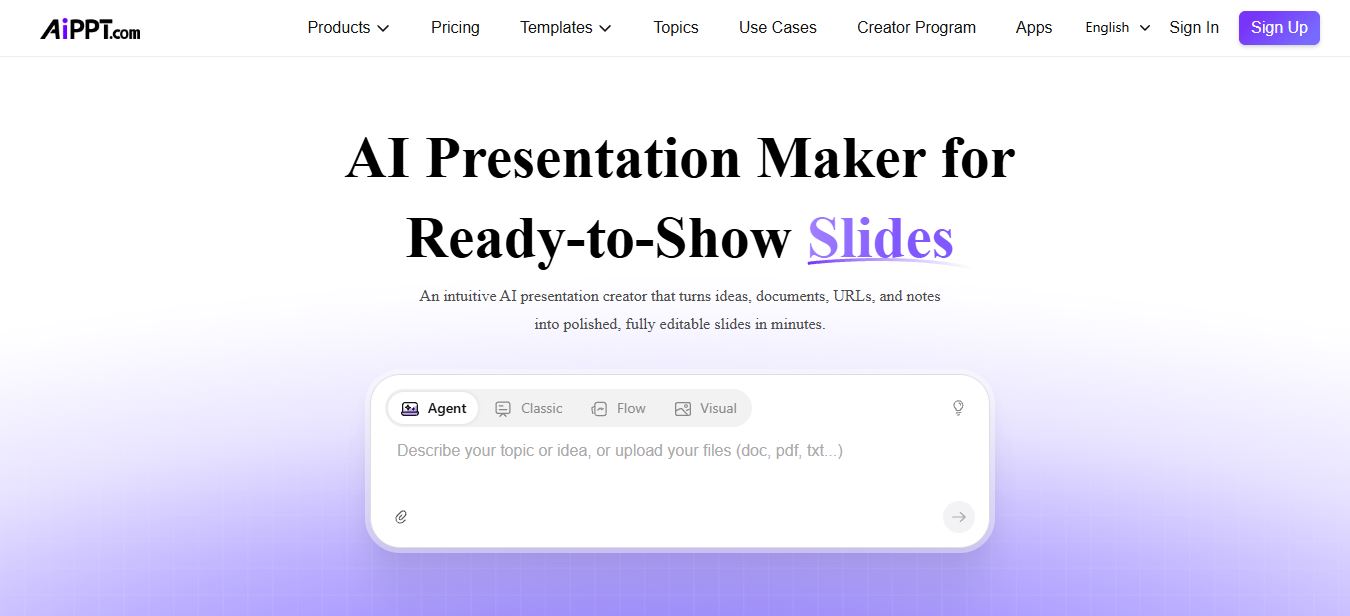
The most useful thing we can tell you that other reviews haven’t caught: AiPPT quietly restructured its whole product line in mid-2026. What used to be a single “Classic” generator is now four distinct modes sitting side by side on the homepage — Agent, Classic, Flow, and Visual. Flow is a newer adaptive-layout engine that auto-matches templates to your content rather than forcing a fixed theme, and Visual is a card-based mode built around AI-generated imagery rather than dense text slides. If a review you’re reading only talks about “Classic,” it’s working from stale screenshots.
The Free Tier Changed — and Nobody Flagged It
This is the kind of documentation-level detail that actually matters if you’re deciding whether to sign up. Earlier in 2026, AiPPT’s free plan worked on a daily reset: two AI generations per day, five AI edits per day, and so on. Pulling the live pricing page today, that structure is gone. The free plan now hands you a flat 140 AI credits, one time, with a 10-slide generation cap and one concurrent Agent task. Once those 140 credits are spent, you’re either waiting for nothing (there’s no daily refresh anymore) or upgrading.
That’s a meaningfully different value proposition than what’s described in most existing reviews, and it’s worth knowing before you build a workflow around “the free plan resets tomorrow.”
Inside the Dashboard: How the Workflow Actually Runs

Once you’re inside the dashboard, the workflow is genuinely straightforward — this part, the existing reviews get right. You pick a mode (Agent, Classic, Flow, or Visual), then feed it a topic, a pasted block of text, an uploaded PDF/Word file, a Google Drive document, or a live webpage URL. The system builds an outline first, which you can edit before a single slide gets generated — a step that’s easy to skip but genuinely worth the extra 30 seconds, since it’s much faster to fix a bad structure at the outline stage than to reorder six finished slides afterward.
From there, generation is quick — most decks assemble in under two minutes. Where AiPPT differentiates itself from a plain prompt box is conversational editing: instead of manually dragging text boxes, you can tell it in plain language to “make slide 4 more data-heavy” or “swap this section’s theme,” and it applies the change across the deck.
Testing It on a Real Brief: Digital Marketing Deck
To see how the tool handles a common, real-world brief rather than a demo-friendly topic, we ran it through a “Digital Marketing Strategy” prompt — the kind of request a small-business owner or freelance marketer would actually type in.

The structure it produced was sensible — a logical run from market overview through channel strategy to KPIs, without the flat, everything-in-one-tone problem that plagues cheaper AI slide tools. What’s consistent with what other testers have flagged, though, is that the copy on individual slides skews generic in places. It nails the skeleton of a deck; it doesn’t nail the specific, brand-voice language you’d want in a client-facing pitch without a manual pass. Treat AiPPT’s first draft as scaffolding, not a finished asset, and it performs well.
Templates: Is the “200,000+” Claim Real?

The template library is organized into deep category trees — Education (with Teacher, University, Thesis Defense, Lesson Plan sub-galleries), Business, Sales & Marketing, Holiday & Events, and style filters like Watercolor, Cartoon, Geometric, and Minimalist. Whether the total count is precisely 200,000 is unverifiable from the outside, but the breadth is real: you’re not choosing between five generic corporate themes the way you would with a lightweight tool. The practical limiter isn’t template access so much as your AI credit balance — since every generation and edit draws from the same pool, heavy template experimentation on the free tier will burn through your 140 one-time credits fast.
AI Image Generation: Nano Banana, Seedream, and What They Actually Mean

This is where AiPPT’s 2026 refresh gets more technically specific than the version most reviews are still describing. The image generator now runs on a multi-model stack: Seedream 4.5 is the default model available on the free tier, while Plus and Pro unlock the “state-of-the-art” tier, which includes Flux, Imagen, and Nano Banana (plus the newer Nano Banana Pro and Nano Banana 2 variants). There’s also video-motion generation layered in through Kling and Vidu-powered workflows for turning static slides into short animated clips.
Practically, this means the free plan’s visuals are noticeably more basic than what Plus/Pro users get — a real gap, not a cosmetic one, since the model tier directly affects how usable the generated imagery is for anything client-facing. Worth noting, too: AiPPT is explicit in its own disclaimer that it isn’t affiliated with or endorsed by Google, despite integrating Google-adjacent model names — a small transparency detail that’s easy to miss but reflects reasonably well on how the platform documents its third-party dependencies.
AiPPT Pricing in 2026: The Real Numbers

AiPPT’s website pricing page lists feature limits but strips out actual dollar figures once you land on it — a pattern several other reviewers have noted (and one earlier review flat-out admits it couldn’t confirm exact prices). We cross-referenced AiPPT’s own App Store billing sheet, which does publish real numbers, to fill that gap:
| Plan | Monthly | Yearly (effective/mo) | AI Credits | Max Slides |
|---|---|---|---|---|
| Free | $0 | — | 140 (one-time) | 10 |
| Plus | $9.00 | ~$5.00 ($59.99/yr) | 600/month | 20 |
| Pro | $11.49 | ~$6.00 ($72.00/yr) | 1,200/month | 50 |
| Lifetime | — | One-time: $107.99–$139.99 | Varies by tier | Up to 50 |
Figures sourced from AiPPT’s App Store billing sheet and live pricing page (checked at time of publishing). Web checkout pricing can vary slightly by region and promotion — always confirm on aippt.com/price before purchasing.
AI Credits by Plan, Visualized
The lifetime plan is genuinely one of AiPPT’s stronger differentiators against Gamma, Canva, and Pitch, none of which offer a true one-time-payment tier. If you generate presentations regularly and hate subscriptions, it pays for itself inside a year versus the monthly Pro rate.
AiPPT vs Gamma vs Canva vs Prezi vs Pitch
| Tool | Best For | Starting Price | Lifetime Option |
|---|---|---|---|
| AiPPT | Fast PPT-style decks from docs/URLs | ~$9/mo | Yes |
| Gamma | Web-native, link-based sharing | Free tier + paid | No |
| Canva | General design, not AI-first | Free tier + paid | No |
| Prezi | Zoomable, motion-driven live delivery | Paid tiers | No |
| Pitch | Team collaboration, shared workspaces | Free tier + paid | No |
Pros and Cons
Pros
✅ Four real input methods: prompt, file, URL, Google Drive
✅ Genuinely large, well-organized template library
✅ True lifetime plan — rare in this category
✅ Multi-model image/video generation (Nano Banana, Flux, Kling)
✅ Conversational, chat-based slide editing
Cons
✗ Free tier now a fixed 140-credit pool, no daily refresh
✗ Generated slide copy still leans generic on nuanced topics
✗ Best AI models locked behind Plus/Pro
✗ Web pricing page hides exact dollar figures
✗ Lighter on team governance than Pitch
Who Should Actually Use AiPPT
In my view, AiPPT earns its keep for three groups specifically: students and educators converting notes or research into lecture-ready slides, freelancers and consultants who need a client deck fast and will polish it themselves, and small teams that need occasional decks without paying for a full collaboration platform like Pitch. If your work depends on live, motion-heavy storytelling, Prezi still does that better. If you need deep team governance and shared brand libraries, Pitch remains the more mature choice. AiPPT’s lane is speed and flexible input — and it stays in that lane well.
FAQ
Is AiPPT free to use?
Yes. The free plan gives you 140 AI credits as a one-time allowance, capped at 10 slides per generation, with no credit card required to sign up.
How much does AiPPT cost per month in 2026?
Based on AiPPT’s own App Store billing figures, Plus runs about $9/month (or roughly $5/month billed yearly), and Pro runs about $11.49/month (roughly $6/month billed yearly). A lifetime plan is available for a one-time payment between about $108 and $140 depending on tier.
What is AiPPT Flow?
Flow is AiPPT’s newer adaptive-presentation mode that automatically matches layouts and templates to your content rather than applying one fixed theme across every slide. It sits alongside Classic, Visual, and Agent as one of four generation modes.
Can AiPPT generate images inside a presentation?
Yes. It integrates multiple third-party image models, including Nano Banana, Nano Banana Pro, Nano Banana 2, Flux, Imagen, and Seedream, plus Kling/Vidu-powered video generation for animated slide motion.
Is AiPPT good for team collaboration?
It handles light team use, but it isn’t built around deep governance, shared brand libraries, or granular permissions the way Pitch is. For solo work or small, informal teams, it’s more than adequate.
Does AiPPT offer a lifetime plan?
Yes — a one-time payment (roughly $108–$140 depending on tier) unlocks permanent access, which is uncommon among competitors like Gamma, Canva, and Pitch.
Conclusion
AiPPT does exactly what it claims to do: it takes a rough idea, document, or link and turns it into a structured, reasonably polished deck faster than you could build the same thing manually. The 2026 refresh — Flow mode, the multi-model image stack, the restructured free tier — makes it a meaningfully different product than the one most existing reviews are describing, and in most respects a stronger one.
It’s not the tool for high-stakes, brand-locked storytelling — Prezi and Pitch still win there. But for the everyday grind of turning notes into a deck under a deadline, AiPPT is a strong, affordable option, and the lifetime plan makes it one of the few in this category worth locking in permanently rather than renting month to month.
Websites2Know Verdict: 7.8/10
Building visuals often doesn’t stop at slides. If you’re rounding out a presentation with custom imagery, our breakdowns of Nano Banana 2, Raphael AI, and Magic Hour AI cover the AI image generators worth pairing with a deck like this. If branding is the next step, we also tested Logo Diffusion for quick logo work and Magic UI for landing pages to match. For template-heavy workflows more broadly, our Velosofy review and Gentube.app review cover similar ground from different angles, and if you’re building an AI-assisted app rather than a deck, our Macaly review is a useful next read. On the content side, our guides to writing SEO articles with AI and the best AI SEO tools round out the workflow from presentation to publish.


