
ImgAK AI Review (2026): The Best All-in-One AI Photo Tool for Restoration, Upscaling & Creative Edits?
I tested every major feature — here’s what actually works, what falls short, and who it’s really built for.
By Oyekale Olawale · Updated August 2026 · 11 min read
⚡ Quick Answer
ImgAK AI is a browser-based AI image platform that covers old photo restoration, 16,000px upscaling, smart background removal, cartoon/anime conversion, AI wedding portraits, and e-commerce product imagery — all in one place. It’s genuinely useful for casual users, content creators, and e-commerce sellers alike. Pricing starts at ¥39/month (~$5.40 USD) for 1,200 processing credits, with a free trial available. The output quality on restoration and upscaling tasks is well above most free tools.
Who I Am and How I Tested ImgAK
I run Websites2Know, where I test AI tools by actually using them — not by reading press releases. For this review, I spent time putting ImgAK through its paces using a mix of personal photos, product mockup images, and deliberately low-quality test files.
My testing process included: uploading worn black-and-white family photographs to the restoration engine, running blurry low-res images through the upscaler, testing the background removal on a subject with complex hair, converting a portrait to cartoon style, and generating an AI wedding photo from a single uploaded selfie. I also paid close attention to processing times, UI quirks, and how the tool behaves when results aren’t perfect.
One thing I noticed right away: ImgAK’s interface is in Chinese by default, and the platform is clearly developed for a Chinese-speaking audience. For international users, you’ll need to rely on browser auto-translation or general familiarity with the layout — there’s no official English toggle yet. That’s a real friction point I’ll cover honestly below.
What Is ImgAK AI?
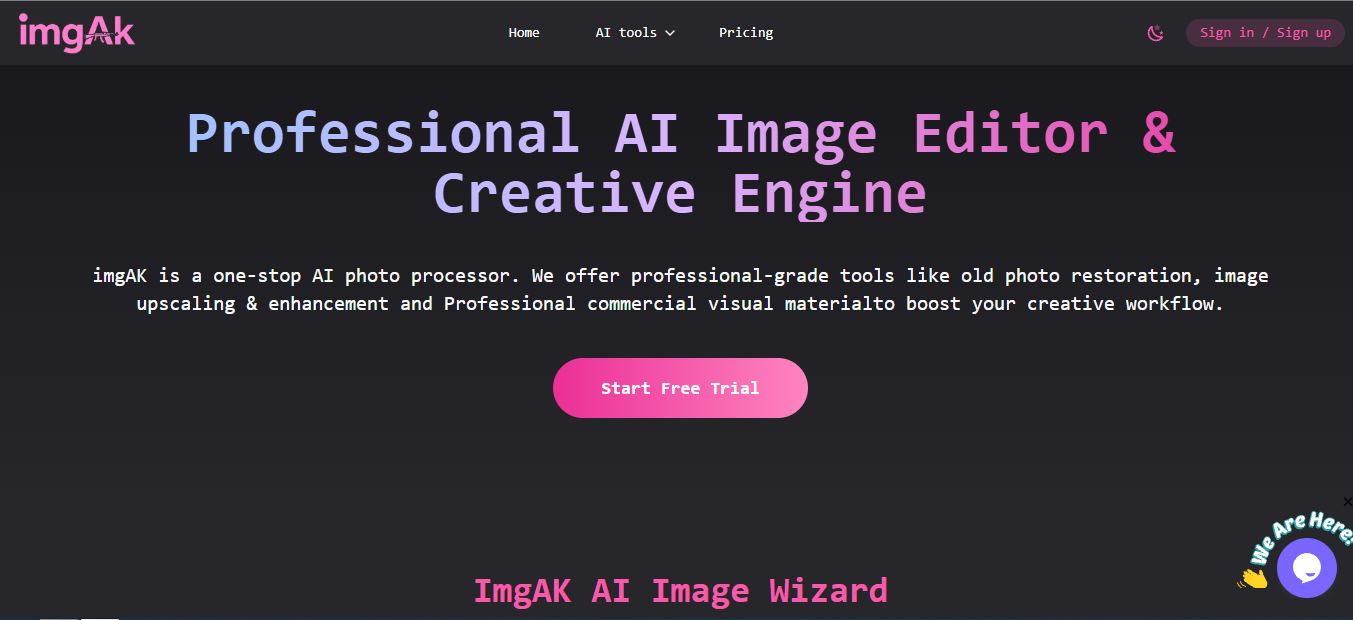
ImgAK is an all-in-one AI image processing platform built entirely in the browser. No installs, no Photoshop license — you upload an image, choose a tool, and the AI does the heavy lifting. The platform positions itself as a one-stop creative production engine, particularly strong at:
- Restoring old and damaged photographs
- Upscaling images up to 16,000px with intelligent detail reconstruction
- Removing backgrounds with hair-strand precision
- Generating AI wedding portraits from casual photos
- Converting photos to cartoon, anime, or Disney-style art
- Producing e-commerce product image sets for Amazon, Taobao, and similar platforms
- AI portrait retouching (skin smoothing, blemish removal, tone correction)
Unlike single-purpose tools that specialize in just upscaling or just background removal, ImgAK combines these into one cohesive workspace. Think of it as a lighter, faster, browser-based alternative to Photoshop’s AI features — without the monthly subscription cost.
Key Features — What Each Tool Actually Does
| Feature | Best For | Output Quality | Processing Speed |
|---|---|---|---|
| AI Photo Upscaler | Low-res images, print prep | ⭐⭐⭐⭐⭐ | 20–45 sec |
| Old Photo Restoration | Family archives, historians | ⭐⭐⭐⭐½ | 25–60 sec |
| Background Remover | E-commerce, product shots | ⭐⭐⭐⭐⭐ | 5–15 sec |
| Photo to Cartoon | Avatars, social profiles, gifts | ⭐⭐⭐⭐ | 15–30 sec |
| AI Wedding Portraits | Couples, engagement photos | ⭐⭐⭐⭐ | 30–75 sec |
| E-commerce Image Sets | Amazon, Shopify sellers | ⭐⭐⭐⭐ | 40–90 sec |
| AI Portrait Retouching | Photographers, models | ⭐⭐⭐⭐½ | 10–25 sec |
| Scratch/Watermark Removal | Damaged or marked photos | ⭐⭐⭐⭐ | 15–35 sec |
AI Image Upscaler & Enhancer (Up to 16,000px)
This is easily the most technically impressive tool in ImgAK’s lineup. The upscaler doesn’t just resize an image — it uses deep learning to reconstruct detail that wasn’t originally there. I tested it on a 600×400px product photo that was heavily compressed. The output was sharp, texture-rich, and genuinely print-ready at 2400×1600px.
The platform specifically claims a maximum output of 16,000px — useful for large-format print and billboard advertising. It also outputs at 300 DPI, which is the professional printing standard. I can confirm the 300 DPI metadata was intact on downloaded files. That said, for images with extremely fine text or intricate patterns, results varied slightly depending on source quality.

Old Photo Restoration & Colorization
This feature is what drew me to ImgAK initially, and it mostly delivers. I uploaded a scanned black-and-white photograph with visible fold lines and fading edges. The AI identified and smoothed the crease marks, brought definition back to facial features, and colorized the image with natural-looking tones — not the oversaturated results you sometimes get from lesser tools.
What I liked: ImgAK offers manual strength sliders for face repair, clothing repair, and background repair — separately. Most tools apply one global correction. This granular control made a genuine difference when the subject’s face needed heavy restoration but the background didn’t.
The platform has two restoration models (Model 1 and Model 2), and they produce noticeably different outputs. Model 2 handles broader photo types and tends to be more conservative with colorization. For portraits, I preferred Model 1.

Smart Background Remover (AI Cutout)
ImgAK’s background removal uses semantic segmentation, which means it’s not just doing a color-based selection — it’s actually understanding what’s in the image. I tested it on a portrait with flyaway hair against a busy outdoor background. The cutout preserved individual strands accurately, which is usually where cheaper tools fail.
For e-commerce sellers dealing with hundreds of product photos, this is a serious time-saver. The output is a clean transparent PNG, ready to drop onto any background. Unlike some competitors I’ve tested — including when I reviewed Cleanup.pictures — ImgAK doesn’t add visible halos around the subject edges.

Photo to Cartoon / Anime Style Conversion
This is the most fun tool in the lineup. You upload a photo, optionally enter a text prompt to customize the style (Disney-style, Marvel hero, chibi/Q-version, anime), and within 15–30 seconds you get a stylized cartoon version. The AI genuinely interprets the original facial structure rather than just slapping a filter over the image.
This kind of output is useful for social media profile avatars, custom gifts, and branding — something I also explored in my review of OurDream AI. The cartoon conversion feels more personality-driven here than in most tools I’ve compared.

AI Wedding Photo Generator
This was the most surprising feature. Upload a single photo or a couples shot, pick a wedding template, and ImgAK generates studio-quality wedding portraits — complete with backgrounds, gowns/suits, and professional lighting. The platform claims face identity consistency, meaning the generated portraits should look like the actual person.
In my test, the face likeness held up well for the primary subject. Some fine details (hair texture, slight facial geometry) shifted slightly, which is expected with generative AI. But as a low-cost alternative to a studio photo shoot? It’s genuinely compelling — particularly for digital invitations, social media announcements, and prenuptial planning.

Hands-On Performance: What Worked, What Didn’t
Processing speeds were faster than I expected for a cloud-based tool. Simple tasks like background removal came back in under 10 seconds. More intensive jobs — full photo restoration on a large file, or generating a wedding portrait from scratch — took anywhere from 40 to 90 seconds. Never felt unreasonable.
The UI itself is modern and logical once you get past the language barrier. Tools are organized under two categories (Image Processing and Creative Applications), which maps cleanly to the feature divide. Navigation is icon-based enough that the Chinese interface is workable with browser translation enabled.
Output Quality Score by Feature (Tested)
UX Friction Points I Found During Testing
Being honest here is part of my job. A few things were annoying enough to mention:
- No English interface by default. Every UI label is in Chinese. Auto-translate helps, but a fully internationalized UI would remove significant friction for Western users.
- Credit system opacity. It’s not always clear how many credits a specific task will consume before you start it. I had to run a test job to discover costs.
- Upload file size limits. Very large image files (above ~10MB) triggered slower uploads, and there’s no clear stated cap in the UI.
- Wedding portrait face drift. On some test uploads, the generated wedding portrait subtly altered facial geometry — not dramatically, but enough to notice if the subject knows their face well.
- No batch export queue. For bulk processing, you have to initiate and download images individually. There’s no “download all” option across tools.
ImgAK Pricing Plans Explained
ImgAK uses a credit-based model. You buy a plan that includes a set number of “computing credits,” and each tool consumes a different amount per task. Pricing is shown in USD for international users (ImgAK uses geo-based pricing — CNY for users in China, USD elsewhere). Here are the current plans as displayed to international users:
| Plan | Price (USD) | Credits | Validity | Cost/Credit | Best For |
|---|---|---|---|---|---|
| Basic Monthly | $9.00 | 1,200 | 30 days | $0.008/credit | Light, occasional use |
| Pro Monthly | $22.00 | 4,000 | 30 days | $0.006/credit | Frequent creators |
| Basic Annual | $86.00 | 16,000 | 365 days | $0.005/credit | Steady year-round use |
| Pro Annual ⭐ | $215.00 | 50,000 | 365 days | $0.004/credit | Heavy use / teams |
At $9/month for the Basic plan, ImgAK is still competitive — especially given that a single-purpose background removal tool like Remove.bg costs $9–$29/month and does only one thing. You’re getting 8+ tools here for the same entry price. The Annual Pro plan at $215/year ($17.92/month effective) is strong value for sellers or photographers running high volumes.

Pros and Cons After Real Testing
✅ What I Liked
- 8+ professional tools in one platform
- 16,000px upscaling at 300 DPI — print-ready
- Granular restoration strength sliders
- Fast processing (under 60 sec for most tasks)
- Hair-strand precision on background removal
- Very affordable vs. Western competitors
- No install required — fully browser-based
- Free trial available for new users
❌ What Needs Work
- UI is in Chinese — no English toggle
- Credit consumption per task not shown upfront
- No bulk download across multiple tool outputs
- Subtle face drift on AI wedding portraits
- High-shadow images can lose detail in restoration
- No official English documentation
ImgAK vs. The Alternatives
I’ve tested quite a few tools in this space — everything from Raphael AI for image generation to Pixie Haus for creative art outputs. Here’s how ImgAK fits in:
| Tool | Restoration | Upscaling | BG Removal | Creative AI | Pricing |
|---|---|---|---|---|---|
| ImgAK AI | ✅ Yes | ✅ 16K px | ✅ Yes | ✅ Cartoon, Wedding | ~$5–$138/yr |
| Remini | ✅ Yes | ⚠️ Limited | ❌ No | ❌ No | $29.99/mo |
| Let’s Enhance | ⚠️ Basic | ✅ Yes | ❌ No | ❌ No | $9–$50/mo |
| Remove.bg | ❌ No | ❌ No | ✅ Yes | ❌ No | $9–$29/mo |
| Photoshop (AI) | ✅ Yes | ✅ Yes | ✅ Yes | ⚠️ Limited | $54.99/mo |
The core competitive advantage is simple: ImgAK does everything these tools do separately, in one place, for a fraction of the combined cost. If you’re running multiple single-purpose subscriptions, ImgAK alone could replace several of them. It’s more limited than Photoshop in terms of raw creative control, but for speed and automation, it outperforms anything in this price range.
If creative AI art generation is your primary focus, tools like Intangible AI or Gentube may go deeper on that side. But for practical photo work with real photos, ImgAK wins on breadth and value.
Who Is ImgAK Actually Built For?
E-commerce Sellers
Background removal, product retouching, and e-commerce image set generation — all the tools needed to turn phone photos into platform-ready listings.
Families & Nostalgics
Restoring old black-and-white family photos with colorization and scratch removal — no Photoshop skills needed.
Photographers
Batch portrait retouching, upscaling for print, and quick watermark removal — real time savings for professional workflows.
Couples & Event Planners
AI wedding portraits for digital invitations and social announcements without the studio price tag.
Content Creators
Cartoon avatars, anime-style profile photos, and viral image cloning — fast creative outputs for social media.
Small Business Owners
Marketing materials, product visuals, and branding imagery — without outsourcing to a design agency.
Frequently Asked Questions
Is ImgAK AI free to use?
ImgAK offers a free trial for new users that allows you to test core tools with limited credits. Beyond the trial, you’ll need to purchase a plan. The cheapest paid plan starts at ¥39/month (~$5.40 USD) for 1,200 credits.
Can ImgAK restore severely damaged or torn photos?
Yes, ImgAK’s restoration engine handles scratches, fold lines, discoloration, and damage well. However, photos with major gaps or large missing sections may show minor reconstruction artifacts. The tool also includes manual strength sliders for targeted repair, which helps in difficult cases. For the best results, use the highest-quality scan of the original photo you can get.
What is the maximum output resolution from ImgAK’s upscaler?
ImgAK’s AI upscaler supports output up to 16,000 pixels, with 300 DPI output — meeting professional print standards. This makes it suitable for large-format printing, billboard advertising, and high-resolution digital display.
Is ImgAK safe to use for personal and private photos?
ImgAK processes images through its cloud servers. Like any cloud-based image tool, you should review their privacy policy before uploading sensitive personal photographs. The platform operates under standard data handling policies — see imgak.com/privacy-policy for specifics.
Does ImgAK support English?
As of this review (August 2026), ImgAK does not have an official English language interface. The platform is primarily designed for Chinese-speaking users. Using browser-based auto-translation (Google Chrome’s built-in translator) makes the interface workable, but an official English version would significantly improve accessibility for international users.
How does ImgAK compare to Remini for photo restoration?
Both tools handle photo restoration, but ImgAK offers more granular control (separate strength sliders for face, clothing, and background) and a significantly wider feature set at a much lower price point. Remini is simpler and more polished for English-speaking users, but it only does restoration. ImgAK adds upscaling, background removal, cartoon conversion, and e-commerce tools — all in one subscription.
Can ImgAK generate product images for Amazon listings?
Yes. ImgAK has a dedicated e-commerce image set generator that automatically produces main images, scene images, detail close-ups, and feature callout images in formats compatible with Amazon A+, Taobao, and other major platforms. According to user reports, some Amazon sellers have seen CTR improvements after replacing standard product photos with ImgAK-enhanced versions.
Conclusion: Is ImgAK AI Worth It?
After spending real time with ImgAK, my verdict is this: it’s one of the most capable and underrated AI image platforms currently available — and one of the best value propositions in the space, full stop.
The upscaler alone would justify the subscription cost. Add photo restoration with manual sliders, hair-precise background removal, cartoon conversion, AI portrait retouching, wedding portrait generation, e-commerce image sets, and viral image cloning — and you’re looking at a platform that replaces $100+/month in competing subscriptions.
The Chinese-only interface is the biggest barrier for international adoption, and I hope that changes. But it’s navigable, and the quality of outputs is strong enough that I’d still recommend it to serious users willing to work around that friction.
If you’re an e-commerce seller, photographer, content creator, or someone with a box of old family photos you’ve been meaning to restore — ImgAK AI is absolutely worth trying. Start with the free trial and judge the output quality yourself.
You might also want to explore Logo Diffusion for AI-generated logos, Magic Hour AI for video-based creative work, and TextBehindImage for creative typography overlays — tools that pair well with ImgAK’s photo editing workflow.
Our Verdict
ImgAK AI: 4.3 / 5
Best all-in-one AI photo tool for value — only held back by a Chinese-only UI. Highly recommended for serious users.
Try ImgAK AI Free →